AOI_RS_v85_en.pdf - 第94页
Chap ter3 SPC User Ma nual AOI Repair Station 90 Press [EXCEL] will generate EXCEL report Press [PRI NT QUI CK] wil l generate the following report: Export Excel file acc ording to the specified date and time – Pre…
Chapter3 SPC User Manual
AOI Repair Station
89
as WDFail. It’s easy for user to calculate the defect rate excluding
the WDFail and user could get a better defect rate.
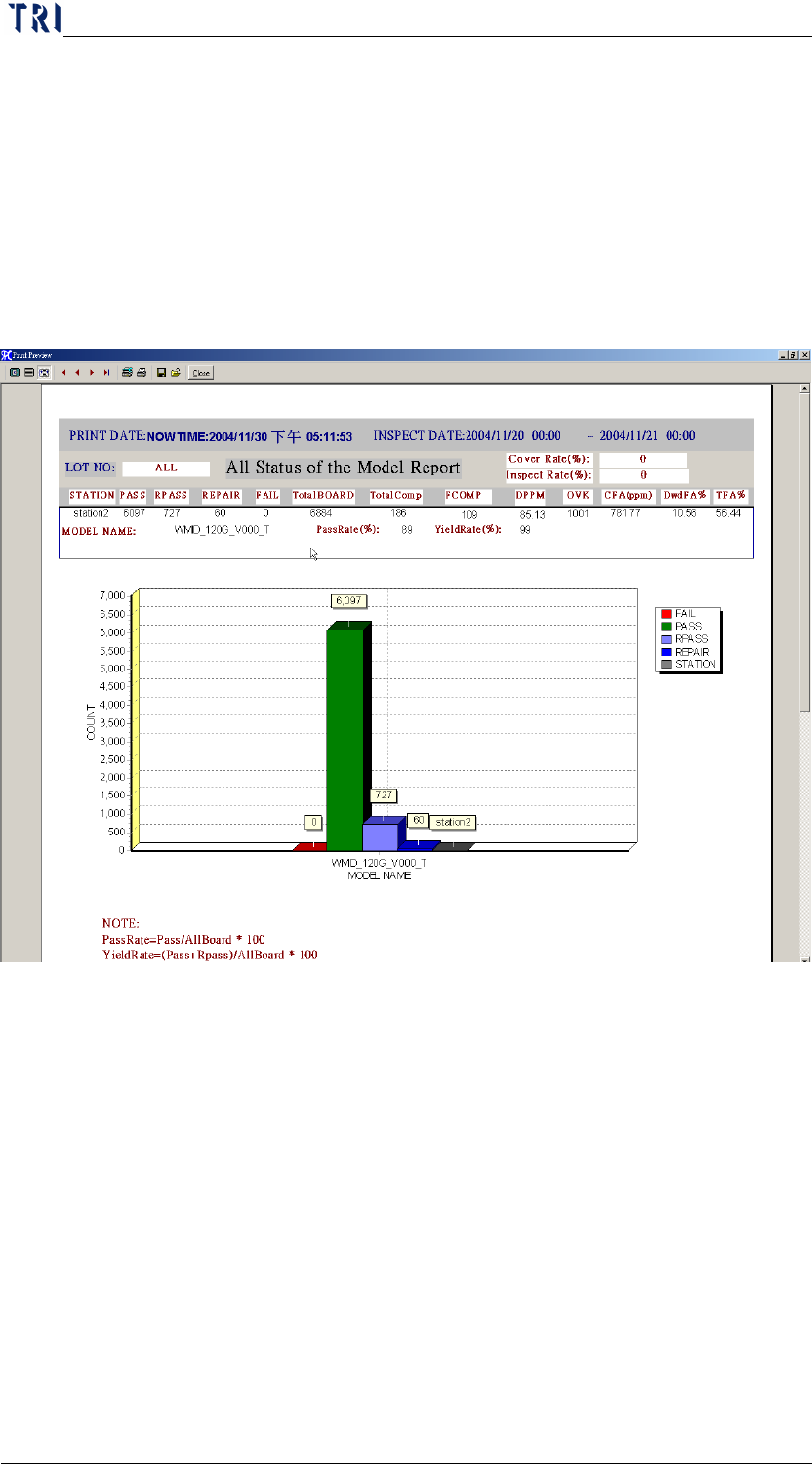
PassRate=Pass/AllBoard*100
YieldRate=(Pass+Rpass)/AllBoard*100
DPPM=FCOMP/(ALLBOARD * TOTALCOMP) *1000000
CFA(PPM)=OVK / (ALLBOARD* TOTALCOMP)*1000000
DwdFA=RPASS/ALLBOARD *100
TFA=(RPASS+WdPass) / ALLBOARD *100
Step7. When press [SAVETOBMP], the graph will be saved under
[C:\SPC1.BMP]
Step8. When press [EXCEL], it will generate EXCEL report
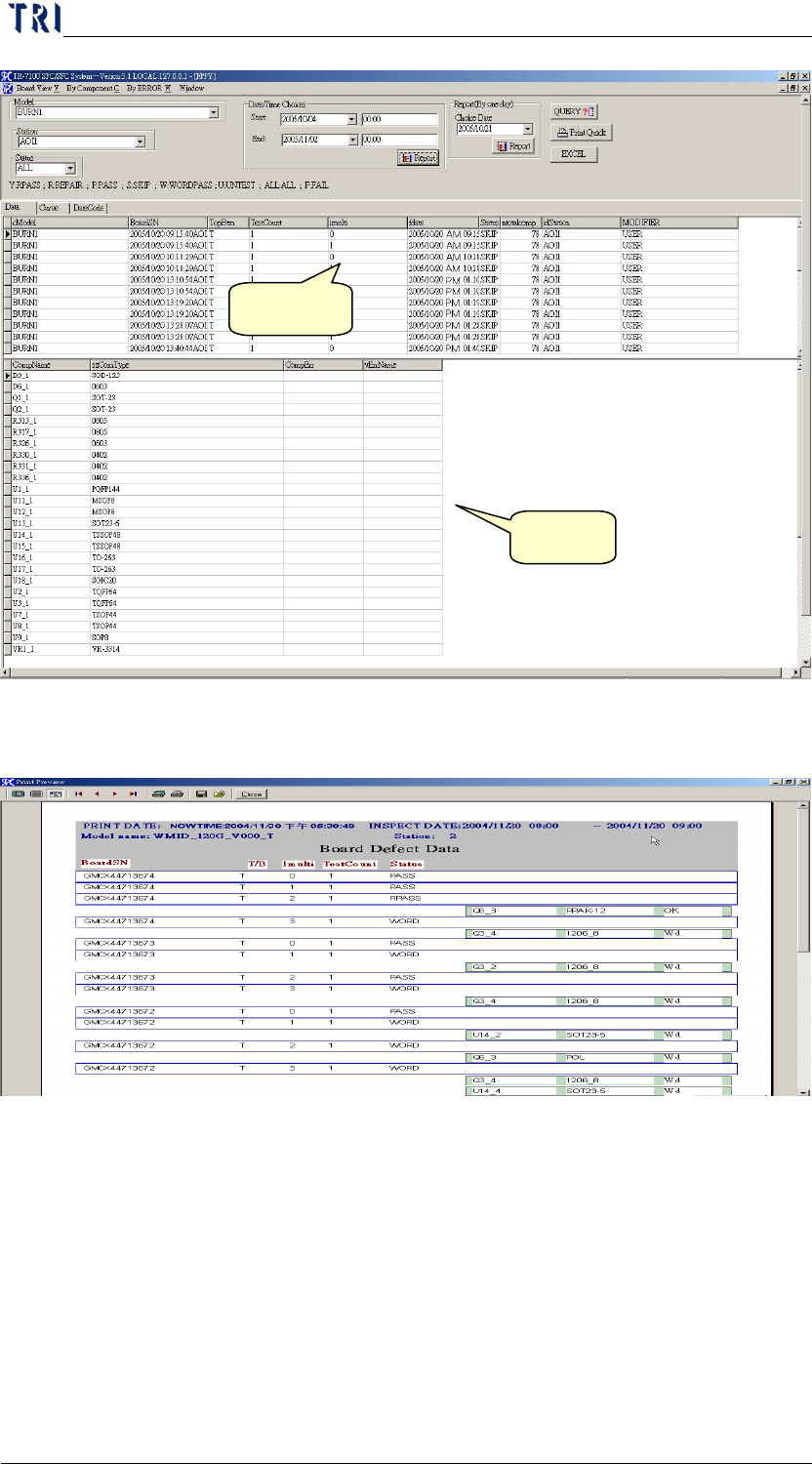
3 Board Defect Data
Check for the testing data of tested boards and each line graph condition
For search conditions key in [MODEL], [STATION], [STATUS],
[DATETIME], press [QUERY] will displays information of board in
AREA1, and the details of each board’s DEFECTS in AREA2
Chapter3 SPC User Manual
AOI Repair Station
90
Press [EXCEL] will generate EXCEL report
Press [PRINT QUICK] will generate the following report:
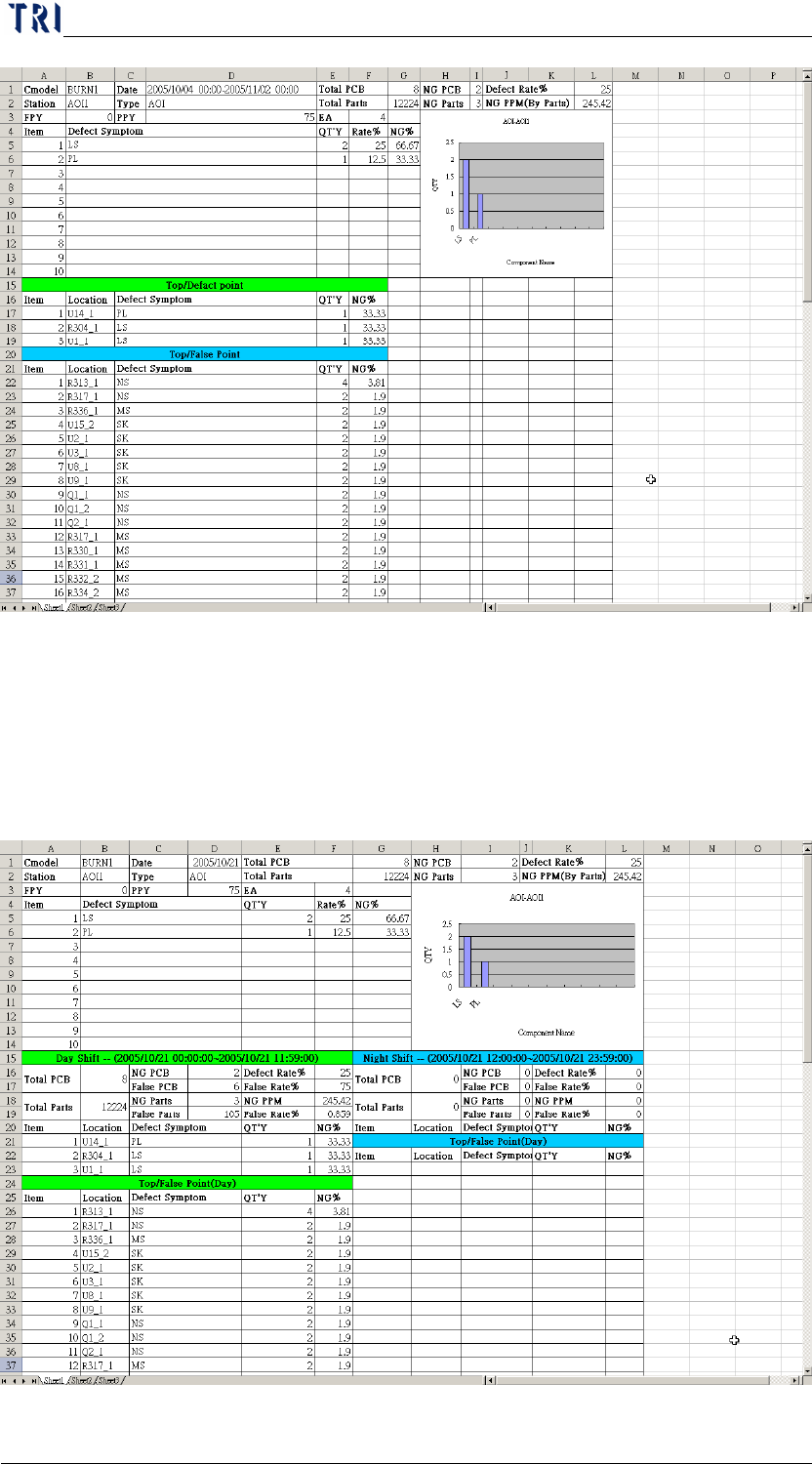
Export Excel file according to the specified date and time–Press the
[Report] button that is in [Date/Time Choices] field, then there will be
an Excel file created under [C:\]. The content of the report is as the
following. You also can specify the number of components you want to
display after clicking on the [Report] button.
Area 1
Area 2
Chapter3 SPC User Manual
AOI Repair Station
91
Export Excel file for a specified day–Press the [Report] button that is
in [Report (By one day)] field, then there will be an Excel file created
under [C:\]. The content of the report is as the following. The data are
separated from Day Shift and Night Shift and the Shift is according to
the [Schedule Define] in Repair Main Program.