AOI_RS_v85_en.pdf - 第65页
Chapter 2 Repair Station Main Progr am AOI Repair Station 61 10.6.6.12 Barcode T r ace Ability The function is to read one barcode and you can review the other multi-board data. System Struc ture Step1. C ustormer of…
Chapter 2 Repair Station Main Program
AOI Repair Station
60
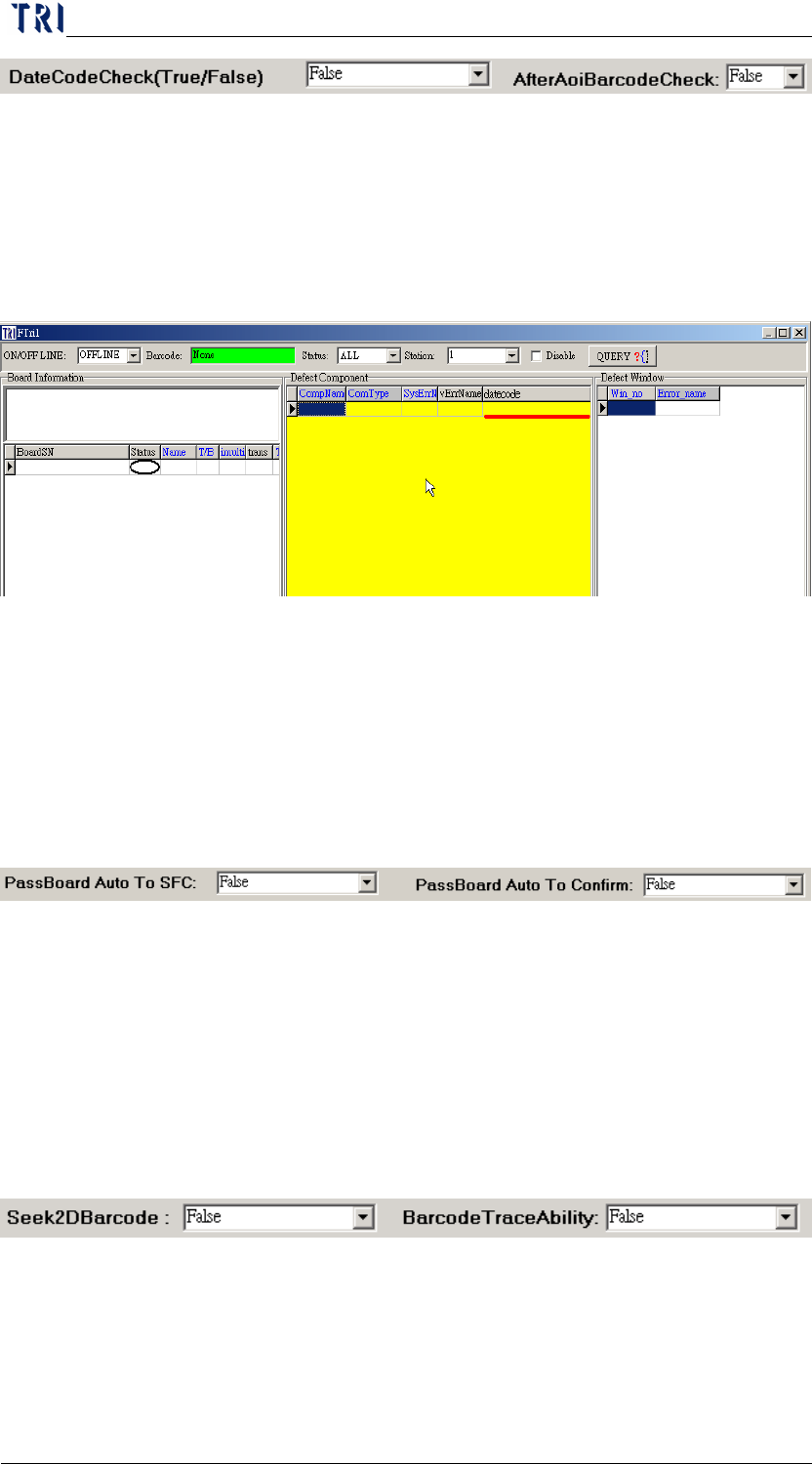
This DATECODE is generated when [1234567_datecode.txt]
(format property: U1;200408, U2;20040709, U3;2004060) written
into [C:\AOI_REPAIR_DATA\DATECODE\], the data file will be
written into DB when the REPAIR STATION performs the
[InsertData.exe], DATECODE will be seeing at CONFIRM; the
data must be confirmed fail in order to edit the DATECODE.
10.6.6.8 AfterAoiBarcodeCheck
When set it [True] and there is the same barcode duplicated, for the
second and the later data, the [Test Count] field will be changed to
2.
10.6.6.9 PassBoard Auto To SFC
By setting the [PassBoard Auto To SFC] to [True] will
automatically send the [PASS] data to client’s SFC.
10.6.6.10 PassBoard Auto To Confirm
By setting this item to [True] will confirm the [Pass] data
automatically.
10.6.6.11 Seek2DBarcode (ONLY IN 7100)
By setting the [Seek2Dbarcode] to [True] will seek 2d barcode in
[C:\INTEL] in Repair Station, and replace the [PANEL_NO] with
2D barcode number.
Chapter 2 Repair Station Main Program
AOI Repair Station
61
10.6.6.12 Barcode Trace Ability
The function is to read one barcode and you can review the other
multi-board data.
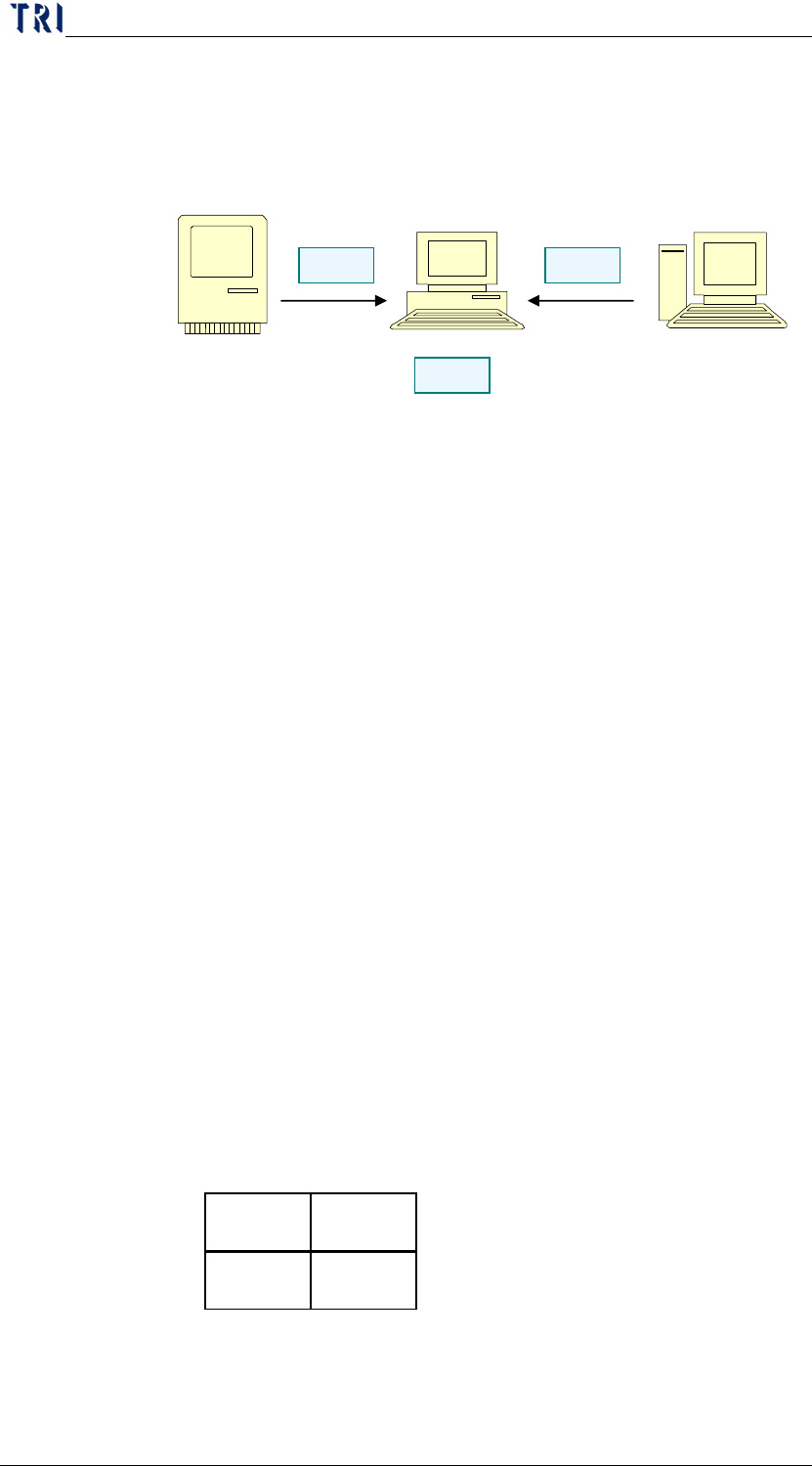
System Structure
Step1. Custormer offers the *.brm file and saves it to
[C:\AOI_REPAIR_DATA\CombineBarcode] folder in
Repair Station.
Step2. AOI sends the inspection data to Repair Station.
Step3. Repair Station capture the *.brm file and replace the
barcode number to the multi-boards.
BRM file format
(1) File name-PANEL NO.brm
(2) File Format-Model Name;T/B;PANEL NO;count of X
axis;count of Y axis;2D1;2D2;2D3;2D4
(3) File Format Explanation
Model Name- The model name.
T/B-Top or Bottom side.
PANEL NO-Input the barcode that represents the whole panel.
That is the barcode number scanned actually.
Count of X axis-For MxN multi-board, input M here.
Count of Y axis-For MxN multi-board, input N here.
2D1;2D2;2D3;2D4…-Those are the barcode number that you
want to read in. The sequence has to
follow the rule: left to right, up to
down.
(4) Take 2x2 boards for example.
File name-A001.brm
File contents-
MIS Barcode System
AOI
Repair Station
S
tep
3
S
tep
1
S
tep
2
A0001 B0002
C0003 D0004
Chapter 2 Repair Station Main Program
AOI Repair Station
62
Model_Name;T;A001;2;2;A001;B002;C003;D004
Saved Path-The file has to be saved in the
[C:\AOI_REPAIR_DATA\CombineBarcode]
folder in Repair PC.
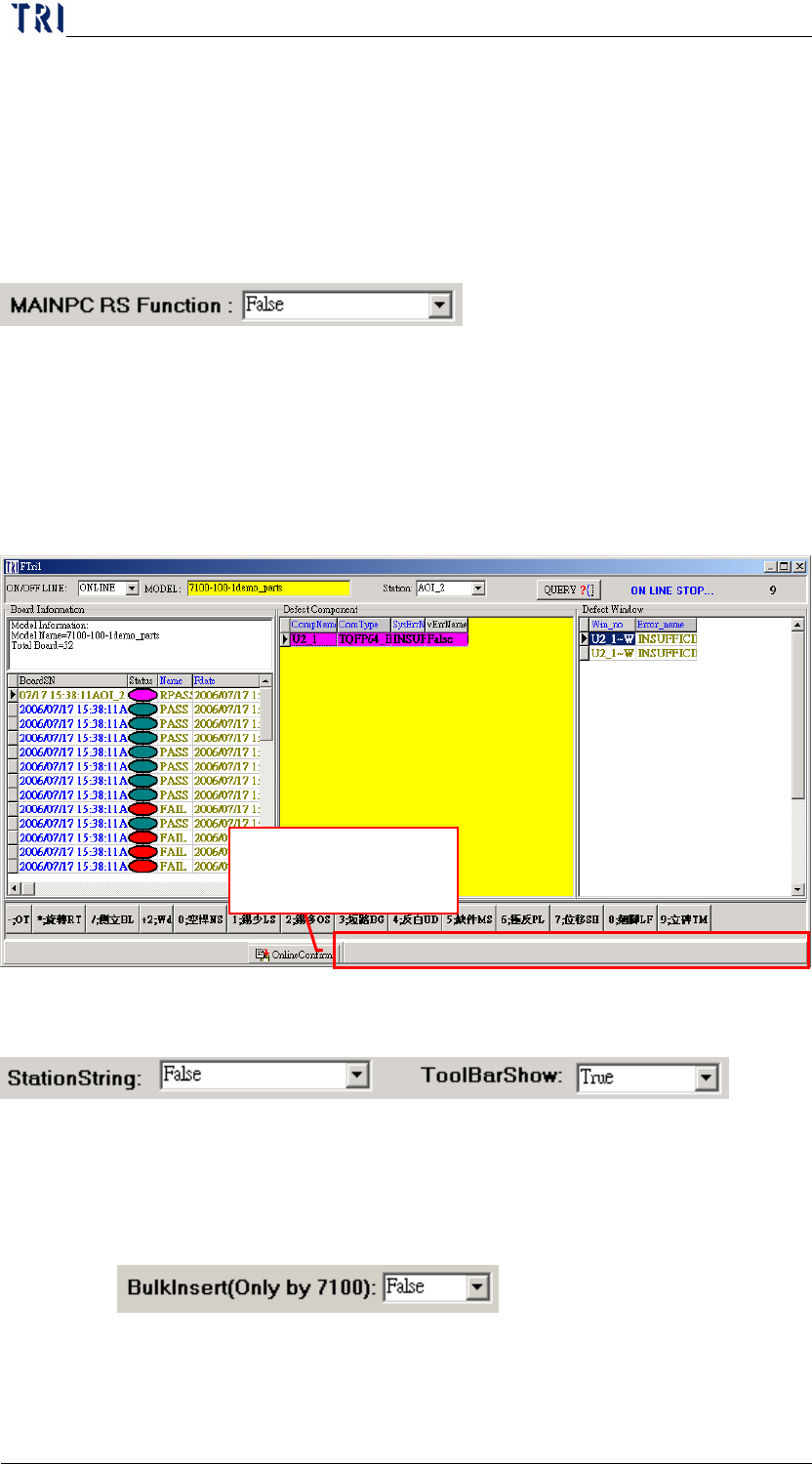
10.6.6.13 MAINPC RS Function
The data does not need to go through Repair Station, a direct
confirm in the Main PC.
10.6.6.14 Tool Bar Show
Setting [False] means that the tool bar below the confirm dialog is
hidden.
10.6.6.15 StationString
You should select [True] if you add [AOIMachineID] at registry on
AOI main pc
10.6.6.16 BulkInsert (Only TR7100)
When this is [True], the data transferred by insertdata will speed up.
Do not show the
status bar here.