AOI_RS_v85_en.pdf - 第97页
Chap ter3 SPC User Ma nual AOI Repair Station 93 Step1. Select [MODEL], [ST A TI ON], [ ST A TUS=ALL] and [Date], then press [EXECUTE]. Step2. Double click on the record on Zone 1 and the details are displayed on Zone 2.…
Chapter3 SPC User Manual
AOI Repair Station
92
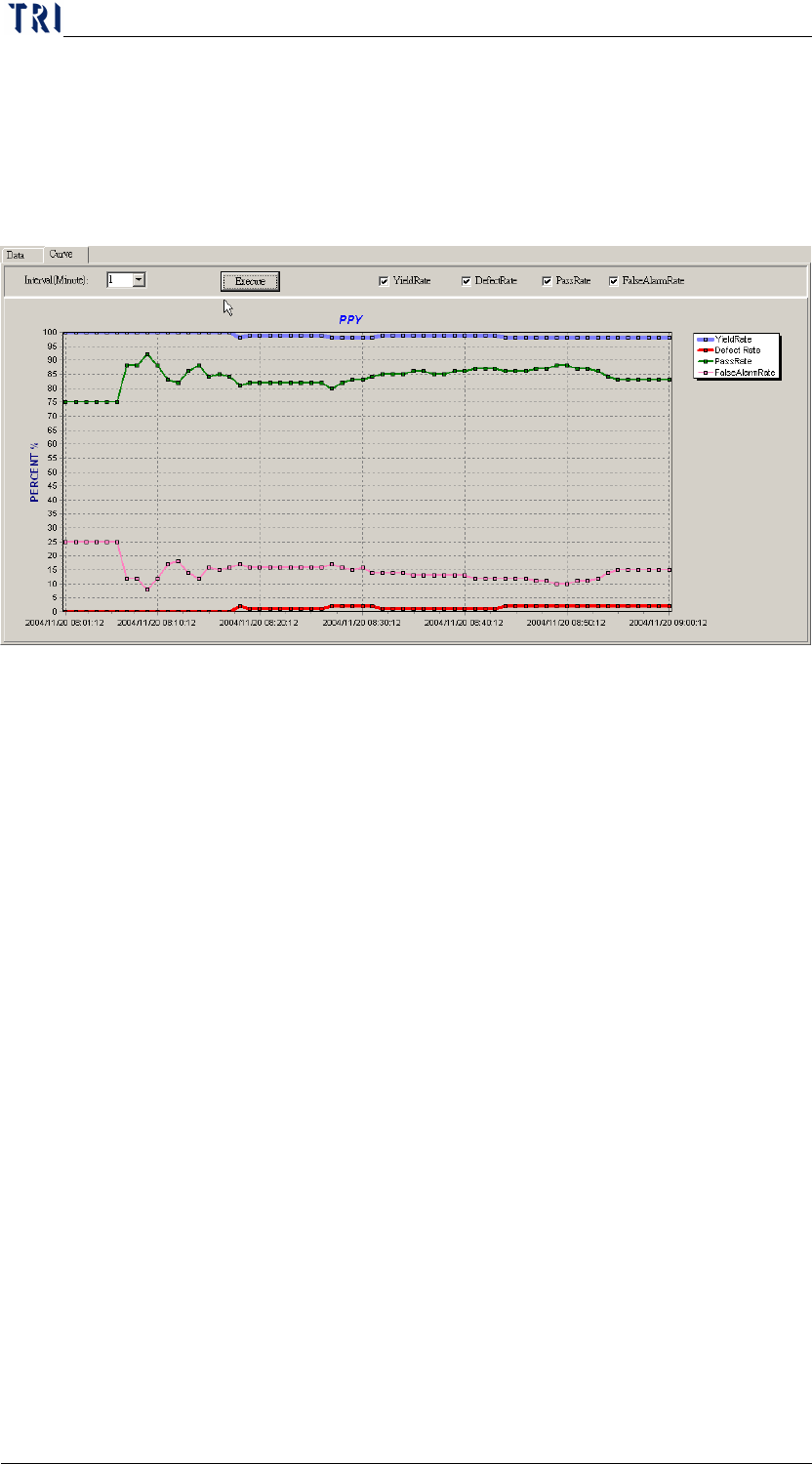
Switch to [CURVE] (figure down below) will display the curve graph
of [PASS], [DEFECT], and [FALSE ALARM]:
Step1. [QUERY] information must to be set first
Step2. Set the [INTERVAL], unit is minute.
Step3. Press [EXECUTE]
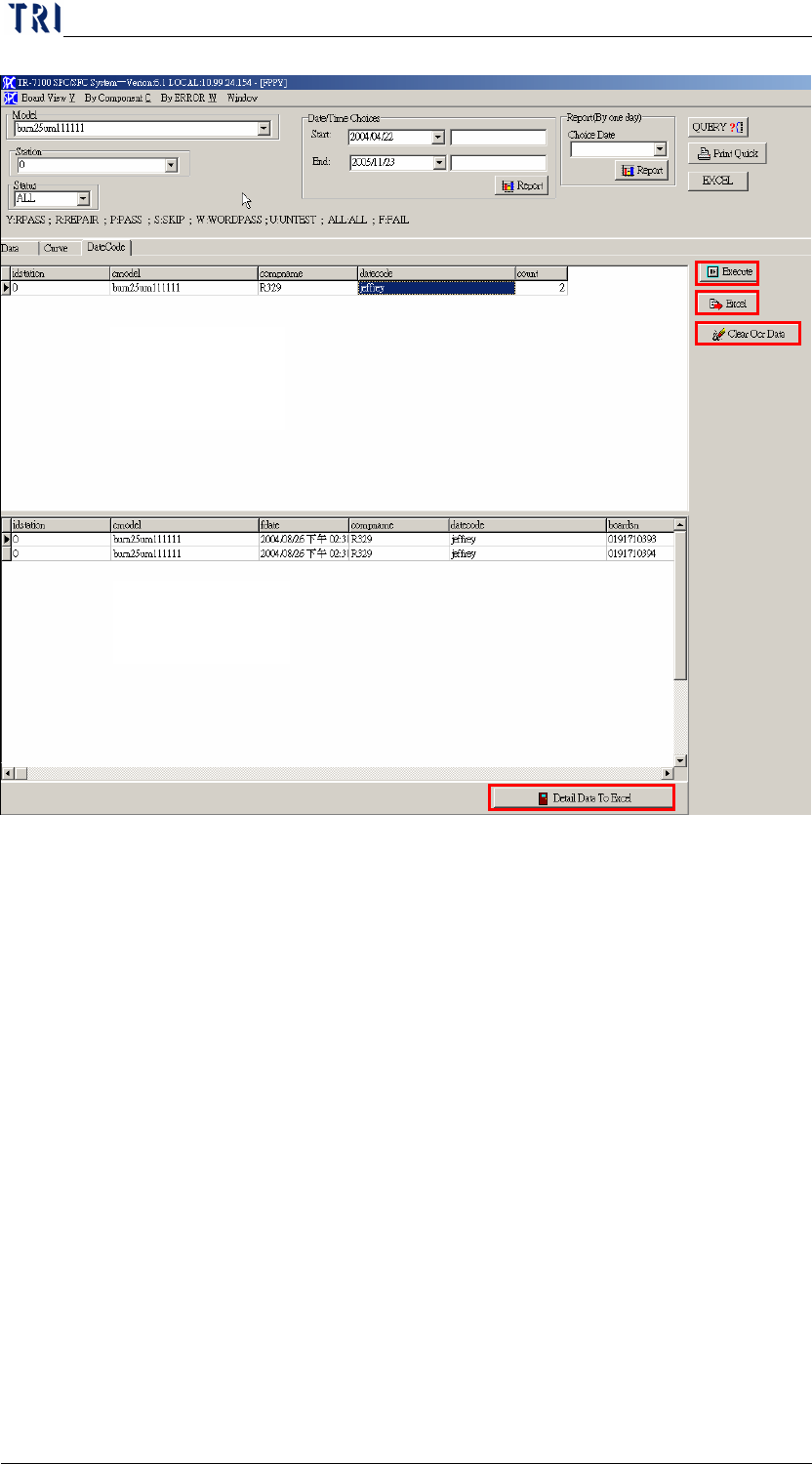
[DateCode] page, as the following picture.
Chapter3 SPC User Manual
AOI Repair Station
93
Step1. Select [MODEL], [STATION], [STATUS=ALL] and
[Date], then press [EXECUTE].
Step2. Double click on the record on Zone 1 and the details are
displayed on Zone 2.
Step3. Zone 1 is for a same kind of component with same
datecode. And [EXCEL] button is to output the data on
Zone1.
Step4. Zone 2 is the details of Zone 1. [DETAIL DATA TO
EXCEL] button is to output the data on Zone 2.
Step5. [CLEAR OCR DATA] is to clear OCR data.
4 COMPONENT SORT
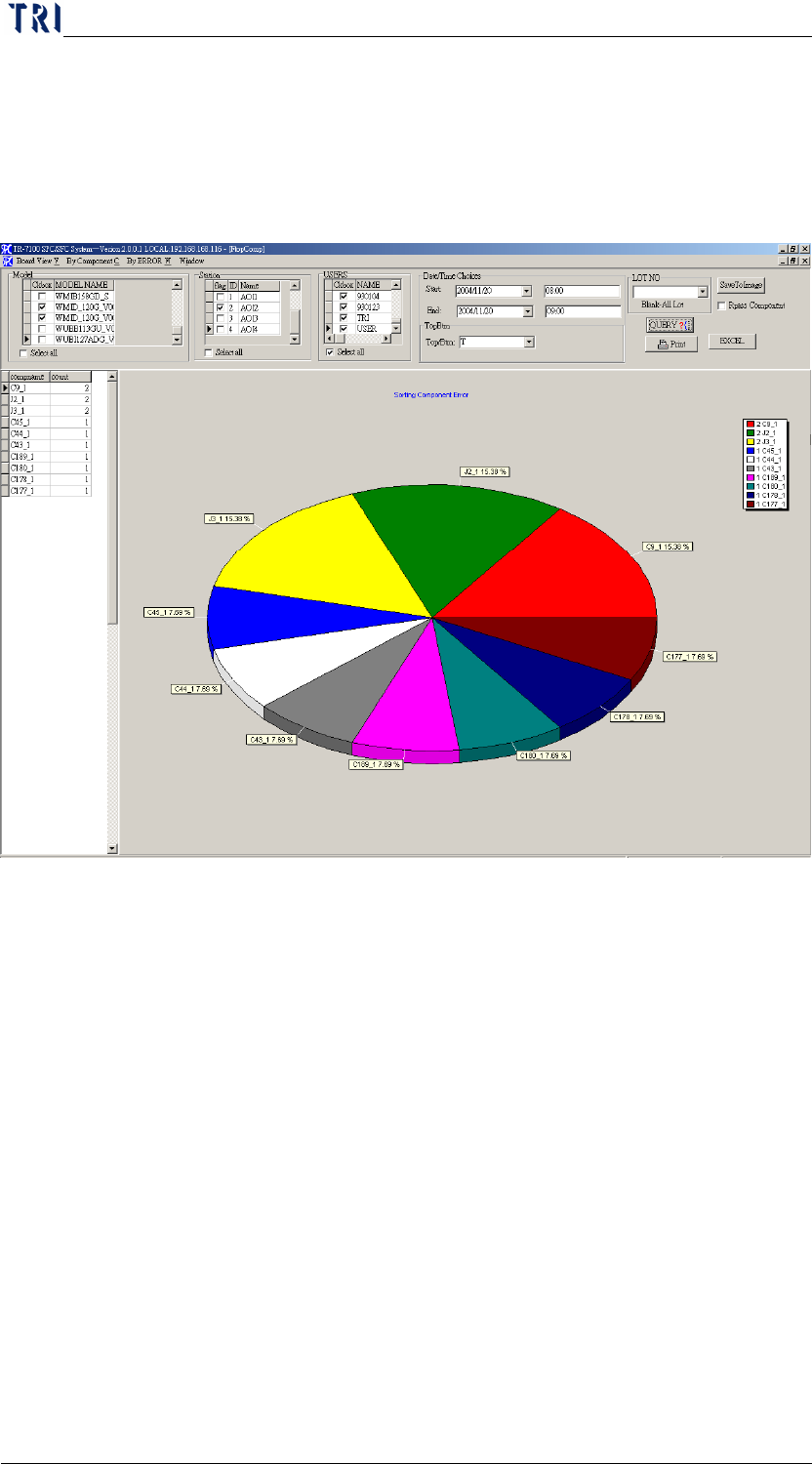
It will display the first 10 problem COMPONENT according to user’s
setting condition COMPONENT.
Step1. Select [MODEL], [STATION], [DATE TIME], [REPAIR
Zone 1
Zone 2
Chapter3 SPC User Manual
AOI Repair Station
94
STAFF(USER)], and [TOP/BTM(* no separation of top or bottom)]
and [LOT_NO(deselect for all)]
Step2. Click on [QUERY]. Check mark the [RPASS COMPONENT] before
pressing down [QUERY] will display the first 10 false alarm
component.
Step3. Click on [PRINT], will printout the graph by default printer
Step4. Click on [SAVETOIMAGE] will generate [TOP.BMP] under [C:\]
Step5. Click on [Excel] will generate EXCEL report.
5 FAIL COMPONENT
Search in details of defects on particular COMPONENT
Step1. Select [MODEL], [STATION], [DATE TIME], [Repair staff
(USER)], [TOP/BTM (* no separation of top or bottom)] and
[LOT_NO (deselect for all)]. The false alarm characters will be
filtered when the [FILTER WORDPASS] is check marked.
Step2. Click on [QUERY], do the following switch:
When switch to [BYFAILCOMPONENT], you will get the
details in COMPONENT ERROR
When switch to [BYFAILWINDOWERR], you will get the
details in by WINDOWS ERROR