AOI_RS_v85_en.pdf - 第63页
Chapter 2 Repair Station Main Progr am AOI Repair Station 59 generated under [C:\rsinstall \ SPCOutPut] when the repair staff confirm a data file, and then the AOI will acquire this file and display it on the screen duri…
Chapter 2 Repair Station Main Program
AOI Repair Station
58
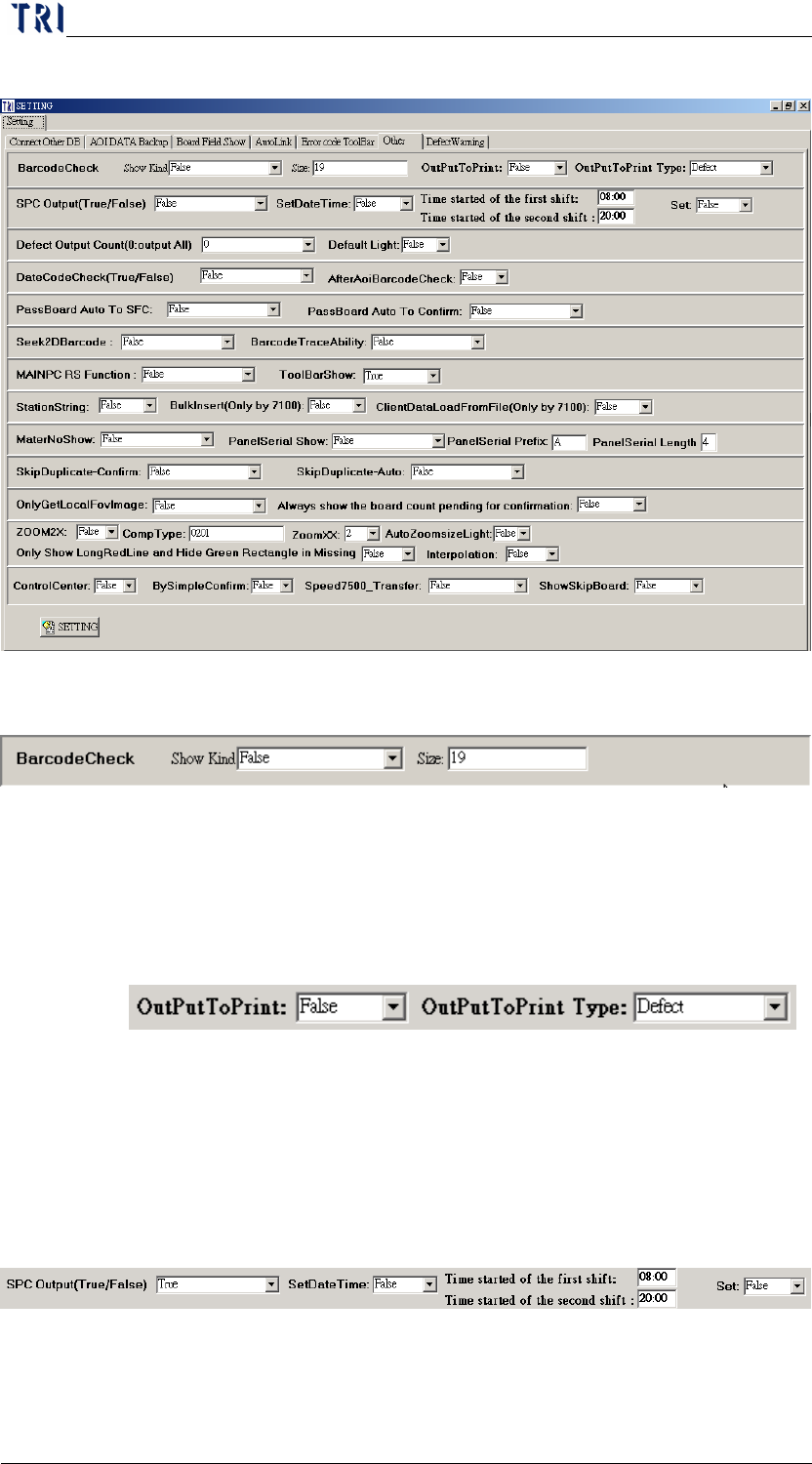
10.6.6 Other
10.6.6.1 BarcodeCheck
There will be an alarm when the [Show Kind] under
[BarcodeCheck] is set to [True] the length of the barcode does not
equal to the size setting under the [BarcodeCheck] [Size] setting
10.6.6.2 OutPut to Print
Select [True] to link to the small printer.
10.6.6.3 OutPut to Print Type
Select if the printing type is [Defect] or [All].
10.6.6.4 SPC Output
The [SPC Output] needs to be set to [True] when the main pc is
under the [Repair Mode], there will be a [RealValue.dat] file
Chapter 2 Repair Station Main Program
AOI Repair Station
59
generated under [C:\rsinstall\SPCOutPut] when the repair staff
confirm a data file, and then the AOI will acquire this file and
display it on the screen during board out. The repair station also has
the function of generating basic statistical data like totaltestboard,
defectcomponent, yieldrate, defectrate, rpasscount, wdpasscount,
dpmo every time the repair staff confirms a data file.
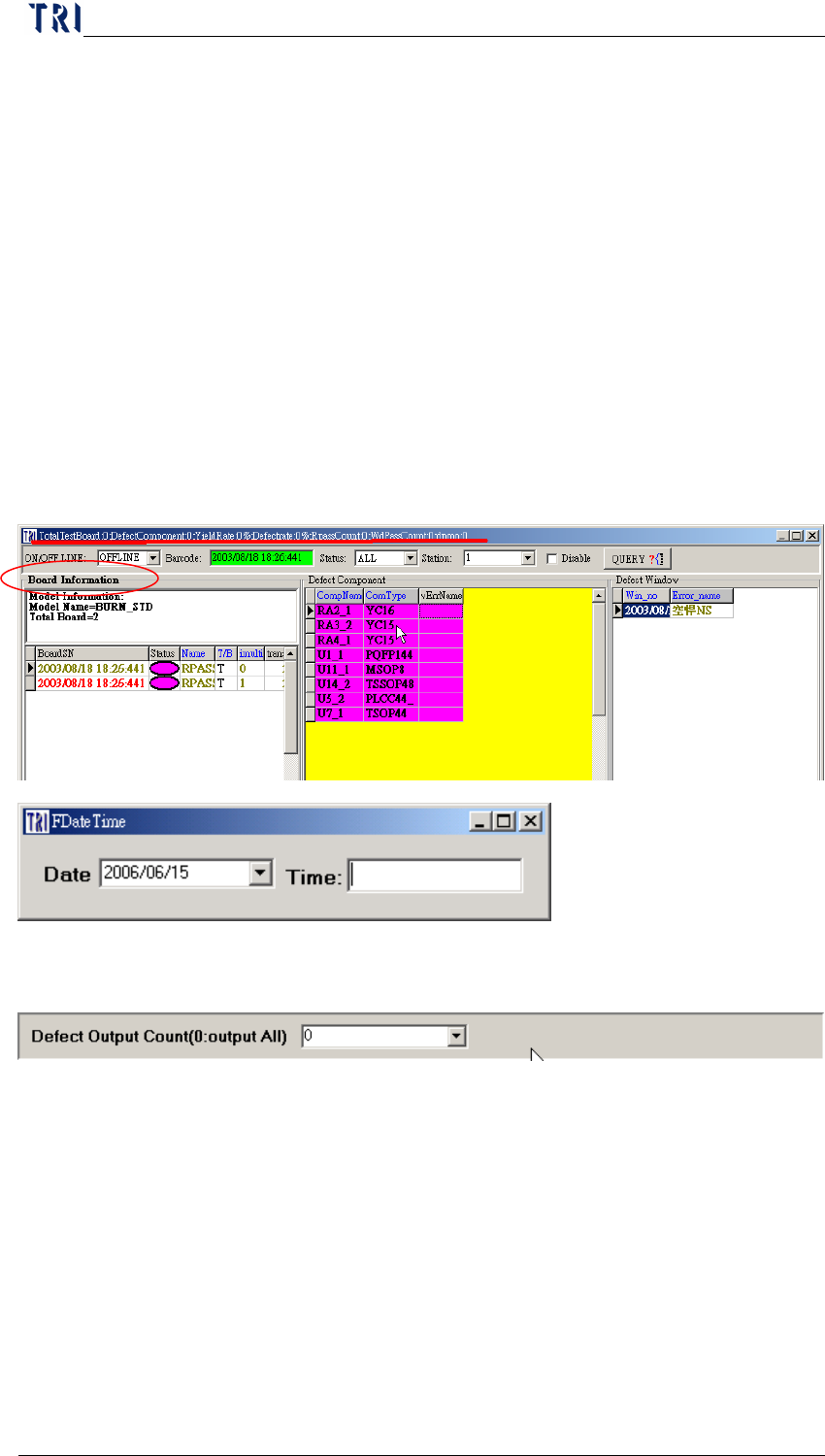
SetDateTime8:00/20:00- When this is set to [True] the data will
be clear and recalculate at AM 8:00 and PM 8:00.
Set-When you set it [True], the board number will be divided by 2
and output.
When the function is enabled, the words, [Board Information],
change to bold. Double click on the words then the following dialog
will be open to set the starting time.
10.6.6.5 Defect Output Count
A limitation to the number of FOV output, setting it to [0] will
output all
10.6.6.6 Default Light
When it set [True] and you have set the enhanced lighting for FOV
images, the lighting will be changed to the original lighting for the
next FOV.
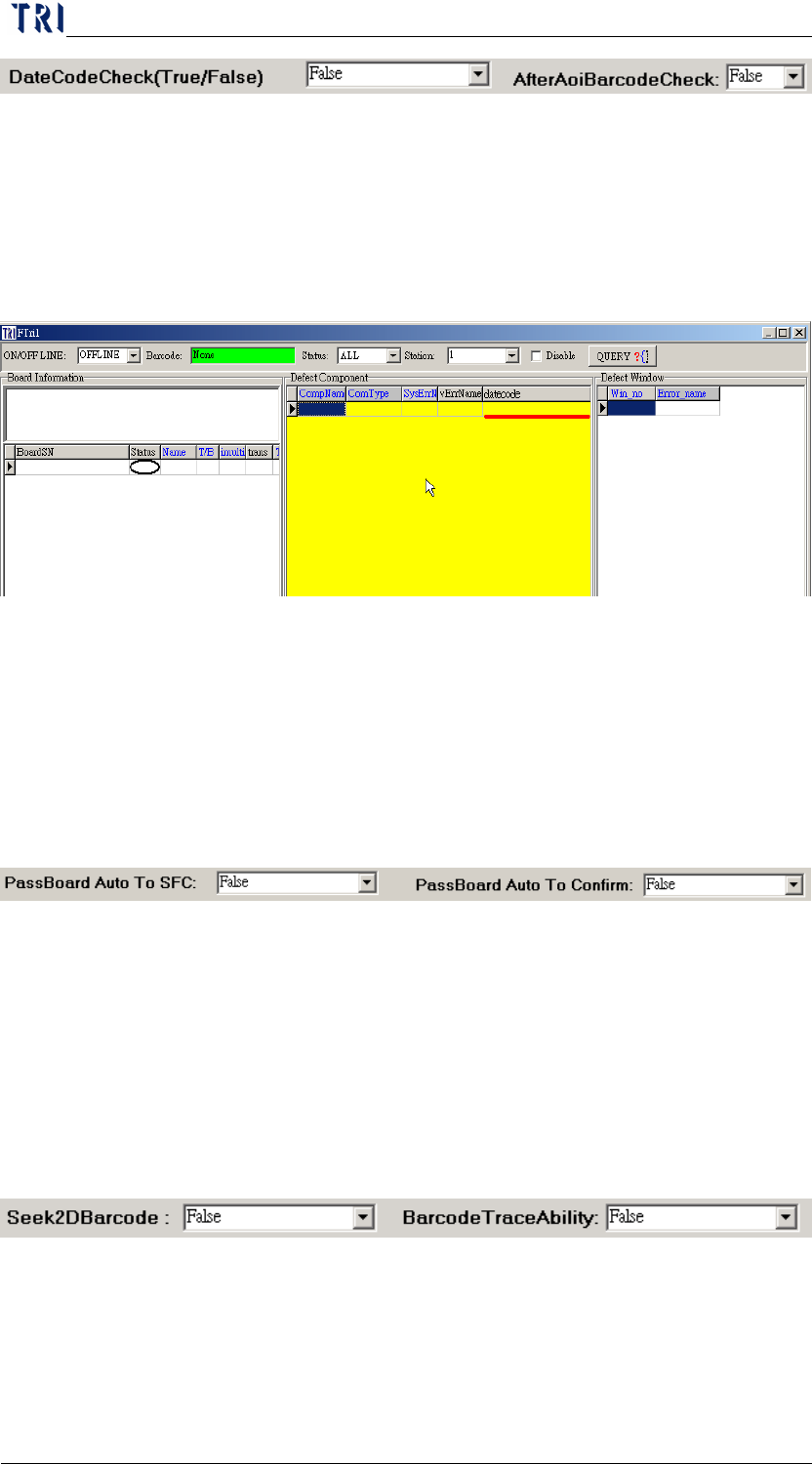
10.6.6.7 DateCodeCheck (ONLY IN 7100)
Chapter 2 Repair Station Main Program
AOI Repair Station
60
This DATECODE is generated when [1234567_datecode.txt]
(format property: U1;200408, U2;20040709, U3;2004060) written
into [C:\AOI_REPAIR_DATA\DATECODE\], the data file will be
written into DB when the REPAIR STATION performs the
[InsertData.exe], DATECODE will be seeing at CONFIRM; the
data must be confirmed fail in order to edit the DATECODE.
10.6.6.8 AfterAoiBarcodeCheck
When set it [True] and there is the same barcode duplicated, for the
second and the later data, the [Test Count] field will be changed to
2.
10.6.6.9 PassBoard Auto To SFC
By setting the [PassBoard Auto To SFC] to [True] will
automatically send the [PASS] data to client’s SFC.
10.6.6.10 PassBoard Auto To Confirm
By setting this item to [True] will confirm the [Pass] data
automatically.
10.6.6.11 Seek2DBarcode (ONLY IN 7100)
By setting the [Seek2Dbarcode] to [True] will seek 2d barcode in
[C:\INTEL] in Repair Station, and replace the [PANEL_NO] with
2D barcode number.