YesAX V3.1.2 - Software User Manual.pdf - 第129页
General Inspecti on Methodolo gy 10 - 35 10.5.2 Lead Bank Inspecti on BGA Lead Bank inspection check s for bridges between BGA balls, mi ssing balls, and ball off- position cases. The default algorithm for BGA lead bank …
10-34 General Inspection Methodology
X-Ray Inspection for BGA device is also conducted in two processing steps: Preprocessing and
Decision. The Preprocessing step prepares the image and the Decision step determines the
Pass/Fail. The two steps use various machine vision algorithms to accomplish the task.
10.5.1 Preprocessing
Since X-Ray images are gray scale images, normally there is no preprocessing step needed for
inspection. The preprocessing step for X-Ray is defaulted to NONE.
NONE - No preprocessing (default)
Red Filter - Pass the image through red color filter.
Green Filter - Pass the image through green color filter.
Blue Filter - Pass the image through blue color filter.
Binarize - Binarize the image into two gray levels, black and white.
General Inspection Methodology 10-35
10.5.2 Lead Bank Inspection
BGA Lead Bank inspection checks for bridges between BGA balls, missing balls, and ball off-
position cases. The default algorithm for BGA lead bank inspection is BGA Group. Currently
there are two algorithms for BGA lead inspection, BGA Group and Image Subtraction.
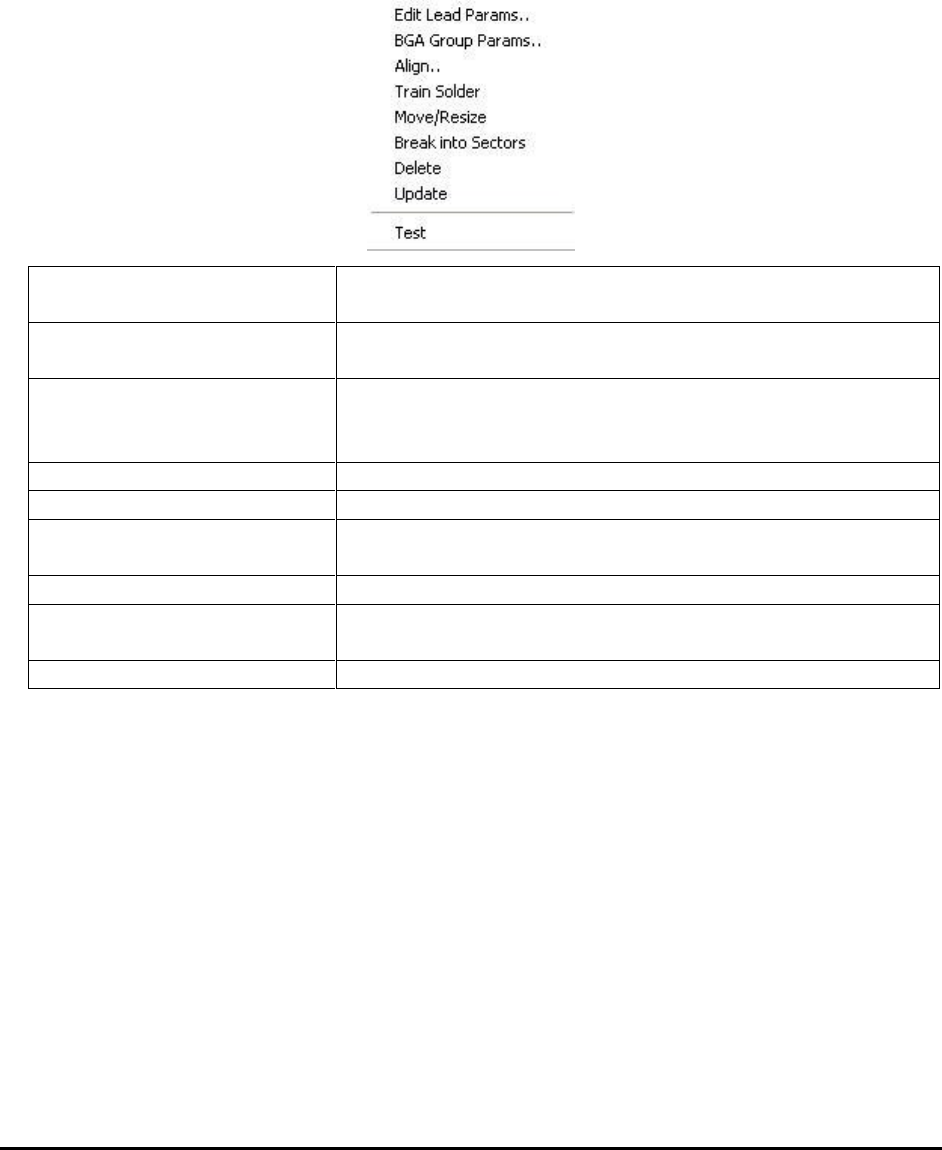
After a lead bank inspection box is created, you can display the Lead Bank pop-up menu by
clicking the right mouse button while pointing at the inspection box.
Edit Lead Params..
Launches the Lead Parameters dialog. See 10.3.1 Edit Lead
Bank Parameters.
BGA Group Parameters
Launches the Lead Blob Analysis Parameter dialog. See
10.3.2 Lead Blob Analysis Parameter.
Align..
Launches the Lead Bank Alignment dialog to allow
alignment of lead bank inspection box. See 10.3.3 Lead
Bank Alignment.
Train Solder
Trains the solder inspection within the lead bank.
Move/Resize
Moves or resizes the lead bank inspection box.
Break into Sectors
Breaks up a long lead bank into smaller sectors. See 10.3.4
Break Lead Bank into Sectors.
Delete
Deletes the inspection box.
Update
Uses the current lead bank as reference to update the
parameters of other lead banks.
Test
Tests the lead bank inspection on the current image.
10-36 General Inspection Methodology
10.5.2.1 Edit Lead Bank Parameters
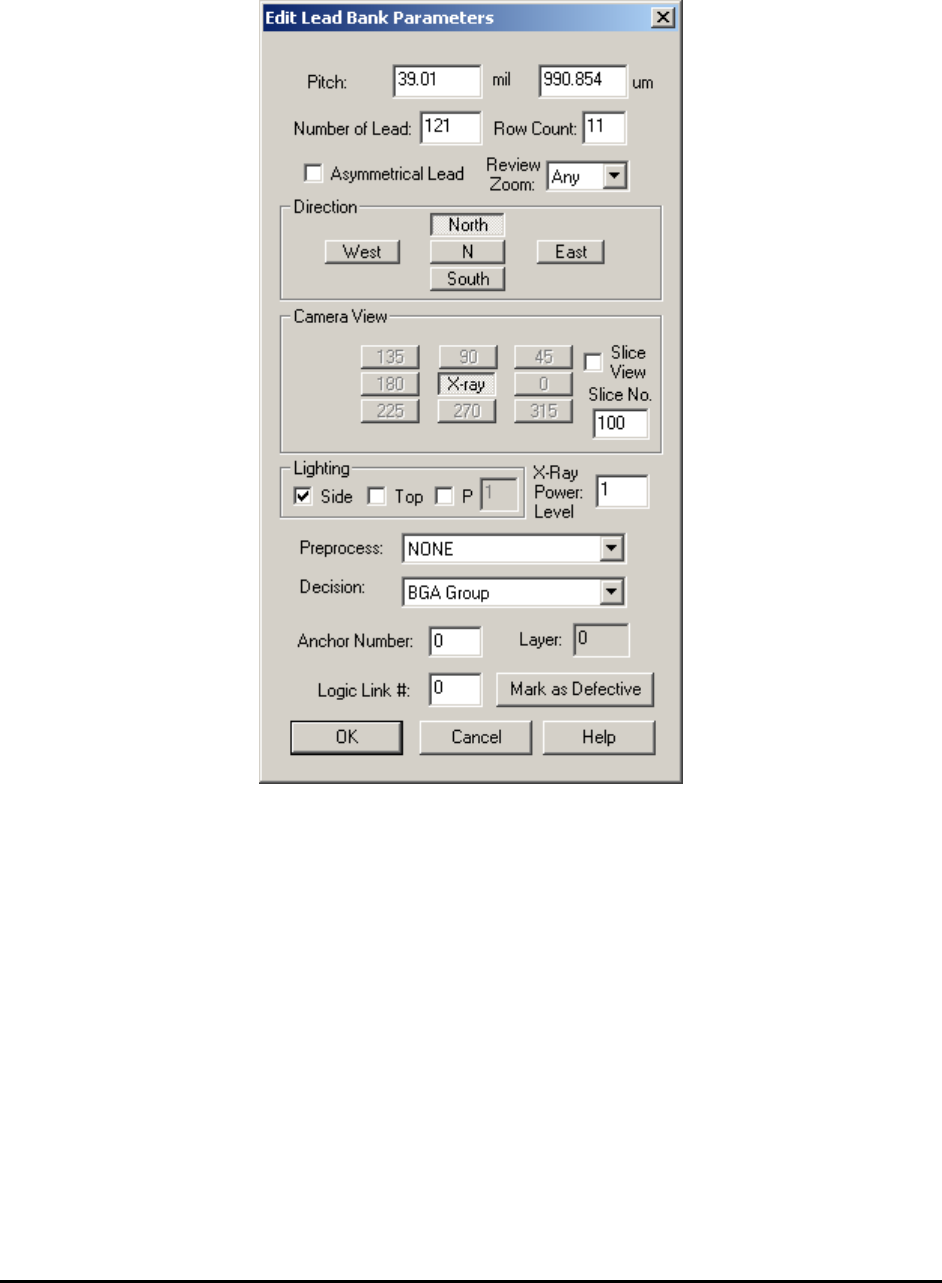
On this dialog the user sets the pitch of the BGA balls, the number of balls in the BGA lead bank,
the direction, the view, the lighting and the algorithm selection.
BGA lead banks will always have more than one Row Count, which is different from normal IC
components.
The Camera View for X-Ray images is always set to X-ray.
The Slice View should always be checked for 3D inspection and unchecked for 2D inspection.
The Slice No. must be specified for 3D inspection.
The Lighting for X-Ray images is always set to Side.
The X-Ray Power Level lists the power level number for the current lead bank.
The Preprocess for BGA lead bank is always set to NONE and the Decision is always set to
BGA Group.