YesAX V3.1.2 - Software User Manual.pdf - 第188页
14 -2 A dvance Inspection Feature s In general the 2 fiducials alignment works well, assuming the locations of the left and right fiducials do not change relative to the board’s origin. This assumption ho ld s true in mo…

Advance Inspection Features 14-1
14 - Advance Inspection Features
The YesAX software is designed for ease-of-use; hiding the underlying computation
complexities. However, to get the optimal performance for inspecting complex boards with small
components, a working knowledge of the underlying theory is helpful.
14.1 Mathematics of Fiducial Alignment
By default the YesAX software uses two alignment marks to correct for placement differences
between boards. Alignment marks have fixed XY locations. The software uses the fixed XY
locations as a reference to determine what compensation is needed for a particular board under
inspection. The software compensation works best if the alignment marks (fiducials) are located
on the bottom left and the bottom right corner of the board. It is recommended that the user
select the left alignment mark close to the bottom left corner of the board and the right alignment
mark close to the bottom right corner of the board whenever possible.
There are two kinds of positional compensations; one is translational and the other is rotational.
The software uses the left alignment mark to calculate translational compensation. For example,
the left mark has a defined position of (10, 10), and the software finds it to be at (12, 11). This
means in order to compensate the coordinates system needs to shift 2 units to the right in the X
axis and 1 unit up in the Y axis.
After the software compensates translationally, it proceeds to find the right alignment mark and
calculates the rotational compensation using software theta. Software theta is a technique that
mathematically rotates the user coordinate system to compensate for the mis-alignment of the
PCB. For example, there is a 2 degree offset in theta for the PCB. The user wants to go to (1000,
1000) on the PCB to inspect a component. The software calculates the corresponding camera
coordinates using the following algorithm:
X' = X Cos (A) + Y Sin(A)
Y'=-X Sin (A) + Y Cos(A)
In this case
X' = 1000*Cos(2) + 1000 * Sin(2)
Y'=-1000*Sin(2) + 1000 * Cos(2)
X'=1034.29
Y'=964.49
The software then commands the camera to go to (1034.29, 964.49). This is the same place at
(1000, 1000) on the PCB. The process is completely transparent to the user. The reverse
calculation is performed when displaying coordinates. The Status bar will show (1000, 1000).
The YesAX software uses a multi-layer scheme to handle coordinates. The top layer is the user
coordinates (the board or PCB coordinates). This is how the positions of parts on the board are
defined. This is the only coordinate the user will deal with directly. The bottom layer is the
physical coordinate where positions are defined by motor steps and encoder counts. The middle
layers include scaling, software theta, linear error compensation and error mapping. The layering
scheme allows the YesAX to have transferable Inspection Recipes without requiring the
machines to be built identically.
14-2 Advance Inspection Features
In general the 2 fiducials alignment works well, assuming the locations of the left and right
fiducials do not change relative to the board’s origin. This assumption holds true in most cases,
except when the dimensions of the boards change due to temperature or other factors. For
example, on an 8” by 10” PCB, if a higher temperature makes the board expand by 1/1000 then
the right fiducial would be off by 10 mil. In this case using the 2 fiducials alignment method
some parts on the board would be off by 10 mils. For high precision inspection the software also
provides a 3 fiducial alignment method. In addition to providing translational and rotational
compensation, the three fiducials alignment method compensates for expansion and contraction
of the PCB.
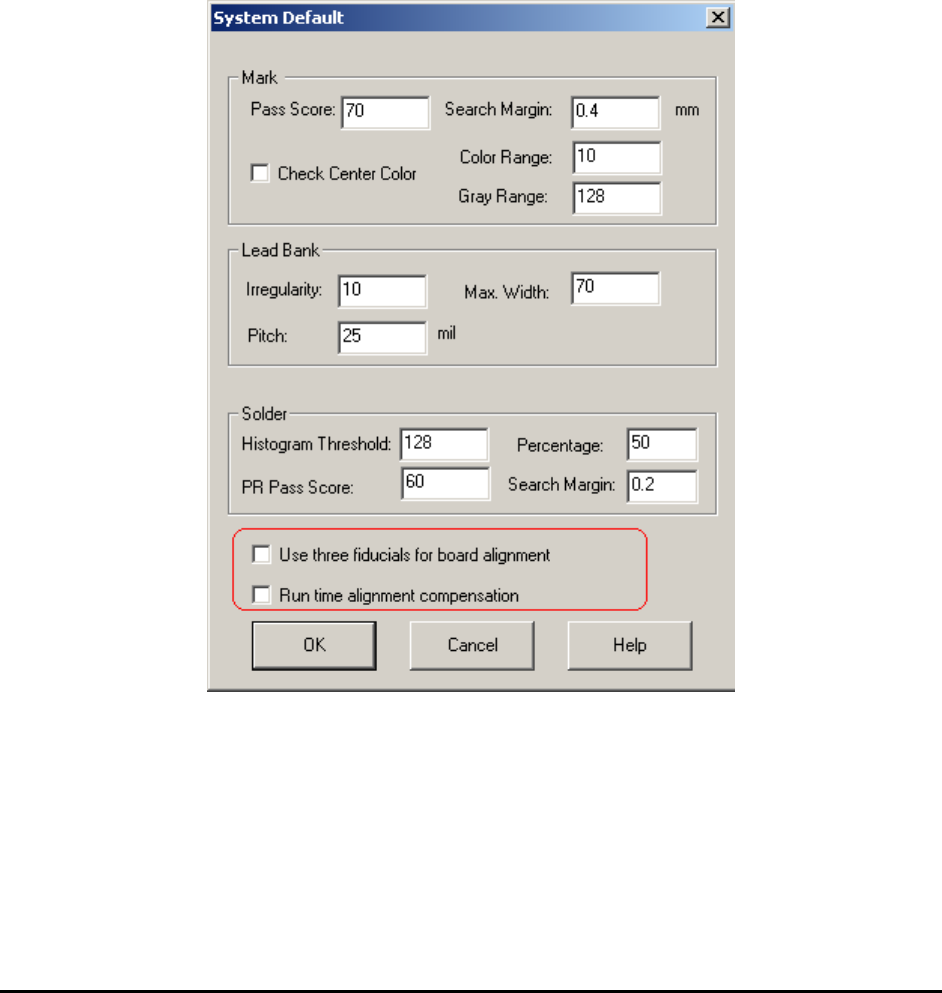
The 2 fiducial alignment technique is the default for board alignment. To use the 3 fiducial
alignment technique, enable it in the System Default dialog. To launch the dialog, select
System>Default Parameters from the main menu.
If you re-define the alignment marks after the feature is enabled, the software will prompt to
train 3 alignment marks.
14.2 Understanding the Video Parameter
Fiducial alignment only ensures that the camera moves to the correct location, which means the
position of the cross hair is where it is supposed to be, as defined in the program. However,
inspections take place in the entire field of view not just where the cross hair is at. The video
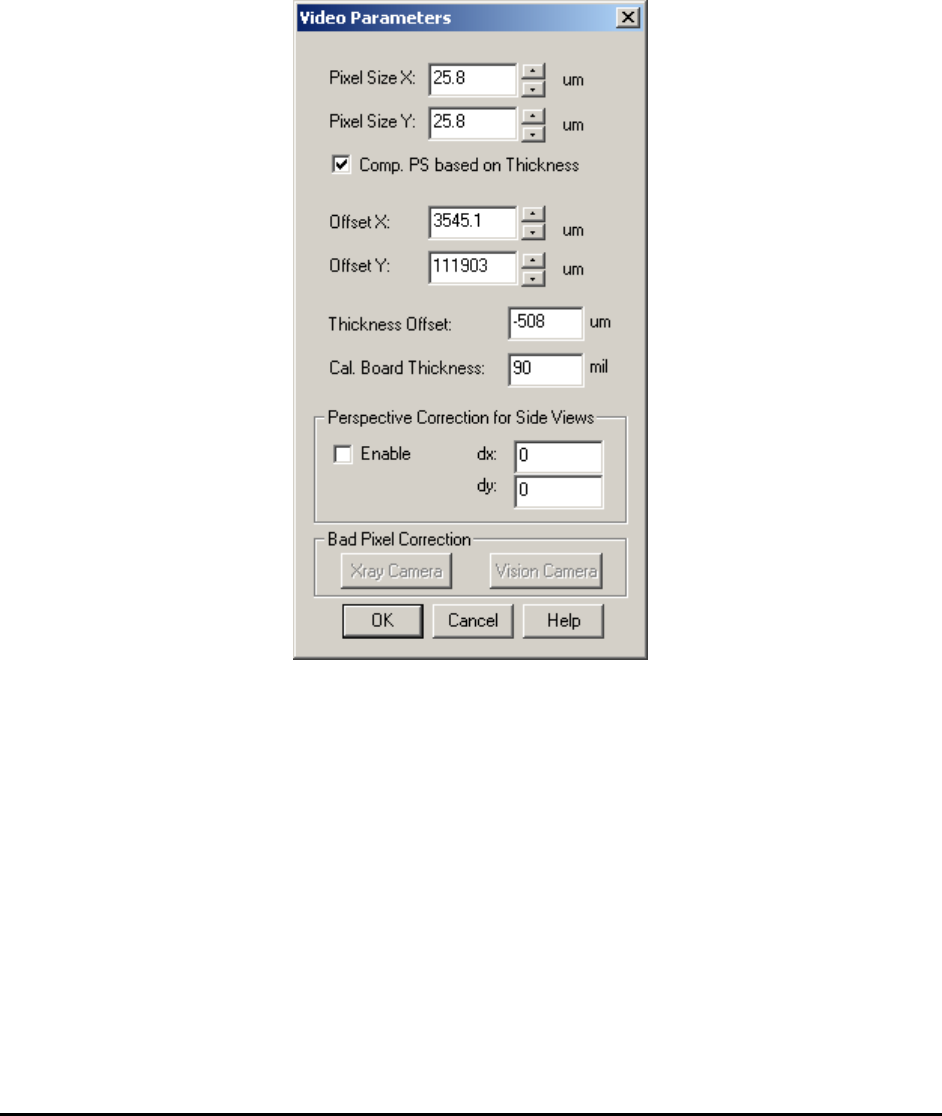
parameters ensure all the pixels in the field of view are at their correct locations.
Advance Inspection Features 14-3
During system calibration all the video parameters are adjusted and their values verified against
the specification. One critical parameter is the Pixel Size. An accurate Pixel Size parameter
allows the software to determine the accurate position of each and every pixel in the field of
view. Because of the cumulative effect, Pixel Size Parameter adjustments are the most critical for
pixels located at the perimeter of the field of view. One way to verify the Pixel Size Parameter
accuracy is to view the overlaid inspection boxes. If an inspection box lines up well with a part
in the middle of the screen but appears off when the part is moved to the edge of the field of
view, it is an indication that the Pixel Size Parameter is inaccurate.
Sometimes the image sensor of an X-ray/Vision camera may have bad pixels which may affect
image quality. The Bad Pixel Correction function is designed to correct this problem. This
function is especially important for X3 AXI systems.
Normally all settings have already been saved during factory calibration and there is no need to
re-adjust those settings.