YesAX V3.1.2 - Software User Manual.pdf - 第147页
3D X-Ray Inspection Methodolo gy 11 -3 11.1.3 Detect Barrel Fill C ondition for PTH For plated through hole (PTH) circuit boards, component leads (pins) go from the component side pass through the board and be soldered o…
11-2 3D X-Ray Inspection Methodology
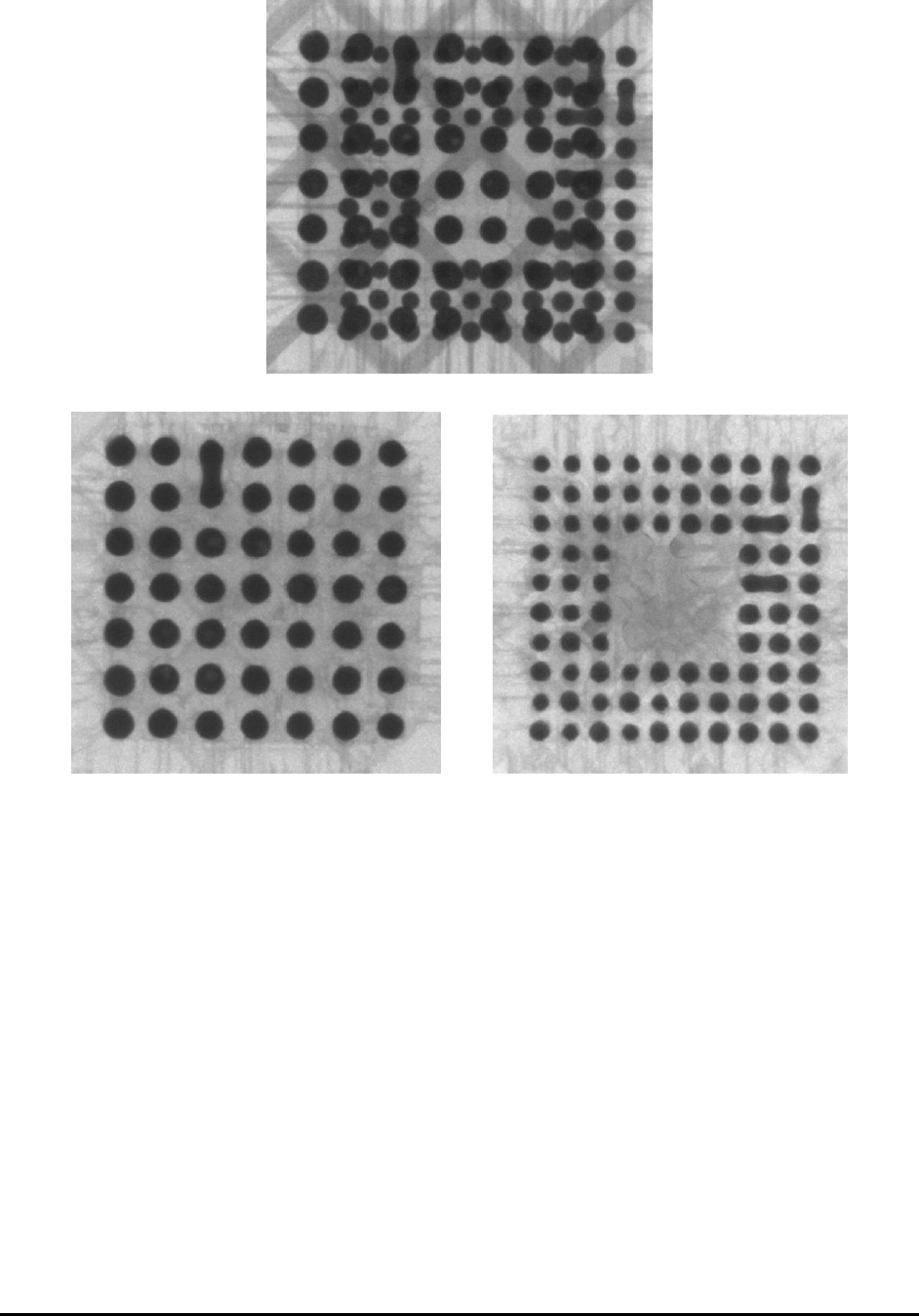
2D X-ray image showing Top and Bottom Interference
Top and Bottom solder joint separated by 3D X-ray imaging
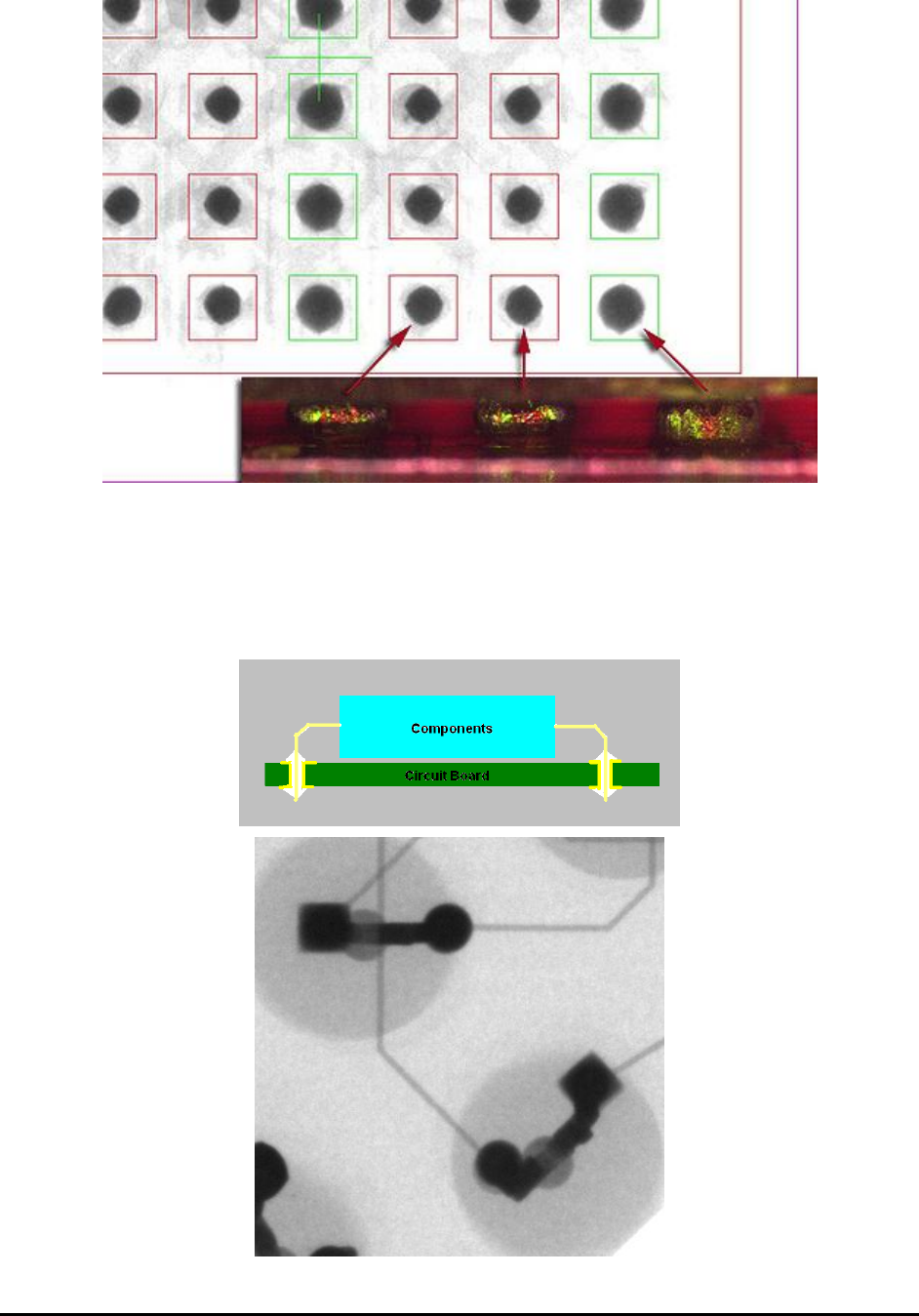
11.1.2 Detect “Head in Pillow” Joint Conditions on BGA
Head-in-pillow defect is the incomplete coalescence of the solder joint between a BGA (Ball-
Grid Array) and the printed solder paste. For some reason, the printed solder and the package’s
solder spheres do not come together to form a single mass. In some instances there seems to be
an oxide film on the surface of the molten solders. In other instances, it appears that upon
cooling, the exterior has already cooled enough to prevent the coalescence of the printed paste
and the sphere. It is a difficult defect to detect using conventional 2D X-ray systems, because
from the top the good joints and the bad joints look very similar. Some 2D X-ray system vendors
claim that such condition can be detected with minute variation in ball diameters. The true telling
feature is in the change in ball diameter we move up and down the ball. Such changes are best to
be detected using 3D slicing capabilities. The maximum ball diameter for Head-in-Pillow joints
tend to be at a higher Z than the normal joints. Slice at the board level tend to reveal a smaller
ball diameter as show in the picture below.
3D X-Ray Inspection Methodology 11-3
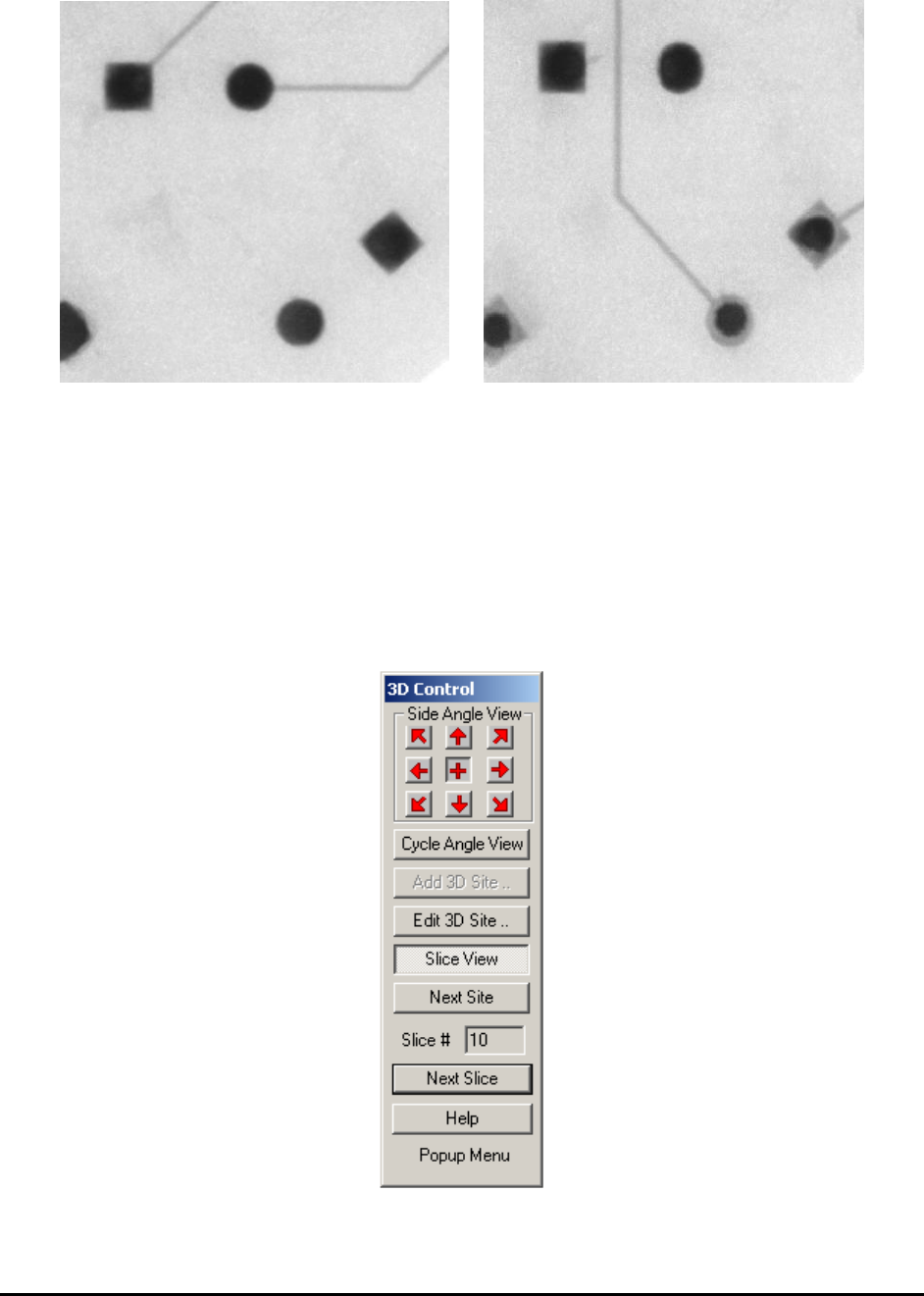
11.1.3 Detect Barrel Fill Condition for PTH
For plated through hole (PTH) circuit boards, component leads (pins) go from the component
side pass through the board and be soldered on the solder side of the board. For high reliability
circuit the solder should be wetted into the hole and completely fill the barrel. 3D X-ray imaging
can be used to verify the solder condition inside the barrel of the PTH circuit board.
11-4 3D X-Ray Inspection Methodology
2D X-ray image cannot determine barrel condition
3D Slice image showing solder not reaching the bottom surface of the circuit board.
11.2 User Interface for 3D Inspection
The 3D Control dialog (shown below) will always be on top of the screen. It can also be moved
around within the YesAX window and software will remember the position after each move, just
like the X-ray control window.
Side Angle View buttons allow the user to step through the 8 side angled views at 0, 45, 90, 135,
180, 225, 270 and 315 degrees. Center “+” image represents the regular 2D (top-down) view.
When navigating through sample board, it is advisable to use regular 2D view only.
Cycle Angle View button will cycle between all 8 angle views and the 2D view.