YesAX V3.1.2 - Software User Manual.pdf - 第281页
Trouble Shoot ing 28 -3 During software start the software will try to connect to an ODB C database for storing the SPC data. If it cannot connect to a database it will tr y to cr eate a new one in the default location C…
28-2 Trouble Shooting
The XY stage of the AXI system is driven by closed loop servo motors. Teknic is the vendor
who supplies to Nordson YESTECH the servo motor system. The computer communicates with
the servo controller via its parallel port. This error message will display if the computer is unable
to establish communication with the servo controller.
There can be a number of reasons for this to happen:
1. The power to the servo controller is not turned on. Check to make sure the power key
switch is in the ON position.
2. The servo controller is not yet ready. After power is applied to the servo controller, it
will take about 30 seconds before it is ready to communicate.
3. The computer’s parallel port is not set to EPP. The servo controller requires the
computer’s parallel port to be in EPP mode. The user may need to enter the BIOS
setup of the computer to change the settings.
Error Message: Cannot find EPB or TTL I/O & Cannot find EPB for XY Motor Control
The EPB (Embedded Processor Board) is a small (credit card size) circuit that controls the TTL
input/output (tower light, interlock) of the AXI system. The same board also controls conveyor
functionalities. The EPB communicates with the computer via the USB port. The above error
message would display if the computer is unable to communicate with the EPB.
There can be a number of reasons for that to happen:
1. The USB cable to the EPB is not connected.
2. The device driver for the EPB is not properly setup. When the EPB is working properly
its status LED would blink about once a second. Like a heart beat it indicates a healthy
EPB in operation. If the status LED is not blinking it could mean either a bad driver setup
or a damaged EPB board.
Error Message: No Top View Camera
Current AXI systems have one top view camera. This error message will appear if the computer
is unable to communicate with the top view camera. Cameras communicate with the computer
via the USB ports. There can be a number of reasons why this may happen:
1. The cable to the camera is not connected.
2. The device driver for the camera is not properly setup.
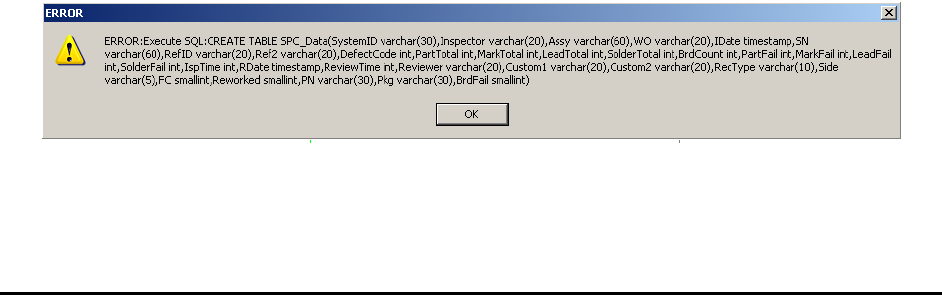
Error Message: Execute SQL..

Trouble Shooting 28-3
During software start the software will try to connect to an ODBC database for storing the SPC
data. If it cannot connect to a database it will try to create a new one in the default location
C:\AOI_Data\SPC_DataLog. The software will display the above error if it cannot create the
database. To resolve this problem user need to make sure the ODBC connection is good (section
14), if it is make sure the SPC_DataLog folder exist in the right place.
28.2 During Recipe Loading
Error Message: Unable to own LTMaxNum.txt
The LTMaxNum.txt file maintains the integrity of the logical template number to make sure
that it is unique. Refer to 13.4 Central Library for an explanation of the LTMaxNum.txt file.
All software stations (on and offline) need to have full access (read/write) to the
LTMaxNum.txt file in order to train new templates. This error message indicates the system
was not able to have full access to the LTMaxNum.txt. Seeing this error means that the user
must investigate and resolve the problem before training any new template.
Error Message: Unable to take Ownership
When a new recipe is loaded the software will try to determine if it can write to the part list and
the local part library files. The software then claims ownership of those files by writing its
computer ID into the Owner.txt file, located in the recipe’s folder. The above error will display
if the software is unable to write to the owner.txt file. There could be two reasons for the error
message:
1. The software does not have full access to the recipe’s folder.
2. Other AXI software is claiming control of the recipe. (e.g. when the recipe is opened on
an AXI machine, an offline programming station trying to load the recipe will get the
above error message.)
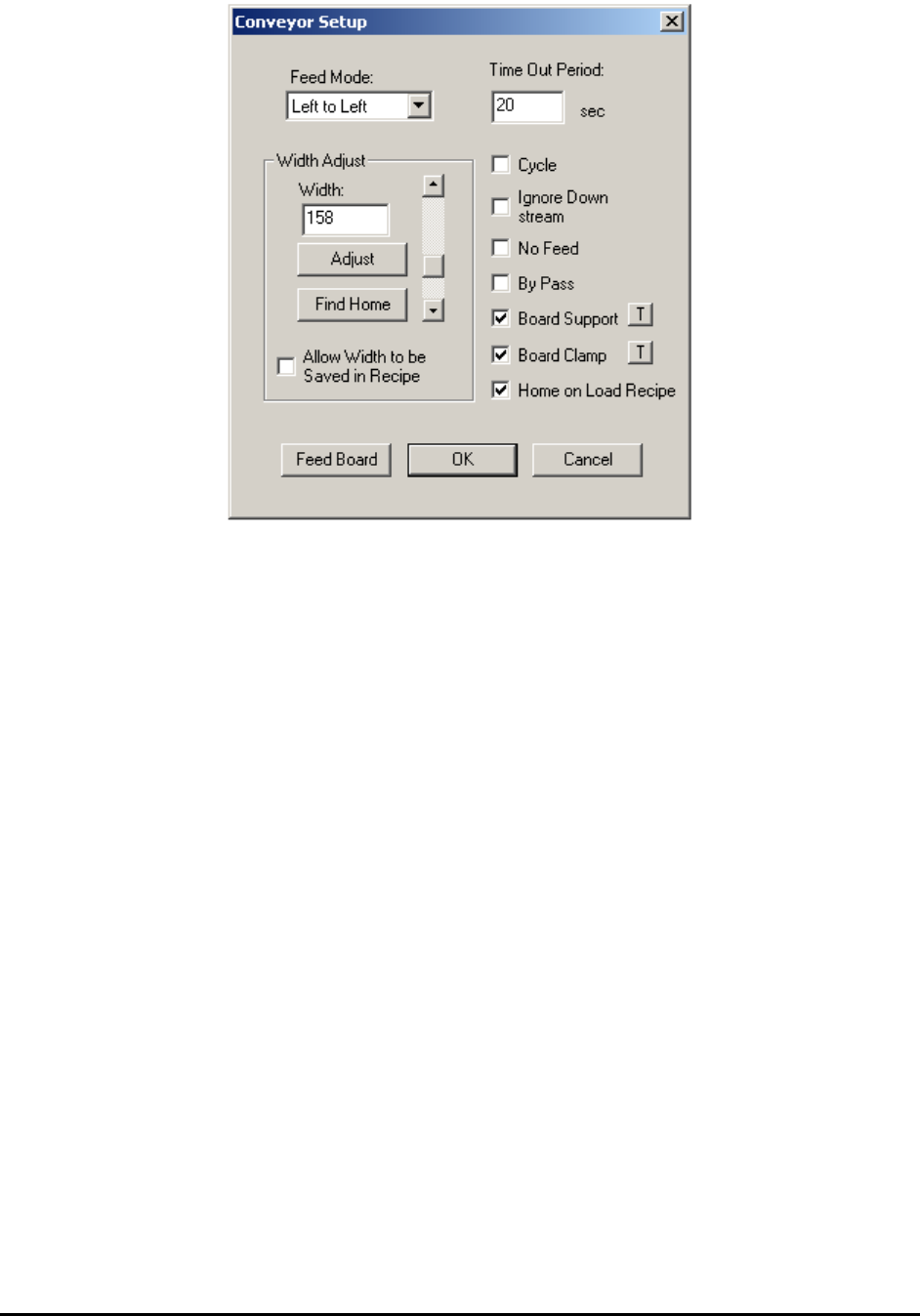
Conveyor Does not open to the Right Width
When a recipe is loaded the software will automatically try to adjust the conveyor width
according to the width specified in the recipe. Width adjust will be deferred to a later time if
there is a board on the conveyor during recipe loading. In this case, the width adjusts will happen
as soon as the board is removed. If the conveyor adjusts to a width that is not the correct width
for the board, the user should perform the following steps:
1. Home the conveyor.
2. Adjust the conveyor to the right width for the board.
28-4 Trouble Shooting
3. Check the Allow Width to be Saved in Recipe checkbox.
4. Click OK to save the recipe.
To verify whether the problem is fixed:
1. Feed out and remove the board that was on the conveyor.
2. Adjust conveyor width using the Conveyor Setup dialog to any width other than the
width for the board.
3. Load the Recipe.
If the conveyor adjusts to the right width the problem is fixed. If not there may be a hardware
problem with the conveyor adjustment mechanism.
28.3 Trying to Run a Recipe
Error Message: Unable to fit the ROI of xxx in Inspection Frame
When the user tries to run a recipe by pressing the Run button the software first executes the
alignment routine. After that the software will create a camera move path for inspecting all the
regions of interest (ROI) in the recipe. The process of creating the inspection path involves trying
to fit all the ROIs into a minimum number of camera frames. This error message will display if
one of the ROIs cannot fit into any frame. If there is more than one ROI that can’t fit into a frame
only the ROI first encountered will be identified in the error message. The user must fix the
problem before inspection begins.
A lead bank longer than the field of view of the camera will generate this error. To fix the
problem the user can break the lead bank into smaller sectors.