00194081-01.pdf - 第33页
User Manual SIPLAC E CF 2 Operational safety Software Vers ion SR.408.xx 03/2006 US Ed ition 2.2 Warning labels 33 2.2.3.2 W arning la bel W207 on the PCB conveyor control unit 2 Fig. 2.2 - 8 Warning label W207 o n the P…
2 Operational safety User Manual SIPLACE CF
2.2 Warning labels Software Version SR.408.xx 03/2006 US Edition
32
2.2.3 Warning label W207
2
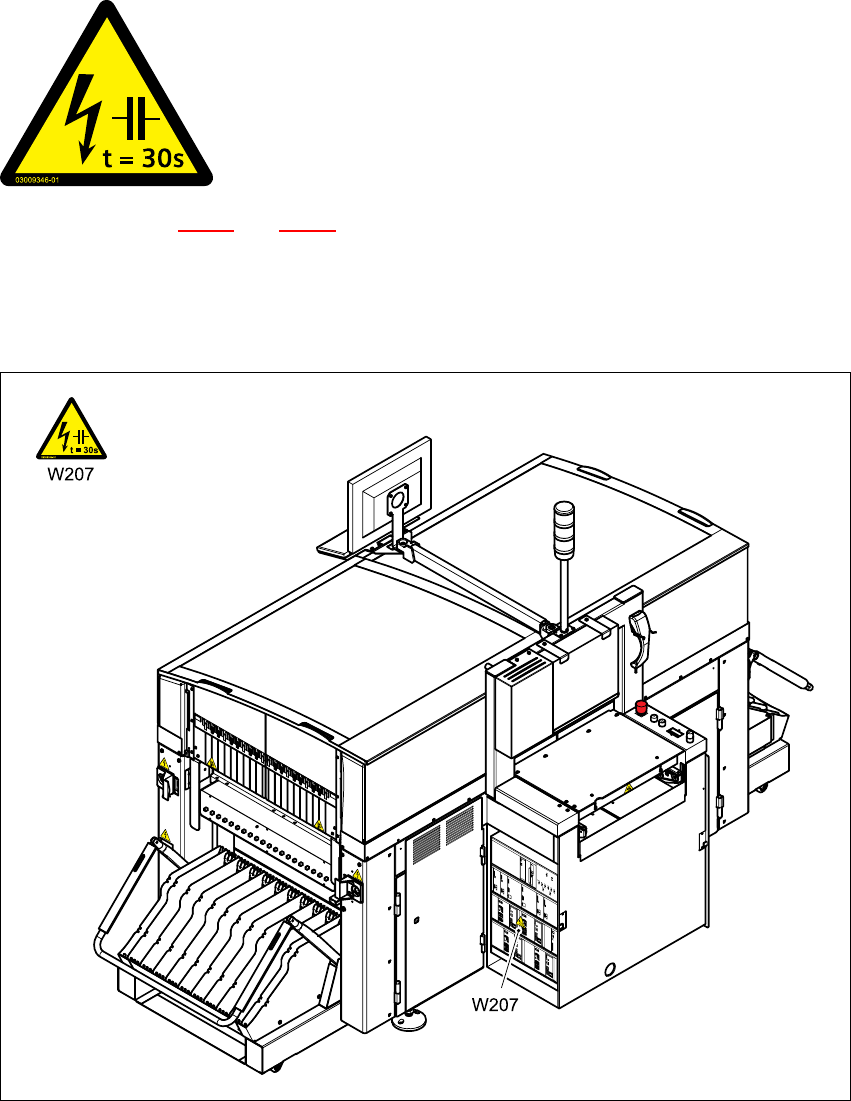
Item W 207 in Figs. 2.2 - 7 and 2.2 - 8 (number per placement system: 2)
2.2.3.1 Warning label W207 on the servo unit Macrolon panel
2
Fig. 2.2 - 7 Warning label W207 on the servo unit Macrolon panel
2
Item W207, item no. 03009346-01
2
MAIN POWER VOLTAGE!
Switch off the main power switch and wait 30 seconds until the
capacitors have discharged.
NAFTA region: RISK OF ELECTRIC SHOCK OR BURN!
User Manual SIPLACE CF 2 Operational safety
Software Version SR.408.xx 03/2006 US Edition 2.2 Warning labels
33
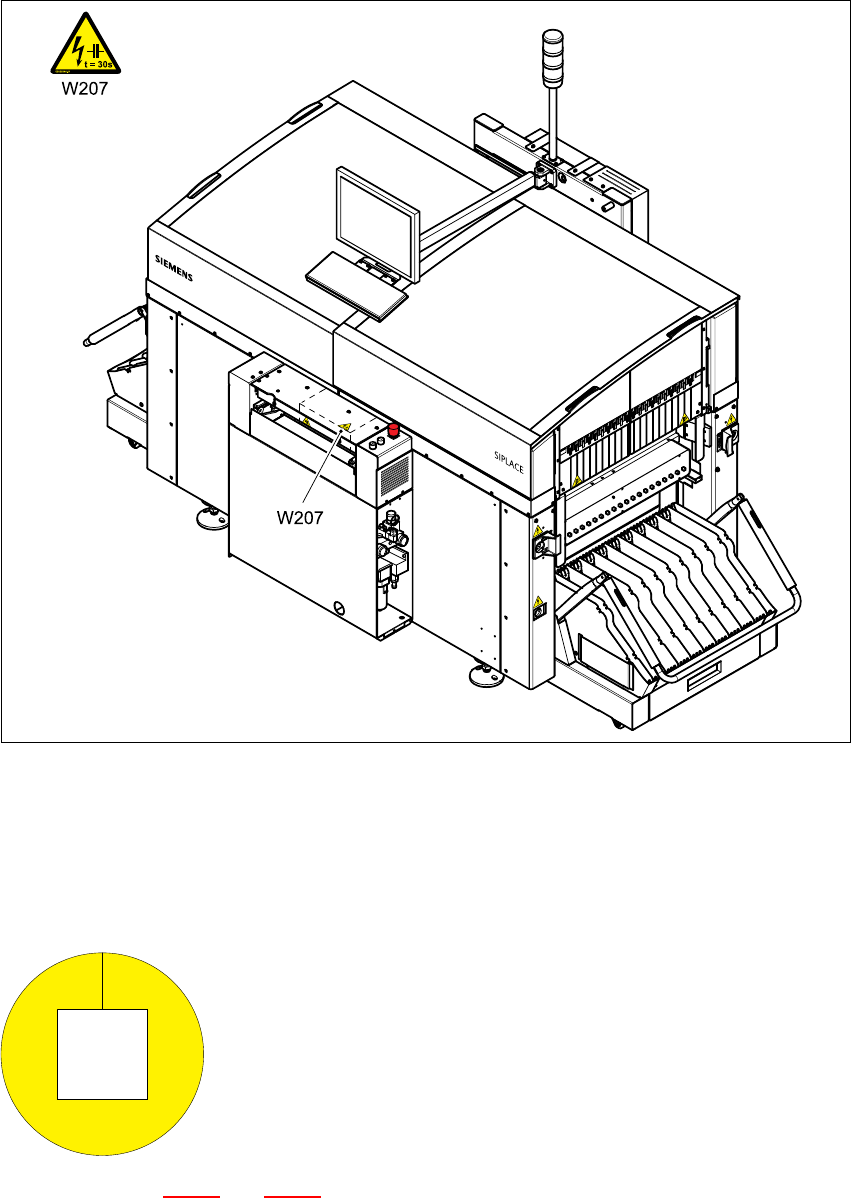
2.2.3.2 Warning label W207 on the PCB conveyor control unit
2
Fig. 2.2 - 8 Warning label W207 on the PCB conveyor control unit
Item W207, item no. 03009346-01
2.2.3.3 Warning label W210
2
Item W210 in Fig. 2.2 - 1 and 2.2 - 2, item no. 03009350-01 (number per placement system: 2)
2
2
2
2
2
2
Warning label on the EMERGENCY STOP button
2 Operational safety User Manual SIPLACE CF
2.2 Warning labels Software Version SR.408.xx 03/2006 US Edition
34
2.2.4 Warning label W211 on the CEKON plug
2
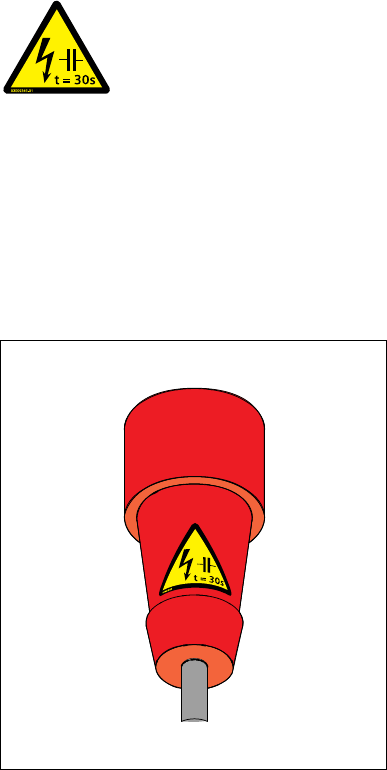
Warning label W 211 (number per placement system: 1)
2
Fig. 2.2 - 9 Warning label W211 on the CEKON plug
2
Warning label W211, item no. 03009351-01
2
RESIDUAL VOLTAGE!
Wait 30 seconds after disconnecting the main power plug from the mains to
allow any residual voltages to dissipate.
NAFTA region: Hazardous Voltage
Residual power at plug prongs and wire ends will cause death or serious injury.
Avoid contact with power plug and/or wire ends for 30 seconds