00198365-03_UM_JTF-ML2_TX12_V1-V2_EN.pdf - 第57页
4 Setting up and commissioning 4.2 Retrofitting in the SIPLACE TX-Series User Manual SIPLACE TX V1/V2 Series JEDEC Tray Feeder (JTF-ML2) 11/2019 57 4.2.5.11 Preparing the component trolley Fig.98: Preparing the componen…
4 Setting up and commissioning
4.2 Retrofitting in the SIPLACE TX-Series
56 User Manual SIPLACE TX V1/V2 Series JEDEC Tray Feeder (JTF-ML2) 11/2019
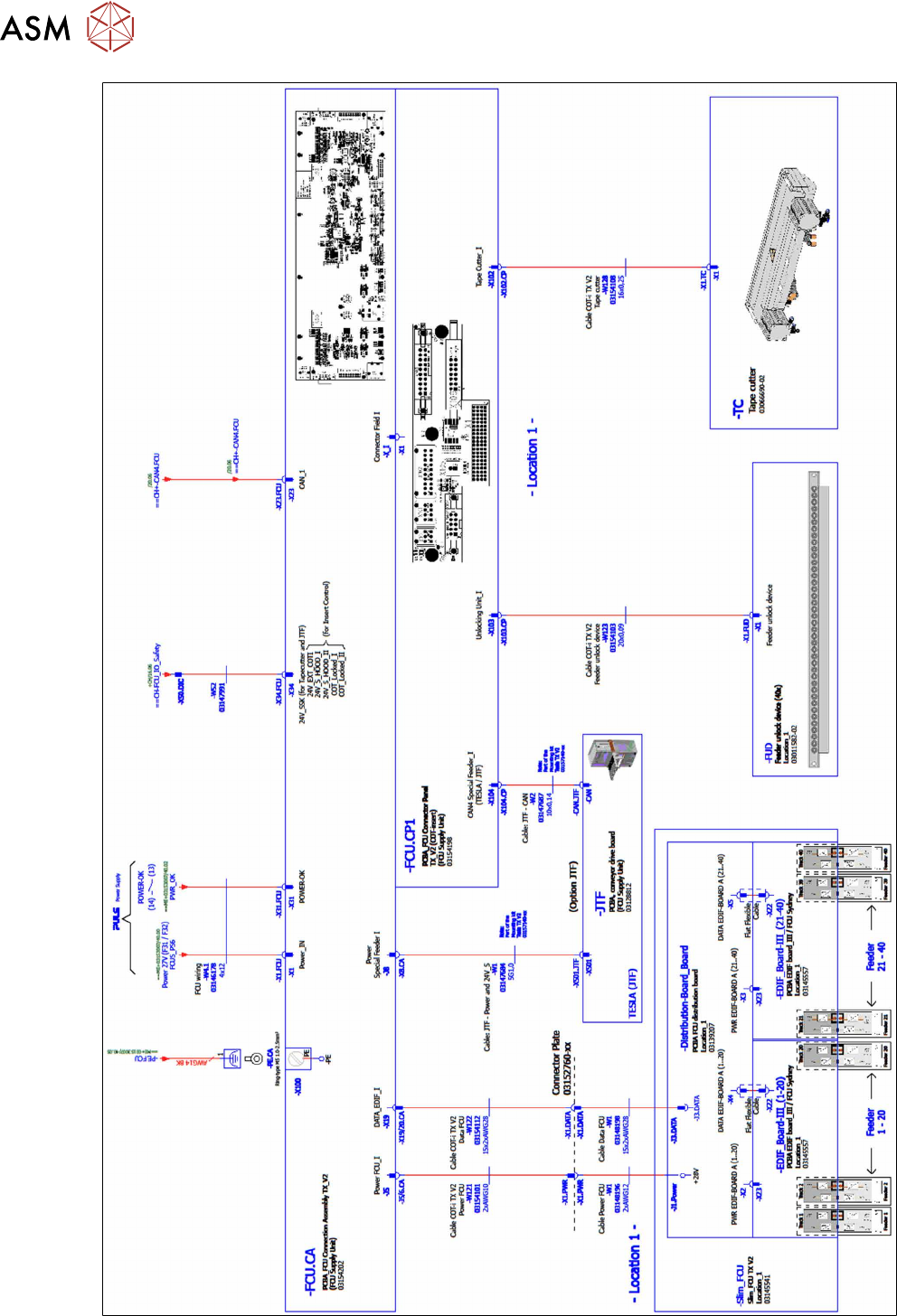
Fig.97: Wiring the SIPLACE JTF-ML2 at SIPLACE TX series V2 – part 2
4 Setting up and commissioning
4.2 Retrofitting in the SIPLACE TX-Series
User Manual SIPLACE TX V1/V2 Series JEDEC Tray Feeder (JTF-ML2) 11/2019 57
4.2.5.11 Preparing the component trolley
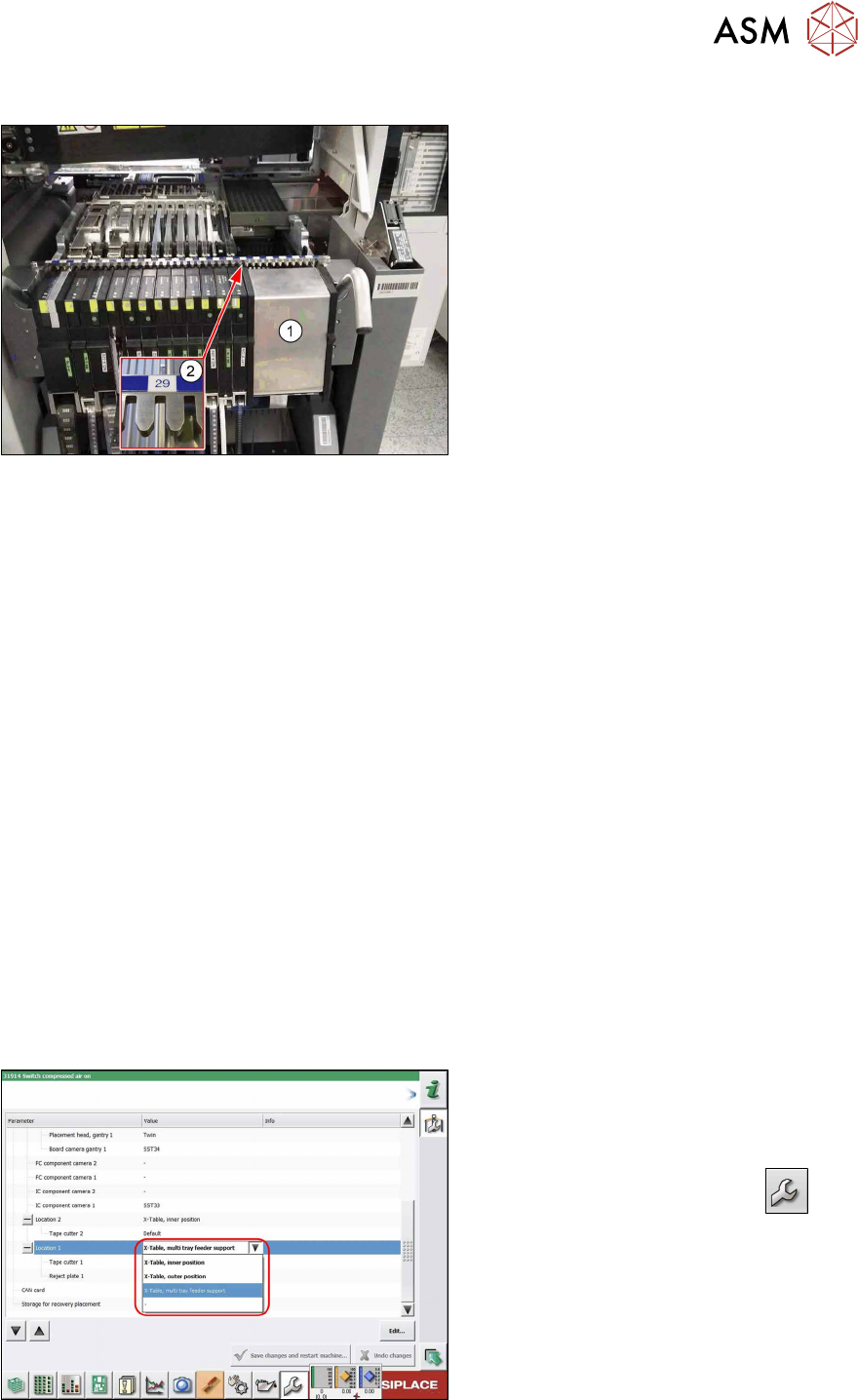
Fig.98: Preparing the component trolley
► Fit the dummy feeder(1) into place on
track 29(2) of the SIPLACE JTF
component trolley.
► Move the SIPLACE JTF component
trolley into the machine.
4.2.5.12 Completing the mechanical work
► Check and correct the height of the NC holder (see 7.1.2.1 "Setting the nozzle changer
height" [}89]).
► Check and correct the height of the nozzle changer (see 7.1.2.2 "Setting the Nozzle Station
Height" [}90]).
► Check the setting of the jumper on the NC (if one is present).
It must be set to 2-3 (see also 7.1.2.3 "Jumpers on the Nozzle Changer" [}91]).
► Fit the NC and the nozzle station.
► Install the used tape chute in location 1.
► Move the component trolley into the machine.
► Switch on the machine.
► Make the settings in the software
See:
●
4.3 "Configuration of JEDEC tray feeders in SIPLACE Pro" [}62]
●
4.2.5.13 "Logging the SIPACE JTF-ML2 in at the software" [}57]
●
4.2.5.14 "Teaching the transfer position" [}58]
●
4.2.5.15 "Teaching the refill position" [}60]
4.2.5.13 Logging the SIPACE JTF-ML2 in at the software
Fig.99: Configuring the SIPLACE JTF-ML2
Configuration and calibration are performed
in the user level Service.
► On first reboot with the SIPLACE JTF-
ML2, this needs to be entered in the
machine configuration. Select
Service → Machine Configuration.
► Select the SIPLACE JTF-ML at loca-
tion 1.
► Save the changes.
► Reboot the machine.
4 Setting up and commissioning
4.2 Retrofitting in the SIPLACE TX-Series
58 User Manual SIPLACE TX V1/V2 Series JEDEC Tray Feeder (JTF-ML2) 11/2019
4.2.5.14 Teaching the transfer position
Whenever the tower or the conveyor of the SIPLACE JTF-ML2 has been mounted to the machine,
the teach transfer position has to be taught again.
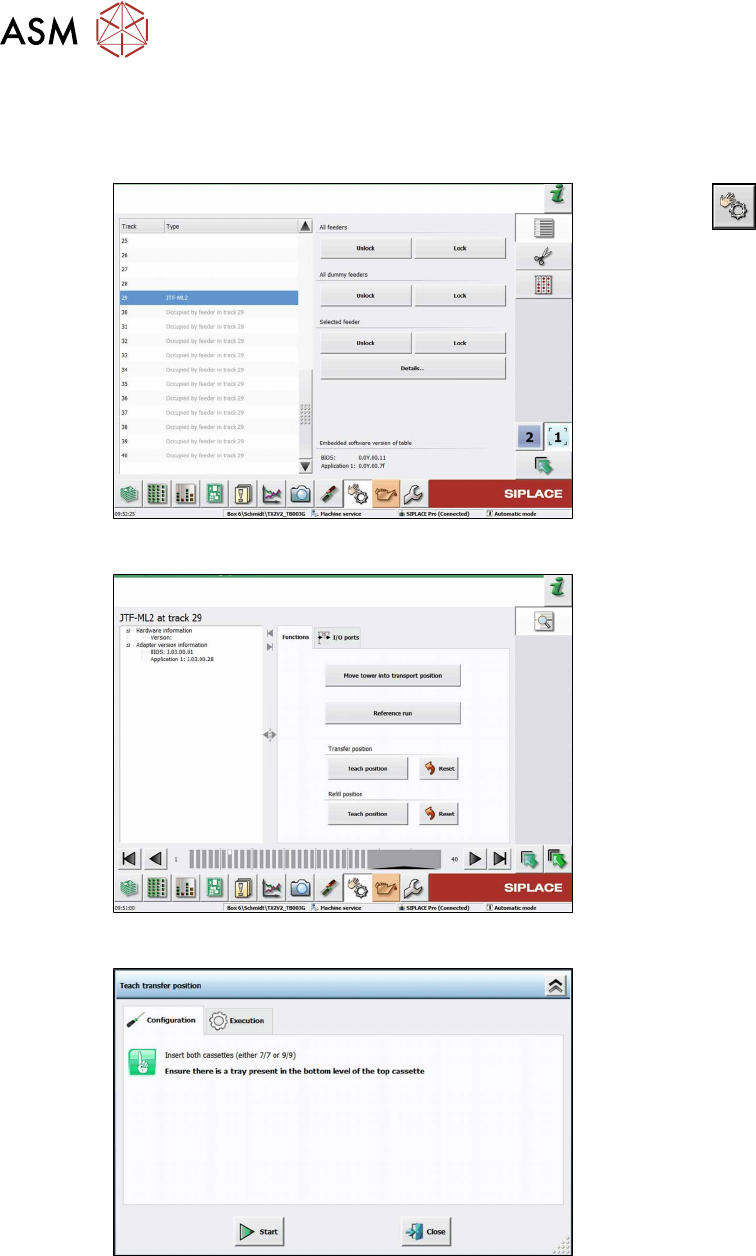
Fig.100: Teach transfer position 1
► Click the
button.
► Select the button Location 1.
► Select Track 29.
► Click the Details… button.
Fig.101: Teach transfer position 2
► Select the Functions tab.
► Click the Teach position button be-
neath Transfer position.
Fig.102: Teach transfer position 3
► Insert two cassettes into the SIPLACE
JTF‑ML2. Ensure there is a waffle pack
tray present in the bottom level of the
top cassette.