00198365-03_UM_JTF-ML2_TX12_V1-V2_EN.pdf - 第82页
5 Tasks on the machine 5.3 Operating the JEDEC tray feeder in the station software 82 User Manual SIPLACE TX V1/V2 Series JEDEC Tray Feeder (JTF-ML2) 11/2019
5 Tasks on the machine
5.3 Operating the JEDEC tray feeder in the station software
User Manual SIPLACE TX V1/V2 Series JEDEC Tray Feeder (JTF-ML2) 11/2019 81
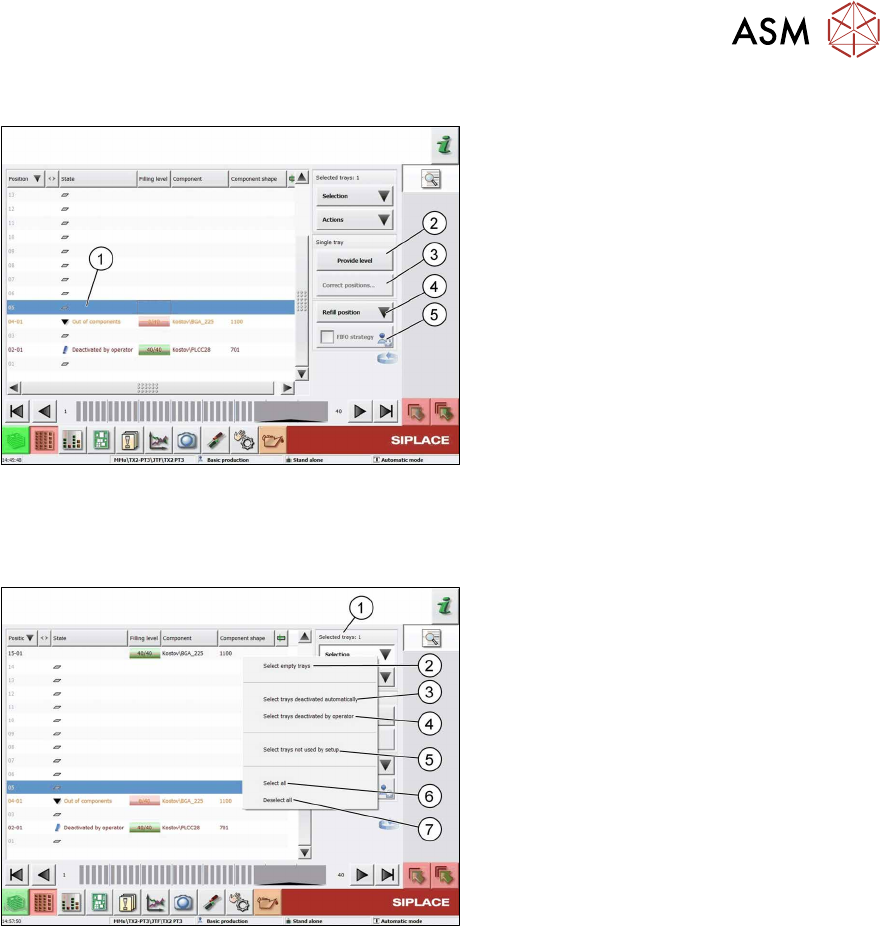
You can select the following functions and actions for the single selected tray:
Fig.151: Functions and Actions
1. Selected tray: highlighted in blue color
2.
Provide level: Moves this level to the
transfer position.
3.
Correct position...: Correction of the
pickup position
4.
Refill position: Moves the tray back
into the cassette in order to remove it. In
this state, no components can be picked
up from any tray.
5.
FIFO strategy: This button is active
when you are logged in with the neces-
sary access privileges. As soon as
pickup has been performed once from a
JEDEC tray on a replacement track, this
will be emptied completely before the
actual track is used again.
Multiple Selection of Trays
Fig.152: Multiple Selection
Use the key combination Shift+Alt to select
several trays. The selected trays are then
highlighted in blue color.
If trays have been deactivated manually or
automatically before or if the state has been
changed, you can now easily select these
trays with the Selection button.
The selected trays are then displayed as Se-
lected Trays: xx.
The Selection button provides the following quick selection types:
1. Selected Trays: xx: Indicates the number of selected trays.
2. Select empty trays: All empty trays in the setup are selected.
3. Select trays deactivated automatically: All automatically deactivated trays are selected.
4. Select trays deactivated by operator: All trays that have been manually deactivated by the
operator are selected.
5. Select trays not used by setup: All trays that are not used in the current setup are selected.
6. Select all: All trays are selected regardless of their state.
7. Deselect all: Each previous selection is discarded.

5 Tasks on the machine
5.3 Operating the JEDEC tray feeder in the station software
82 User Manual SIPLACE TX V1/V2 Series JEDEC Tray Feeder (JTF-ML2) 11/2019
6 Maintenance
6.1 Overview maintenance tasks
User Manual SIPLACE TX V1/V2 Series JEDEC Tray Feeder (JTF-ML2) 11/2019 83
6 Maintenance
NOTICE
Further Information:
For maintenance, please read the following documents:
► Job card "SIPLACE JTF-ML2 Maintenance – Workflow 1" (Weekly)
[EN: 00198422‑xx] [DE: 00198427‑xx] [ZH: 00198432‑xx]
► Job card "SIPLACE JTF-ML2 Maintenance – Workflow 2" (3-Monthly)
[EN: 00198423‑xx] [DE: 00198428‑xx] [ZH: 00198433‑xx]
► Job card "SIPLACE JTF-ML2 Maintenance – Workflow 3" (6-Monthly)
[EN: 00198424‑xx] [DE: 00198429‑xx] [ZH: 00198434‑xx]
6.1 Overview maintenance tasks
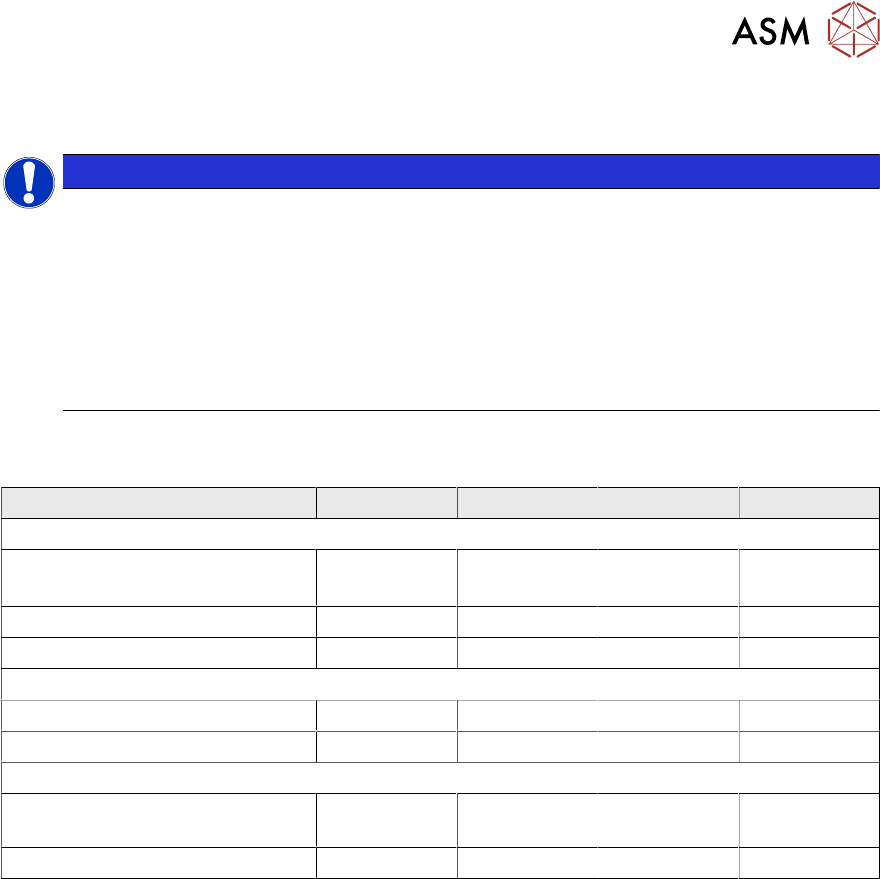
Maintenance Tasks Workflows Workflow 1 Workflow 2 Workflow 3 Workflow 4
Maintenance tasks (weekly)
Clean conveyor (SIPLACE
JTF-ML2)
X X X X
Clean cassette X X X X
Clean tower X X X X
Maintenance tasks (3-monthly)
Kicker LM guide X X x
Pusher LM guide X X X
Maintenance tasks (6-monthly)
Ball screw of the lifting axis
(tower)
X X
Lifting LM guide (tower) X X