00198365-03_UM_JTF-ML2_TX12_V1-V2_EN.pdf - 第72页
5 Tasks on the machine 5.2 Task: Operating the feeder 72 User Manual SIPLACE TX V1/V2 Series JEDEC Tray Feeder (JTF-ML2) 11/2019 Fig.130: Open Door ► Open the door (1) once the lift has reached the refill position. ► P…
5 Tasks on the machine
5.2 Task: Operating the feeder
User Manual SIPLACE TX V1/V2 Series JEDEC Tray Feeder (JTF-ML2) 11/2019 71
5.2.4 Removing the cassette from the SIPLACE JTF-ML2
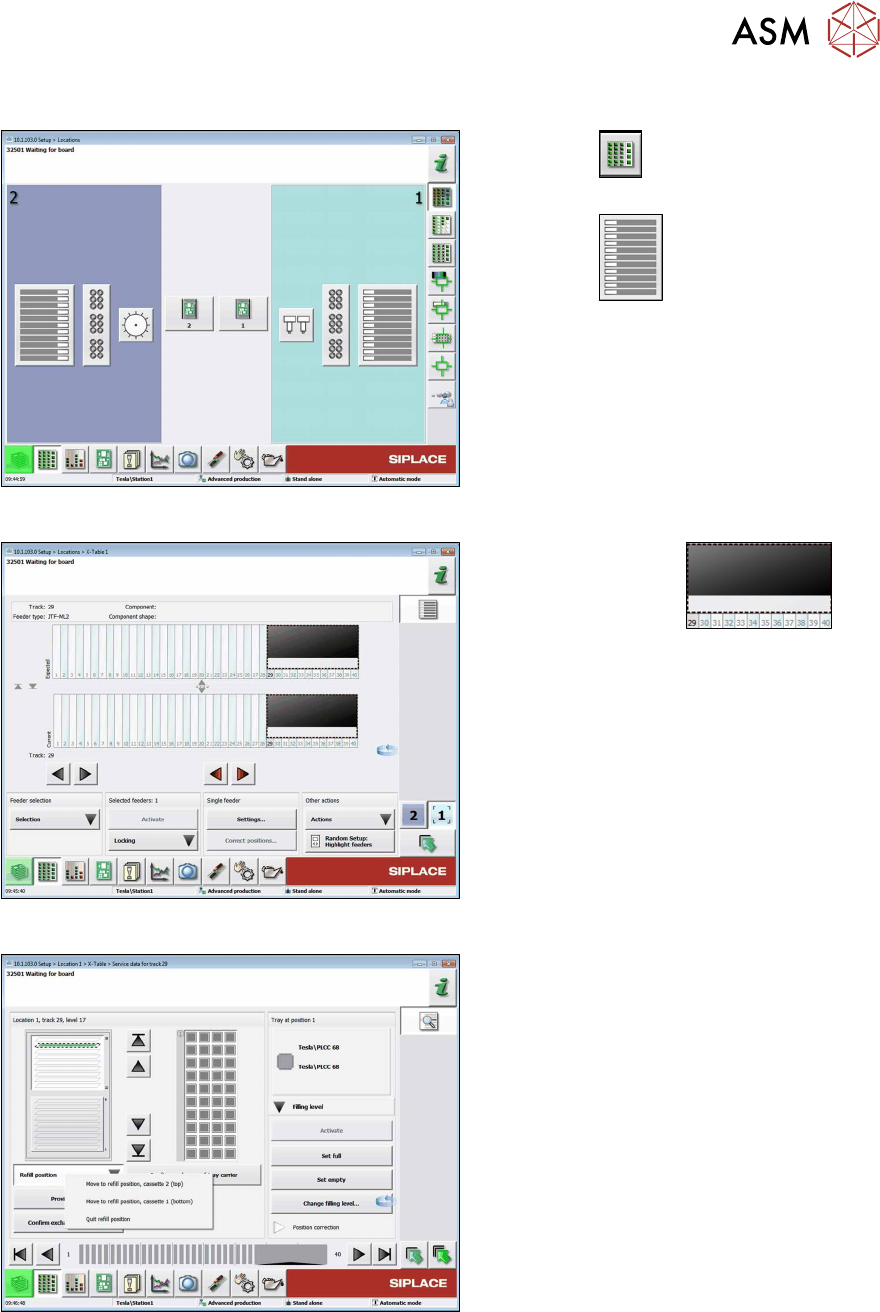
Fig.127: Menu Locations
► Click the
button to open the
Setup Locations menu.
► Click the
button to display the
setup of the table.
Fig.128: Menu Locations - Table
► Mark the JTF area
.
► Click the Settings... button.
Fig.129: Move the cassette into the refill position
► Move the cassette into the refill posi-
tion. Click the Refill position button
and the Move to refill position ... for
the relevant cassette.
5 Tasks on the machine
5.2 Task: Operating the feeder
72 User Manual SIPLACE TX V1/V2 Series JEDEC Tray Feeder (JTF-ML2) 11/2019
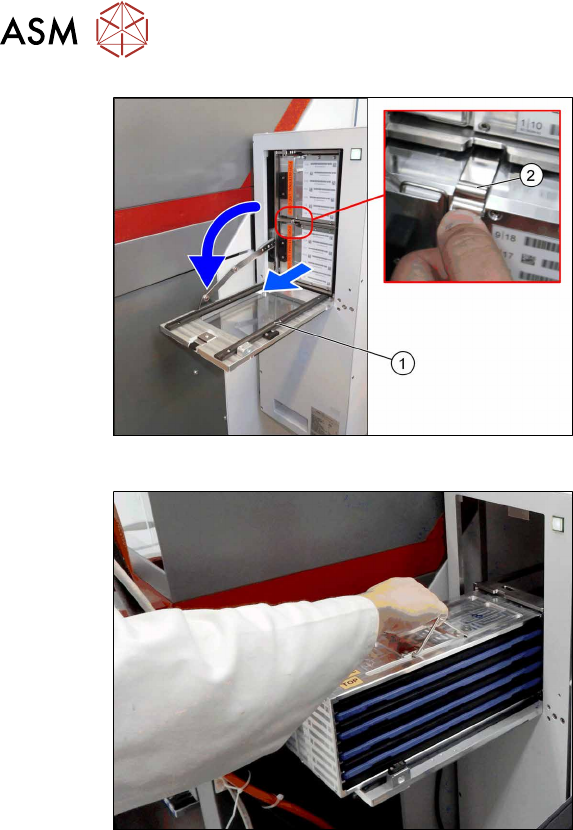
Fig.130: Open Door
► Open the door(1) once the lift has
reached the refill position.
► Press the spring(2) down and pull the
cassette out on the rails.
Fig.131: Take Off Cassette
► Secure the trays with the transportation
lock and the direction lock.
► Lift off the cassette from the rails. Hold
the cassette horizontal and place it on
a stable surface.
5 Tasks on the machine
5.2 Task: Operating the feeder
User Manual SIPLACE TX V1/V2 Series JEDEC Tray Feeder (JTF-ML2) 11/2019 73
5.2.5 Inserting the cassette into the SIPLACE JTF-ML2
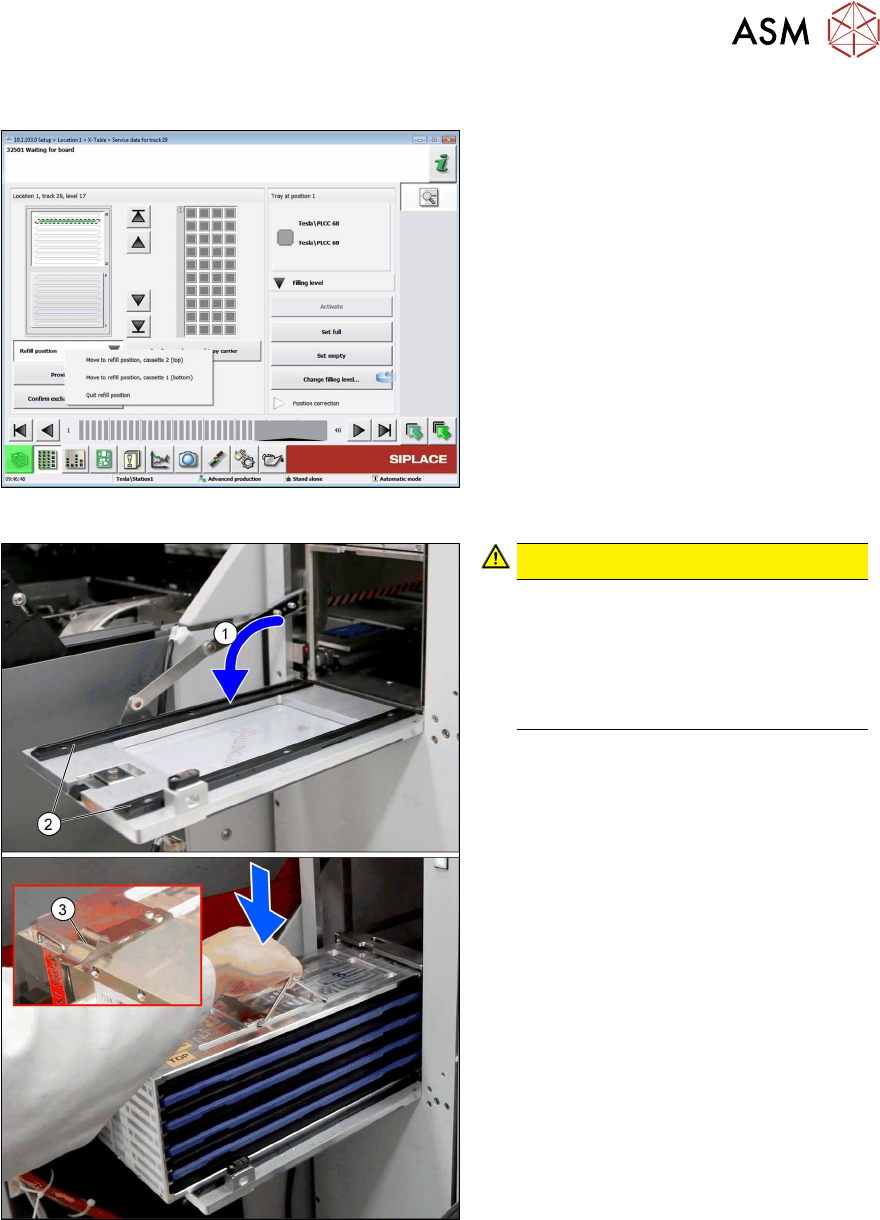
Fig.132: Moving the cassette into the refill position
► Click Refill position and Quit refill
position.
Fig.133: Inserting the cassette
CAUTION!
Avoiding component jump
Improper or sudden inserting of the
cassettes may lead to component
jump.
Always keep the cassette horizontal
when lifting and holding.
.
► Open the door(1).
► Place the cassette on the rails(2) on
the inner side of the door.
Observe the orientation. The spring(3)
must point outwards.