00196478-08_MM_SX12DX12_en.pdf - 第46页
Major Maintenance Maintenance Tasks for Base Machine 5.2.2 Performing Maintenance Tasks 46 Maintenance Manual SIPLACE SX1/SX2/DX1/DX2 Monitoring the Reject Ducts Conveyor - Mon itoring the No zzle Magazine s Monitoring t…
Major Maintenance
5.2.2 Performing Maintenance Tasks Maintenance Tasks for Base Machine
Maintenance Manual SIPLACE SX1/SX2/DX1/DX2 45
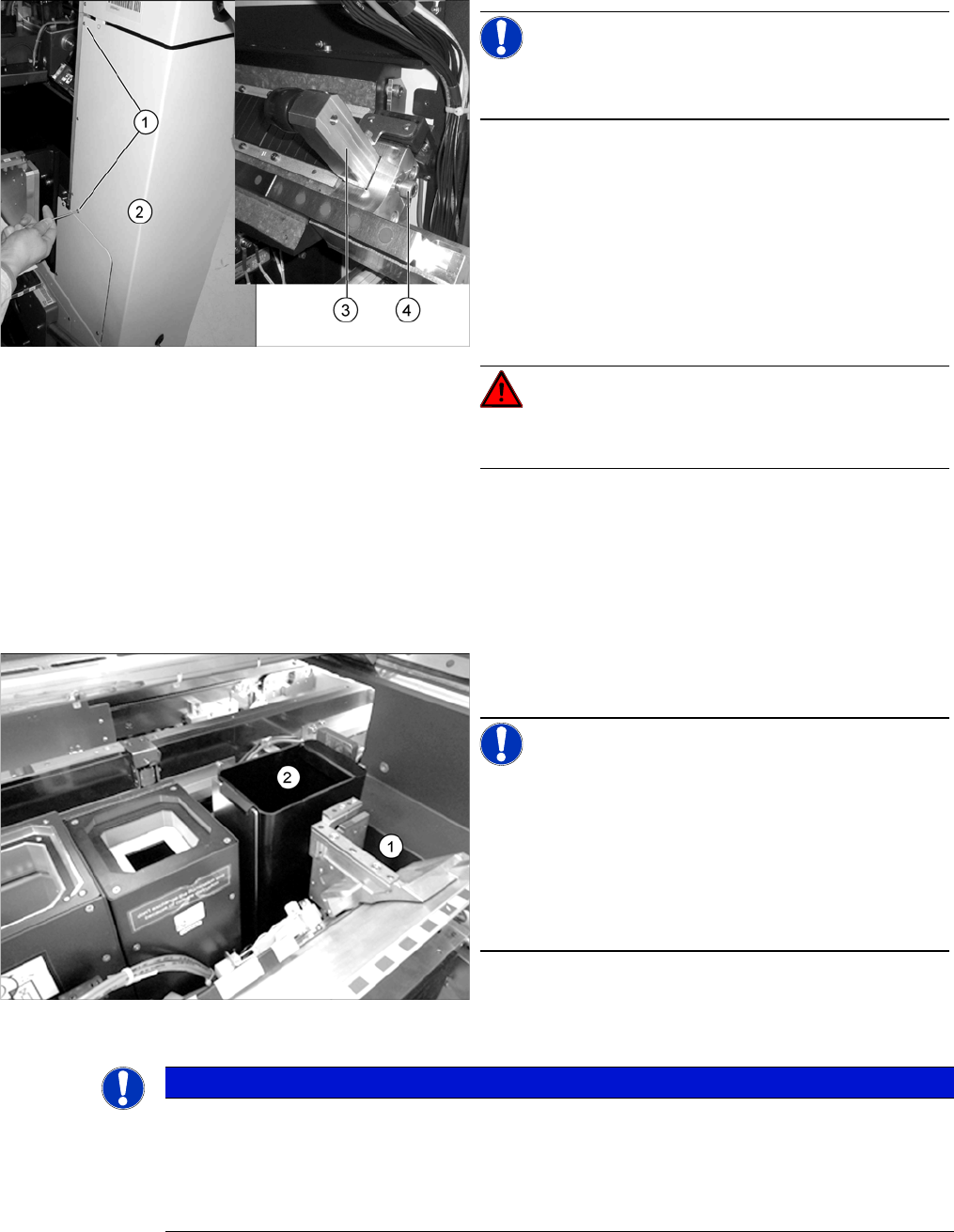
Safety switch on bumper
Monitoring the Reject Bins
► Remove the component reject bin (2). A message should immediately appear on the control panel.
► Reinsert the component reject bin.
► Repeat the procedure for all reject bins.
NOTICE!
Only the bumpers in sectors 2 and 4 are fitted with safety
switches.
► Check the safety switch on the bumper in sector 2:
Loosen the two screws (1) fastening the cover (2) and
swing this to one side.
Loose the screw (4) fastening the bumper (3) and re-
move the bumper. A message should immediately
appear on the control panel.
If this is not the case, have the safety circuit checked
and any damaged components replaced by author-
ized personnel or the SIPLACE Service team.
DANGER!
Do not operate the machine while the safety circuit is de-
fective.
► Refit the bumper and close the cover, fixing it into
place with the two fastening screws.
► Repeat this procedure for the bumper in sector 4.
► Remove the nozzle reject bin (1). A message should
immediately appear on the control panel.
NOTICE!
Monitoring the nozzle reject bin is optional.
If no message appears, check whether this option is in-
stalled on your system.
If the option is installed and no message appears, have
the safety circuit checked and, if required, any damaged
components replaced by authorized personnel or the
SIPLACE Service team.
► Reinsert the nozzle reject bin.
NOTICE
Monitoring the component reject bin is optional.
If no message appears, check whether this option is installed on your system.
If the option is installed and no message appears, have the safety circuit checked and, if re-
quired, any damaged components replaced by authorized personnel or the SIPLACE Service
team.
Major Maintenance
Maintenance Tasks for Base Machine 5.2.2 Performing Maintenance Tasks
46 Maintenance Manual SIPLACE SX1/SX2/DX1/DX2
Monitoring the Reject Ducts
Conveyor - Monitoring the Nozzle Magazines
Monitoring the Nozzle Magazines
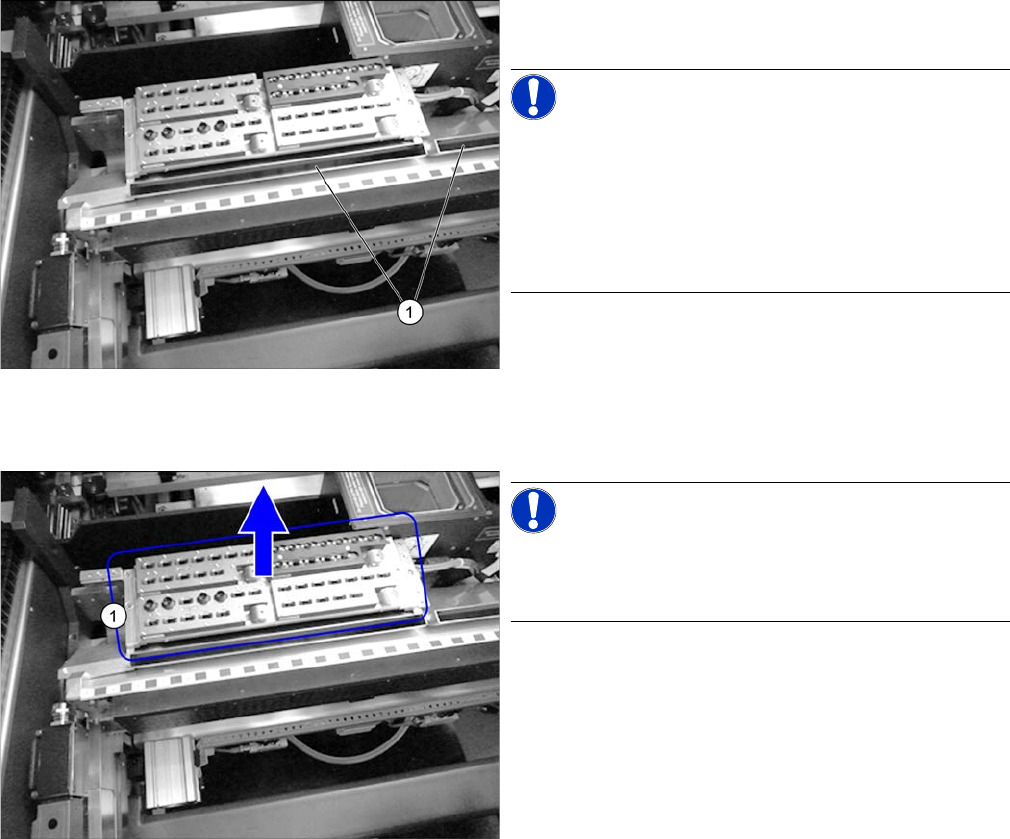
► Remove the reject duct (1). A message should imme-
diately appear on the control panel.
NOTICE!
Monitoring the component reject duct is optional.
If no message appears, check whether this option is in-
stalled on your system.
If the option is installed on your system and no message
appears, please contact your local SIPLACE Service
team.
► Fit the reject duct back into place.
► Repeat the procedure for all reject ducts.
NOTICE!
Twin magazines are permanently fixed and cannot be re-
moved. For this reason, this check is not applicable for
Twin magazines.
► Remove the nozzle magazines.
► Close the covers and press the Start button.
⇨ Depending on the station software, the station must
display all removed nozzle magazines.
Major Maintenance
5.2.2 Performing Maintenance Tasks Maintenance Tasks for Base Machine
Maintenance Manual SIPLACE SX1/SX2/DX1/DX2 47
5.2.2.2
5.2.2.2 Checking and Cleaning/Replacing the Compressed Air Filter (if required)
Checking and Cleaning/Replacing the Compressed Air Filter (if required)
5.2.2.3
5.2.2.3 Cleaning/Replacing the Head Exhaust Air Filter
Cleaning/Replacing the Head Exhaust Air Filter
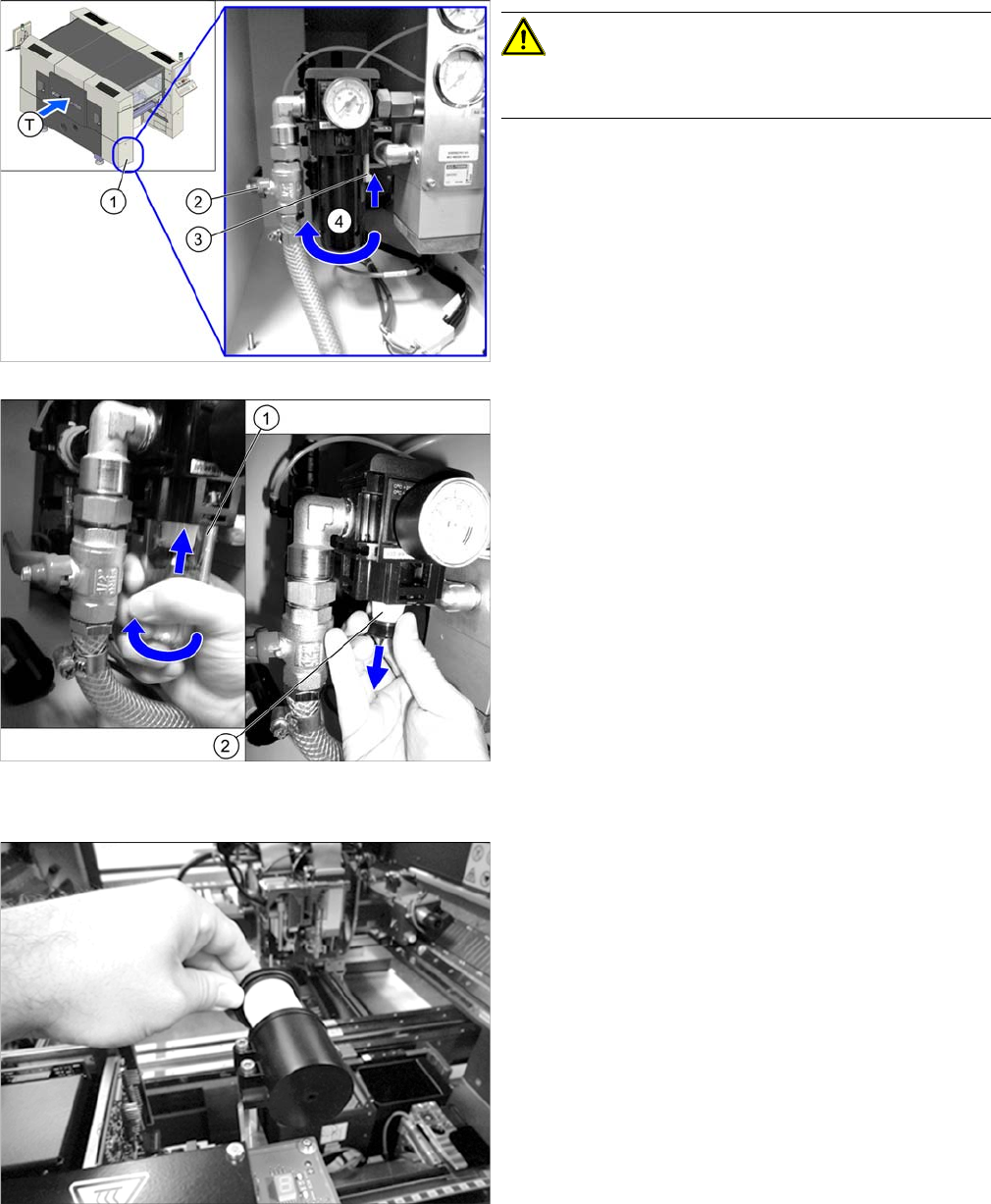
CAUTION!
Before checking or replacing the compressed air filters,
you need to shut off the supply of air!
► Open the cover (1) on the pneumatic system.
► Push the lever (2) for the compressed air supply
back, until it is positioned horizontally.
► All manometers must be set to zero.
► Push the yellow lock (3) on the black protective cap
up. Twist off the protective cap.
► Press the glass tube (1) upwards and unscrew it.
► Unscrew the filter (2).
► Pull out the filter for the compressed air maintenance
unit and check for dirt.
► Replace the filter if it is dirty. (filter element 5 µm
[00355386-xx])
► Installation is performed by following the above in-
structions in the reverse order.
► Unscrew the head exhaust air filter. Clean it with a
compressed air device or replace the filter if heavily
soiled. (filter element 40 μm [03003717-xx])