00196428-0102_AI_Reconfig_Kit_X-Serie_CPP_DE+EN.pdf - 第101页
Head Reconfiguration Kit 2 Assembly Instructions Head Reconfiguration Kit CPP fo r the SIPLACE X Ser ies Issue 03/2010 2.7 Installing the CPP Placement H ead 101 2.7.6 Inst alling and Setting the Height of the Nozzle St …
2 Assembly Instructions Head Reconfiguration Kit CPP for the SIPLACE X Series Head Reconfiguration Kit
2.7 Installing the CPP Placement Head Issue 03/2010
100
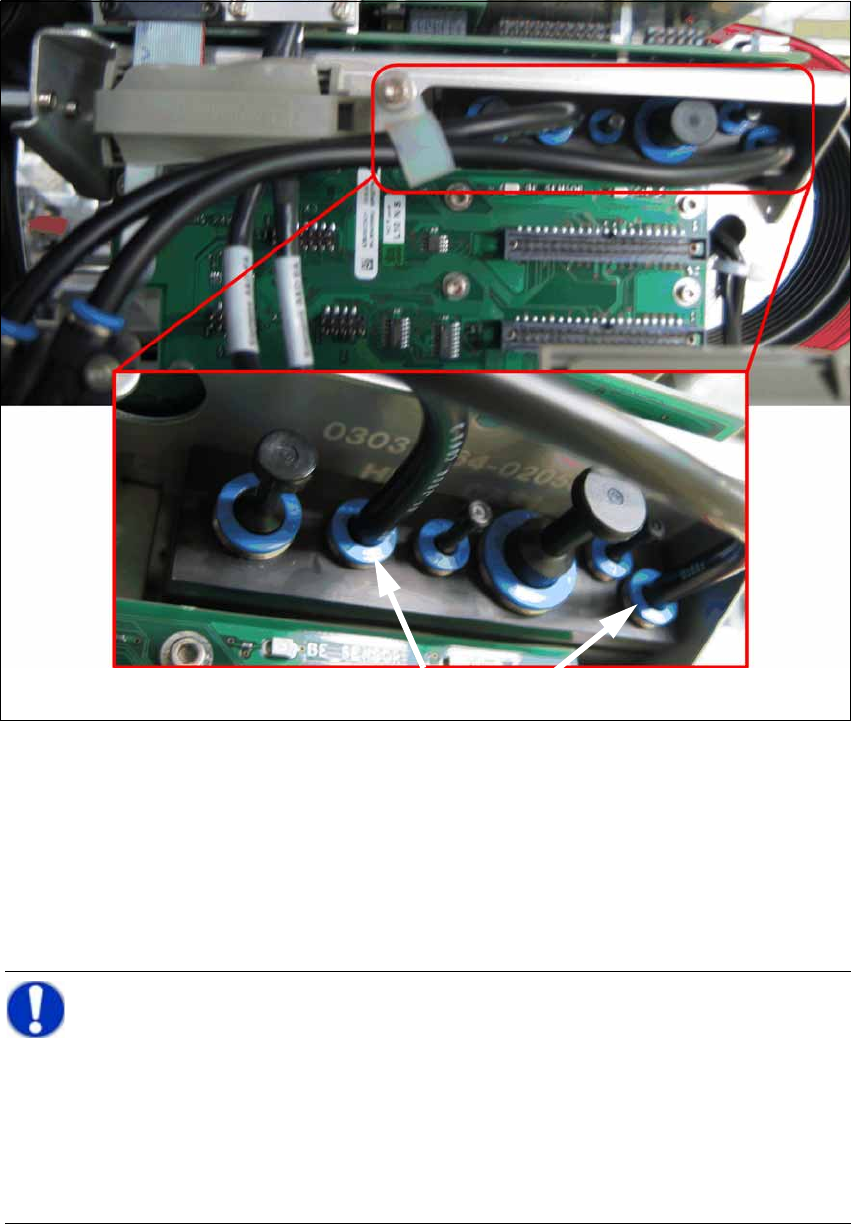
X Connect all compressed air hoses
2.7.5 Replacing the Servo Cards
X Open the door of the servo unit with the machine key.
X Insert the servo cards according to your machine configuration. (See Section 2.9.1 "Configu-
ration Axis Unit A364" on page 124.)
Connecting the compressed air hoses
NOTE:
When switching between C&P20, CPP and DLM C&P6/C&P12, the servo amplifier
SDS120/2,5S1 [00353445-xx] can be kept. 2
When switching between C&P20 and CPP, the DC/DC converter [03002397-xx] can be
kept. 2
When switching between C&P20 and CPP, only the Z axis servo card must be replaced.2
C&P20A: SDS60/2.5Z1 1 [03002143-xx] 2
CPP: SDS120/1.5Z2 1 [03070900-xx] 2
Head Reconfiguration Kit 2 Assembly Instructions Head Reconfiguration Kit CPP for the SIPLACE X Series
Issue 03/2010 2.7 Installing the CPP Placement Head
101
2.7.6 Installing and Setting the Height of the Nozzle Station
CAUTION:
Depending on the installation location (one-gantry placement area) the component trol-
ley docking unit must be released and pushed outwards. To do this, it is absolutely nec-
essary to read the relevant Service Manual. When the work is completed, the
component trolley docking unit must be refitted and all add-on parts (nozzle changer) re-
calibrated. 2
CAUTION:
Different nozzle stations are used for the X and the X4I series: 2
– Nozzle station CPx cplt. X Series [03073328-xx]
– Nozzle station CPP cplt. X4I [03074861-xx]
CAUTION:
The nozzle station only works with the new CAN node. From component trolley docking
unit [03015680-07] onwards, the CAN node is already included. Otherwise, it can be up-
graded by the Service. 2
2 Assembly Instructions Head Reconfiguration Kit CPP for the SIPLACE X Series Head Reconfiguration Kit
2.7 Installing the CPP Placement Head Issue 03/2010
102
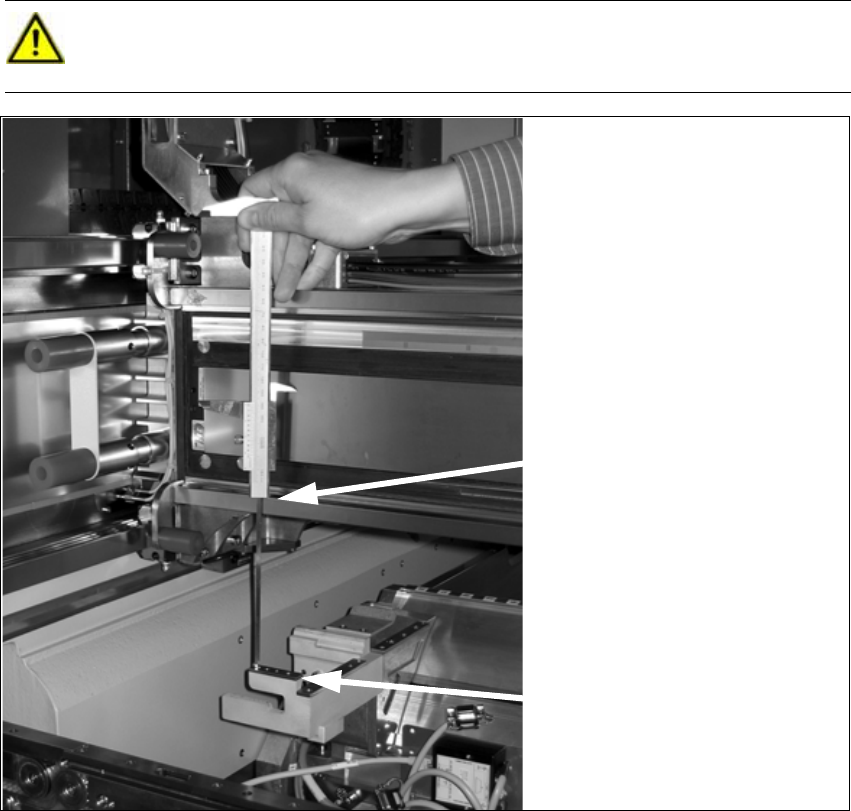
X Push the placement head outwards for the measurement.
X Place the caliper on the top edge of the nozzle reject device and measure the distance to the
top edge of the bottom linear guide rail of the X axis.
2
2
X Set the distance to 139.0 ±0.2 mm for all placement heads.
When the distance is correct, continue with installing the nozzle changer into the placement
machine.
CAUTION:
Hold the caliper vertically! 2
Rest the bottom edge of the cali-
per on the reject device .
Rest the top edge of the caliper on
the linear guide rail.