00197186-01_IM_Celsius_W380_Recovery_Image_EN.pdf - 第17页
SIPLACE Recovery Installation on Celsius W380 10/2011 Edition NOTICE Ensure booted from DVD If you don’t see this screen, it might happen that you accidentally booted from hard disk! Don’t mix up any welcome message fro …
SIPLACE Recovery Installation on Celsius W380 10/2011 Edition
4 Installation of Windows XP Recovery Media
The following chapter describes the installation of SIPLACE Windows XP Recovery Media on
Celsius W380.
► First, connect the external PCI Network adapter with your SIPLACE network and leave the
other (onboard) network adapter disconnected.
NOTICE
Network Adapter Identification
For simple identification of the appropriate SIPLACE LAN network adapter later after
installation, it is strongly recommended to disconnect all other adapters.
► Power up the computer and insert the SIPLACE Windows 7 Recovery DVD into the drive.
The message Press any key to boot from CD or DVD appears if you already have an
Operating System installed.
If this happens, ensure that you have backed up all necessary data, and then press any key to boot
from the DVD.
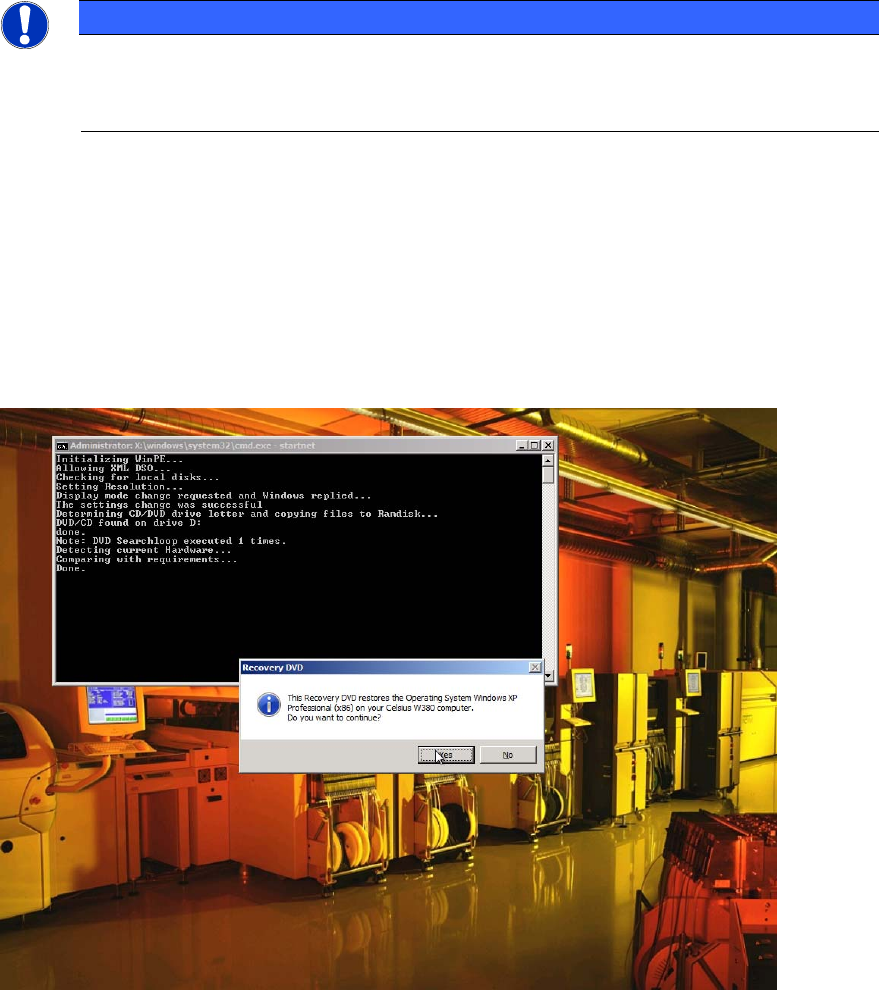
After booting from the DVD, the following screen should be visible.
Figure 4-1: SIPLACE Windows XP Recovery DVD first question
► Click Yes to continue with the installation.
16
SIPLACE Recovery Installation on Celsius W380 10/2011 Edition
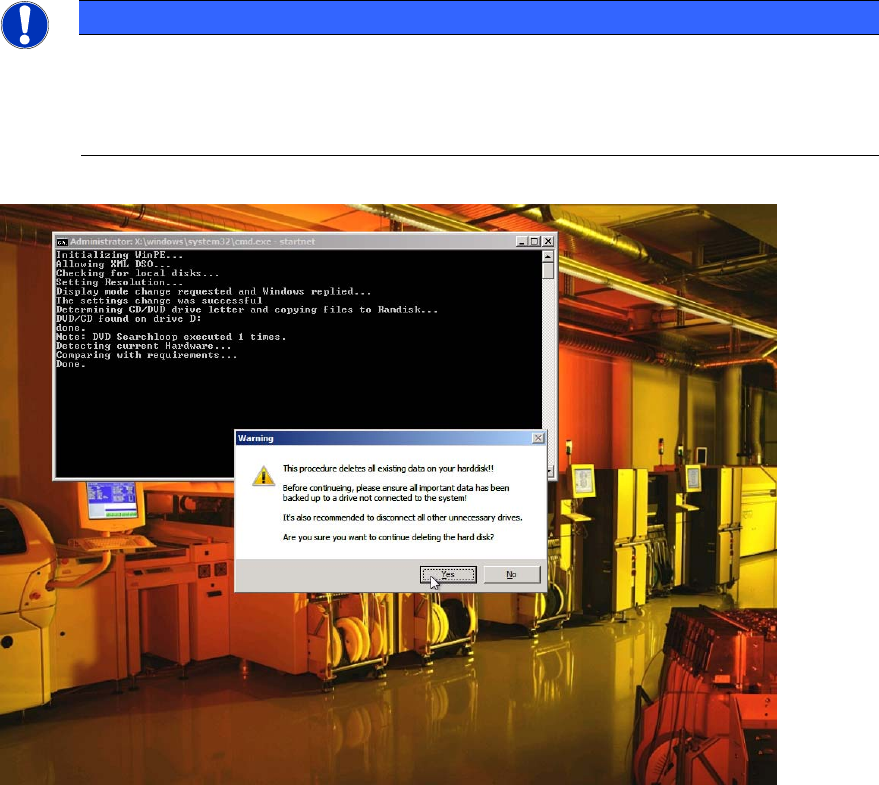
NOTICE
Ensure booted from DVD
If you don’t see this screen, it might happen that you accidentally booted from hard disk!
Don’t mix up any welcome message from already installed Operating Systems with the
SIPLACE Recovery Installation!
Figure 4-2: Existing Data deleted Warning
► After you’ve ensured all necessary data being backed up, click the Yes button to start the
Operating System Recovery.
The installation procedure may take some time.
17
SIPLACE Recovery Installation on Celsius W380 10/2011 Edition
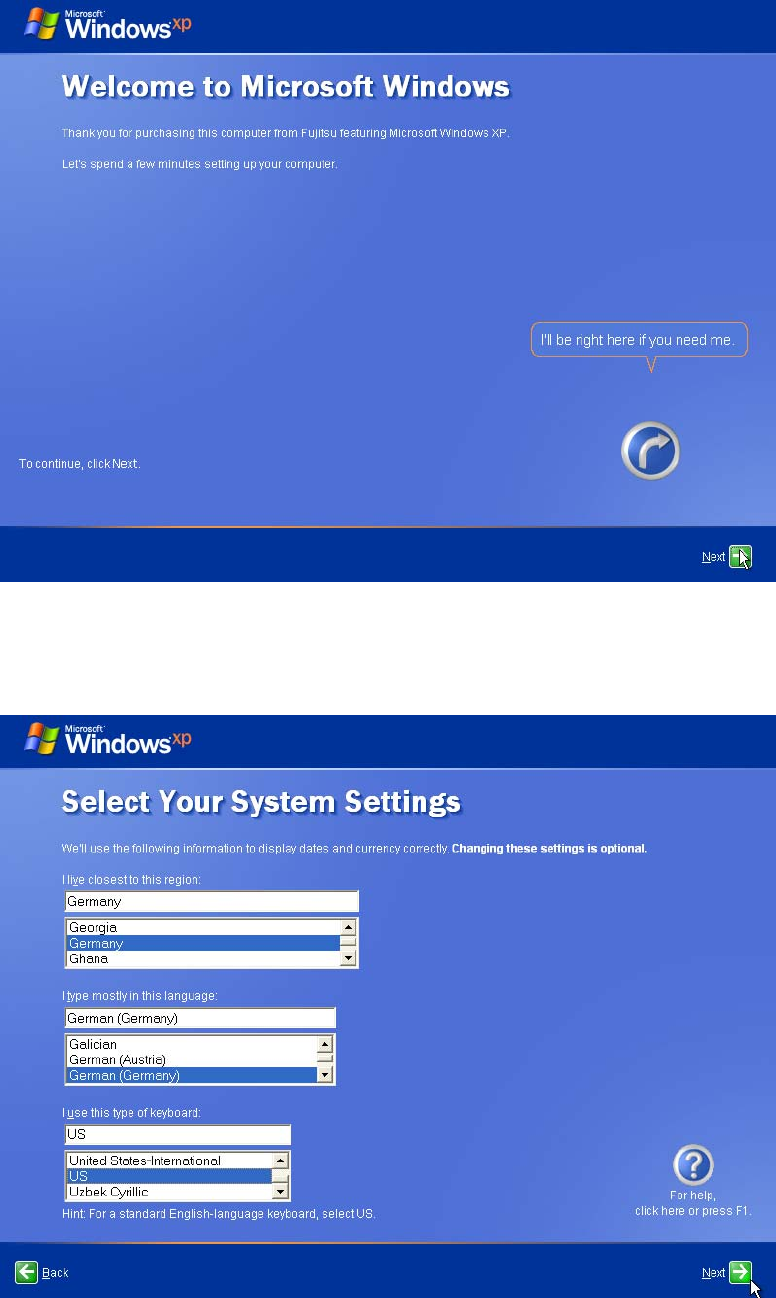
After success, you will see the following screen.
Figure 4-3: After Installation – Initial Screen
► Click the Next button to continue.
Figure 4-4: Language and region
18