00197186-01_IM_Celsius_W380_Recovery_Image_EN.pdf - 第23页
SIPLACE Recovery Installation on Celsius W380 10/2011 Edition Figure 4-10: Domain choice ► Ensure that No, don’t make this com puter part of a domain is selected and click the Next button. Figure 4-11: Internet Connectiv…
SIPLACE Recovery Installation on Celsius W380 10/2011 Edition
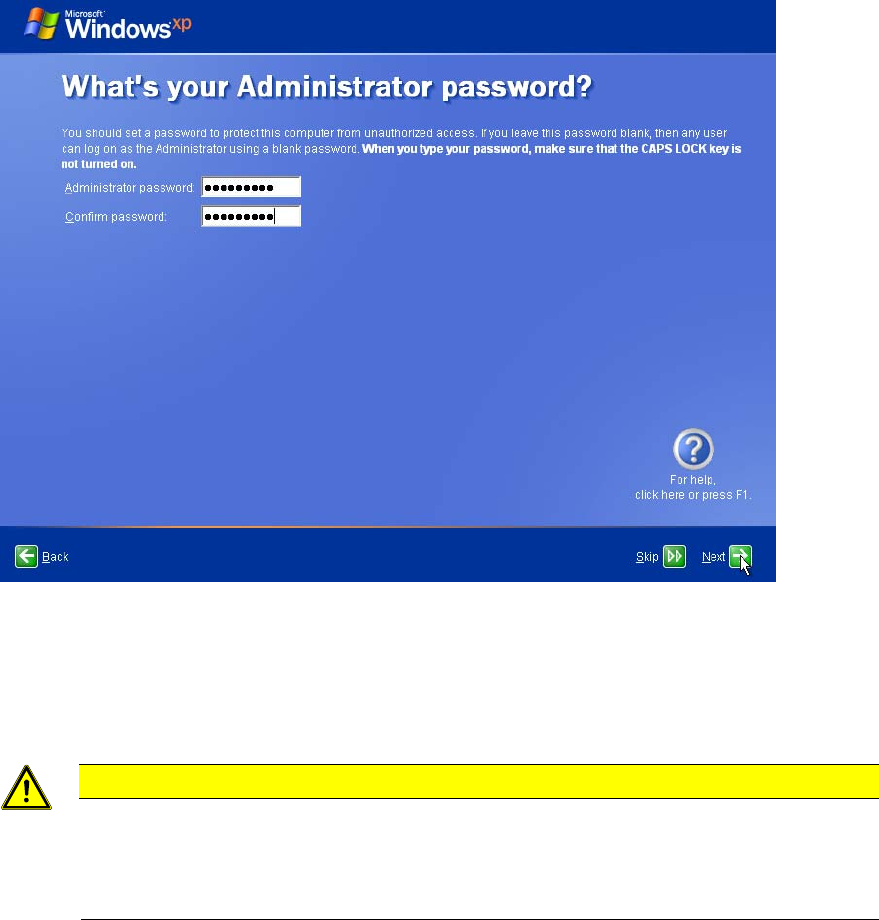
Figure 4-9: Administrator Password
► Enter the password for the Administrator account as specified in the technical information
TI2008-04V08.
► Enter the password a second time for confirmation.
CAUTION
Possible Account / Password Inconsistency
Operating System Setups may vary in consistency when creating accounts with related
passwords given during setup. You should always ensure that you check the created
account / password combination after installation!
► Click the Next button to continue.
22
SIPLACE Recovery Installation on Celsius W380 10/2011 Edition
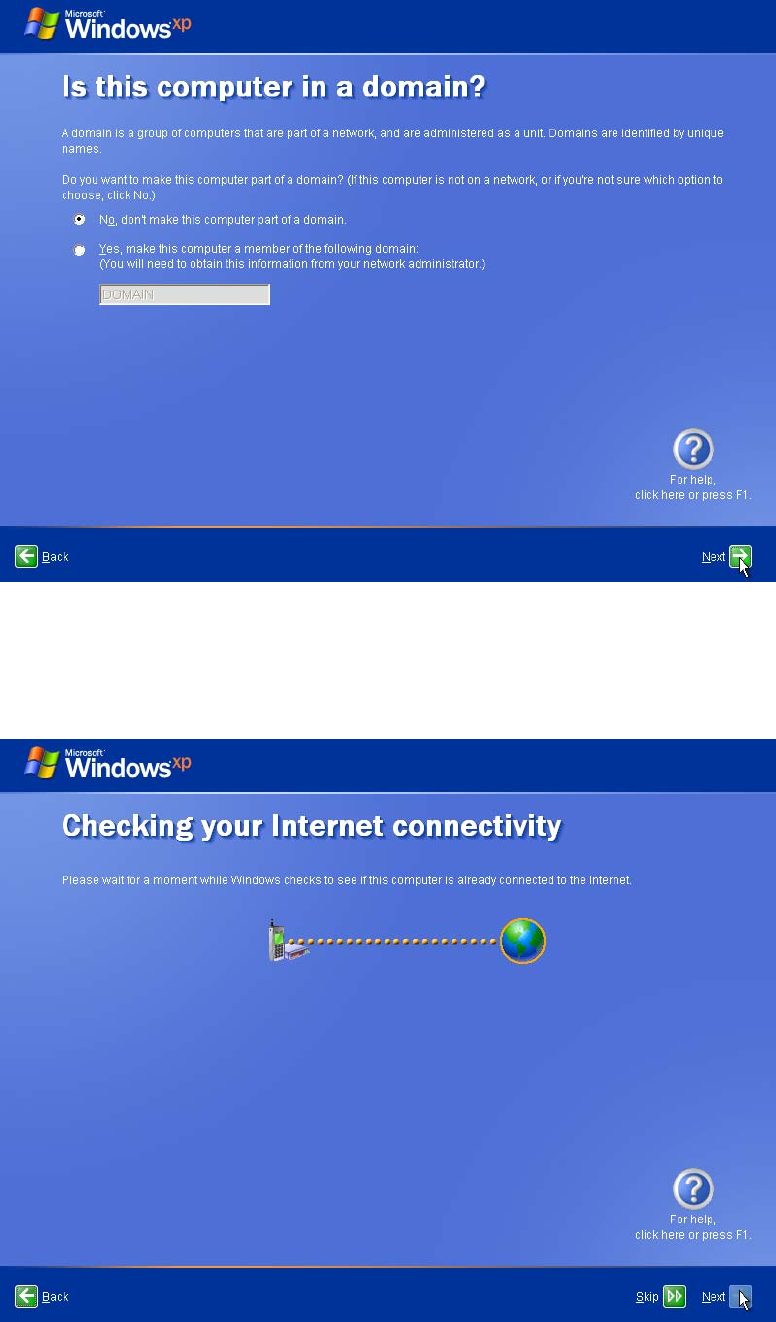
Figure 4-10: Domain choice
► Ensure that No, don’t make this computer part of a domain is selected and click the Next
button.
Figure 4-11: Internet Connectivity check
► Wait until the Next button is selectable and then click it.
23
SIPLACE Recovery Installation on Celsius W380 10/2011 Edition
NOTICE
Some Dialogs may be skipped
In some environments, some of the following dialogs might no appear and you have to
skip the appropriate steps in this document.
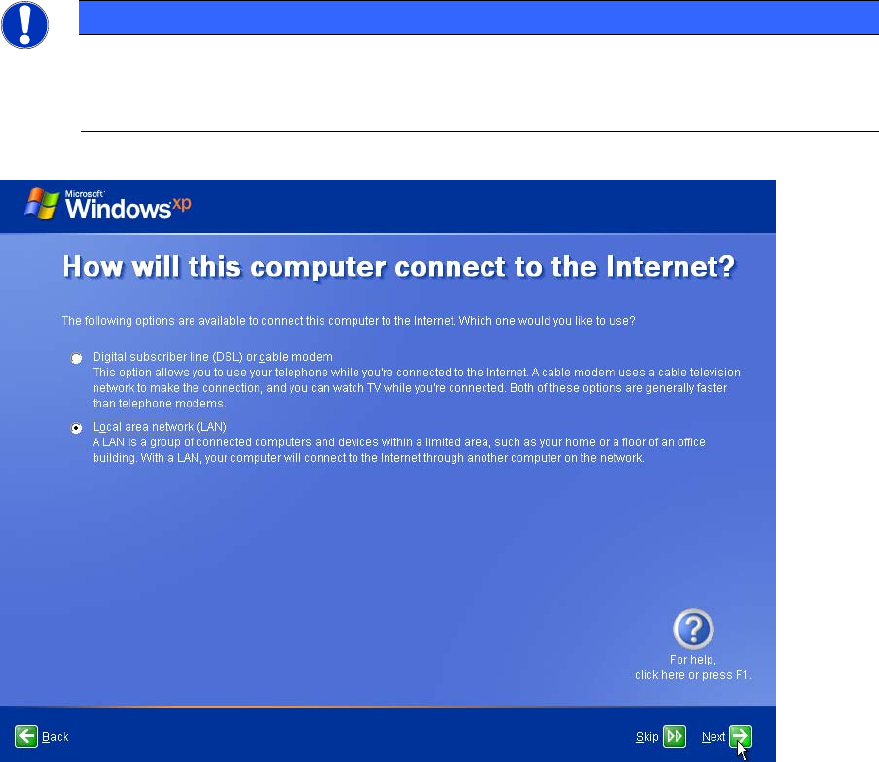
Figure 4-12: Internet Connection definition
► Ensure that Local area network (LAN) is selected and click the Next button.
24