00197186-01_IM_Celsius_W380_Recovery_Image_EN.pdf - 第37页
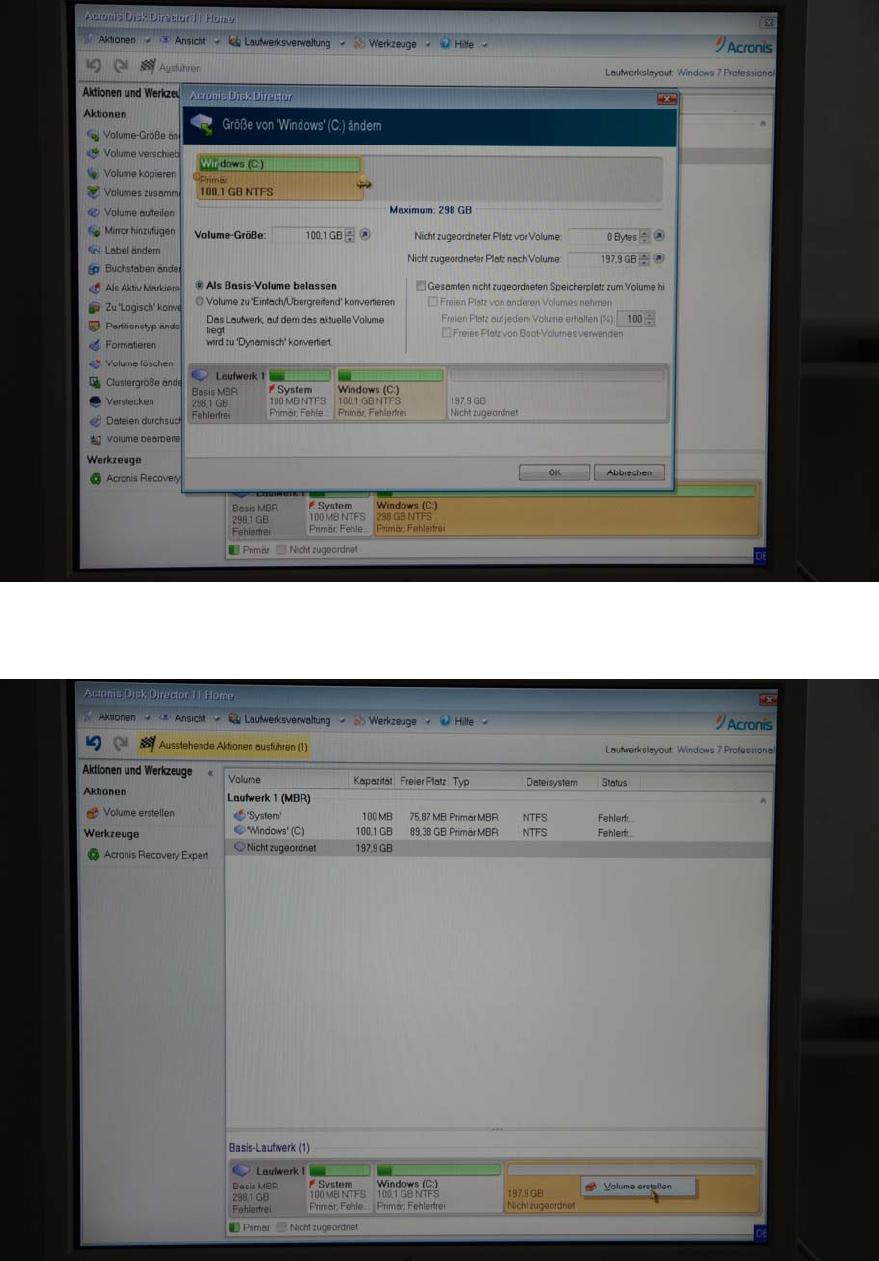
SIPLACE Recovery Installation on Celsius W380 10/2011 Edition Figure 5-2: Disk Director – changing si ze of partition – step 2 Figure 5-3: Disk Director – creating new partition in empty space – step 1 37
SIPLACE Recovery Installation on Celsius W380 10/2011 Edition
5 Splitting Partition
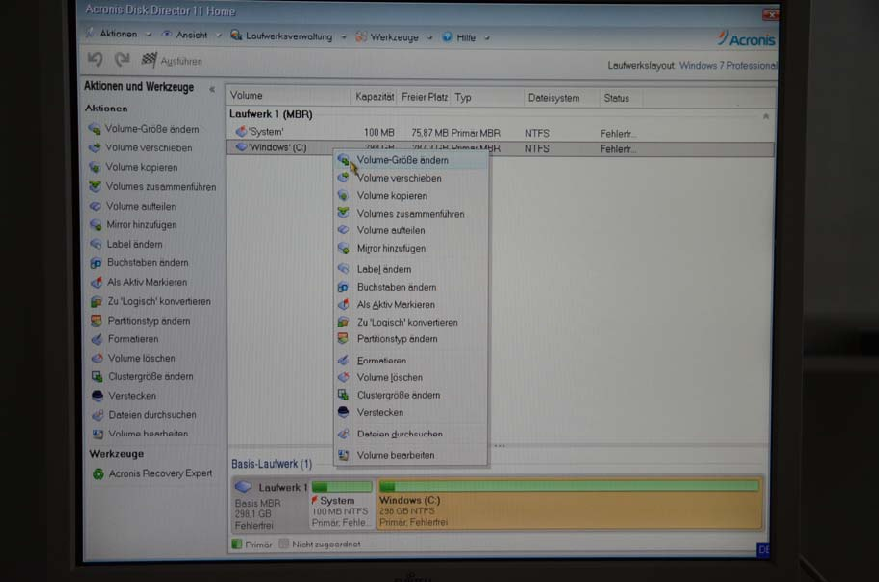
By default, SIPLACE Recovery Media only creates one partition using the whole disk. If you want
to split the partition into two (for example, for being able to backup system data to the second
partition), you have to use a partitioning tool.
In this chapter, we use Acronis Disk Director 11, German for some sample screenshots.
Figure 5-1: Disk Director – changing size of single partition – step 1
36
SIPLACE Recovery Installation on Celsius W380 10/2011 Edition
Figure 5-2: Disk Director – changing size of partition – step 2
Figure 5-3: Disk Director – creating new partition in empty space – step 1
37
SIPLACE Recovery Installation on Celsius W380 10/2011 Edition
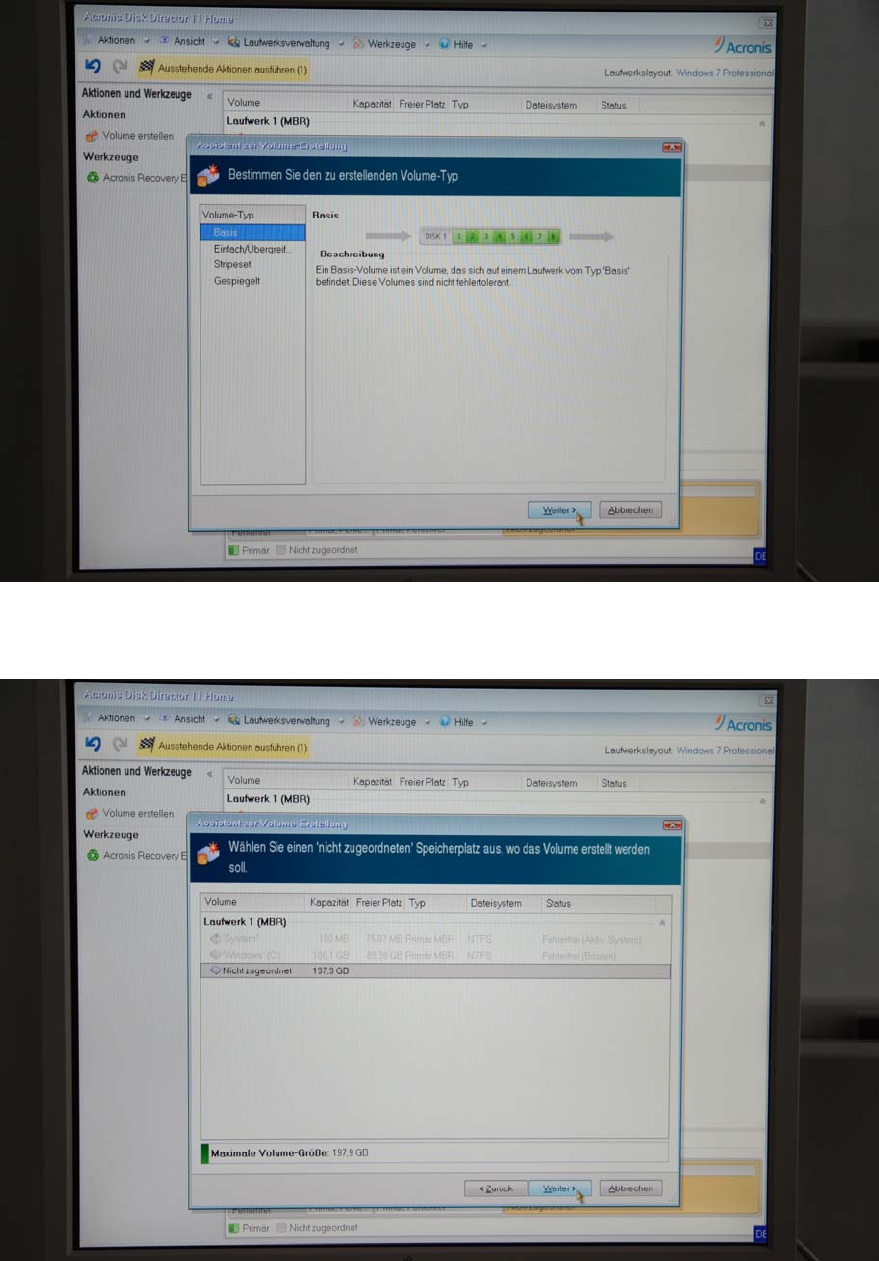
Figure 5-4: Disk Director – creating new partition in empty space – step 2
Figure 5-5: Disk Director – creating new partition in empty space – step 3
38