00197186-01_IM_Celsius_W380_Recovery_Image_EN.pdf - 第32页
SIPLACE Recovery Installation on Celsius W380 10/2011 Edition Windows will try to detect your device as shown in the following picture. Figure 4-23: Windows detecting the VGA Adapter After a couple of seconds, the N ew H…
SIPLACE Recovery Installation on Celsius W380 10/2011 Edition
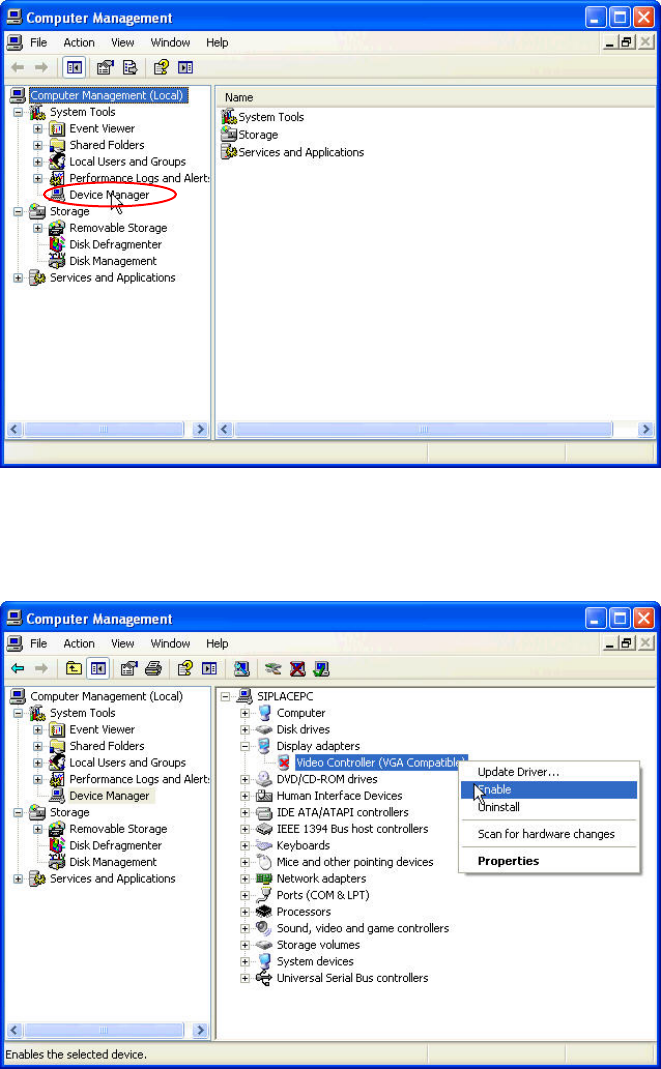
The Computer Management window opens.
Figure 4-21: Computer Management window
► Select Device Manager on the left side.
The device manager is shown in the right area.
Figure 4-22: Enabling Video Controller device
► Select the Video Controller (VGA Compatible) entry (in <ComputerName>\ “Display adapters”)
on the right side.
► Right-click on it and select Enable.
31
SIPLACE Recovery Installation on Celsius W380 10/2011 Edition
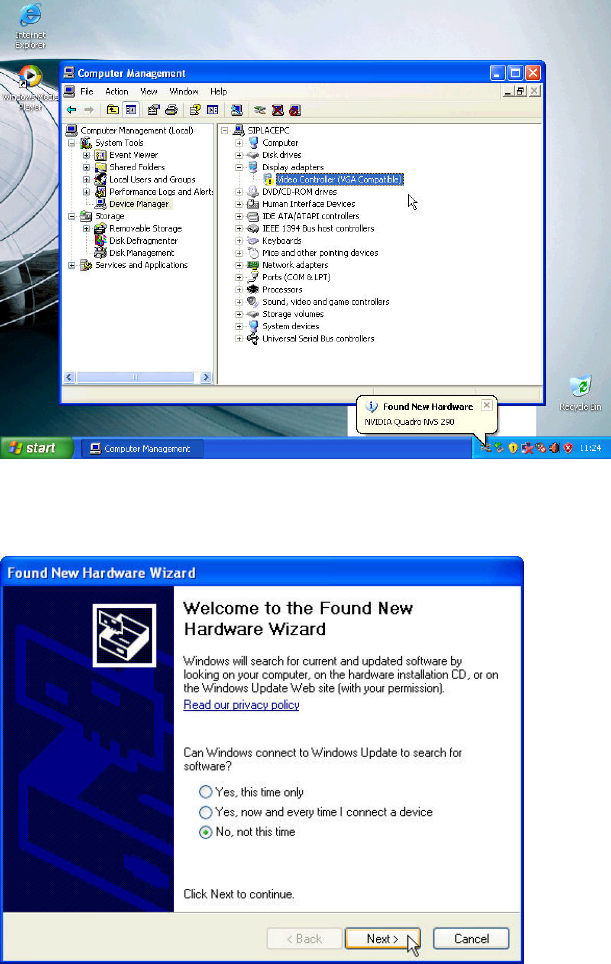
Windows will try to detect your device as shown in the following picture.
Figure 4-23: Windows detecting the VGA Adapter
After a couple of seconds, the New Hardware Wizard opens.
Figure 4-24: New Hardware Wizard – Step 1
► Select the radio button besides No, not this time.
► Click the Next > button
32
SIPLACE Recovery Installation on Celsius W380 10/2011 Edition
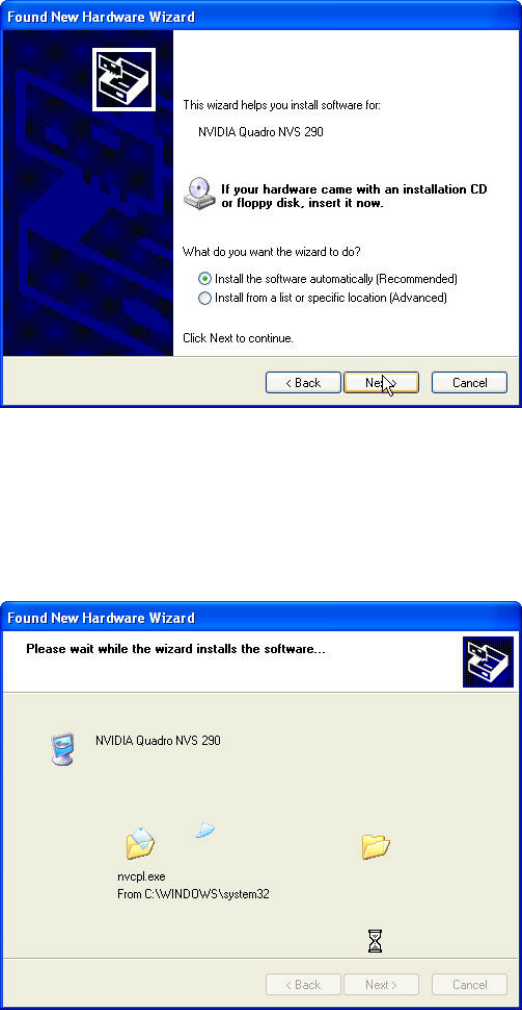
The following window appears.
Figure 4-25: New Hardware Wizard – Step 2
► Ensure that the radio button besides Install the software automatically (Recommended) is
selected.
► Click the Next > button.
The following window appears.
Figure 4-26: New Hardware Wizard – Step 3
► Wait until the wizard completes installation.
33