Profiler 用户手册.pdf - 第129页
USR-PRO-6.0S(V6.00 ~ ) 4. 电路板阻断功能 Fujitrax Profiler 用户手册 115 4.5.2 使用电路板阻断功能的所需设置 1. 在 Fujitrax web 中执行 Profi ling 设置。 ·选择所需生产线。 ·单击 [Browse] 显示当前设置。 ·在 [Su bstrate conveyance at th e t ime of scanning ID error] 中选择 [Do …
4. 电路板阻断功能 USR-PRO-6.0S(V6.00~)
114 Fujitrax Profiler 用户手册
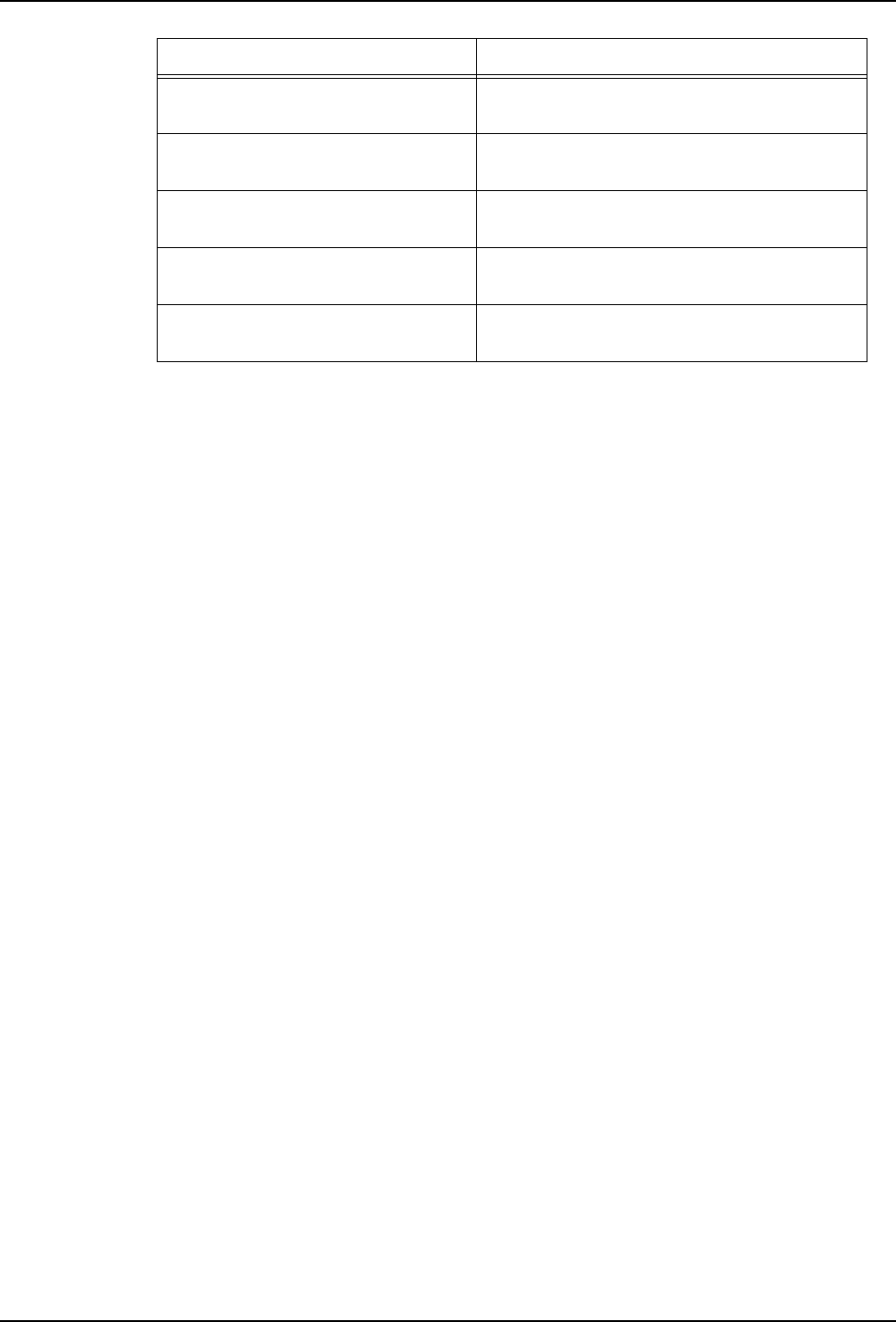
Use panel blocking based on the
panel ID
允许操作员注册禁用的电路板。通过选择复
选框使用该功能。
Blocking by specified
conditions
阻断满足在限制编辑器中所注册电路板 ID
中指定条件的电路板 ID。
Permitting specified conditions 仅搬运满足在限制编辑器中所注册电路板 ID
中指定条件的电路板 ID。
The trace from Restriction
Editor is automatically deleted
选择该复选框来自动删除限制编辑器的跟踪
数据。
Days to keep trace in database 指定从限制编辑器中自动删除跟踪数据前保
存跟踪数据的天数。默认设置是 90 天。
项目 说明
rkf1WS8F
rkf1WS8F
Downloaded at 2012/02/29 23:31 JST by 3MWE3568 DL#rkf1WS8F
USR-PRO-6.0S(V6.00~) 4. 电路板阻断功能
Fujitrax Profiler 用户手册 115
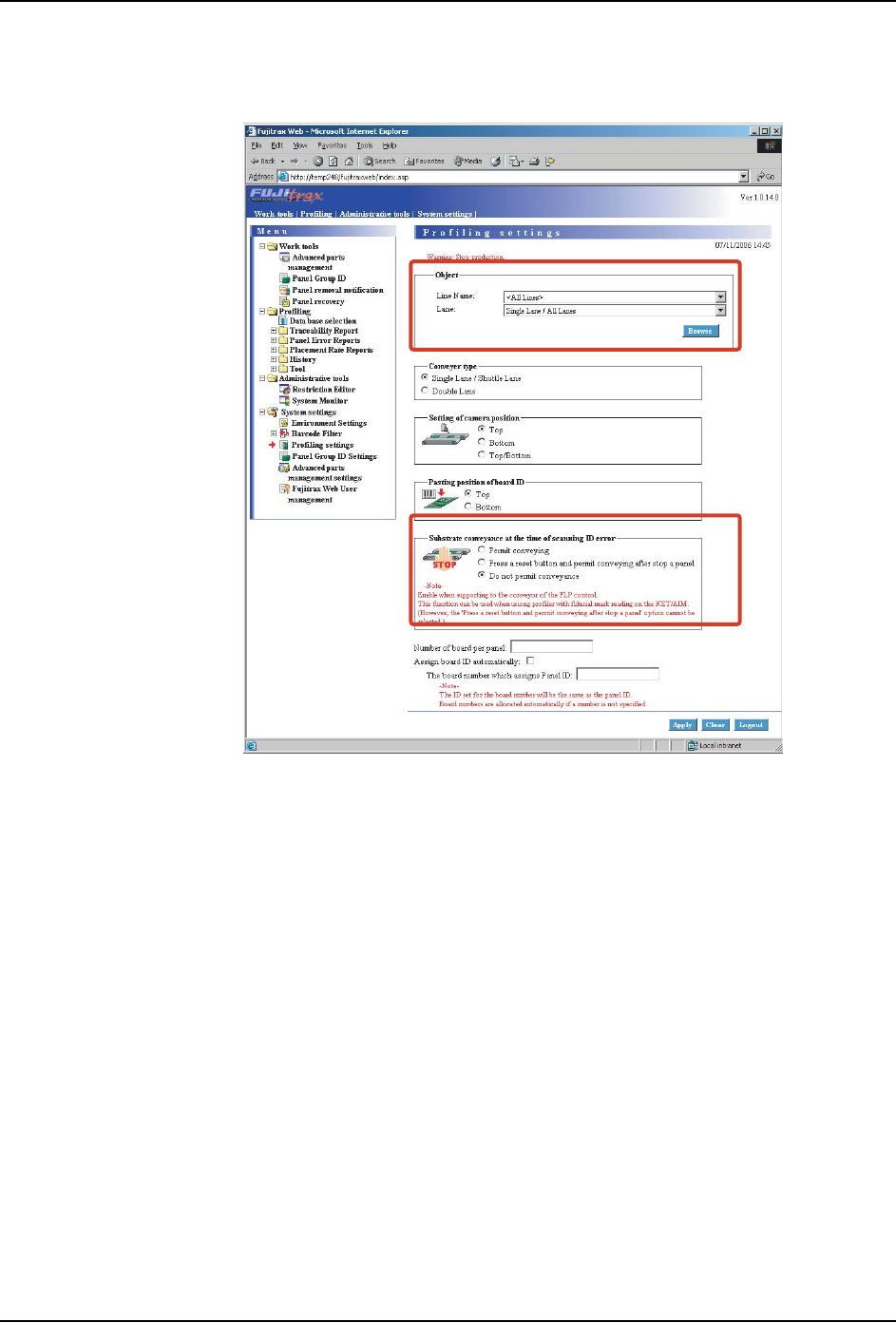
4.5.2 使用电路板阻断功能的所需设置
1. 在 Fujitrax web 中执行 Profiling 设置。
·选择所需生产线。
·单击 [Browse] 显示当前设置。
·在 [Substrate conveyance at the time of scanning ID error] 中选择 [Do not
permit conveyance]。
·单击 [Apply] 保存设置。
注意 )如果单搬运轨道连接到双通道的 NXT 机器上,则应该为搬运轨道选择 [Double Lane]。
FTPU162E
rkf1WS8F
rkf1WS8F
Downloaded at 2012/02/29 23:31 JST by 3MWE3568 DL#rkf1WS8F
4. 电路板阻断功能 USR-PRO-6.0S(V6.00~)
116 Fujitrax Profiler 用户手册
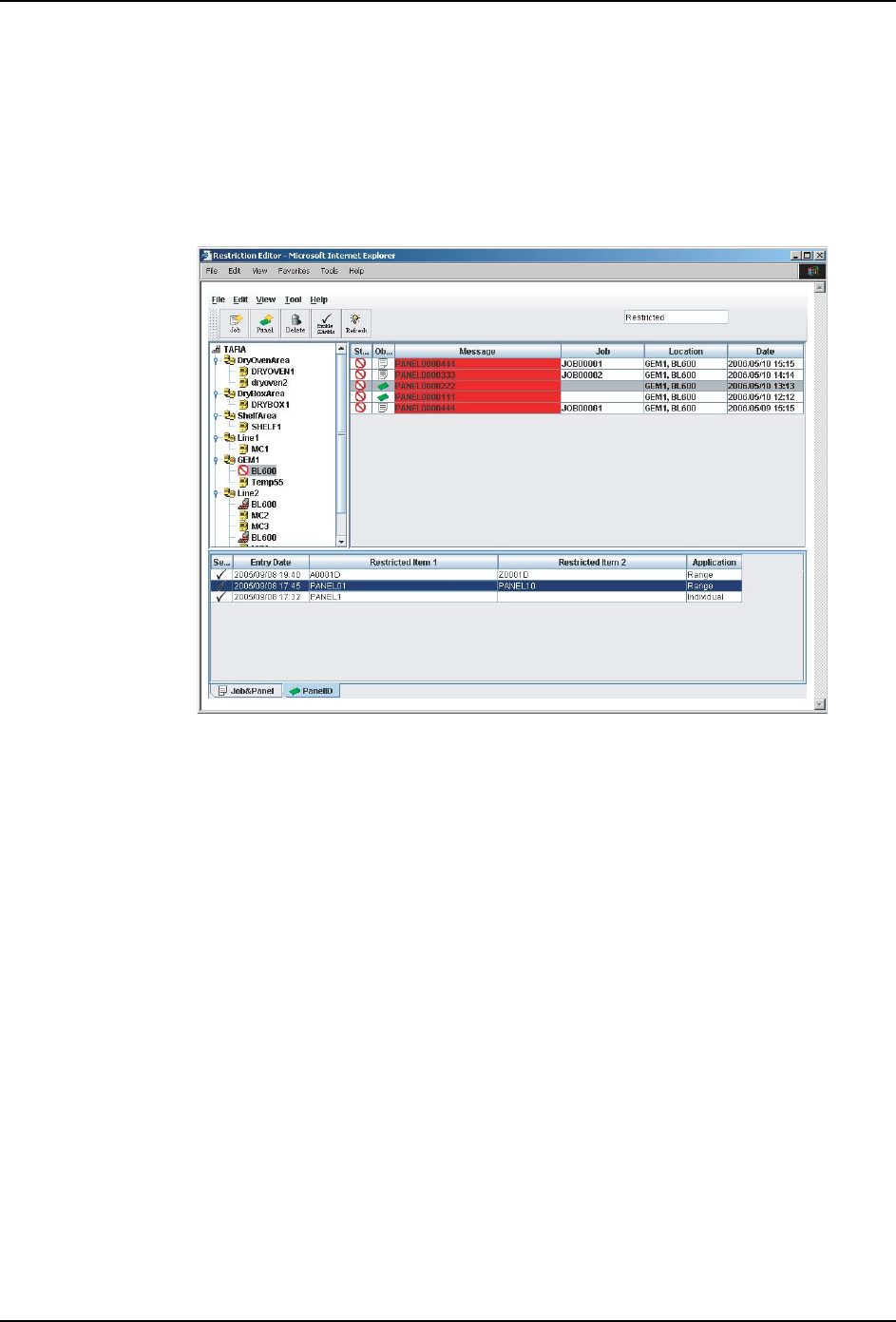
4.6 注册电路板
4.6.1 启动限制编辑器
1. 以管理员权限登录到 Fujitrax web 中。
2. 选择 [Administrative Tools]-[Restriction Editor]。
3. 随后限制编辑器将在另一个窗口中打开。
注意 )如果初始窗口是关闭的,那么限制编辑器也是自动关闭的。
FTPU163E
rkf1WS8F
rkf1WS8F
Downloaded at 2012/02/29 23:31 JST by 3MWE3568 DL#rkf1WS8F