[Superset] Chapter5_SPC Plus_ENG_20100827TW.pdf - 第15页
Programmer's Manual | 15 3.2.1. V ALUE T REND FUNCTION Va l u e Tr e n d is the function of finding a trend of the soldering applied on one PCB. Proceed with the following to …
Programmer's Manual | 14
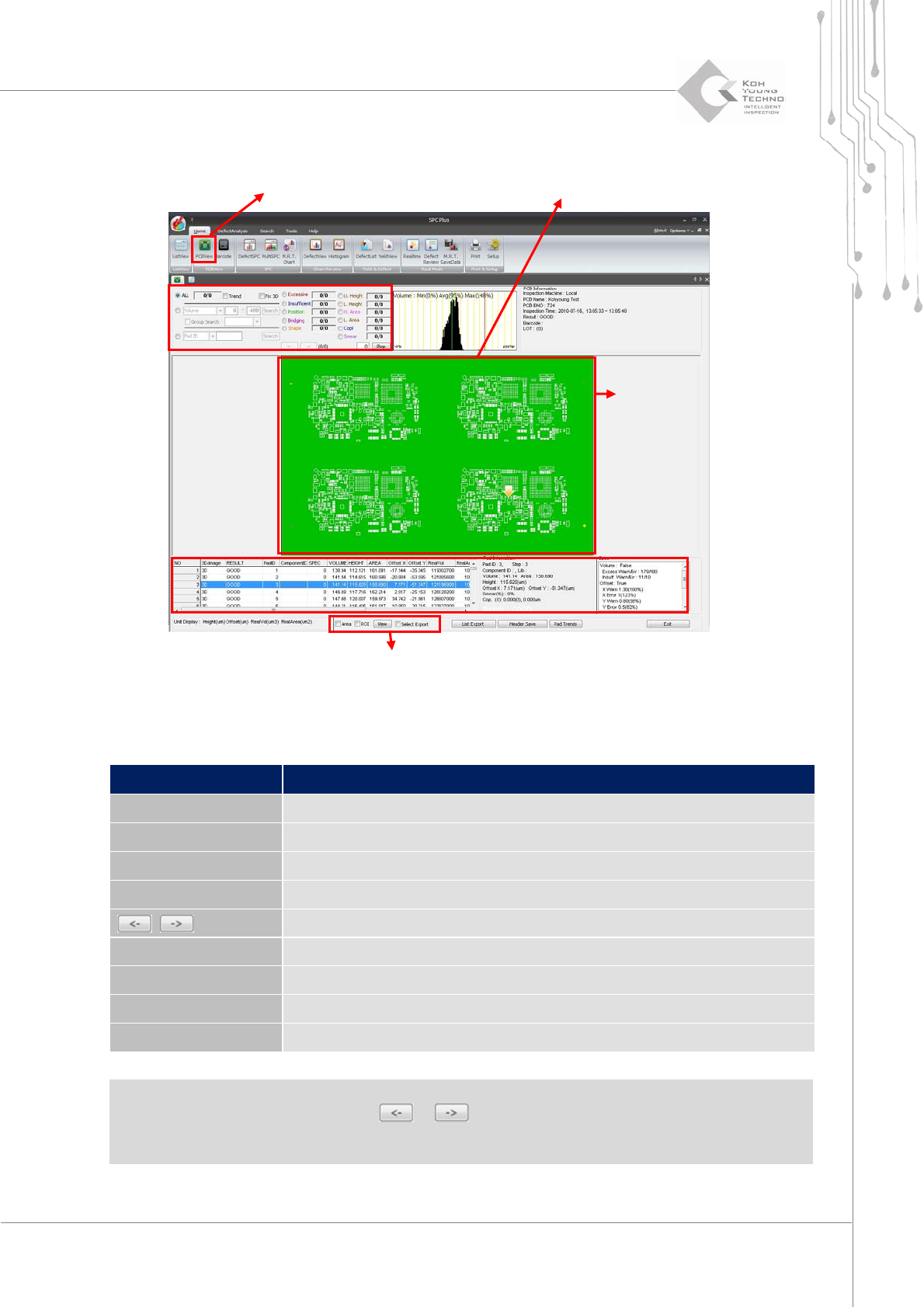
Figure 3-2. PCBView
Category Description
ALL Queries data for all pads
Value Trend Uses the Value Trend function
Volume Searches a pad with the inspection results within a specific range
PadID Searches a pad with specific PadID or ComponentID
,
Searches the previous or next defective pads
Defect type Displays only the pads with the selected defect types
List Export Saves the searched PCB list as a file
Header Save Saves the currently configured header list
Pad Trend Displays a window showing the trend of the selected pad
Note: When there is a defective pad in the corresponding PCB, changing the conditions on the
conditioninputwindoworclickingthe or buttonshowsthedefectiv e padindetail.
Note: The ValueTrendfunctioninthecategoryabovewillbedescribedfurtherinthenextpage.
Condition Input Window
PCB Query Window
Conversion Print Function
PCB Query Window
Condition Input Window
SP
Pad Information Query Window
Programmer's Manual | 15
3.2.1. VALUE TREND FUNCTION
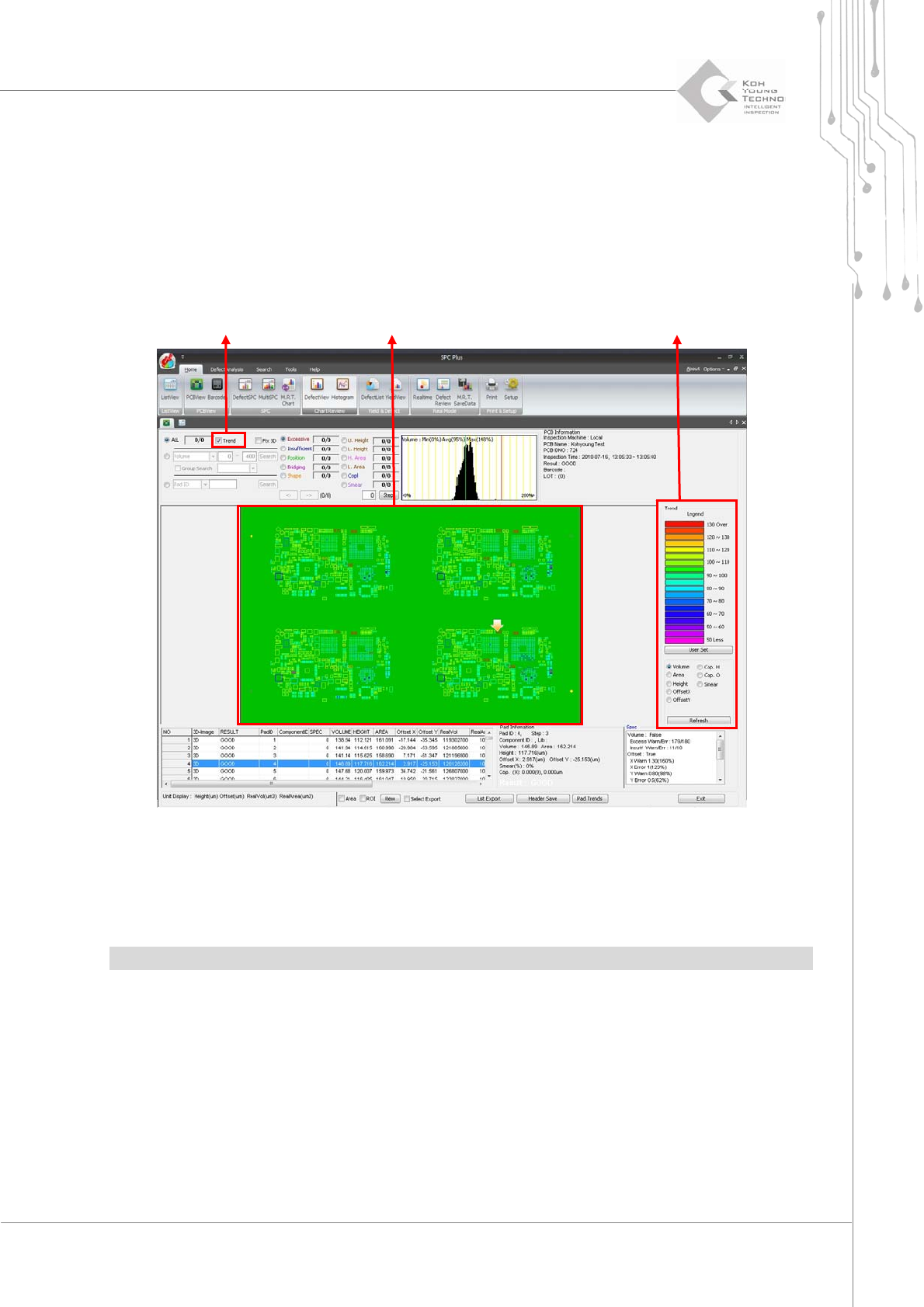
ValueTrendisthefunctionoffindingatrendofthesolderingappliedononePCB.
Proceedwiththefollowingtousethisfunction:
1. Click the PCBView icon.
2. Click Value Trend on the PCBView screen. The following screen appears:
Figure 3-3. Value Trend function
WhenthedesireddefecttypeisselectedfromthelistnexttotheTrendselectbutton,thetrendof
theselectedcategorywillappearontheTrendscreen.
Note:Thestandardvalueforthecolorcanbechangedbyclickingthe<UserSet>button.
Trend Select Button
Trend Legend Setup Window
Programmer's Manual | 16
3.2.2. TREND QUERY PER GROUP FUNCTION
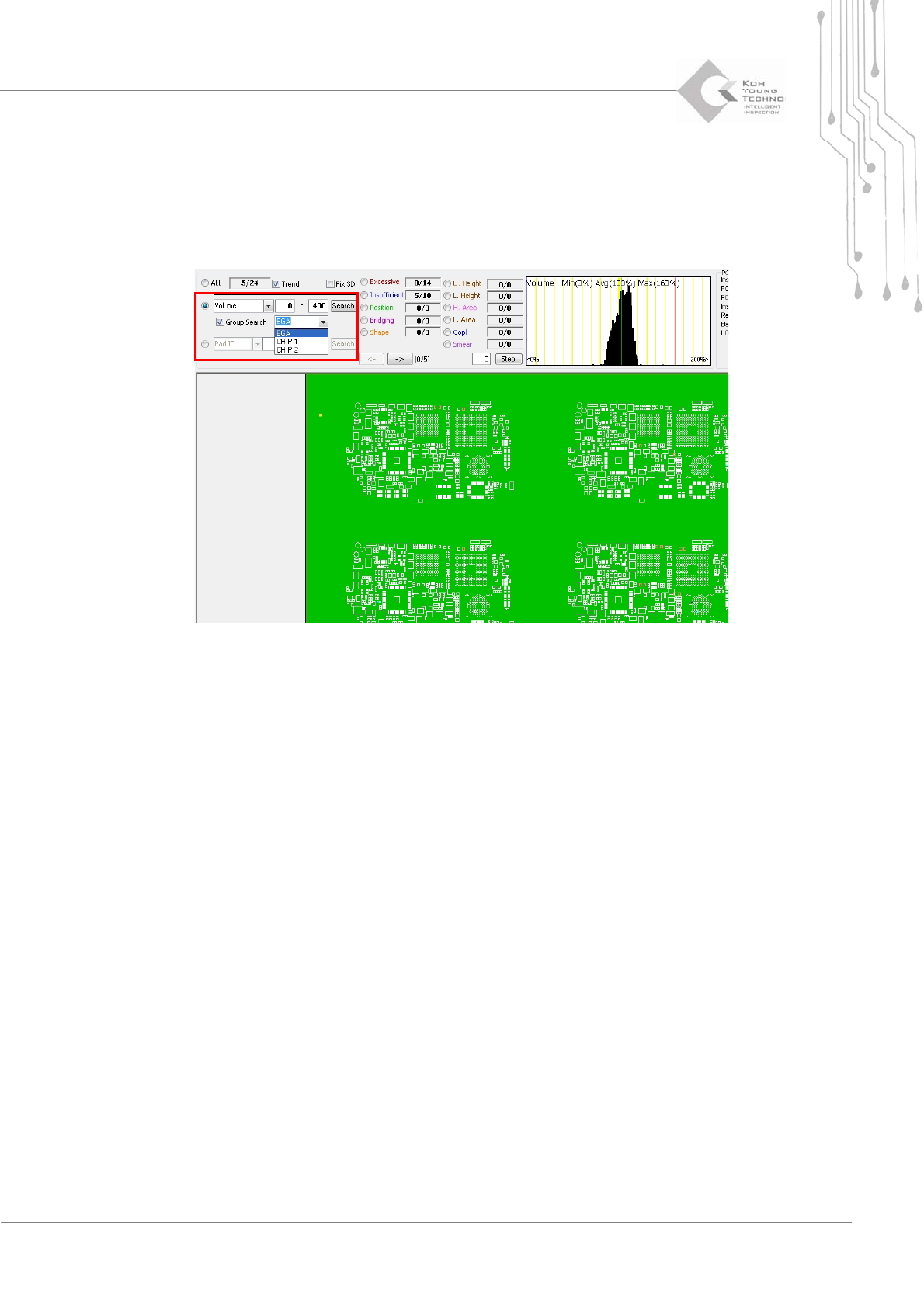
Thisfunctionqueriesthetrendpergroup.Proceedwiththefollowingtousethisfunction:
1. Click the PCBView icon.
2. Click Value Trend on the PCBView screen. The following screen appears:
3. Select Group Search.
4. Select the group to be searched from the selection box next to Group Search, enter the conditions, and
click the <Search> button.
3.2.3. DISPLAYING THE 3D VIEW ON THE MAIN SCREEN
Thisfunctiondisplaysthe3DViewnotonthepop‐upwindowbutonthescreen.Proceedwiththe
followingtousethisfunction:
1. Click the PCBView icon.