[Superset] Chapter5_SPC Plus_ENG_20100827TW.pdf - 第20页
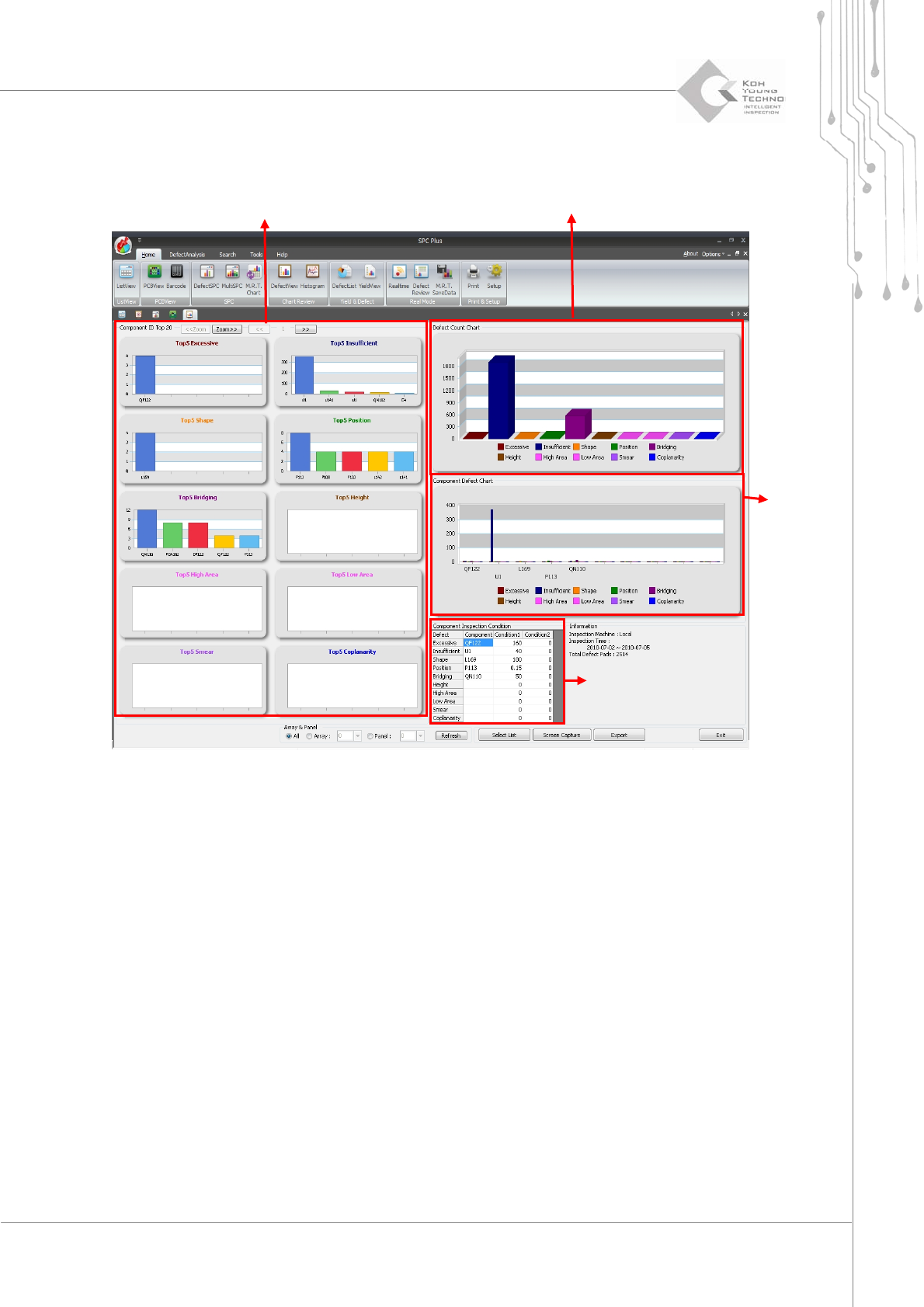
Programmer's Manual | 20 See the following for the descriptions of the figure above: Pa r t ID To p 5: Displa ys the rank of each part ID having defect s for each …
Programmer's Manual | 19
Selectmorethan2PCBsinListViewandclicktheDefectViewicon.Thefollowingscreenwillappear:
Figure 3-4. DefectView Screen
Part ID Top 5
Display quantities of types with defect occurring
Defect part chart
Parts inspecting
Programmer's Manual | 20
Seethefollowingforthedescriptionsofthefigureabove:
PartIDTop5:Displaystherankof eachpartIDhavingdefect sforeachdefect
Display quantities of defect types: Displays the quantities of respective defects on all the
selectedPCBs
Defectpartchart: Defectchartof
eachpart
Parts‐inspectingcondition:SearchconditionofthePar t IDTop5correspondingparts
Category Description
All, Array, Panel - All: Defect quantity of the selected PCB
- Array: Defect quantity of the selected array
- Panel: Defect quantity of the selected panel
Selection list Lists the PCB that is not indicated by limitation in Defect Limit in Setup and
indicated PCB as a list
Save screen Saves the current screen in picture file format
Close Closes the current work
Note: When processing inspection, more detailed information can be obtained by entering
ComponentIDintheJOBfile.
Note:ThefilesavepathofSaveScreenfromthecategoryabovecanbeconfiguredinSetup.
Programmer's Manual | 21
3.4. DefectSPC
DefectSPCisthemenuforcalculatingthestatisticsoftheinspectionresultsoftheselectedPCBand
progress capability index. The X bar‐S chart, X bar‐R chart, and IMR(X‐Bar‐Rs) Chart of the
correspondingPCBareprovidedtohelpsolveproblems.
Proceedwiththefollowingtouse
thismenu:
1. Select more than 2 PCBs from ListView and click the DefectSPC icon.
2. The SPC Condition dialog box will appear.
3. Select the desired category from the SPC Condition dialog box and click the <OK> button.
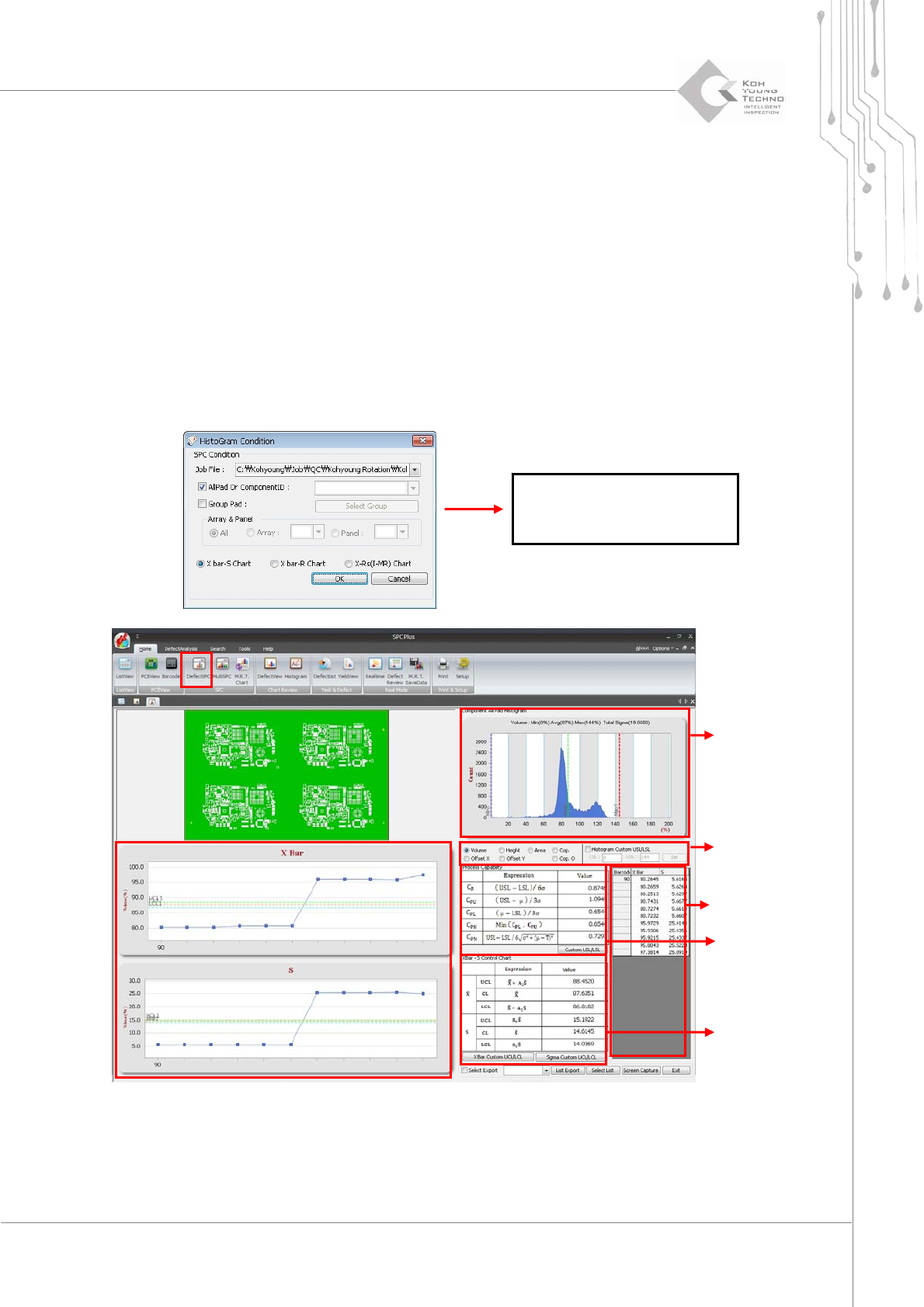
Figure 3-5. DefectSPC
See the following for the descriptions of the figure above:
Select category: When the desired category is selected, the histogr am and average &
The details of this dialog box
(SPC Condition) are described
in the next chapter.
Histogram
Select category
C
P
& C
PK
Average & standard deviation
Values for each try