[Superset] Chapter5_SPC Plus_ENG_20100827TW.pdf - 第36页
Programmer's Manual | 36 3.9.4.3. Large Histogram The Large Histogram tab enlarges the small histogram as follows when clicked: 3.10. Print Print is the menu used to print the …
Programmer's Manual | 35
3.9.4. VIEWING THE HISTOGRAM
To view detailed information of the histogram in more convenient and useful ways, it is
categorizedwiththefollowing3tabs:
SelectHistogram
TotalHistogram
LargeHis togram
3.9.4.1. Selecting a Histogram
The Select Histogram tab allows selecting and viewing the volume, area, height, and offset
histograms.
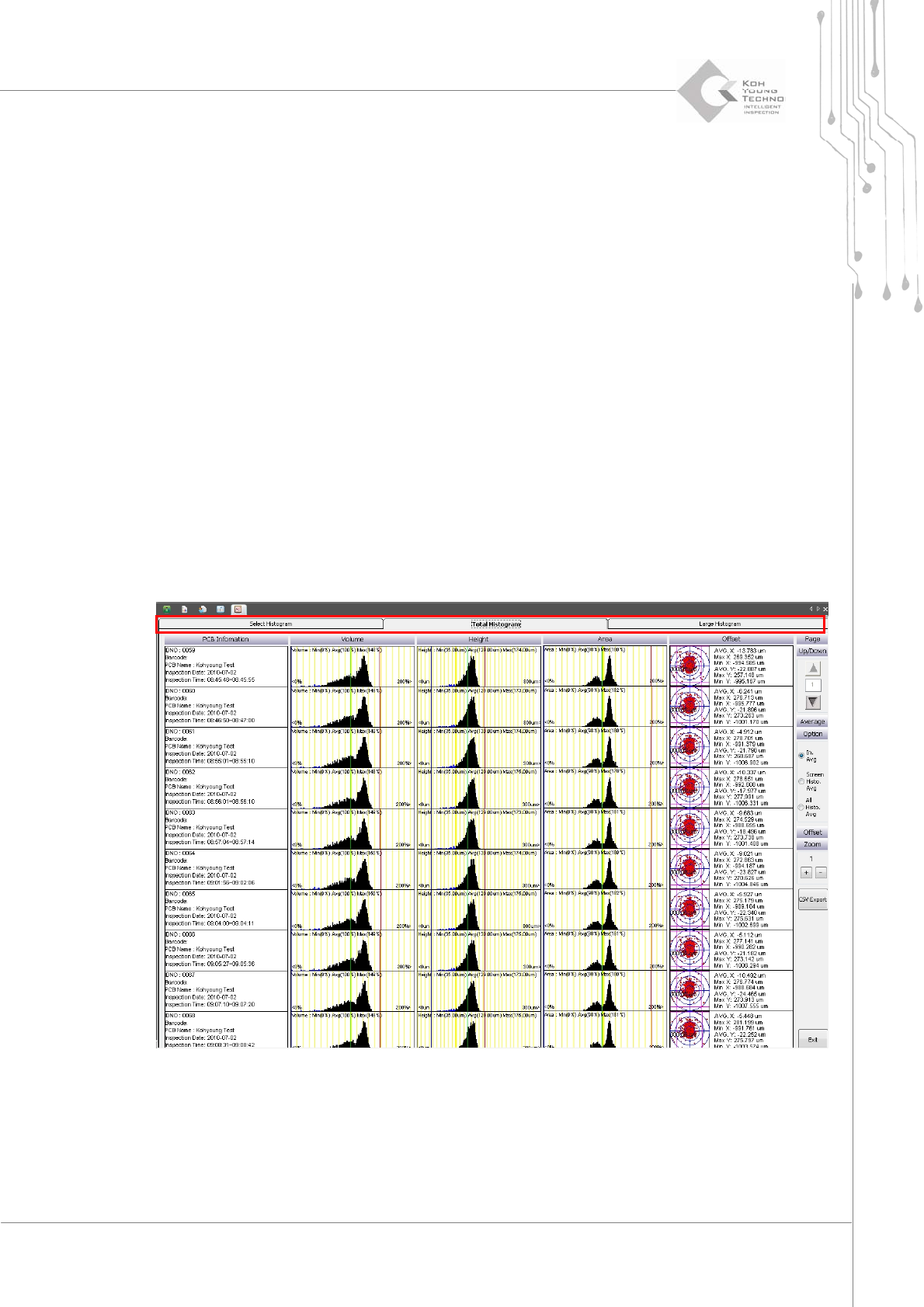
3.9.4.2. Total Histogram
TheTotalHistogramtabshowsthevolume,area,height,andoffsethistogramsonthescreen.
Programmer's Manual | 36
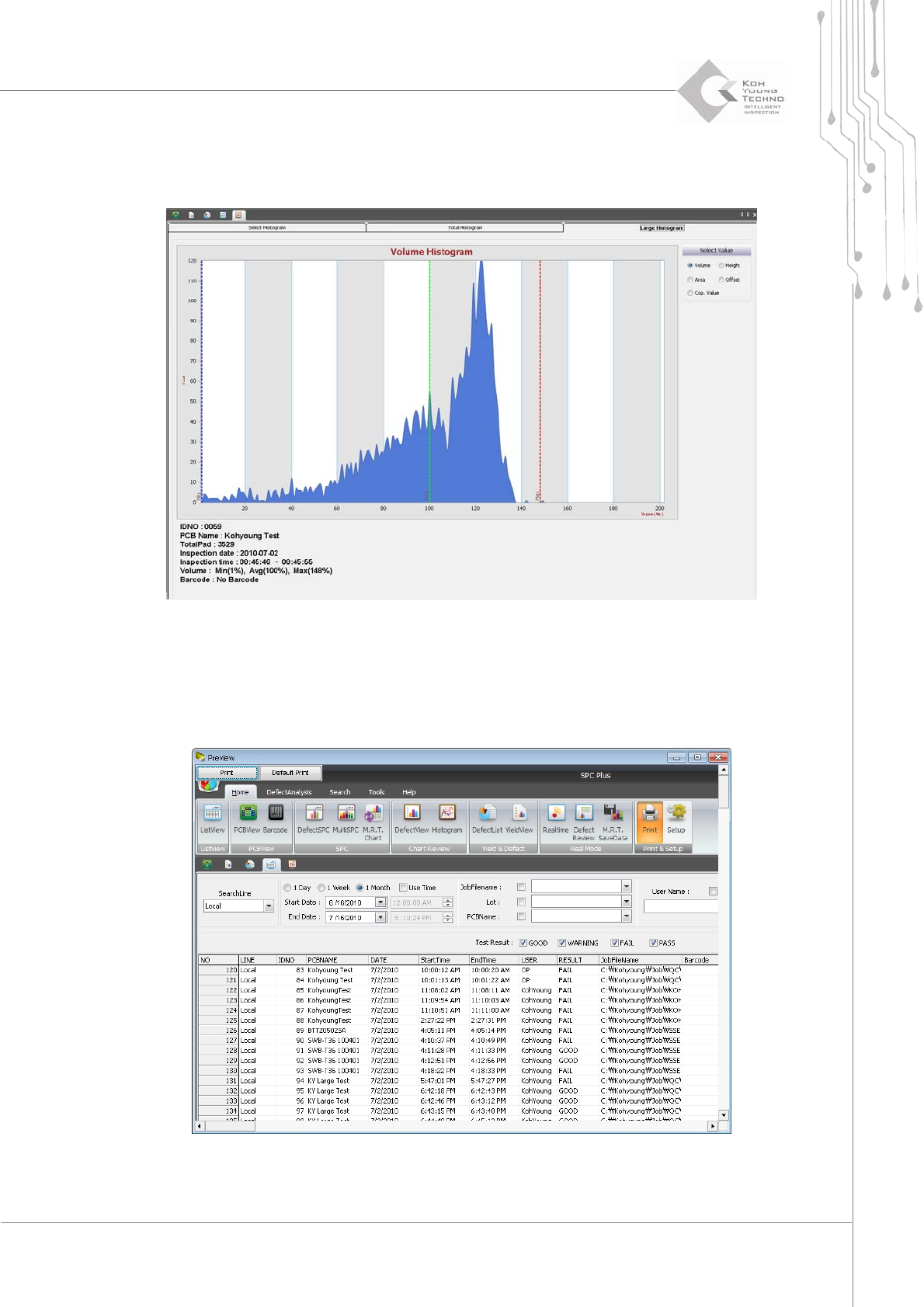
3.9.4.3. Large Histogram
TheLargeHistogramtabenlargesthesmallhistogramasfollowswhenclicked:
3.10. Print
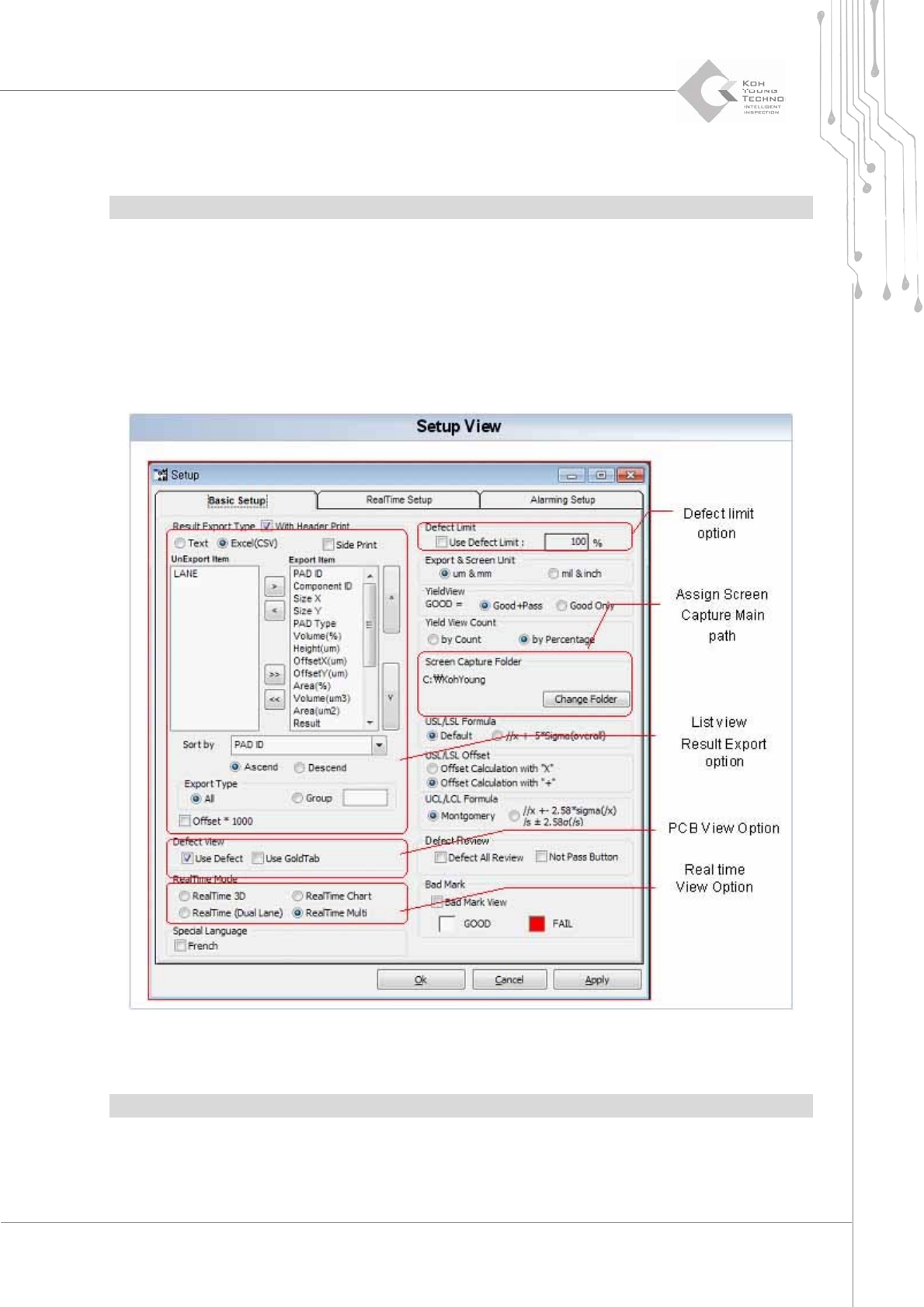
Printisthemenuusedtoprintthecurrentscreen.
Figure 3-16. Print
Programmer's Manual | 37
ClickingthePrinticoncausesthePreviewpopupwindowtoappea rasshowninthefigureabove.
ToprintthePreview screenwithaprinter,clickthe<Print>buttonatthetopofthepop‐upwindow.
Note:Toconfigurethecurrentprinter,clickthe<DefaultPrinter>b utton.
3.11. Setup
SetupisthemenuthatcansettheworkenvironmentofSPCPlus
™
andfileprintingenvironment.
ClickingtheSetupiconwilldisplaythefollowingdialogbox:
Figure 3-17. Setup
Note:Thismenumaydifferslightlyaccordingtothetypeofpurchasedequipment.