[Superset] Chapter5_SPC Plus_ENG_20100827TW.pdf - 第49页
Programmer's Manual | 49 3.14.2.1. Real Defect T rend T ool Selecting Real Def ect Tr e n d T ool from the sub ‐ menu of Defect Analysis causes the quantity of defects in each boa…
Programmer's Manual | 48
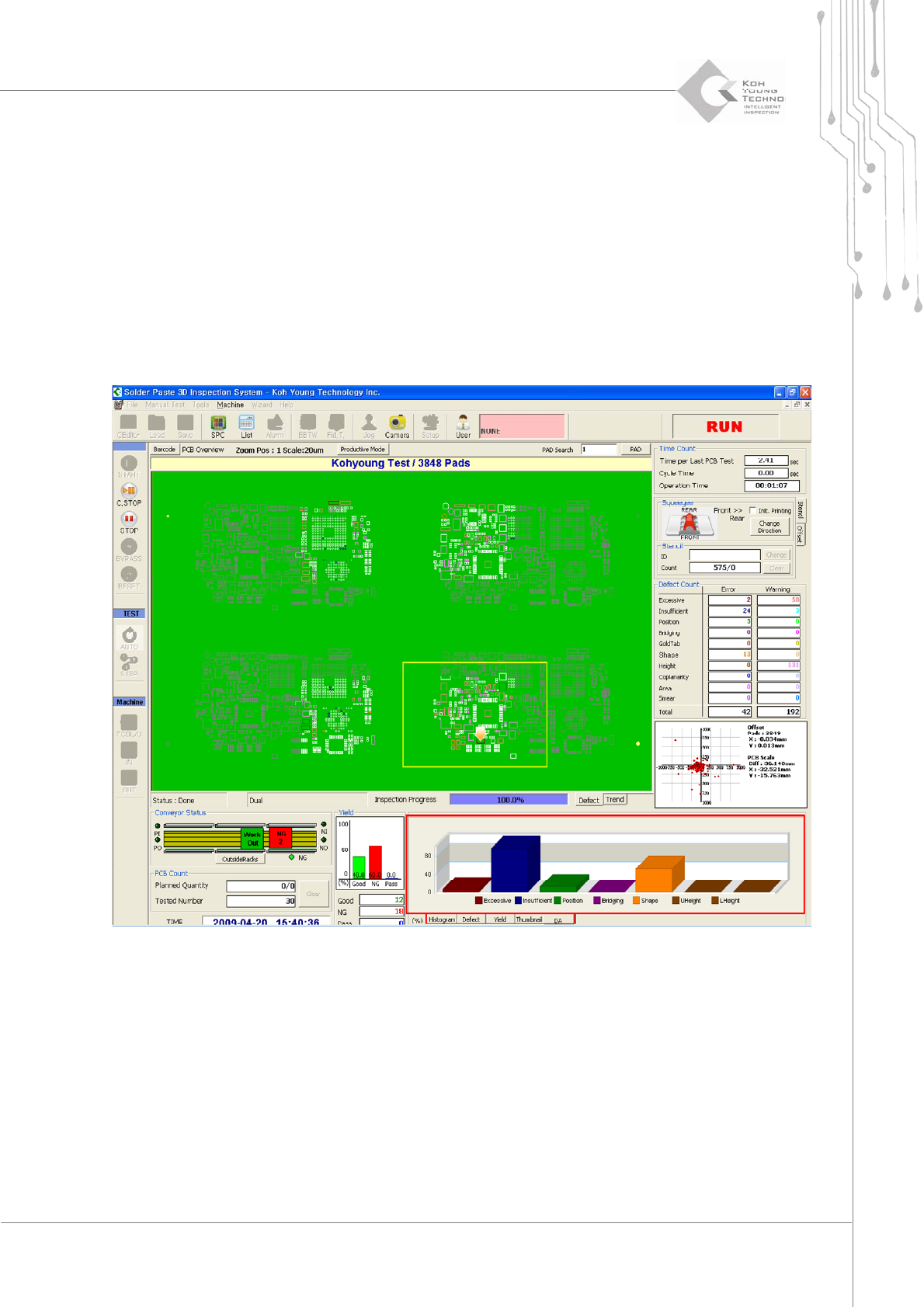
3. Once the Production Quantity dialog box is enabled, select DA.Data Clear category. Apply the
configured changes above.
3.14.2. POST-SETUP USE
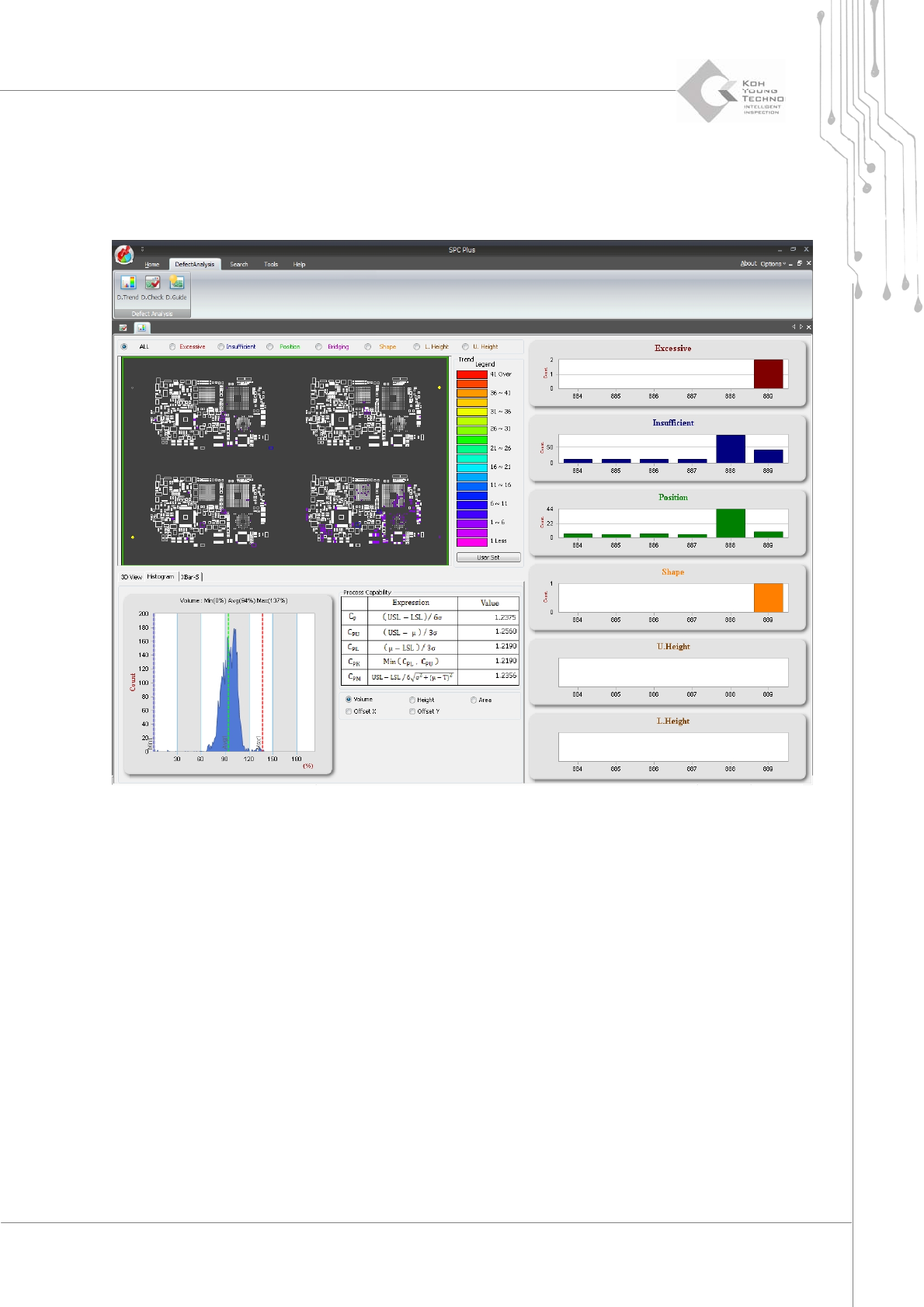
AftercompletingtheDefectAnalysisfunctionsettings,theDefectAnalysismenuisgeneratedatthe
lowerrightsidewhen3DInspector
™
isexecuted.Thedefectaccumulationcanbecheckedinthe
chart on the screen shown below; clicking parts other than the chart bar connects to RealDefect
TrendViewofSPCPlus
™
.
Programmer's Manual | 49
3.14.2.1. Real Defect Trend Tool
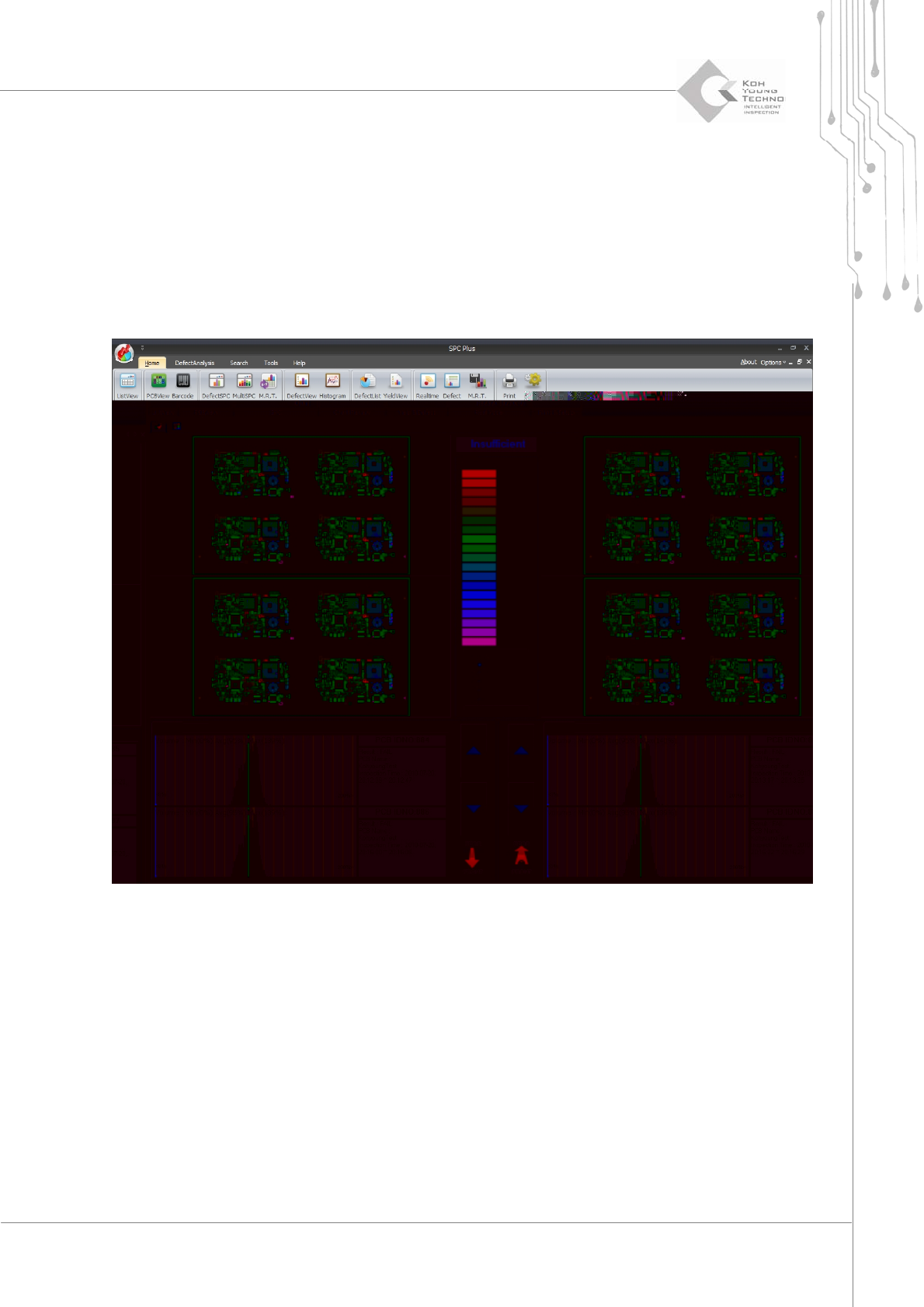
SelectingRealDefectTrendToolfromthesub‐menuofDefectAnalysiscausesthequantityofdefects
ineachboardtobedisp layedasshownbelow.
Programmer's Manual | 50
3.14.2.2. Defect Check Tool
DefectCheckToolinthesub‐menuofDefect Analysisperformsthefollowing:
By calculating the defect data by volume of value trend and the volume histogram as
distinguished before and after printing, the defect location & deviation, cycle, and
occurrencesperprintdir ecti onareanalyzed.
Analyzesthedefect
accumulationpadsperusersetupoflegendasbefore&after printing