[Superset] Chapter5_SPC Plus_ENG_20100827TW.pdf - 第35页
Programmer's Manual | 35 3.9.4. V IEWING THE H IST OGRAM To view detailed in formation of the histogram in more convenient and useful wa y s , it is categorized with the following…
Programmer's Manual | 34
3.9.2. PCB INFORMATION WINDOW
ThePCBinformationwindowdisplaysthePCBinformationforthefollowing:
IDNumber
PCBName
NumberofAllPads
InspectionDate
InspectionTime
Volume
BarCode
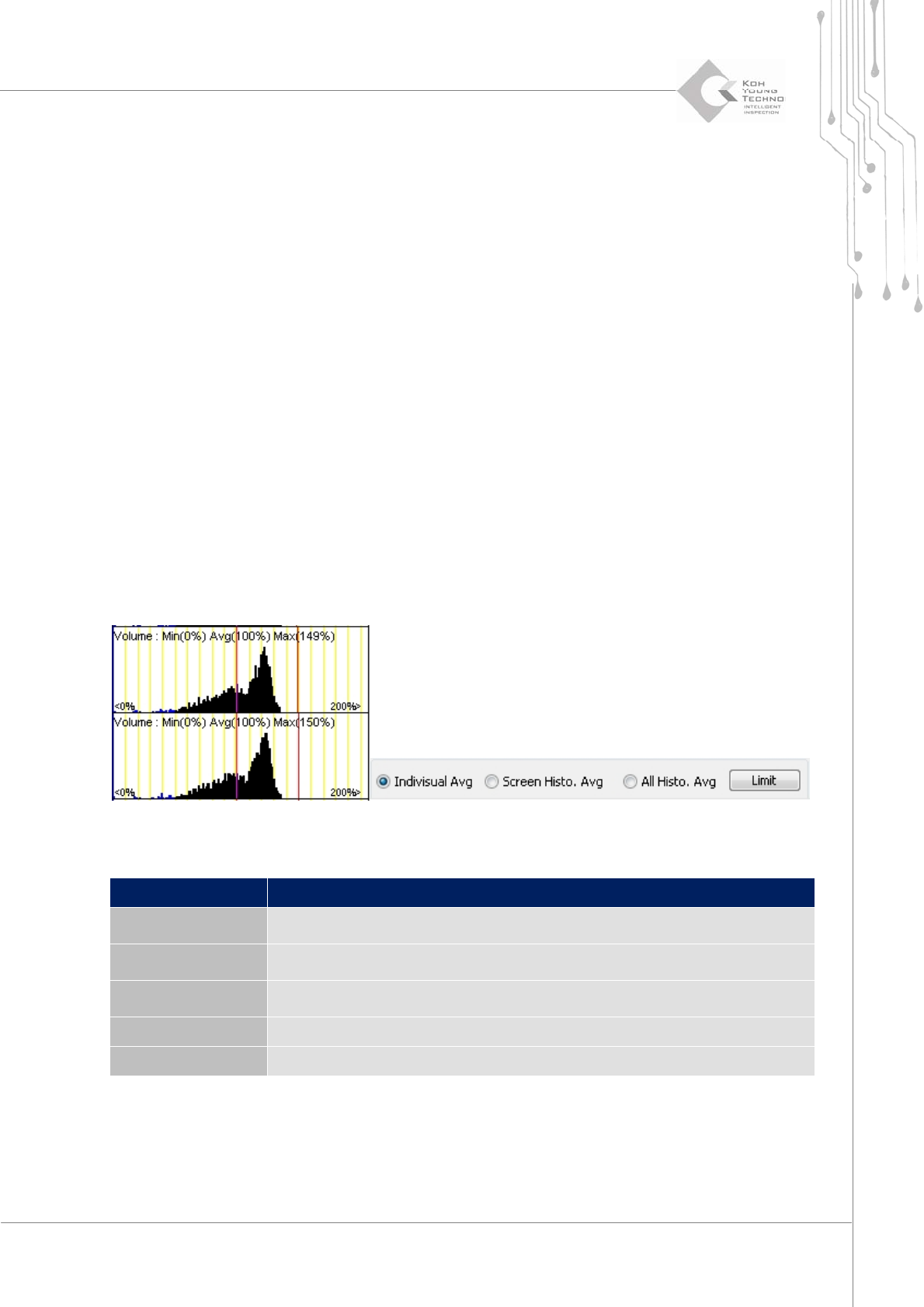
3.9.3. HISTOGRAM SETUP WINDOW
Theaverageoptionofthehistogramsetupwindowisthecategorythatsetsthelocationslinestobe
displayedonthehistogramlist.
Seethefollowingtableforthecategoriesofaverageoption:
Category Description
Individual Avg
Changes the Center, Minimum, and Maximum lines for the individual
standards in the histogram list
Screen Histo. Avg
Changes the Center, Minimum, and Maximum lines on the average in the
histogram list
All Histo. Avg
Changes the Center, Minimum and Maximum lines on the average in the
entire histogram
Limitation The user sets the limit value
Save screen Saves the image to the location configured in Setup
Programmer's Manual | 35
3.9.4. VIEWING THE HISTOGRAM
To view detailed information of the histogram in more convenient and useful ways, it is
categorizedwiththefollowing3tabs:
SelectHistogram
TotalHistogram
LargeHis togram
3.9.4.1. Selecting a Histogram
The Select Histogram tab allows selecting and viewing the volume, area, height, and offset
histograms.
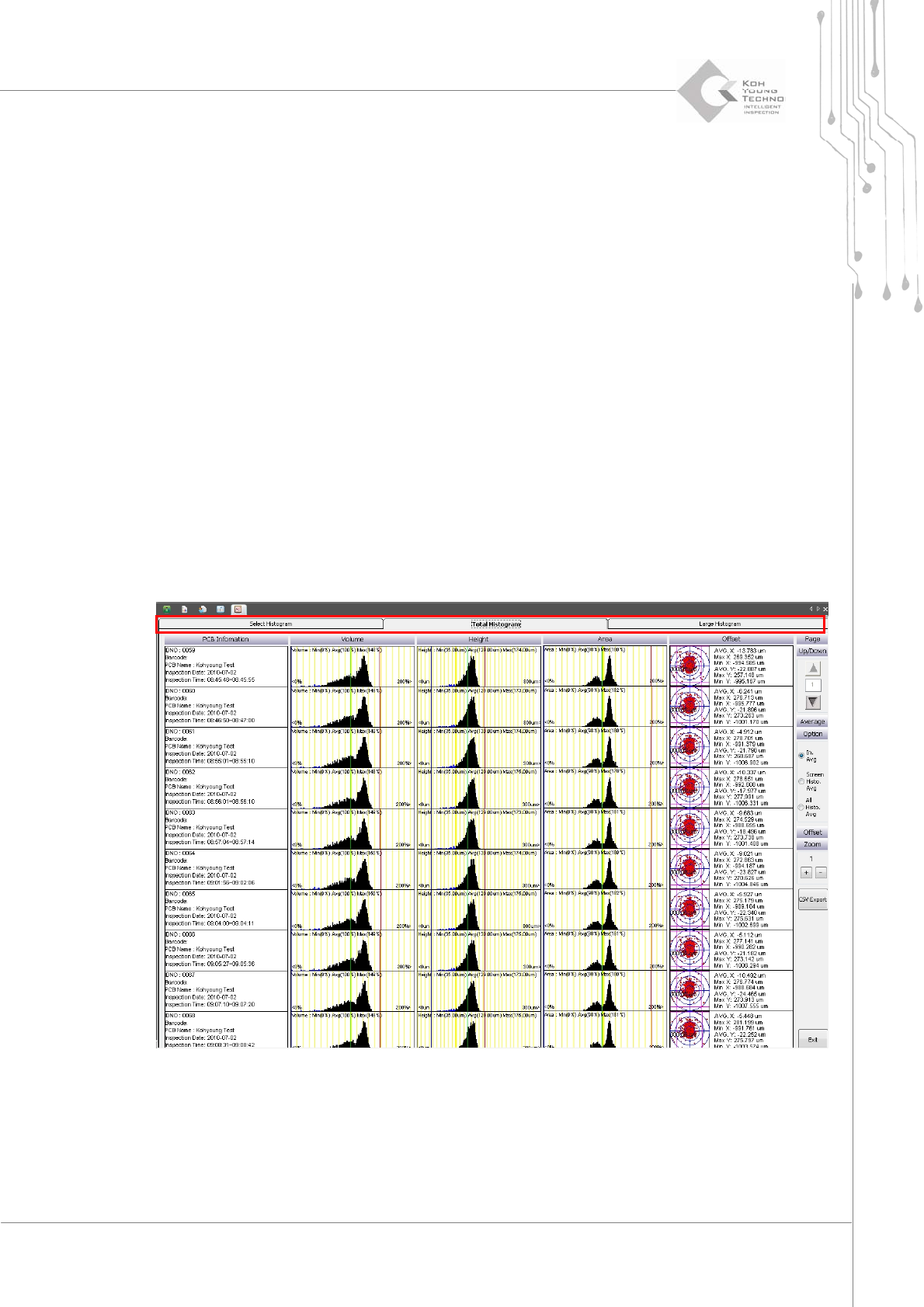
3.9.4.2. Total Histogram
TheTotalHistogramtabshowsthevolume,area,height,andoffsethistogramsonthescreen.
Programmer's Manual | 36
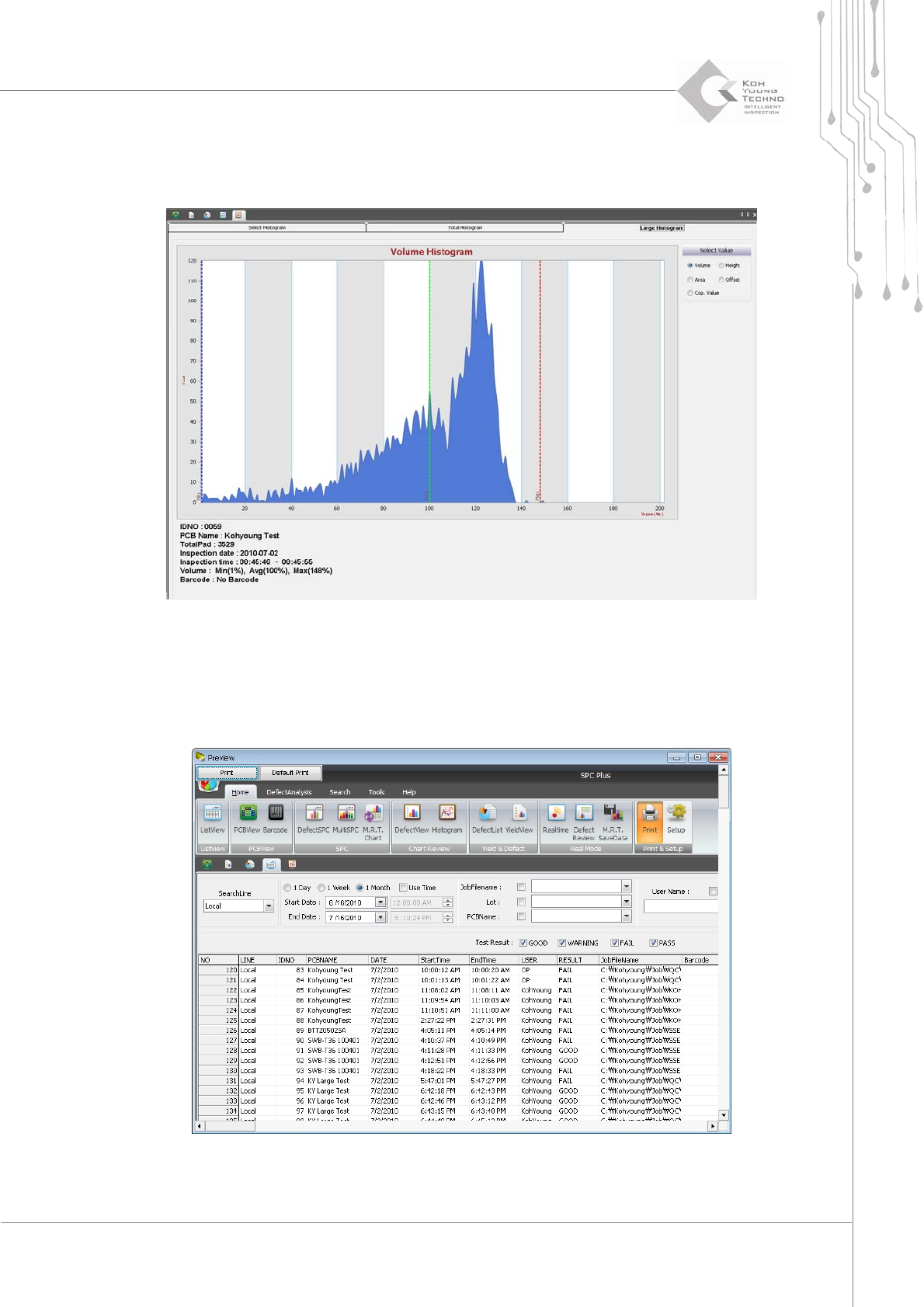
3.9.4.3. Large Histogram
TheLargeHistogramtabenlargesthesmallhistogramasfollowswhenclicked:
3.10. Print
Printisthemenuusedtoprintthecurrentscreen.
Figure 3-16. Print