[Superset] Chapter5_SPC Plus_ENG_20100827TW.pdf - 第43页
Programmer's Manual | 43 Note: For details on how to use Multi ‐ Real Time, see Se c tion 3.11 Setup of Chapter 5.
Programmer's Manual | 42
RotationCheck:DisplaysalevelofthebendfortherecentlyinspectedPCB
Selectingasideratiotoagreatvaluewillzoomintherotationtosearch.
Note:Whenthe3DCapturewindow onSPCPlus™isatLocal,thesearching speedmightdecrease.
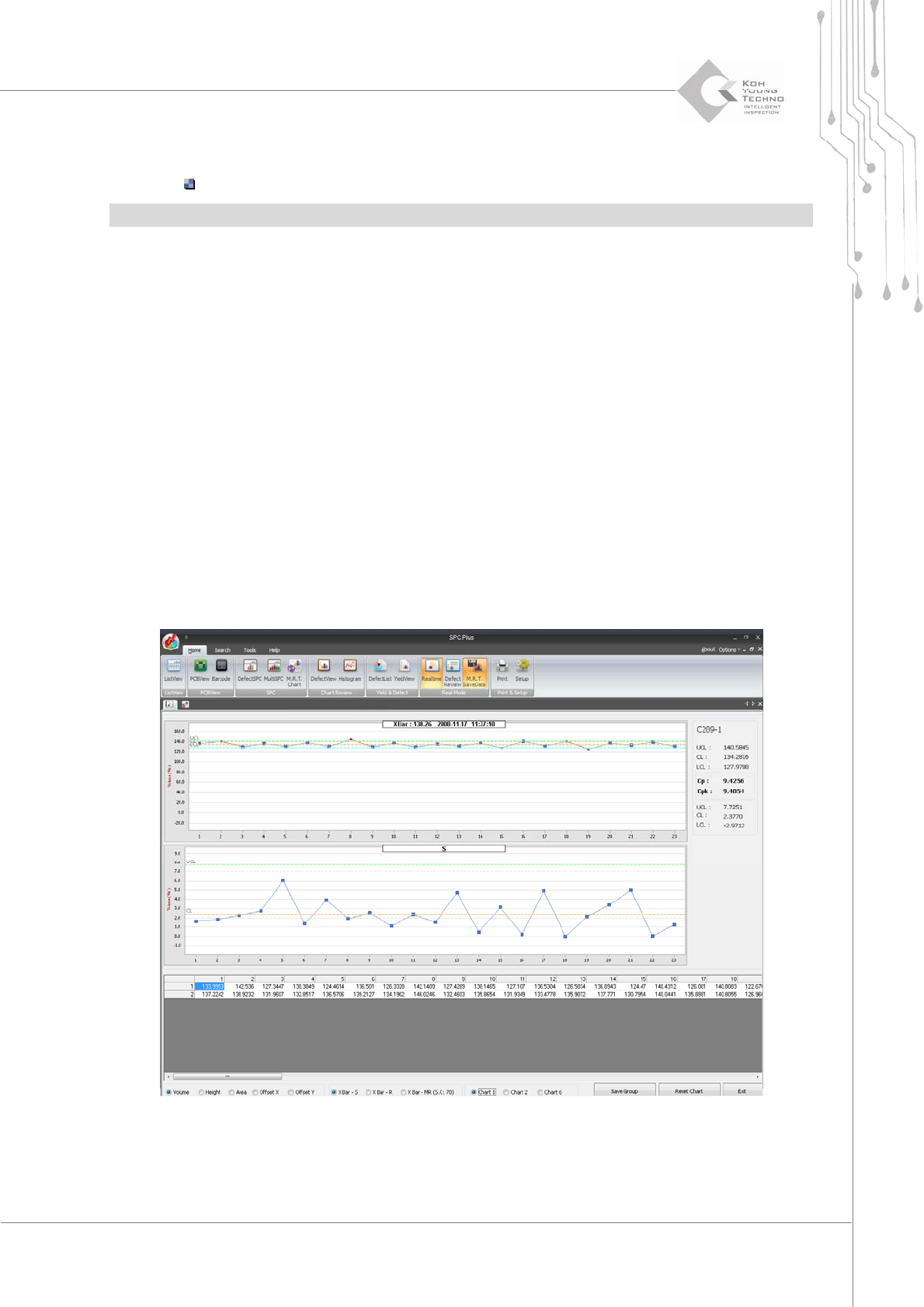
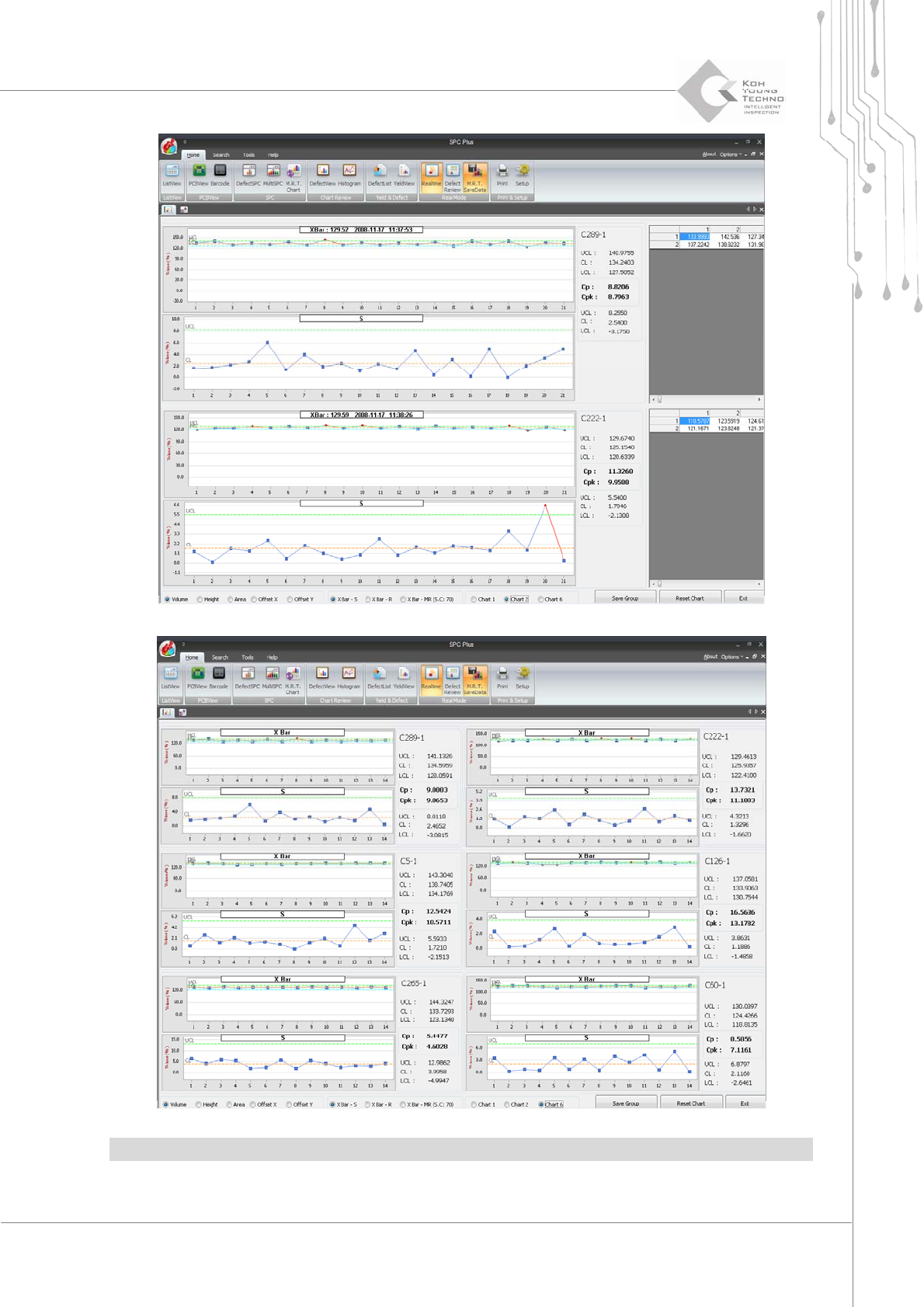
3.12.3. MULTI- REAL TIME
Multi‐ Real Time is the Real‐timescreen mode focused on using the warning function (alarming
function) for the abnormal valueofprogressmanagement via a meterchart(X Bar‐S, X Bar‐R,X
Bar‐MR,etc.)byconfiguring6groupsorcomponentsfromthe lastPCBinspectionresultsin
real
time.
Thereare3typesofcharts:
Enlargeonech ar t .
Enlargetwocharts.
View6chartsatonce.
Settingthealarmingdeterminestheprogressstatus.
Programmer's Manual | 43
Note:FordetailsonhowtouseMulti‐RealTime,seeSe ction3.11SetupofChapter5.
Programmer's Manual | 44
3.13. Defect Review
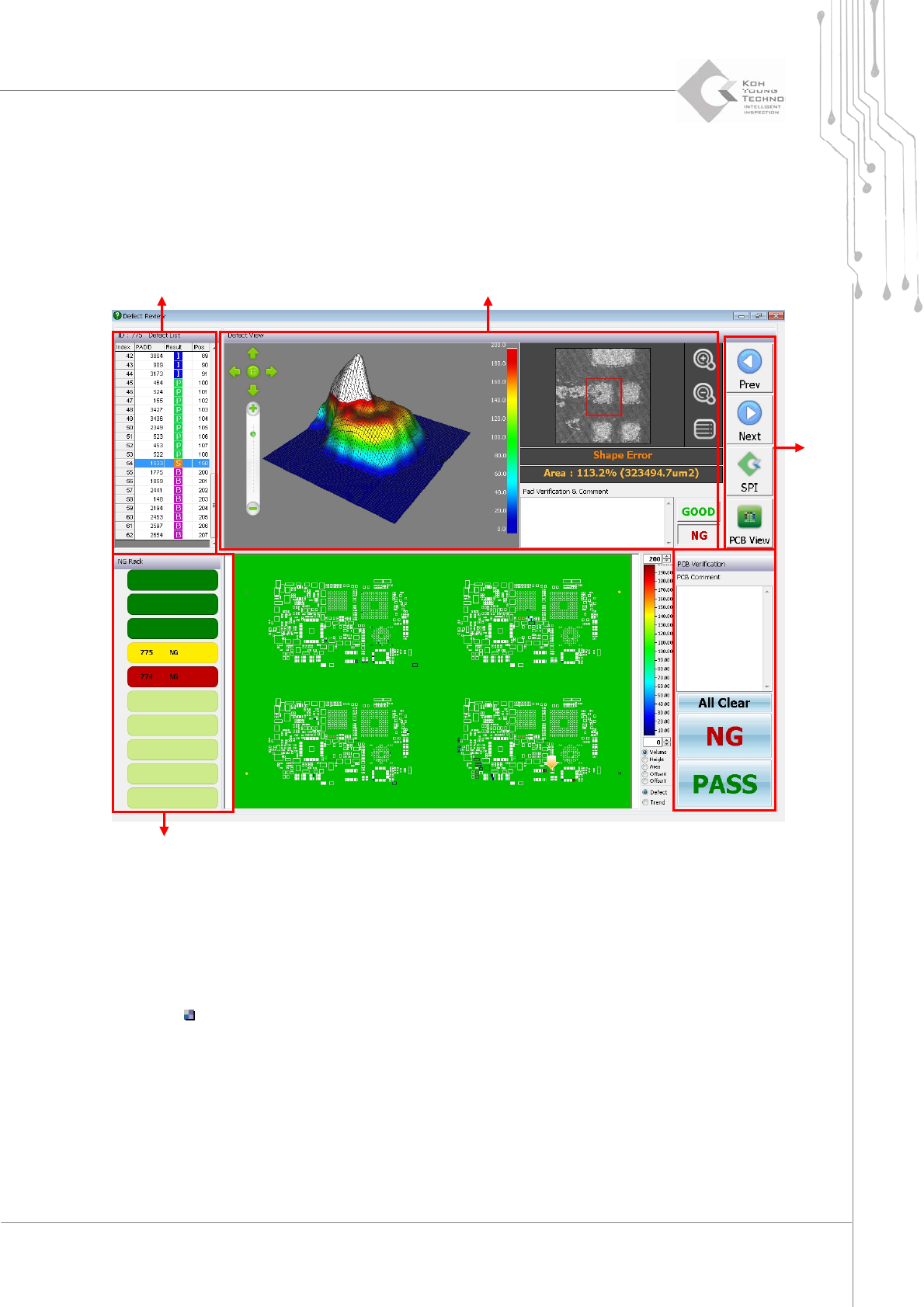
DefectReviewisthemenuthatinspectsthestatusofPCBstackedontheNGrackorrepairconveyor
anddetermineswhethertorepairthePCBortransfertothenextequipment.
Figure 3-20. Defect Review
ClicktheDefectReviewicontoenablethewindowin thefigureabove.
Rackequipmentst atus querywindow:ArrangesthePCBstack edontheNGrack
Status:InspectionresultofthecorrespondingPCB(Good,Pass,andNG)
Defect determination list: Arranges the defect types occurring on the PCB of rack
equipment
Defect pad query window: 2D/3D screen for a defect type selected from the defect
determinationlist;displaysdetaileder ror information
Functionbutton:
ButtonformakingdecisionsonPCB
Rack status
Button
Defect confirm
Defect List