[Superset] Chapter5_SPC Plus_ENG_20100827TW.pdf - 第46页
Programmer's Manual | 46 3. When SPC Plus ™ is executed, the Defect Analysis menu is added to the main menu at the top.
Programmer's Manual | 45
Category Description
<< Previous, Next >> Moves to the previous or next defect
NG Treats PCB as defect
Pass Treats PCB as good
Return Moves to the 3D inspector™ program
PCB View (Review All Data) Converts into PCBView
Note:DefectReviewincludesupto50defectsperdefecttypeinthelist.Tocheckallthedefects,clickthe
<PCBView(ReviewAllData)>button.
3.14. Defect Analysis
DefectAnalysisisthefunctionofanalyzingtheaccumulateddefectcategories,whichcanbeadded
tothemainmenuatthetopoftheSPCPlus™screen.TheDefectAnalysismenuhasthefollowing4
sub‐menus:
RealDefectTrendView
Viewerthatchecksthetrendinaccumulateddefects
DefectCheckTool
Toolthatcansequentiallyanalyzethedefectboards
DefectGuide
Defecthandlingguideforeachdefect
Before&AfterReport
ReporttypethatprintsthedefectSPCgroupforcomparison
3.14.1. DEFECT ANALYSIS SETTING
Touse theDefectAnalysisfunctiononSPCPlus™,configureaprogrammenu tobeenabled.The
followingarethewaysofenablingthefunction:
First,toconfiguretheDefectAnalysismenu,proceedwiththefollowingbeforerunning3D
Inspector
™
:
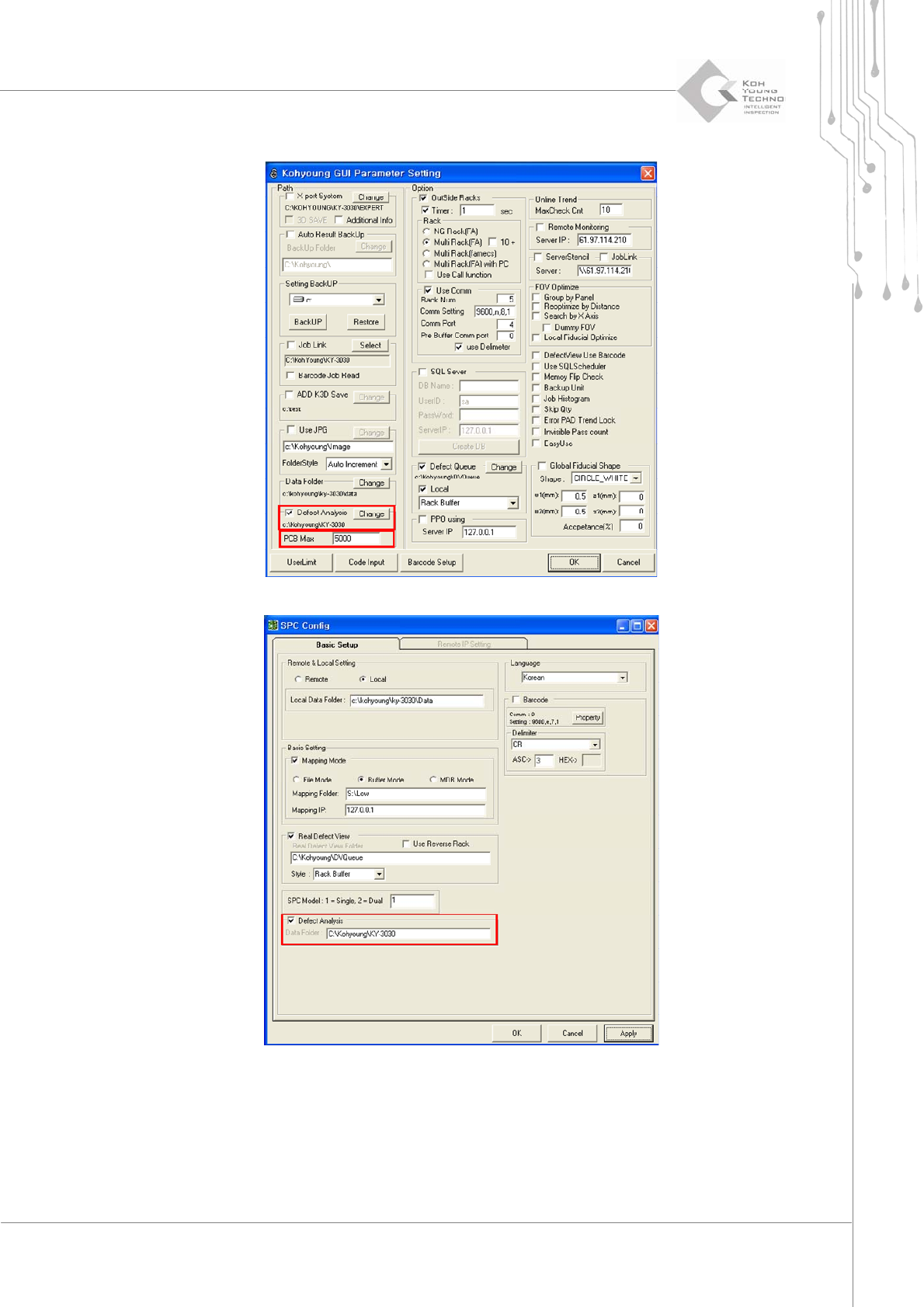
1. Select the Defect Analysis category and path from the KYConfig dialog box and enter the maximum
PCB quantity to be stored.
2. Enable the SPC Config dialog box to select the Defect Analysis category at the bottom left and set the
path.
Programmer's Manual | 46
3. When SPC Plus
™
is executed, the Defect Analysis menu is added to the main menu at the top.
Programmer's Manual | 47
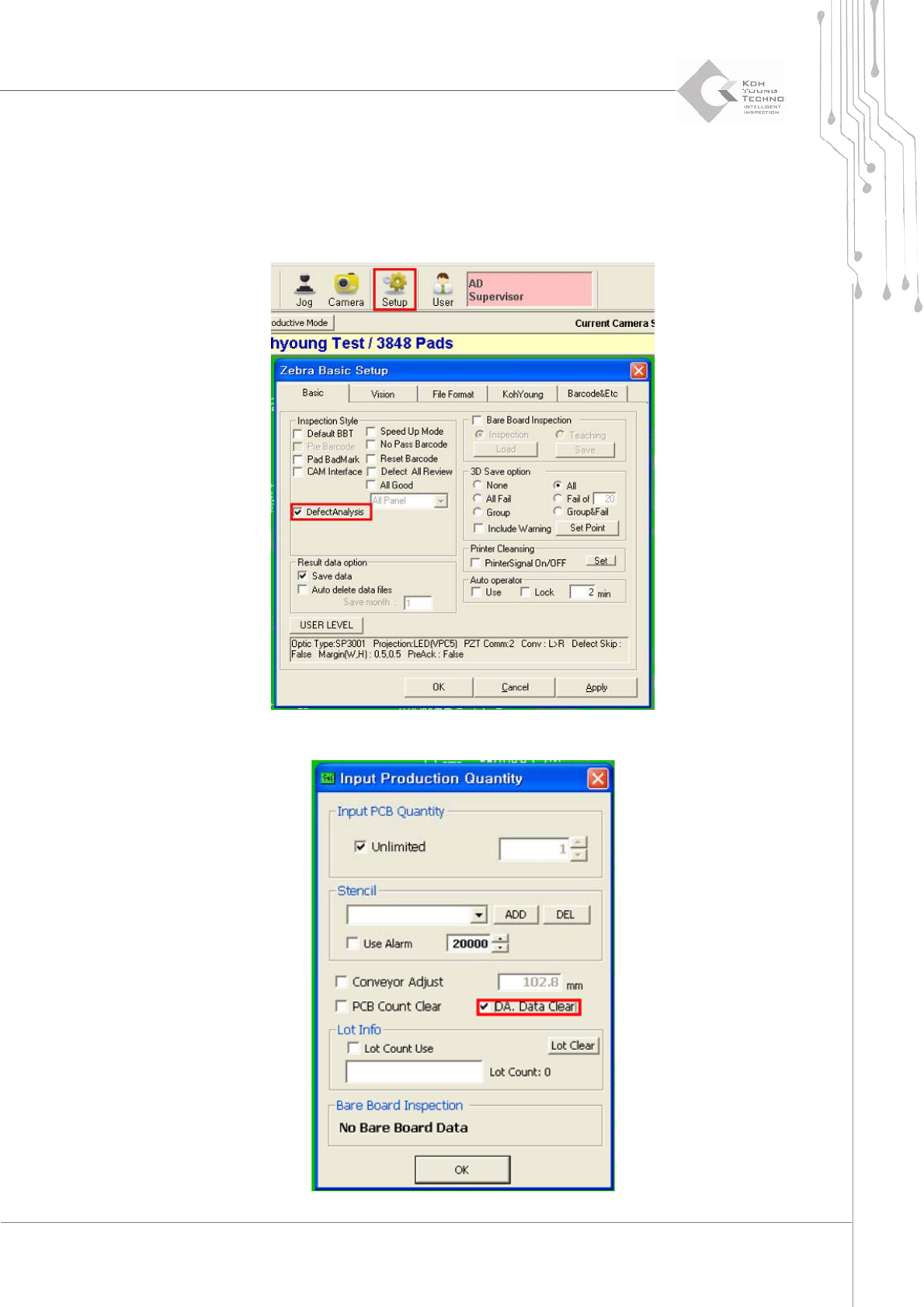
ToenableordisabletheDefectAn alysis functionwhilerunningtheprogram,proceedwith
thefollowing:
1. Click Setup menu in the sub-menu of 3D Inspector
™
to enable the Zebra Basic Setup dialog box.
Select (or unselect) Defect Analysis category on the mid-left side of Basic tab.
2. From the file menu of 3D Inspector™, select an inspection quantity-assigning menu.