[Superset] Chapter5_SPC Plus_ENG_20100827TW.pdf - 第37页
Programmer's Manual | 37 Clicking the Print icon ca uses the Preview popup window to appea r as shown in the figure above. To print the Preview scree n with a printer,…
Programmer's Manual | 36
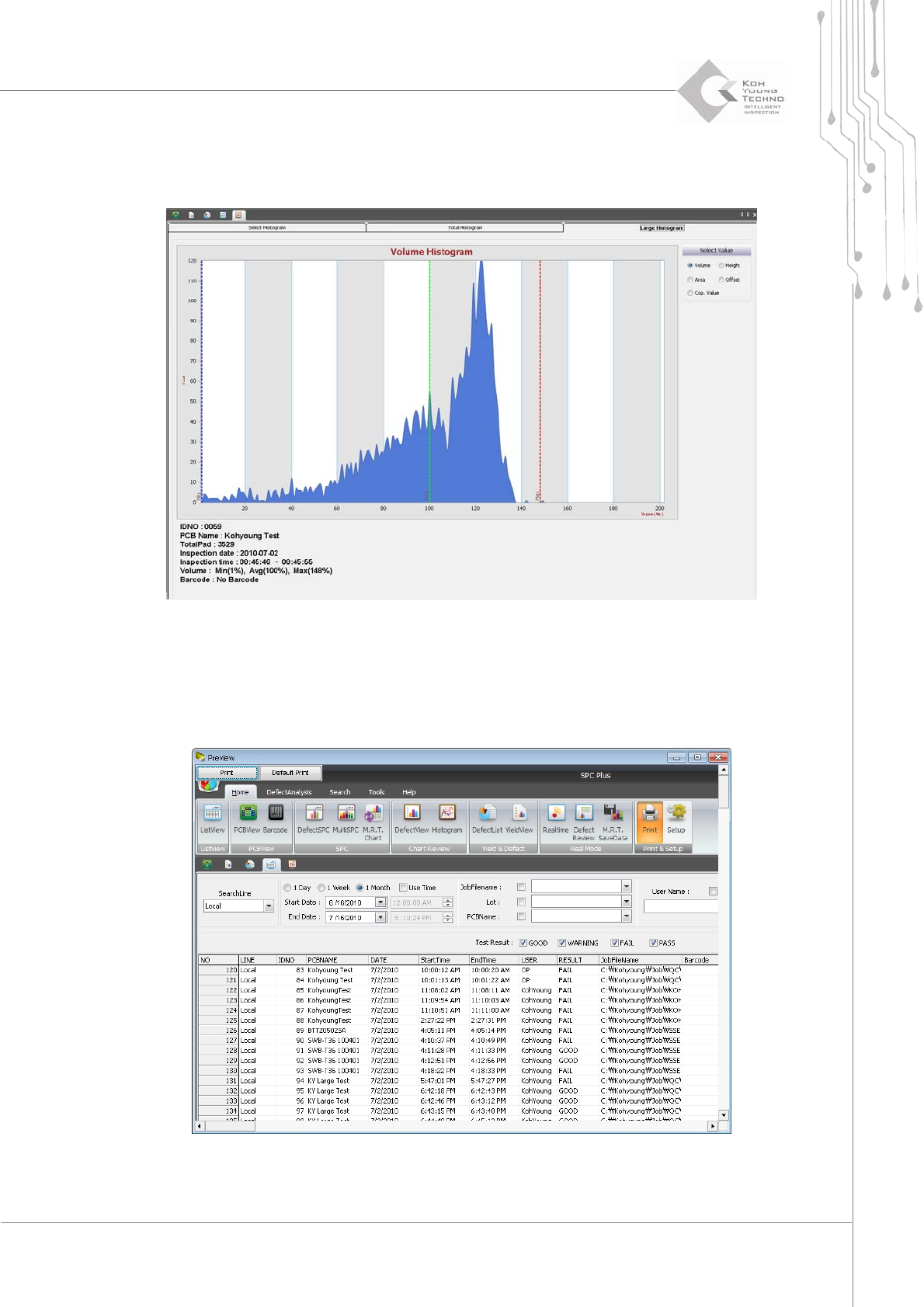
3.9.4.3. Large Histogram
TheLargeHistogramtabenlargesthesmallhistogramasfollowswhenclicked:
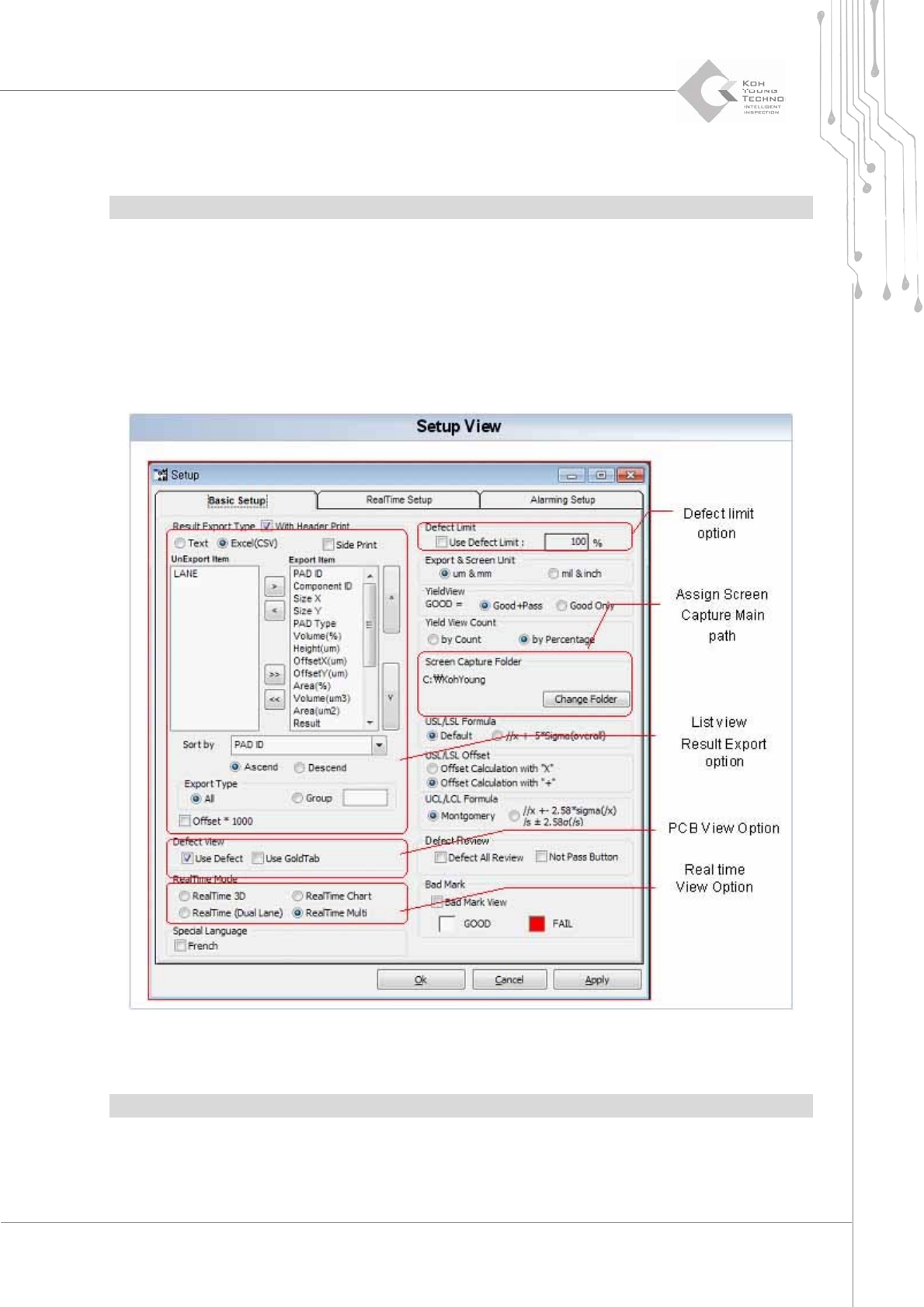
3.10. Print
Printisthemenuusedtoprintthecurrentscreen.
Figure 3-16. Print
Programmer's Manual | 37
ClickingthePrinticoncausesthePreviewpopupwindowtoappea rasshowninthefigureabove.
ToprintthePreview screenwithaprinter,clickthe<Print>buttonatthetopofthepop‐upwindow.
Note:Toconfigurethecurrentprinter,clickthe<DefaultPrinter>b utton.
3.11. Setup
SetupisthemenuthatcansettheworkenvironmentofSPCPlus
™
andfileprintingenvironment.
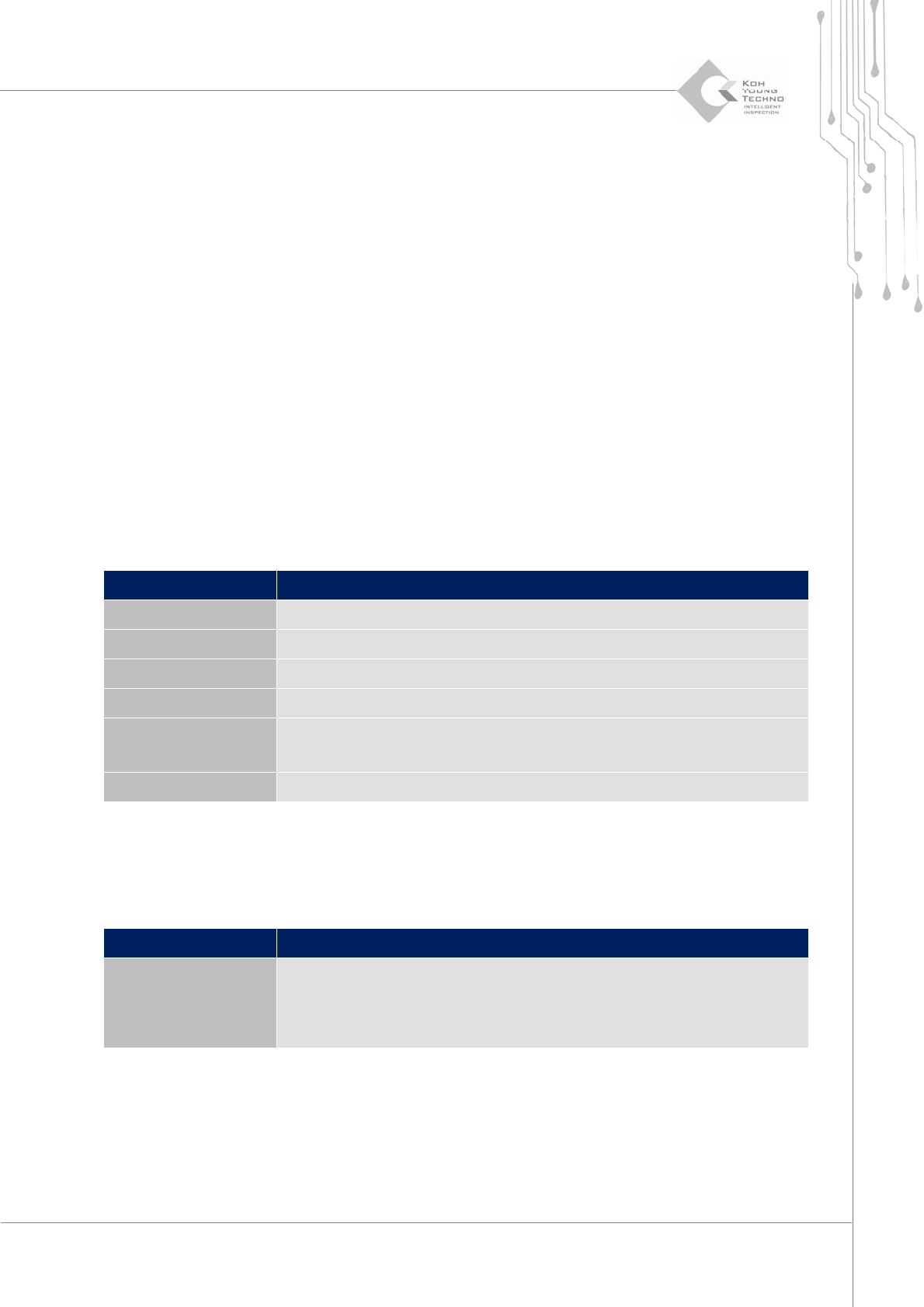
ClickingtheSetupiconwilldisplaythefollowingdialogbox:
Figure 3-17. Setup
Note:Thismenumaydifferslightlyaccordingtothetypeofpurchasedequipment.
Programmer's Manual | 38
3.11.1. BASIC SETUP TAB
The Basic Setup tab of the Setup dialog box configures the default work envir o nment and file
printingenvironment.TheBasicSetupmenucanbecategorizedin tothefollowing5categories:
ListViewResultExportOption
PCBViewOption
Real‐TimeViewOption(Def ect View)
DefectLimitOption
AssignScreencapturemainpath
List View Result Export Option
Sets up the environment to print the reports that can be done in the ListView menu; the form of
printingfile,component,orunitstobeusedforprint i ng andotherscanbeconfigured .
PCB View Option
When the PCB View menu is used, configure such that the defect pads are read first or all the pads
are read at once. Using the PCB View menu will reduce the time for reading a file in PCB View.
Category Description
Export Result Type When saving the PCB file as a file in ListView, selects a file type
UnExport Item Selects a category that will not be included in the file
Export Item Selects a category to be included in the file
Sort By When saving to a file, selects a standard for organizing the list
Export Type
Selects a file type to be printed
All: Prints the entire pad
Group: Prints the grouped pads
Offset * 1000
Displays the offset values in 1000 times of multiplication
Category Description
Defect View
Set such that only the categories with defects in PCBView are displayed in
the list
(Increases the work speed of PCBView)
Displays the data for the defective pads of Use Defect
Use GoldTab: Displays the data for the defects of GoldTab