00196841-01_IM_TX300S6_Win2008R2_SP1_EN.pdf - 第13页
Installing Primergy TX300S6 with Wind ows Server 2 008R2 SP 1 07/2011 Edition NOTICE Unexpected timeout messages In some cases, the next page of the Installa tion Manager is n ot displayed fast enough and the following m…
Installing Primergy TX300S6 with Windows Server 2008R2 SP 1 07/2011 Edition
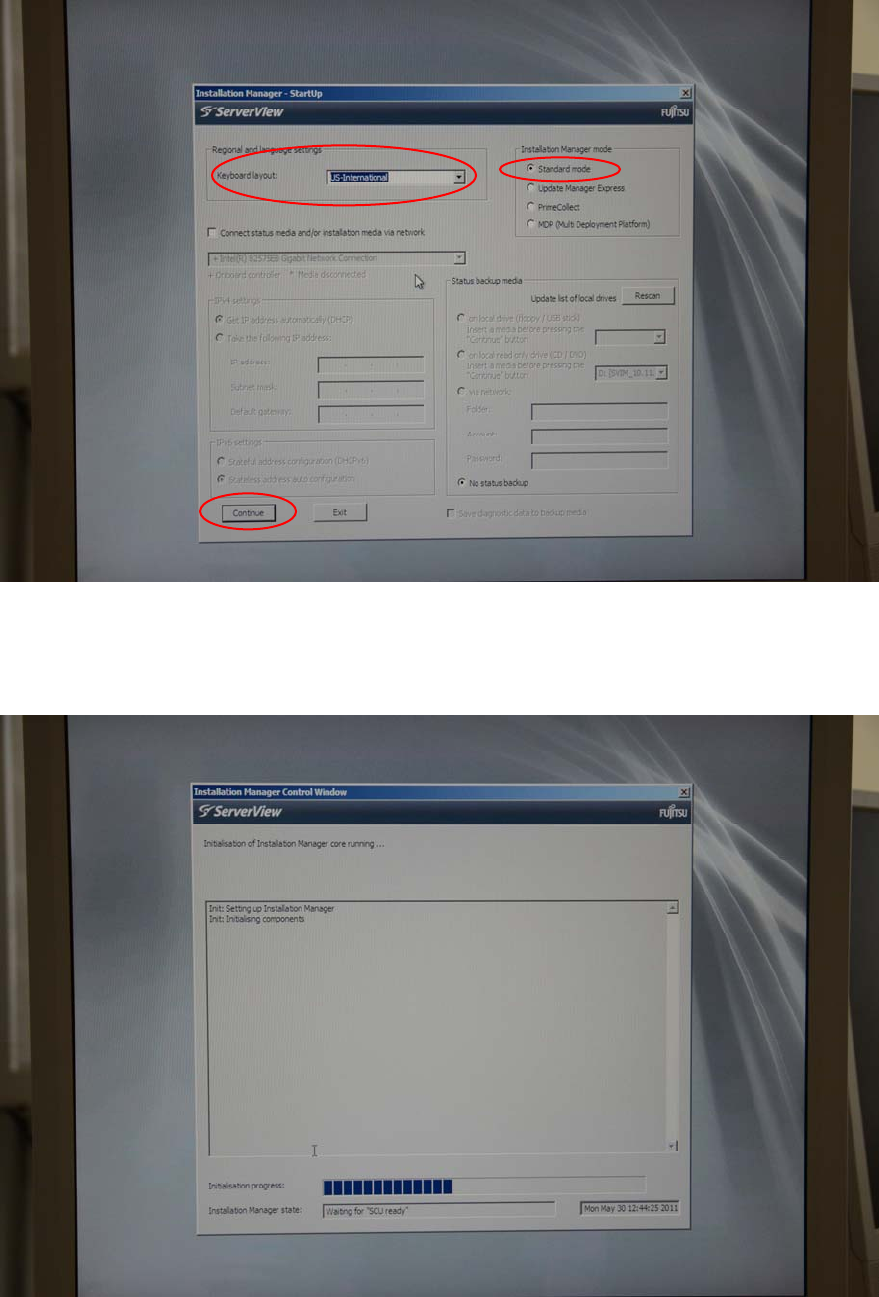
Figure 3-3: Regional and Language settings screen with US-International keyboard selected
► Leave the Standard mode option selected and click the Continue button.
► Wait, while the Installation Manager initializes.
Figure 3-4: Initializing Installation Manager
12
Installing Primergy TX300S6 with Windows Server 2008R2 SP 1 07/2011 Edition
NOTICE
Unexpected timeout messages
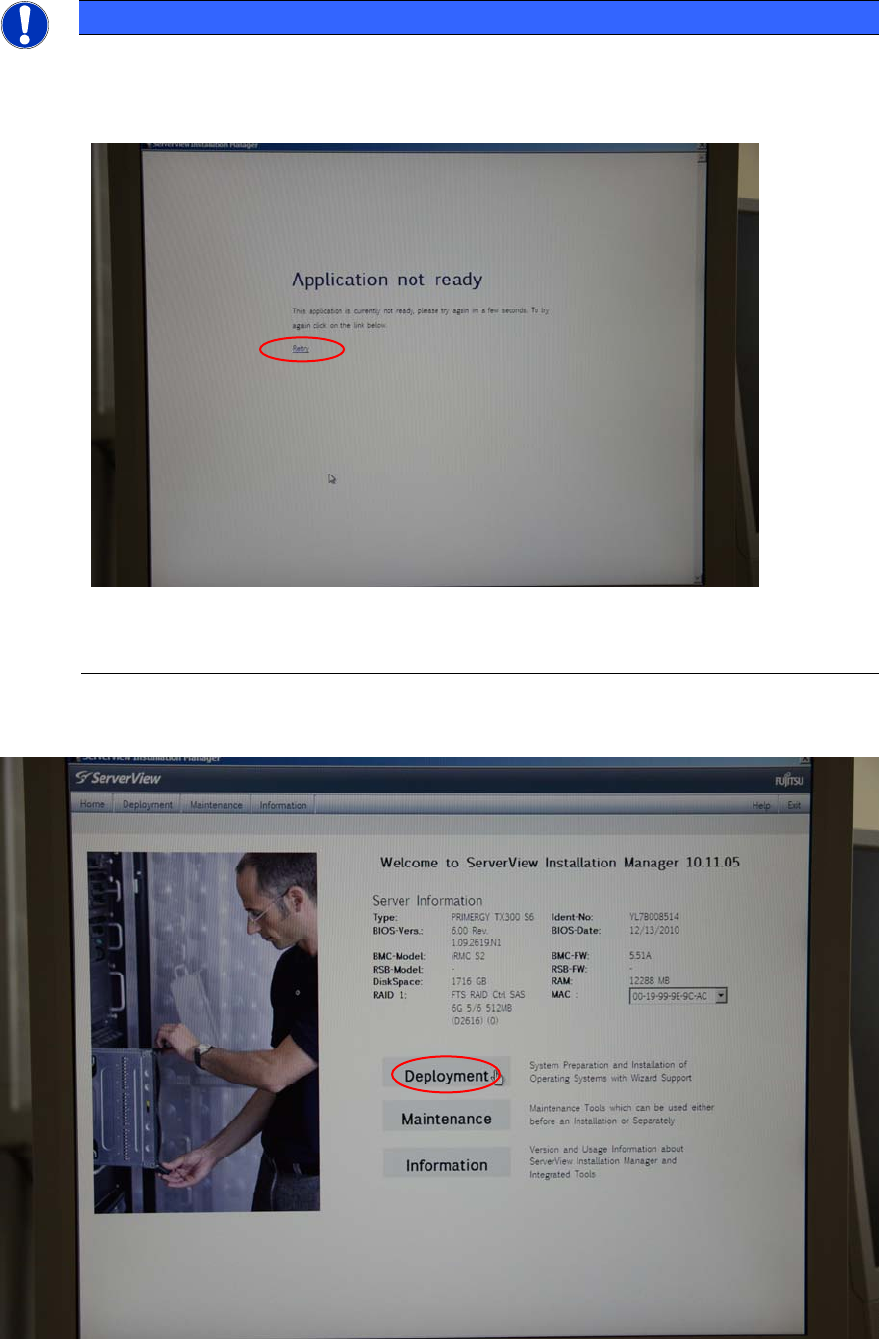
In some cases, the next page of the Installation Manager is not displayed fast enough
and the following message appears.
Figure 3-5: Unexpected Application not ready message
► If this happens, click on Retry to load the next page.
After initialization, the Installation Manager main screen will be displayed.
Figure 3-6: Installation Manager main screen
► Select the Deployment option by clicking on it.
13
Installing Primergy TX300S6 with Windows Server 2008R2 SP 1 07/2011 Edition
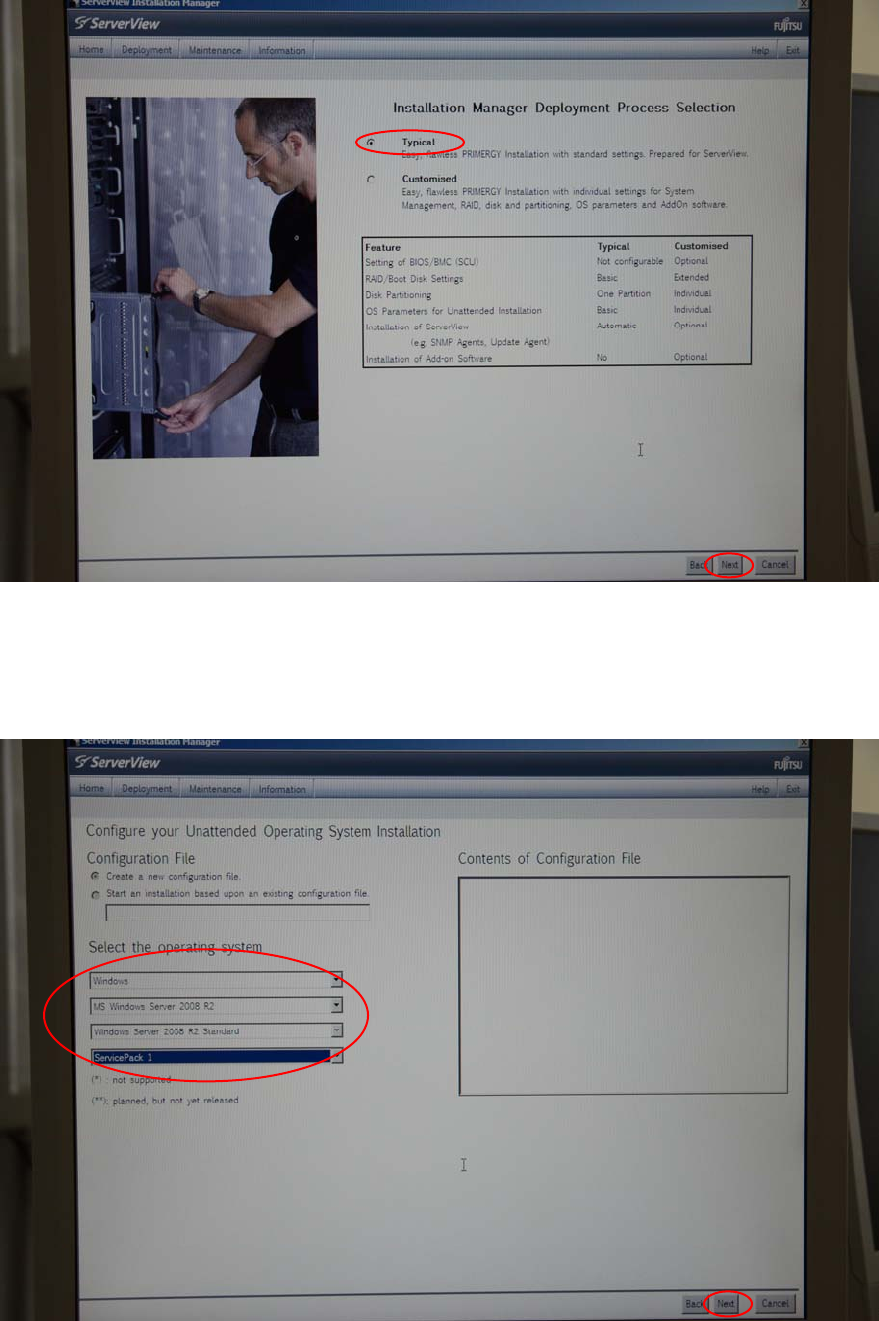
The deployment process selection screen appears.
Figure 3-7: Deployment Process Selection screen
► Ensure that the radio button besides Typical is selected and click the Next button at the bottom
of the screen.
The Configure your Unattended Operating System Installation screen appears.
Figure 3-8: Unattended Operating System Installation Configuration screen with Windows Server 2008 R2 SP 1 selected
14