00196841-01_IM_TX300S6_Win2008R2_SP1_EN.pdf - 第19页
Installing Primergy TX300S6 with Wind ows Server 2 008R2 SP 1 07/2011 Edition Figure 3-14: Installation configuration summary ► Click on Start Installation to begin the installation. During installation, the system reboo…
Installing Primergy TX300S6 with Windows Server 2008R2 SP 1 07/2011 Edition
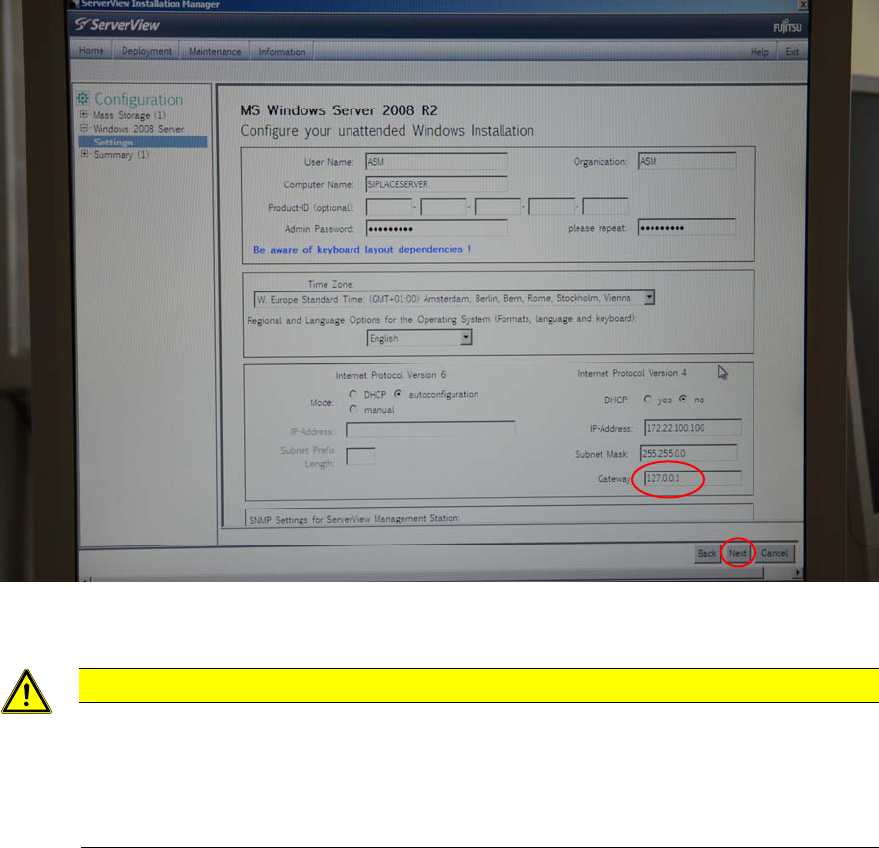
Figure 3-13: Dummy- Gateway 127.0.0.1 entered
CAUTION
Wrong default gateway
To proceed with the installation, the value 127.0.0.1 was entered for the default gateway.
Please keep in mind to remove this IP configuration setting after installation, since wrong
default gateway settings cause network routing problems! Additionally, only existing
gateways should be entered.
The next screen displays the summary.
18
Installing Primergy TX300S6 with Windows Server 2008R2 SP 1 07/2011 Edition
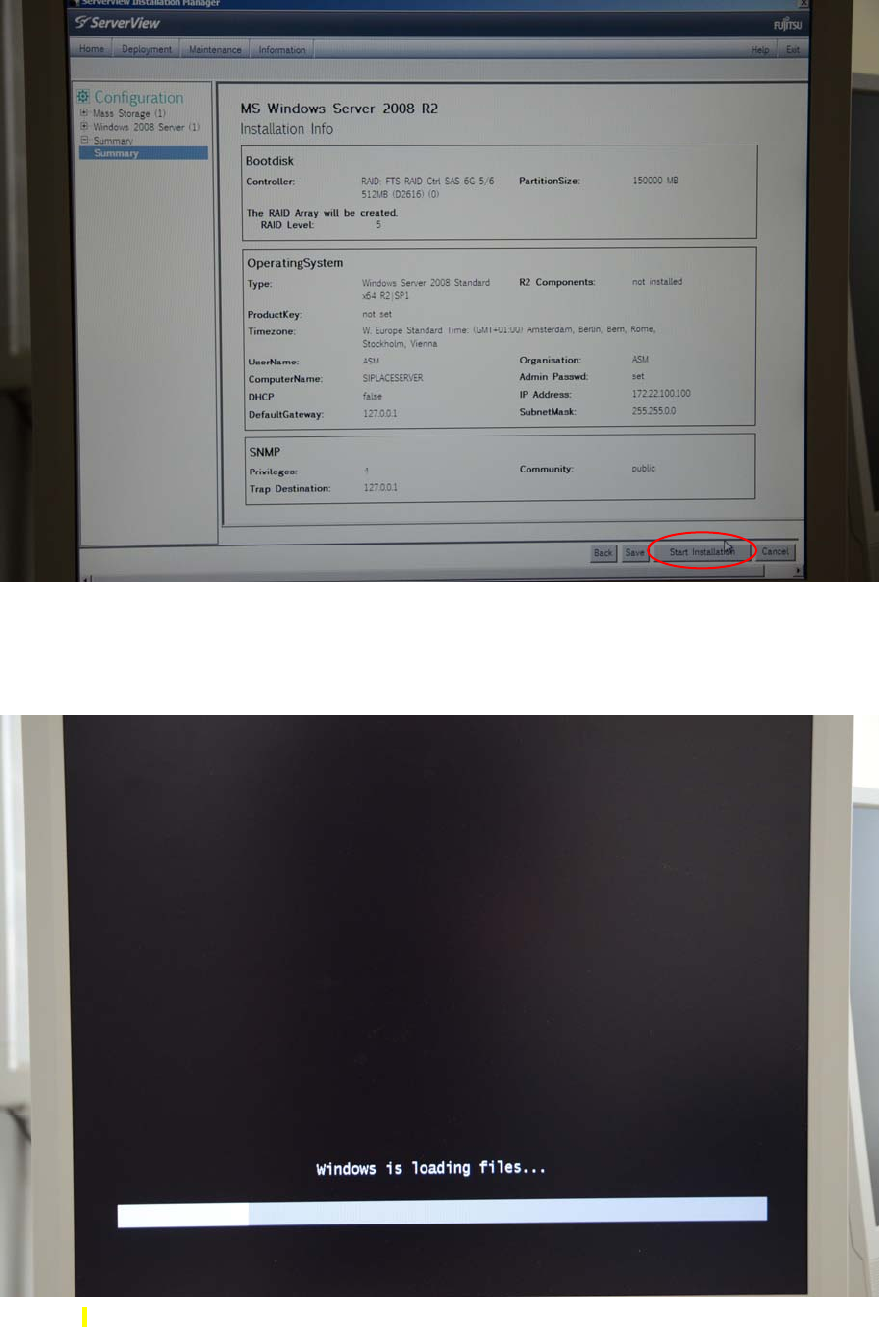
Figure 3-14: Installation configuration summary
► Click on Start Installation to begin the installation.
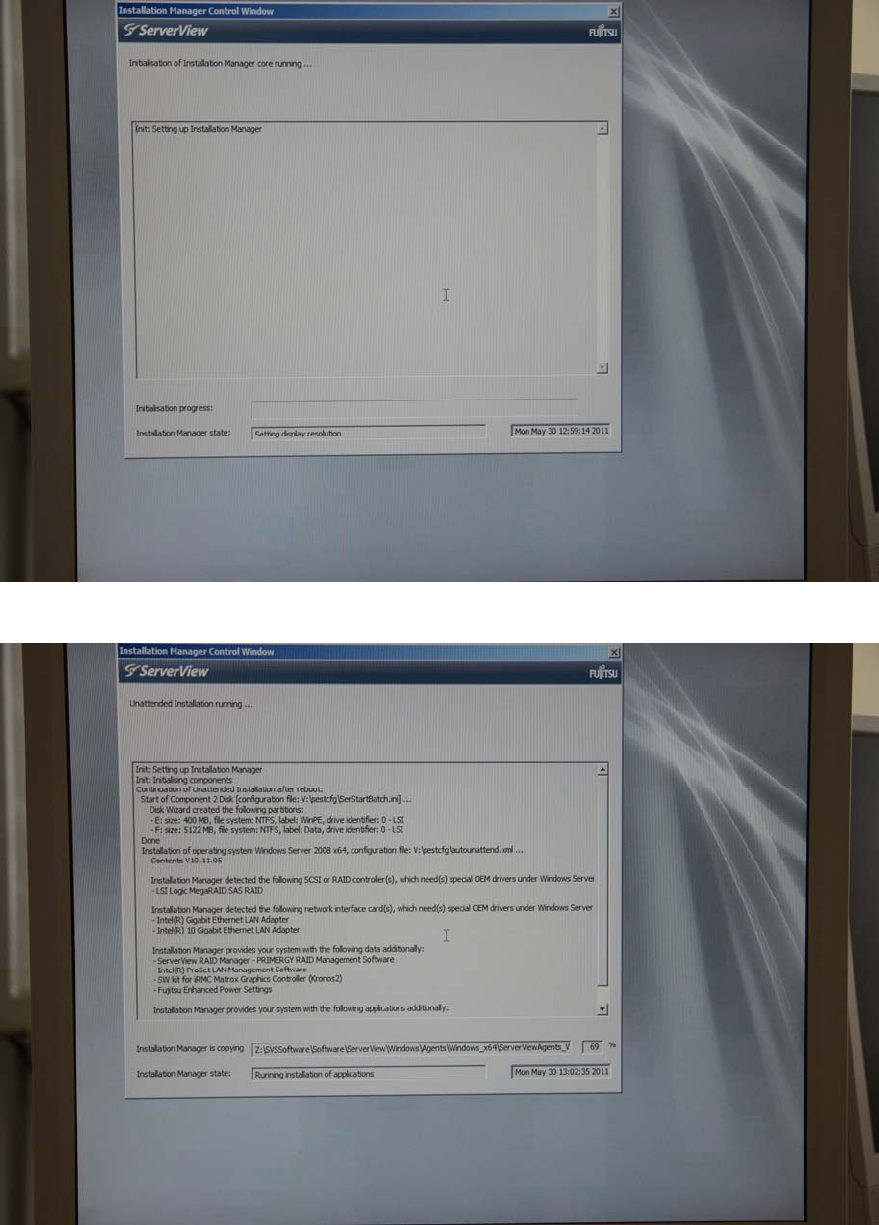
During installation, the system reboots several times.
Figure 3-15: Boot process picture #1
19
Installing Primergy TX300S6 with Windows Server 2008R2 SP 1 07/2011 Edition
Figure 3-16: Boot process picture #2
Figure 3-17: Boot process picture #3
20