00196841-01_IM_TX300S6_Win2008R2_SP1_EN.pdf - 第21页
Installing Primergy TX300S6 with Wind ows Server 2 008R2 SP 1 07/2011 Edition After a while, the system asks for t he operating system installation media. Figure 3-18: Installation Manager asking for operating system Ins…
Installing Primergy TX300S6 with Windows Server 2008R2 SP 1 07/2011 Edition
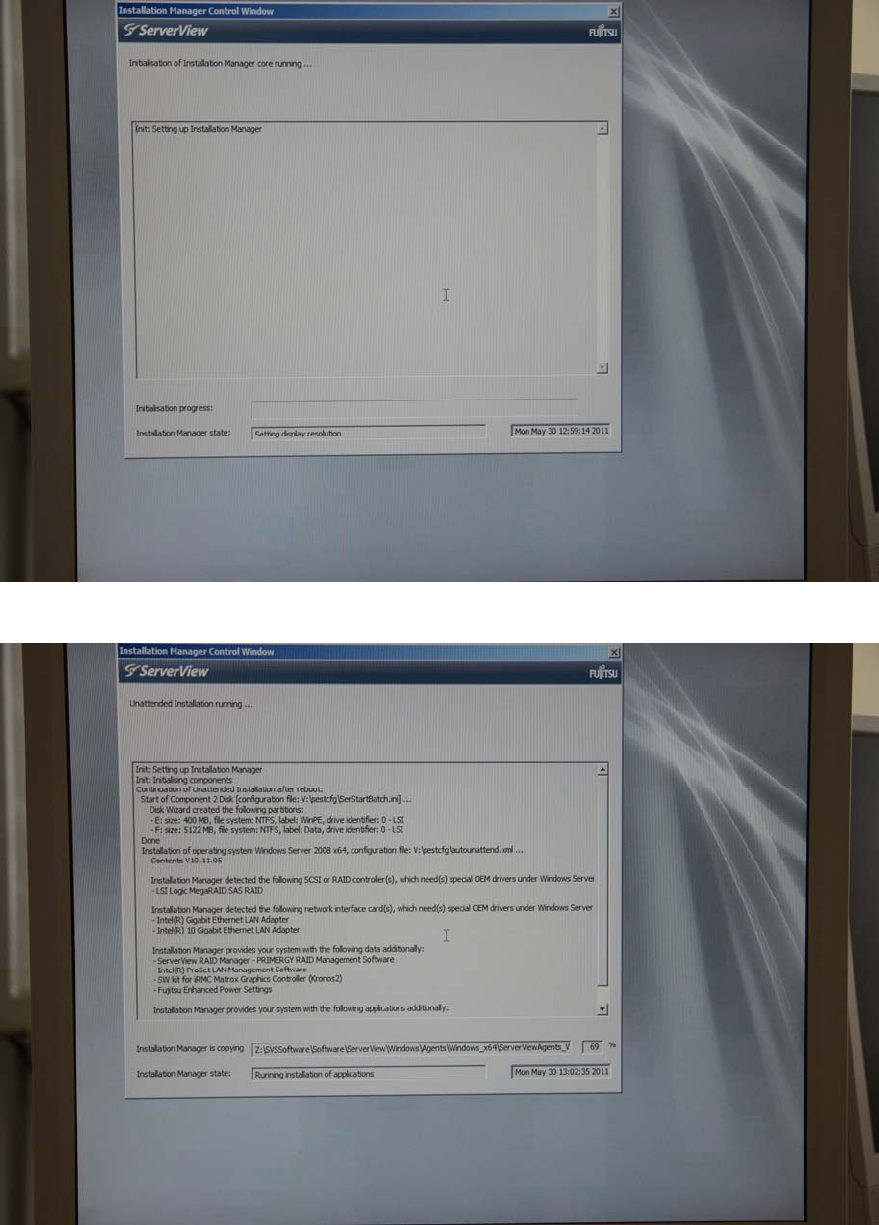
Figure 3-16: Boot process picture #2
Figure 3-17: Boot process picture #3
20
Installing Primergy TX300S6 with Windows Server 2008R2 SP 1 07/2011 Edition
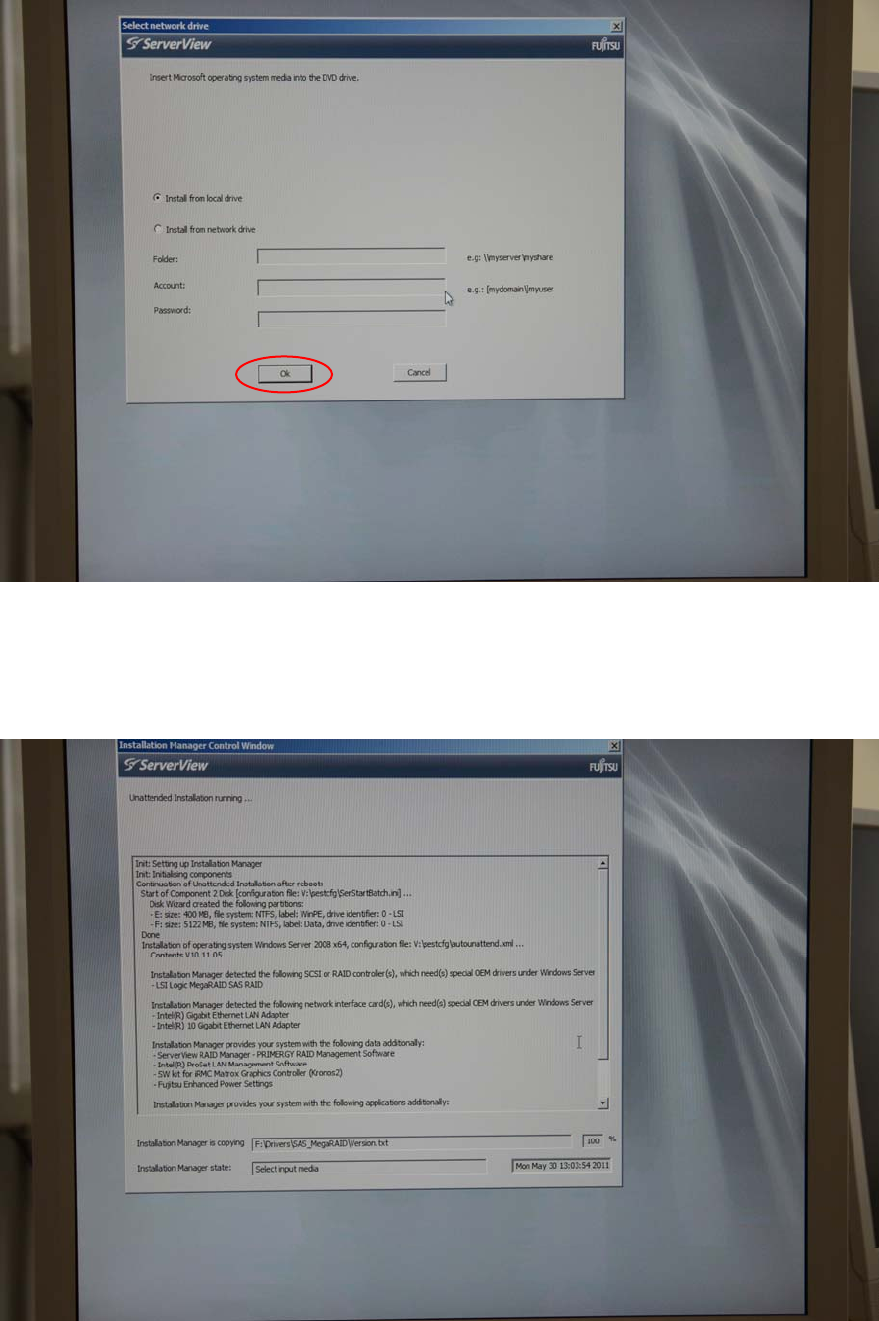
After a while, the system asks for the operating system installation media.
Figure 3-18: Installation Manager asking for operating system Installation media
► Insert the delivered Windows Server 2008 R2 SP 1 installation media into the DVD drive and
click the OK button.
The Installation Manager continues preparing the installation.
Figure 3-19: Installation Manager preparing the installation with hardware specific drivers
21
Installing Primergy TX300S6 with Windows Server 2008R2 SP 1 07/2011 Edition
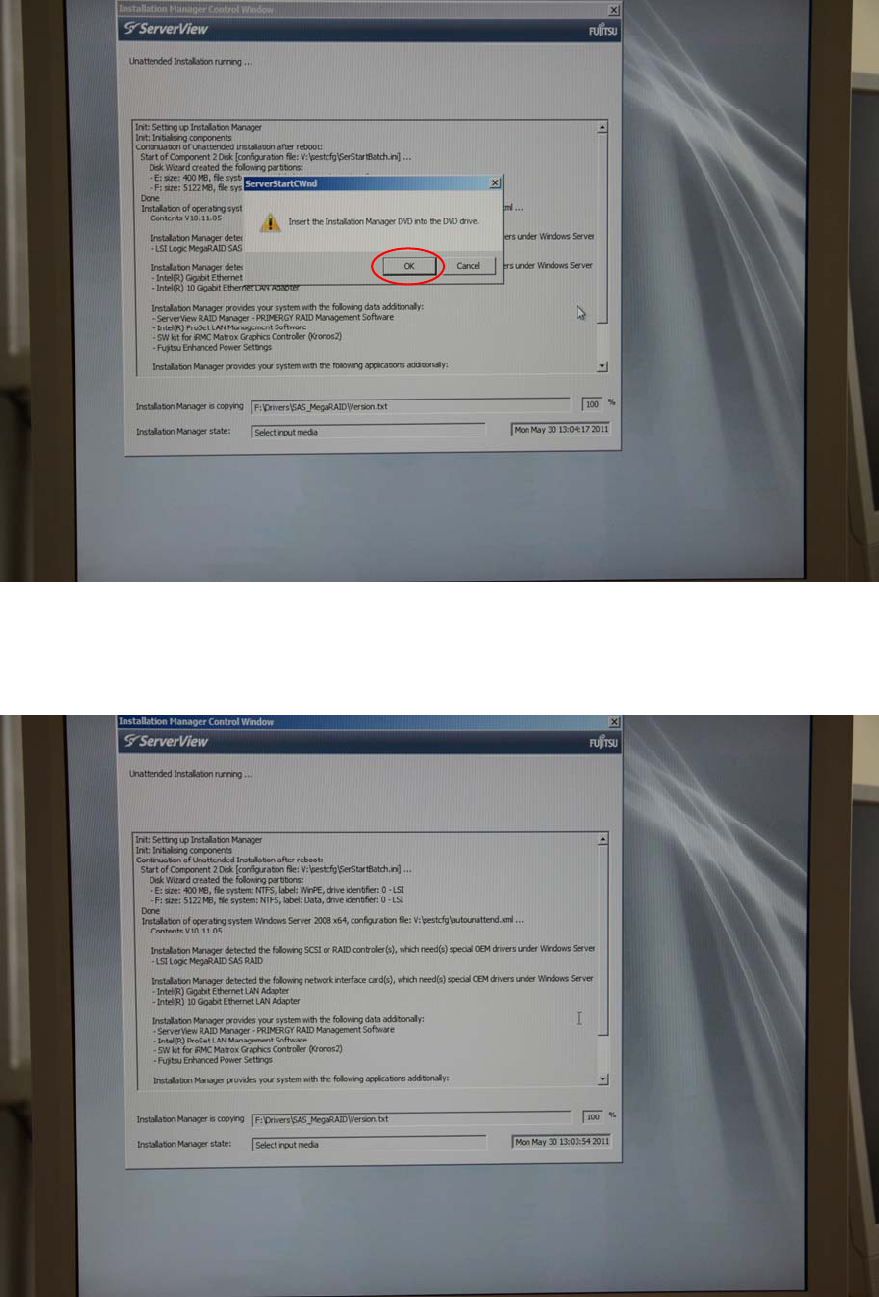
After a while, the Installation Manager asks for the ServerView DVD again.
Figure 3-20: Installation Manager asking for ServerView DVD
► Insert the ServerView DVD again and click the OK button.
The Installation Manager continues the preparation.
Figure 3-21: Installation Manager continuing preparation
22