192277 - Micron Technical Reference V9 Volume 1.pdf - 第244页
SQUEEGEE MODULE REPLACEMENT PROCEDURES 9.12 Technical Reference M anual Chapter Issue 8, May 19 support plate. 5. Fit the new belt in position. 6. Using a cable tie wrap or sim ilar , provide a loop around the top of the…
SQUEEGEE MODULE
REPLACEMENT PROCEDURES
Chapter Issue 8, May 19 Technical Reference Manual 9.11
and remove the broken drive belt.
NOTE
In the drive belt replacement procedures, described below, the tensioning of
the belt only applies where the squeegee stepper motors are identified by
the green label shown in figure 9-3. For all other squeegee types, follow the
‘Alternative Drive Belt Replacement’ procedure.
10. Close the printhead cover.
11. Remove the isolator lock; turn the mains isolator ON.
12. Press the System button.
Rear Squeegee
Drive Belt
The rear squeegee drive belt (right hand stepper motor) can be replaced without
having to remove the printhead mechanism from the print carriage.
1. Turn the mains isolator OFF; lockout the isolator switch.
2. Open the printhead cover.
3. Remove the squeegees, if fitted.
4. Slacken off the three screws securing the right hand motor to the motor
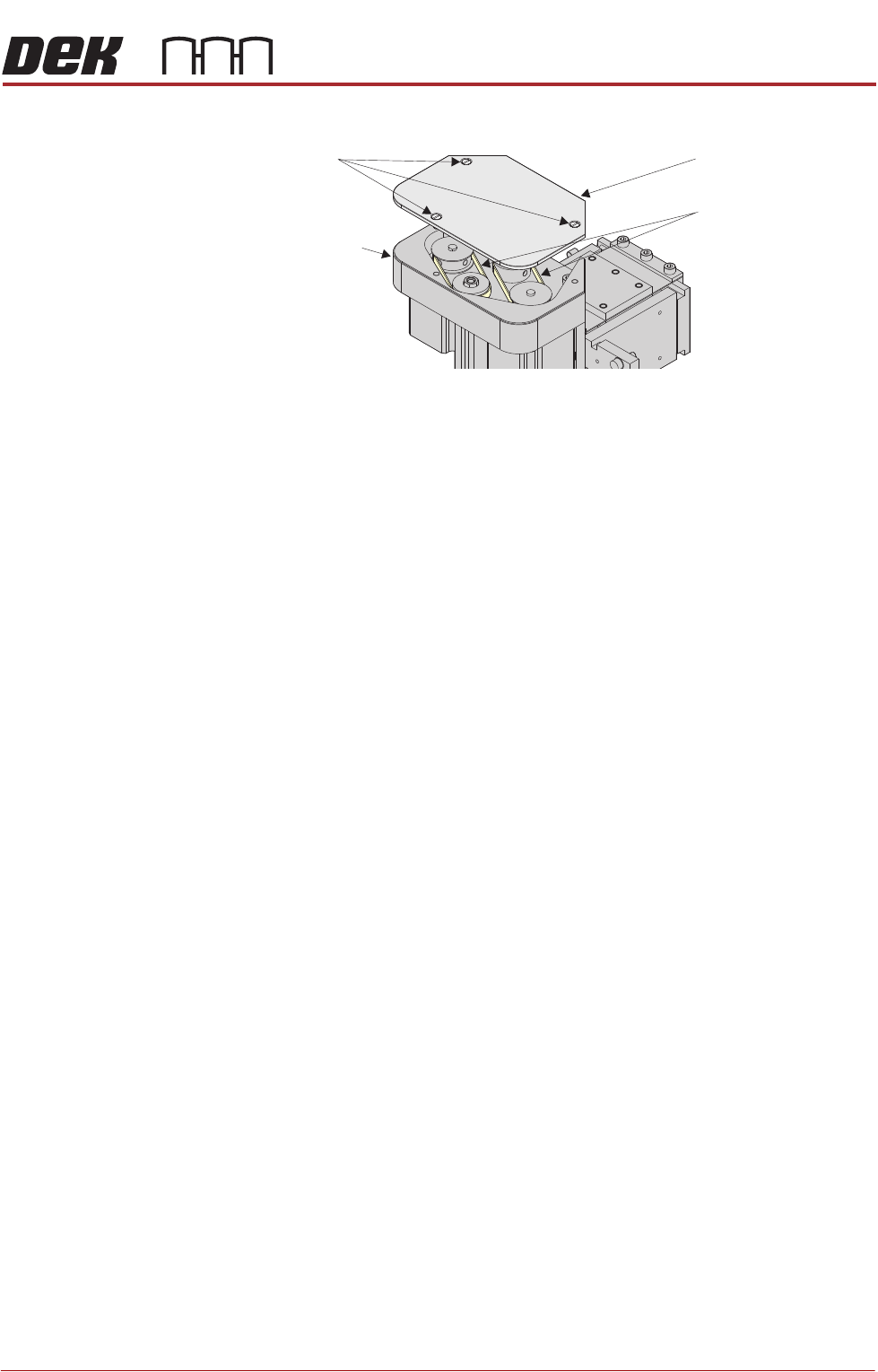
Drive Belt Cover Plate
Drive Belts
Squeegee Printhead
Mechanism
Securing Screws
SQUEEGEE MODULE
REPLACEMENT PROCEDURES
9.12 Technical Reference Manual Chapter Issue 8, May 19
support plate.
5. Fit the new belt in position.
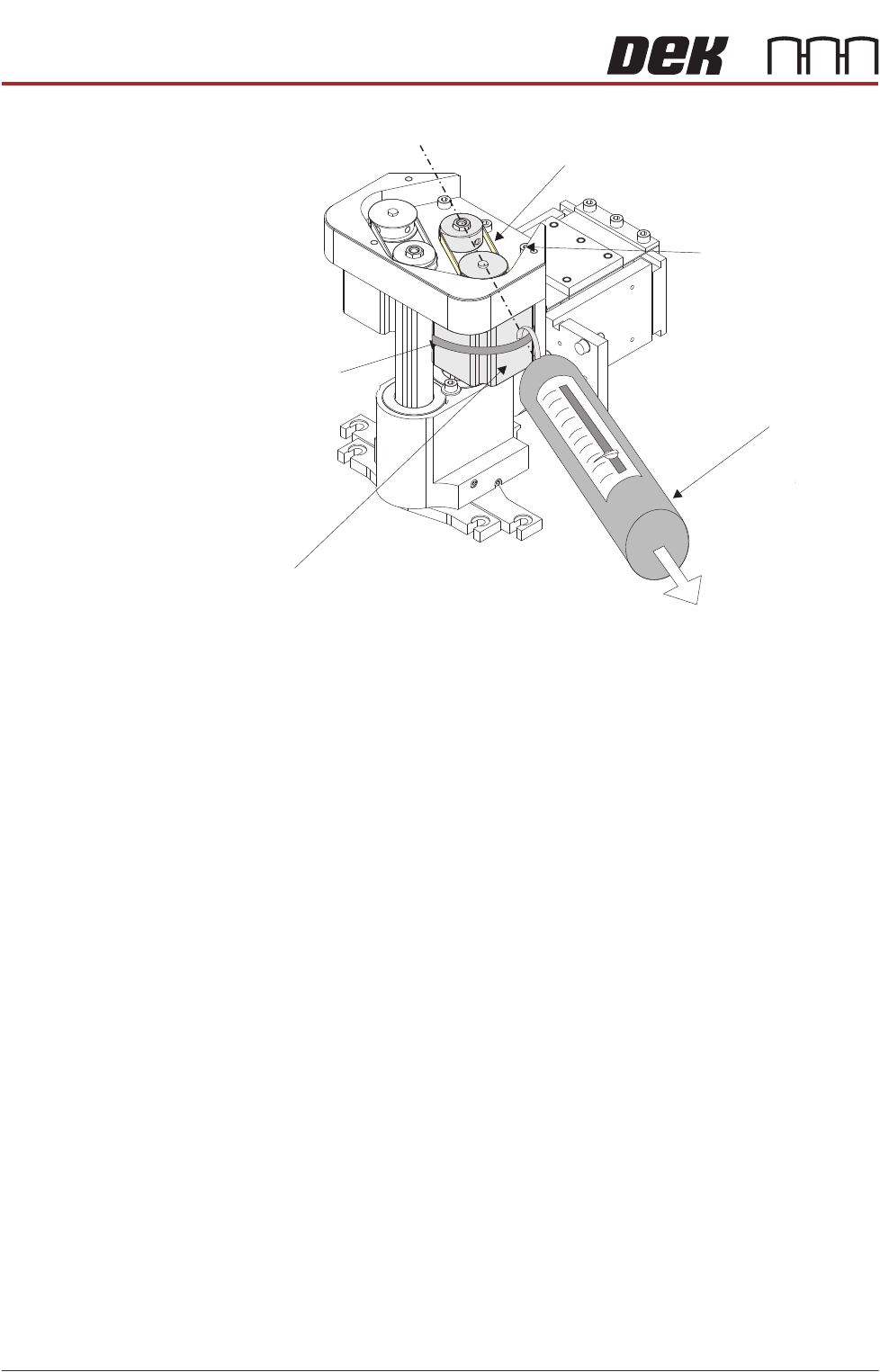
6. Using a cable tie wrap or similar, provide a loop around the top of the body
of the motor enabling the motor to be pulled using a force meter. Ensure that
the force meter is pulled in the direction which the drive belt is fitted, figure
above refers.
7. Pull the force meter until a tension of 3-4kgs is monitored on the
meter.Tighten the three screws whilst the motor is under tension.
8. Close the printhead cover.
9. Remove the isolator lock; turn the mains isolator switch ON.
10. Press the System button.
Tension in Direction of
Drive Belt Orientation
Right Stepper Motor
Rear Squeegee Motor Tensioning
Force Meter
Motor Securing Screw
Position (3 positions)
Looped Cable Tie
Drive Belt
SQUEEGEE MODULE
REPLACEMENT PROCEDURES
Chapter Issue 8, May 19 Technical Reference Manual 9.13
Front Squeegee
Drive Belt
To replace the front squeegee drive belt (left hand stepper motor), the printhead
mechanism must be removed from the print carriage.
1. Disconnect the following connectors from the print carriage, left hand side.
• Rear Squeegee Motor
• Front Squeegee Motor
• Home Sensors
• Squeegee Pressure Amplifier
2. Remove the printhead mechanism by unscrewing the four screws securing
the unit to the print carriage.
3. Placing the unit on a secure surface, slacken off the three screws securing
the left hand motor to the support plate.
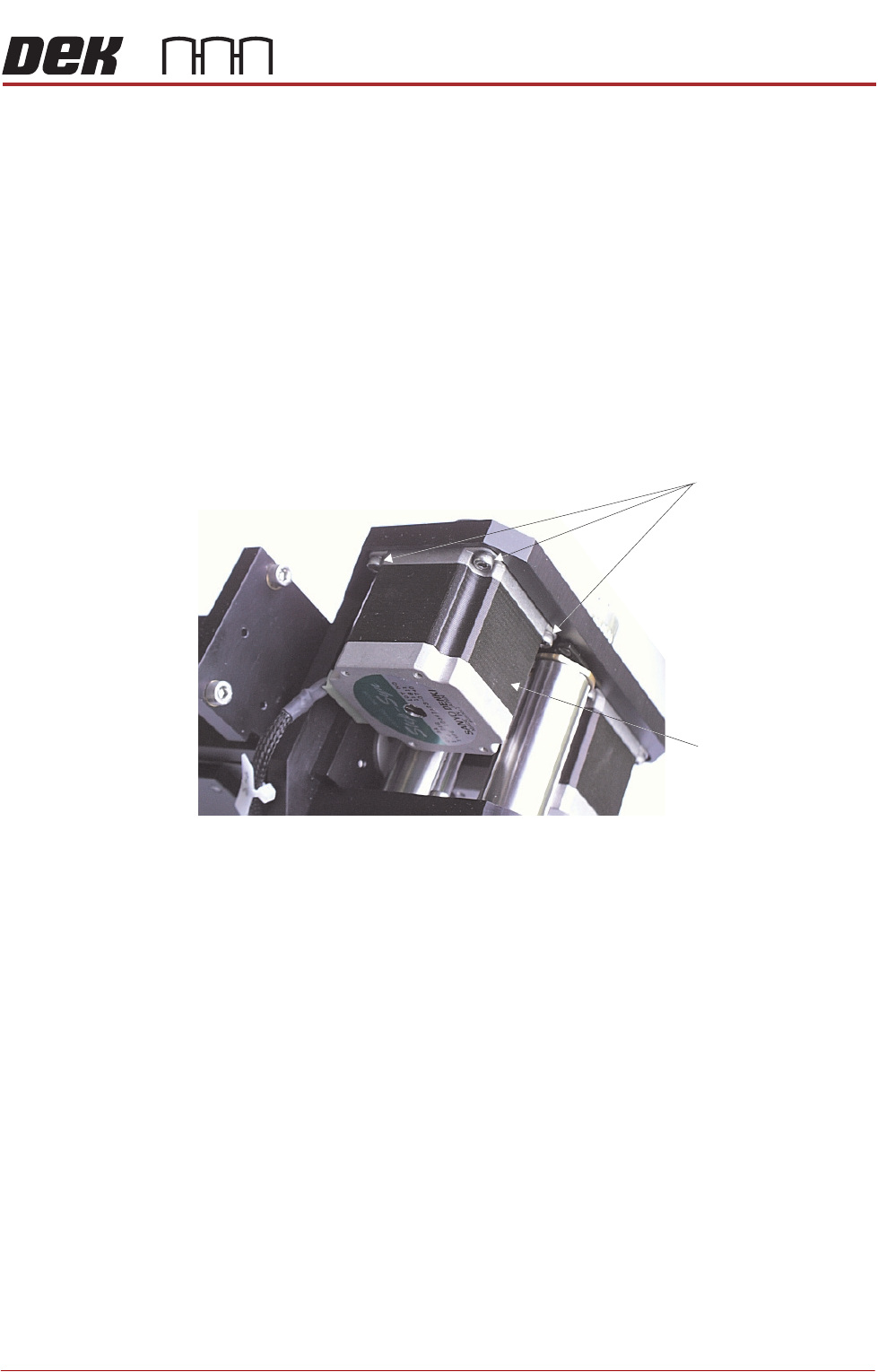
Figure 9-3 Squeegee Stepper Motor (Green Ident Label Shown)
4. Fit the new belt in position.
5. Using a cable tie wrap or similar, provide a loop around the top of the body
of the motor enabling the motor to be pulled using a force meter. Ensure
that the force meter is pulled in the direction which the drive belt is fitted,
Rear Squeegee Motor Tensioning figure example refers.
6. Pull the force meter until a tension of 3-4kgs is monitored on the meter.
Tighten the three screws whilst the motor is under tension.
7. On completion re-fit the printhead mechanism to the print carriage refit the
drive belt cover plate and re-connect all leads to the print carriage, left hand
side.
8. Refit the squeegees.
9. Close the printhead cover.
10. Remove the isolator lock; turn the mains isolator ON.
11. Press the System button.
Stepper Motor
Securing Screws
Front Squeegee
Motor