192277 - Micron Technical Reference V9 Volume 1.pdf - 第282页
PROACTIV REPLACEMENT PROCEDURES 10.26 Technical Reference Manual Chapter Issue 6, Nov 18
PROACTIV
REPLACEMENT PROCEDURES
Chapter Issue 6, Nov 18 Technical Reference Manual 10.25
the unit away safely and securely.
16. Close the printhead cover.
17. Remove the isolator lock; turn the mains isolator ON.
18. Press the System button.
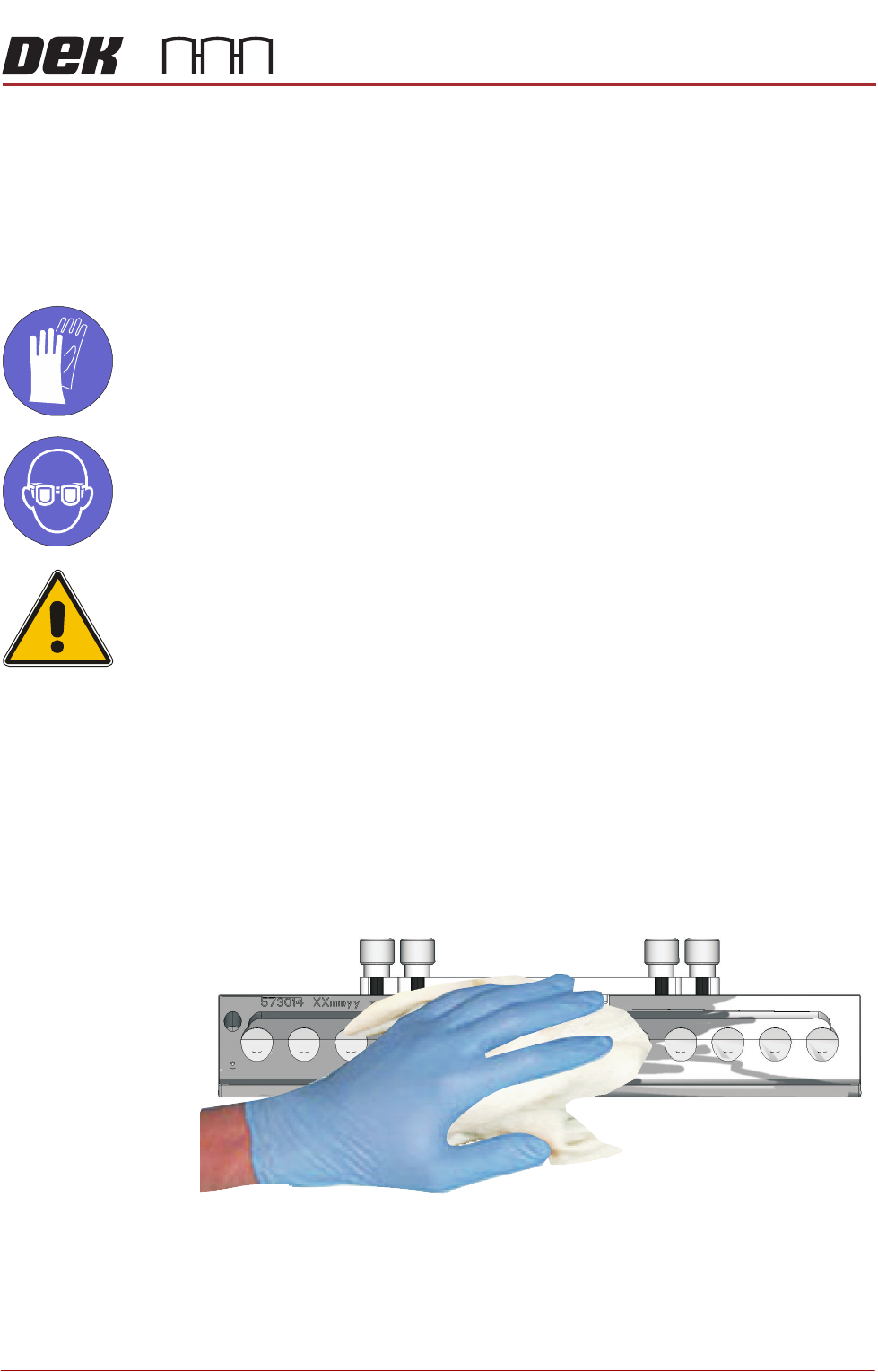
Cleaning Guidance
MANDATORY
TOXIC CHEMICALS MAY BE PRESENT. SAFETY GLOVES MUST BE WORN.
MANDATORY
TOXIC CHEMICALS MAY BE PRESENT. EYE PROTECTION MUST BE WORN.
CAUTION
RECOMMENDED SOLVENTS. ANY SOLVENTS USED MUST COMPLY WITH
LOCAL ENVIRONMENTAL GUIDELINES. ASM RECOMMEND USING SOLVENTS
THAT ARE ENVIRONMENTALLY FRIENDLY, IE CFC FREE AND WATER BASED.
SOLVENTS USED MUST HAVE FAST EVAPORATION RATES AND FLASHPOINT
SPECIFICATIONS GREATER THAN 39ºC.
NOTE
Immersion of any part of the ProActiv unit in liquids causes irreparable damage
to the unit. It may also cause permanent damage when fitted to the printer.
1. Remove the ProActive squeegee units using the Removal procedure (pre-
vious section).
2. Using an IPA impregnated wipe (Part No: 11508), thoroughly clean all
exterior surfaces of each squeegee.
NOTE
Do not subject the unit, or its cable, to any undue stress or strain whilst
cleaning.
3. Stow the units away carefully and safely.

PROACTIV
REPLACEMENT PROCEDURES
10.26 Technical Reference Manual Chapter Issue 6, Nov 18
PROFLOW MODULE
OVERVIEW
Chapter Issue 16, Nov 18 Technical Reference Manual 11.1
CHAPTER 11 PROFLOW MODULE
OVERVIEW
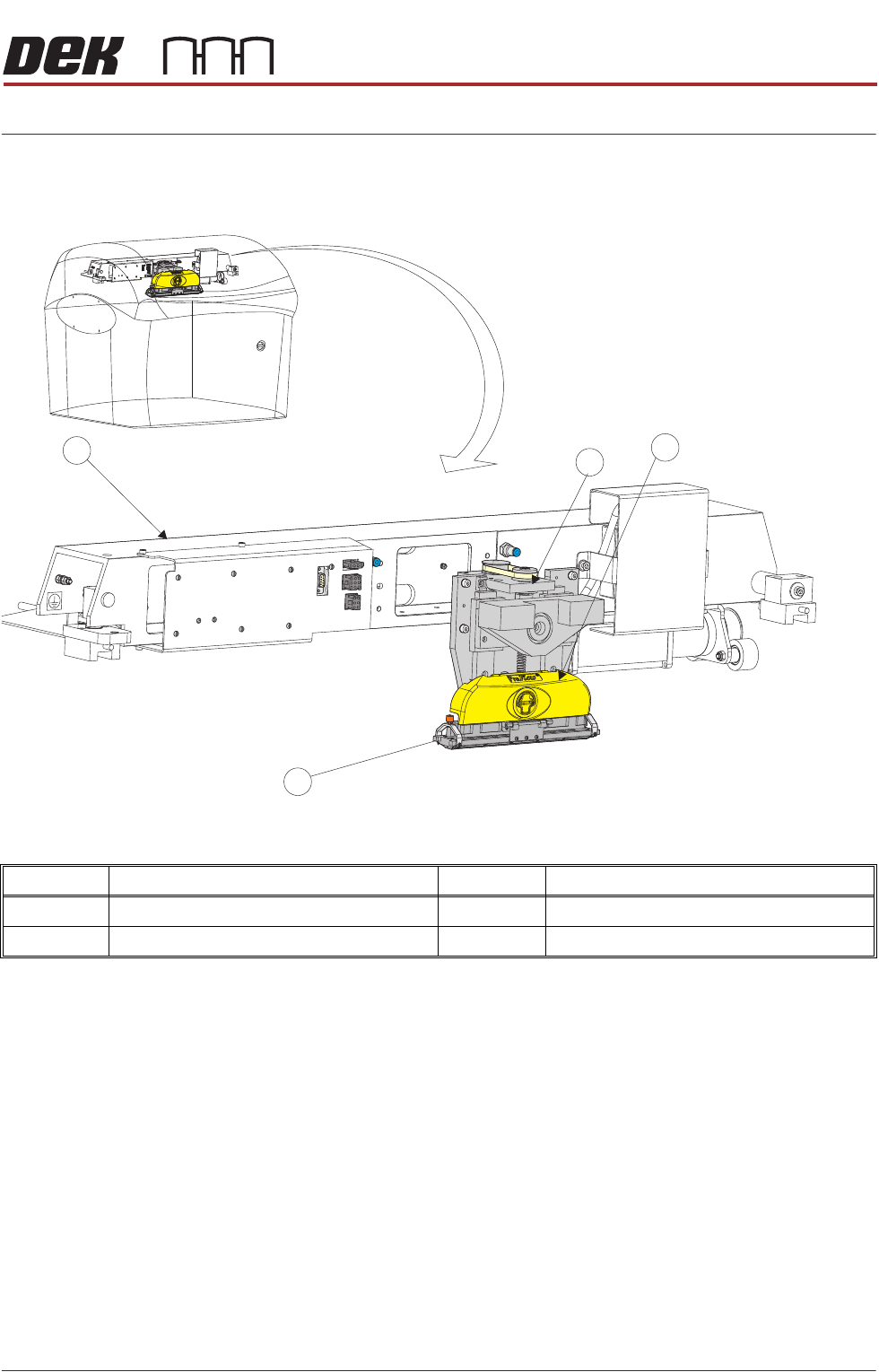
Item Description Item Description
1 ProFlow Printhead Mechanism 3 ProFlow Transfer Head
2 ProFlow Pressure Mechanism 4 Print Carriage
1
2
3
4