00197500-04_IM_Material_Manager_2.1_EN.pdf - 第11页
Installing the MaterialManager Installation Manual SIPLACE Material ManagerV2.1 11 Selecting Expert Mode In this dialog box you select to perform the ins tallation in Ex pert Mode or with the default presettings. ▪ With…
Installing the MaterialManager
10 Installation Manual SIPLACE Material ManagerV2.1
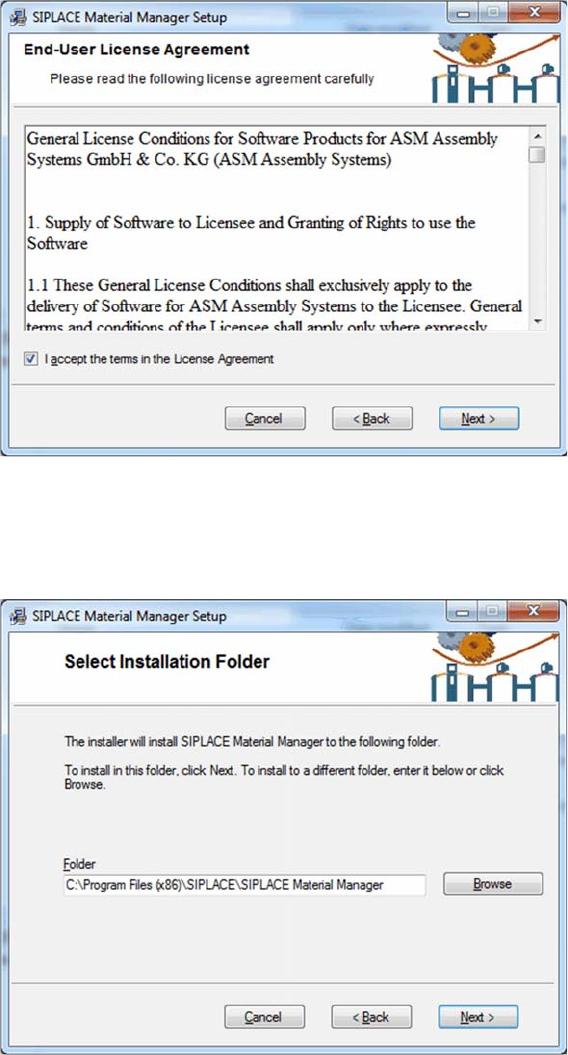
Confirming license agreement
The license agreement is displayed.
► Enable the option with which you accept the license agreement.
► Click on Next.
Setting installation folder
The dialog box for setting the installation folder is displayed.
► If you want to change the path of the installation folder, click on Browse and
navigate to the desired folder.
► Click on Next.
The set path will be used for the installation.
Installing the MaterialManager
Installation Manual SIPLACE Material ManagerV2.1 11
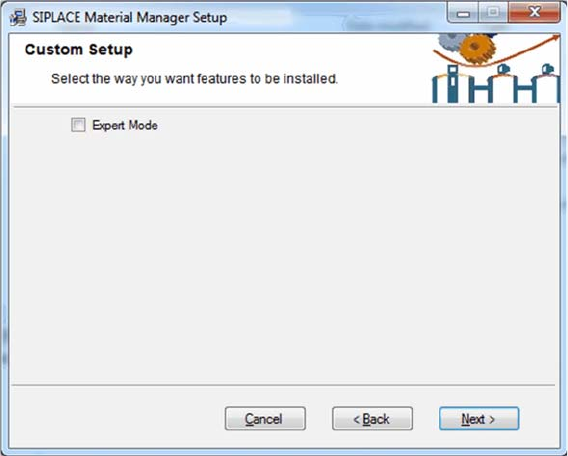
Selecting Expert Mode
In this dialog box you select to perform the installation in Expert Mode or with the default presettings.
▪ With the default settings, all components required for the Material Manager will be installed automat
-
ically. (recommended)
The CustomerWebServices and WebServicesClient components will not be installed. These com
-
ponents are only required if SIPLACE components shall be integrated in customer applications.
▪ If Expert Mode is enabled, you can select which Material Manager components shall be installed or
not.
The CustomerWebServices and WebServicesClient components can be selected for installation.
► Enable or disable Expert Mode.
► Click on Next.
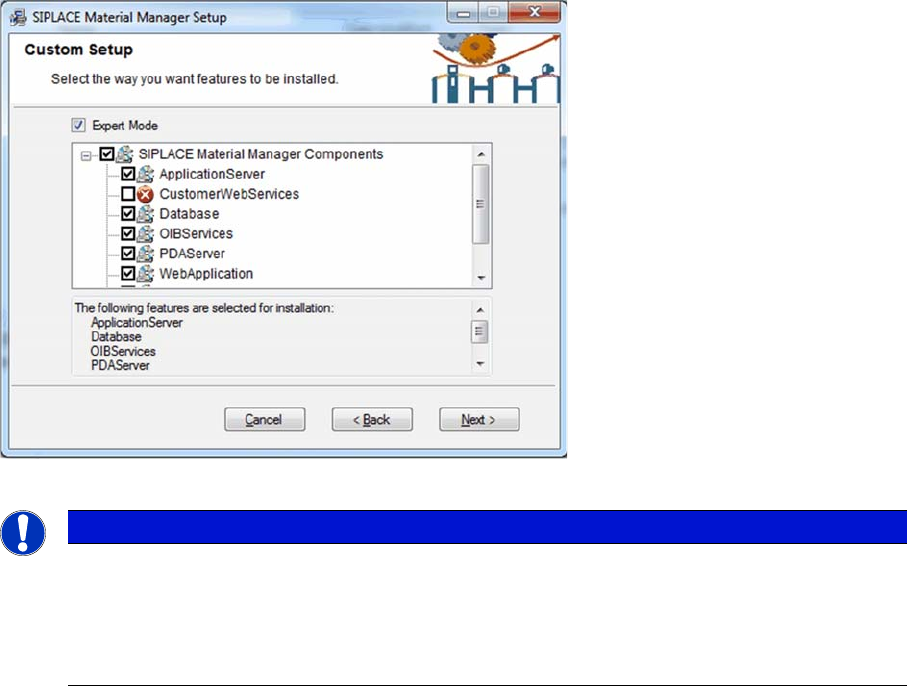
Expert Mode
If the Expert Mode is enabled, the single components of the Material Manager are displayed.
Installing the MaterialManager
12 Installation Manual SIPLACE Material ManagerV2.1
Selecting components in Expert Mode
► Select the components that you want to install.
► Click on Next to finish the selection and continue with the installation program.
Description of the Single Components
ApplicationServer (mandatory)
The Material Manager ApplicationServer is a Microsoft COM+ application. As central component of the
system it controls all Material Manager operations and events. Usually, the ApplicationServer will be in
-
stalled on the central Material Manager server or on another server. Once installed, the ApplicationServ
-
er can be administered via the Control Panel of the operating system.
CustomerWebServices (optional)
The CustomerWebServices integrate the Material Manager into your system landscape and are hosted
on the Microsoft Internet Information Server (IIS). If they are available and administered, the Material
Manager calls these Web services within defined workflow modes.
Database (mandatory)
The Material Manager database contains all required tables and views. The database will be installed
on a Microsoft SQL.
OIBServices (mandatory)
The OIBServices integrate the Material Manager for working with other SIPLACE software products (e.g.
SIPLACE Setup Center) via the public OIB interface. The OIBServices are hosted on the Microsoft In
-
ternet Information Server (IIS).
PDAServer (mandatory)
The PDA server is required to operate the mobile PDA devices. The PDA server controls the communi
-
cation between the single PDA devices and the central ApplicationServer and will usually be installed on
the central Material Manager server.
NOTICE
Complete installation recommended
To make sure that the Material Manager runs correctly, it is recommended to install all compo
-
nents that are enabled for installation in the presettings because most of them are mandatory
to use the Material Manager.
If necessary, non-selected components can be installed later.