00197500-04_IM_Material_Manager_2.1_EN.pdf - 第25页
Installing the MaterialManager Installation Manual SIPLACE Material ManagerV2.1 25 Configuring Material Manager – OIB tab OIB Connection (OIB = Operations Information Broker) Settings for the server on whi ch the OIB co…
Installing the MaterialManager
24 Installation Manual SIPLACE Material ManagerV2.1
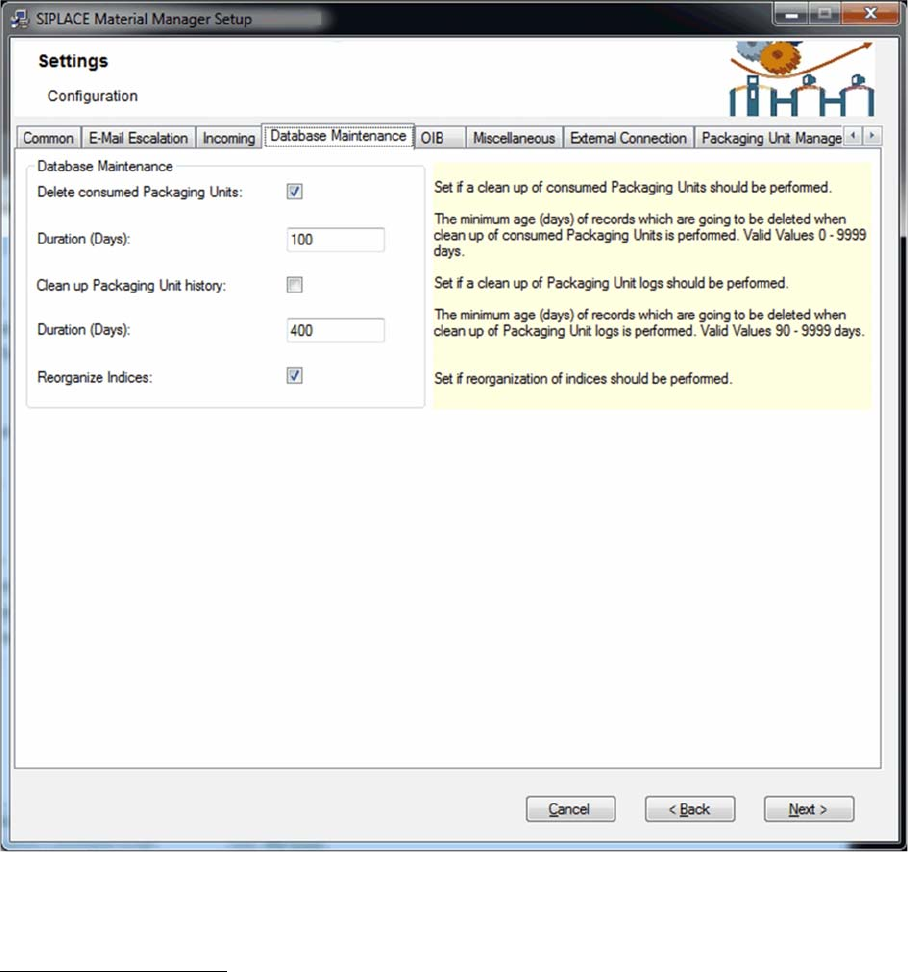
Configuring Material Manager – Database Maintenance tab
In this tab you configure the handling of consumed packaging units.
Database Maintenance
Delete consumed Packaging Units
If this option is enabled, a consumed packaging unit will be deleted in the database after the time set
under Duration.
Duration (Days)
Number of days after which a consumed packaging unit will be deleted in the database.
Clean up Packaging Unit history
If this option is enabled, the history of a consumed packaging unit will be deleted in the database after
the time set under Duration.
Duration (Days)
Number of days after which the history of a consumed packaging unit will be deleted in the database.
Reorganize Indices
If this option is enabled, the index entries in the database will be reorganized for faster access.
Installing the MaterialManager
Installation Manual SIPLACE Material ManagerV2.1 25
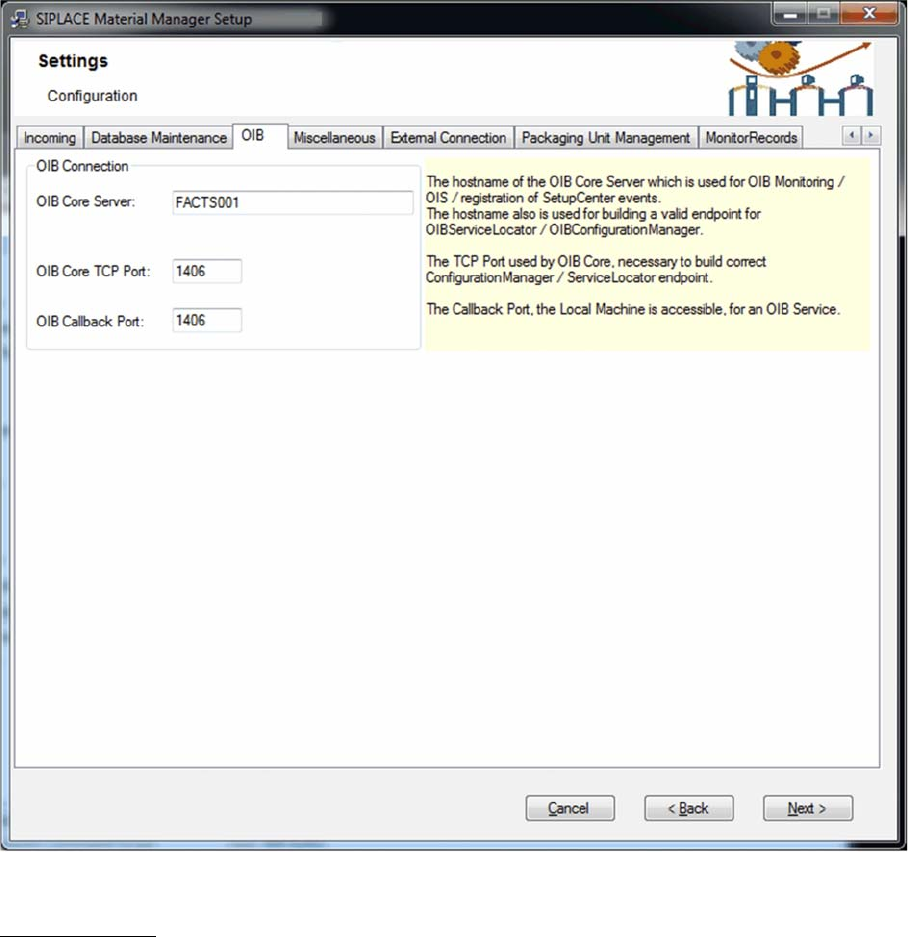
Configuring Material Manager – OIB tab
OIB Connection
(OIB = Operations Information Broker)
Settings for the server on which the OIB core is installed.
OIB Core Server
Name of the server on which the OIB core is installed.
OIB Core TCP Port
Number of the port that shall be used for the communication with the OIB server.
OIB Callback Port
Number of the callback port that shall be used for the communication with the OIB server.
Installing the MaterialManager
26 Installation Manual SIPLACE Material ManagerV2.1
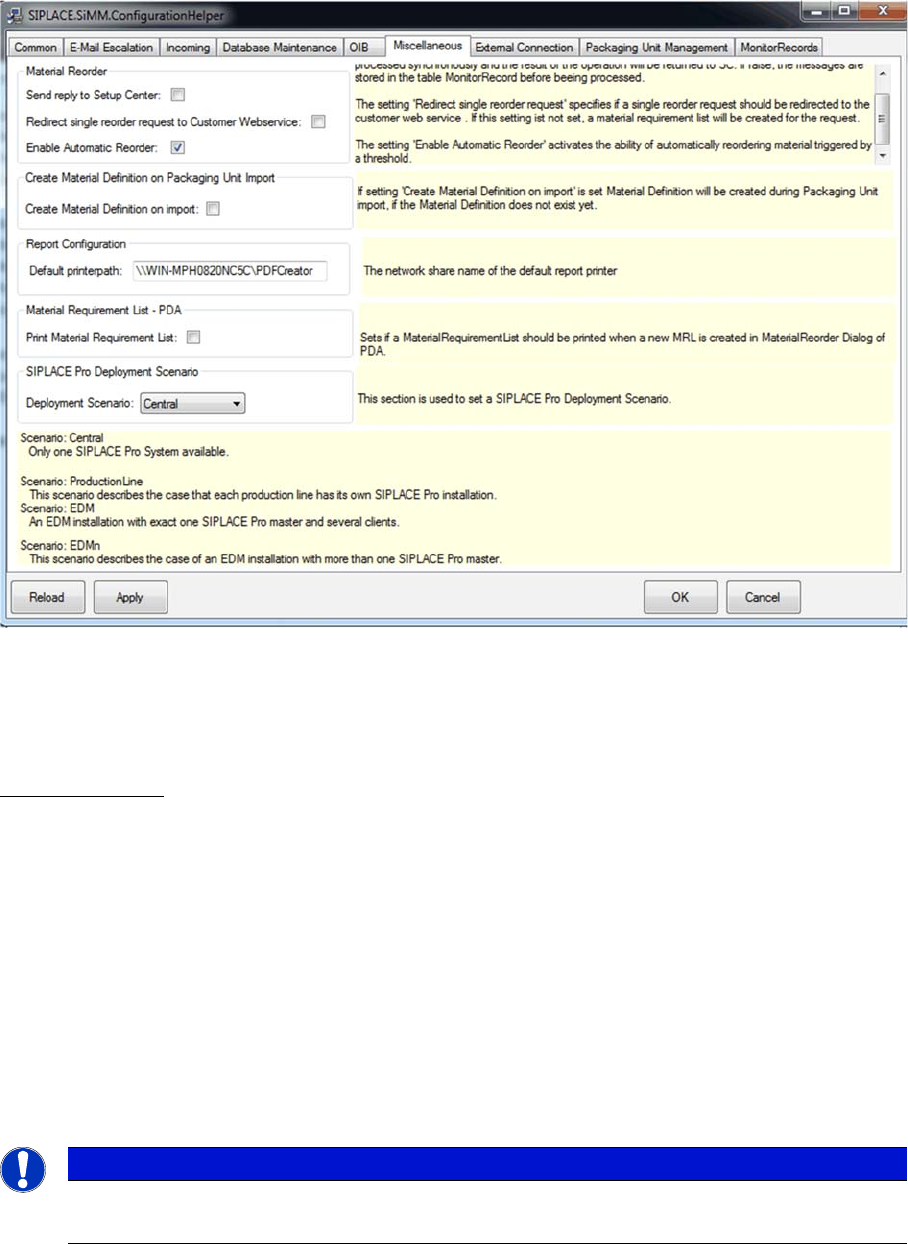
Configuring Material Manager – Miscellaneous tab
In this tab you set various parameters, such as default report printer, synchronization with SIPLACE Set
-
up Center, handling of unknown material definitions, SIPLACE Pro deployment scenarios and printing
material requirement lists.
Material Reorder
Send Reply to Setup Center
If this option is enabled, the responses of the external storage system to material requirements will be
transmitted to Setup Center.
Redirect single reorder request to Customer Web Service
If a group of materials is ordered from the Setup Center, a material requirements list is created and then
processed systematically in the Material Manager.
If only one material item is ordered from the Setup Center, you can use this option to specify how the
reordering should be processed.
If this option is enabled, reordering is forwarded via the Customer Web Service to an external system,
which then processes this reorder.
If this option is disabled, a material requirements list is created for this material and then systematically
processed in the Material Manager.
Enable Automatic Reorder
For the reordering of materials, you can configure threshold values as of which materials are to be au
-
tomatically requested in a specific quantity from the supply storage zone.
You use this option to enable or disable automatic reordering.
NOTICE
Required software
This function requires software that has to be created by the customer.