00197500-04_IM_Material_Manager_2.1_EN.pdf - 第51页
Uninstalling the MaterialManager Installation Manual SIPLACE Material ManagerV2.1 51 8 8 U n in s t a llin g t h e M a t e r ia lM a n a g e r Uninstalling the Material Manager ► Insert the installation CD into t he C D…
Distributed Installation
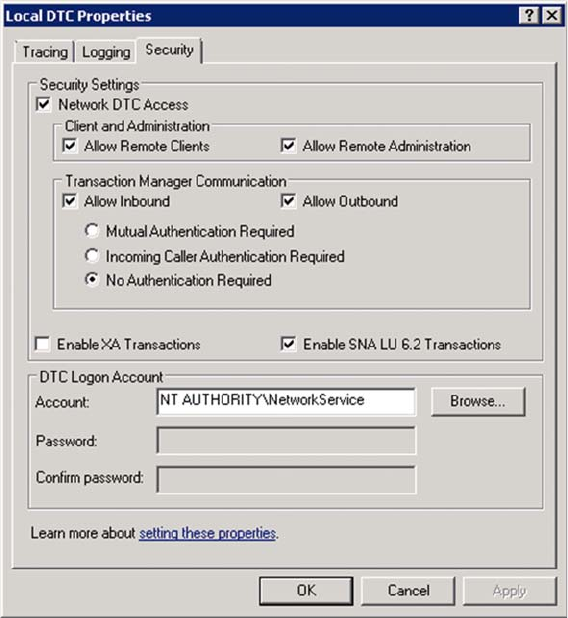
Example: Settings under Windows Server 2008 R2
50 Installation Manual SIPLACE Material ManagerV2.1
Security properties under Windows Server 2008 R2
► Set the single values as displayed above.
► Click on OK.
Uninstalling the MaterialManager
Installation Manual SIPLACE Material ManagerV2.1 51
8
8 Uninstalling the MaterialManager
Uninstalling the Material Manager
► Insert the installation CD into the CD drive of the server on which the Material Manager is installed
to uninstall the Material Manager.
► Switch over to the Install folder on the CD.
► Double-click on the ASM.AS.SiMM.MainInstaller.exe file.
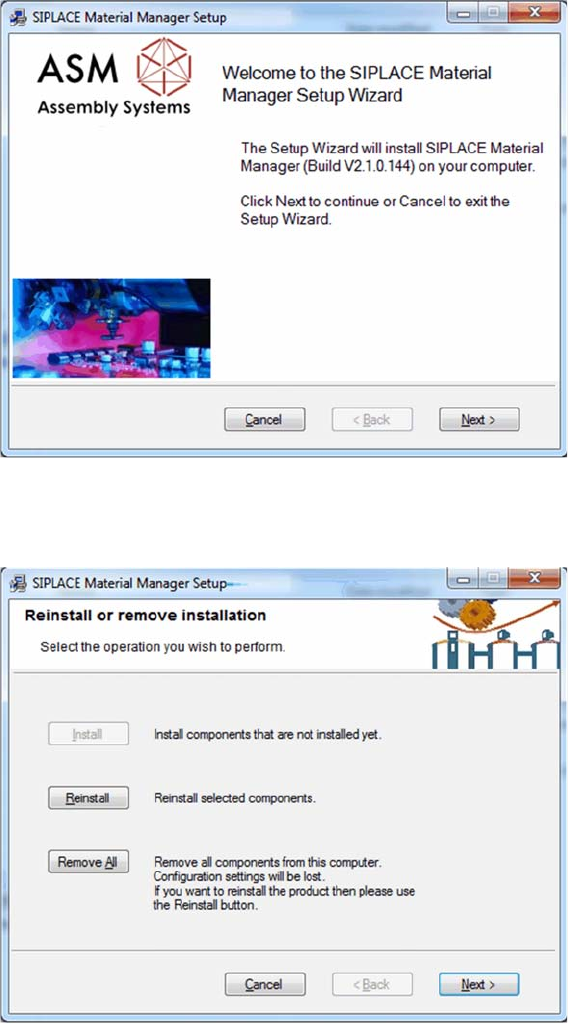
Start screen
The start screen of the installation program is displayed.
► Click on Next to continue the uninstalling procedure.
Selecting uninstalling procedure
► Click on Remove All.
Uninstalling the MaterialManager
52 Installation Manual SIPLACE Material ManagerV2.1
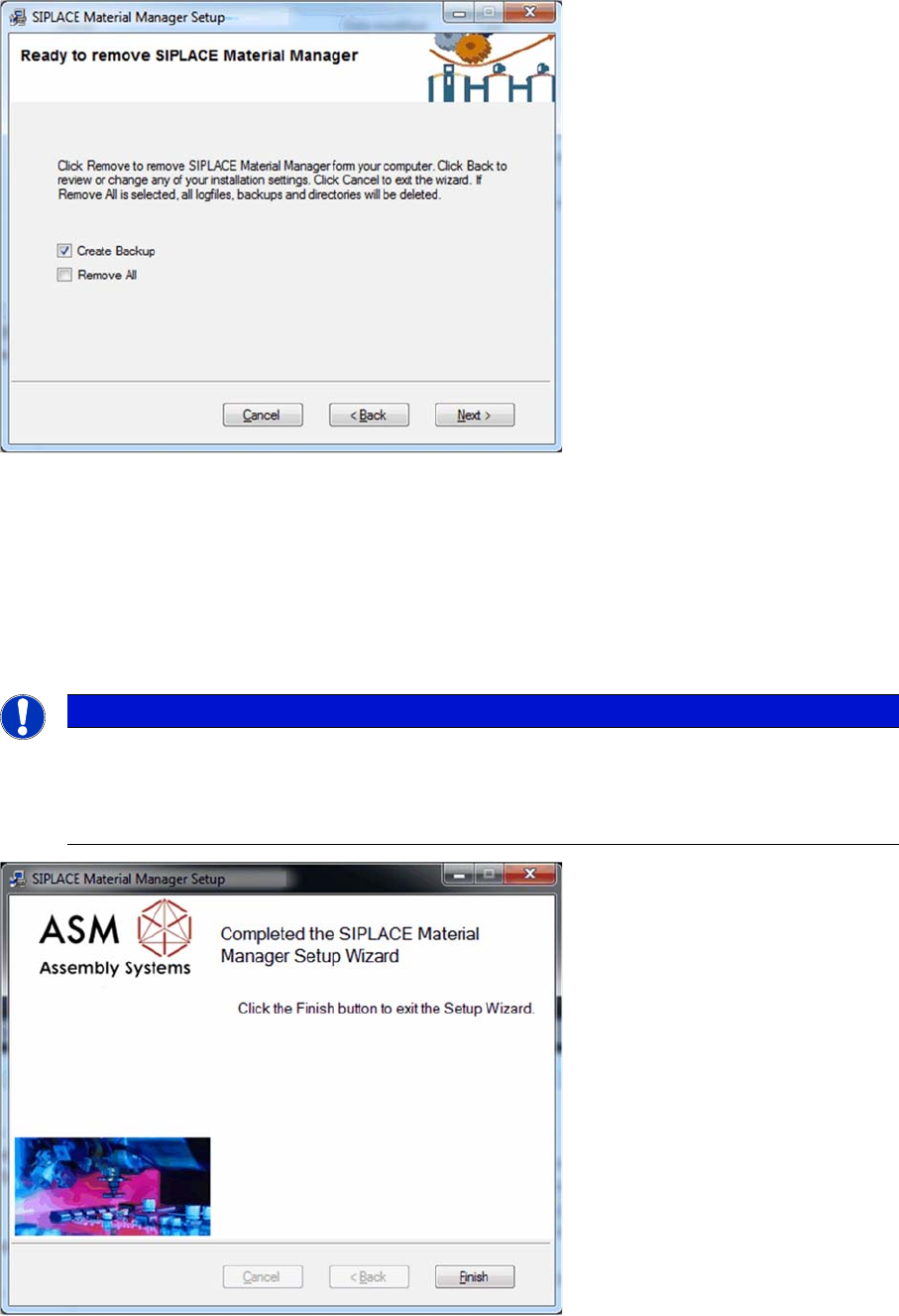
Settings for uninstalling procedure
By enabling the Create Backup option you can trigger a backup of project-specific files. These files can
be manually restored by a service engineer later.
By enabling the Remove All option, project-specific files will also be deleted during the uninstalling pro
-
cedure.
► Click on Next to start uninstalling.
All Material Manager components, log files and folders created for the Material Manager will be de
-
leted.
Uninstalling procedure completed
After the uninstalling procedure has been successfully completed, the dialog box to terminate the instal
-
lation program is displayed.
► Click on Finish to terminate the installation program.
NOTICE
Database remains
The SQL database of the Material Manager is excluded from the uninstalling procedure for the
application.
All inventory-relevant data and Traceability data remain completely.