00197500-04_IM_Material_Manager_2.1_EN.pdf - 第20页
Installing the MaterialManager 20 Installation Manual SIPLACE Material ManagerV2.1 Email Configuration – Material Reorder Settings for escalation e- mails concern ing the reor der of mat er ial. Send email when reorder …
Installing the MaterialManager
Installation Manual SIPLACE Material ManagerV2.1 19
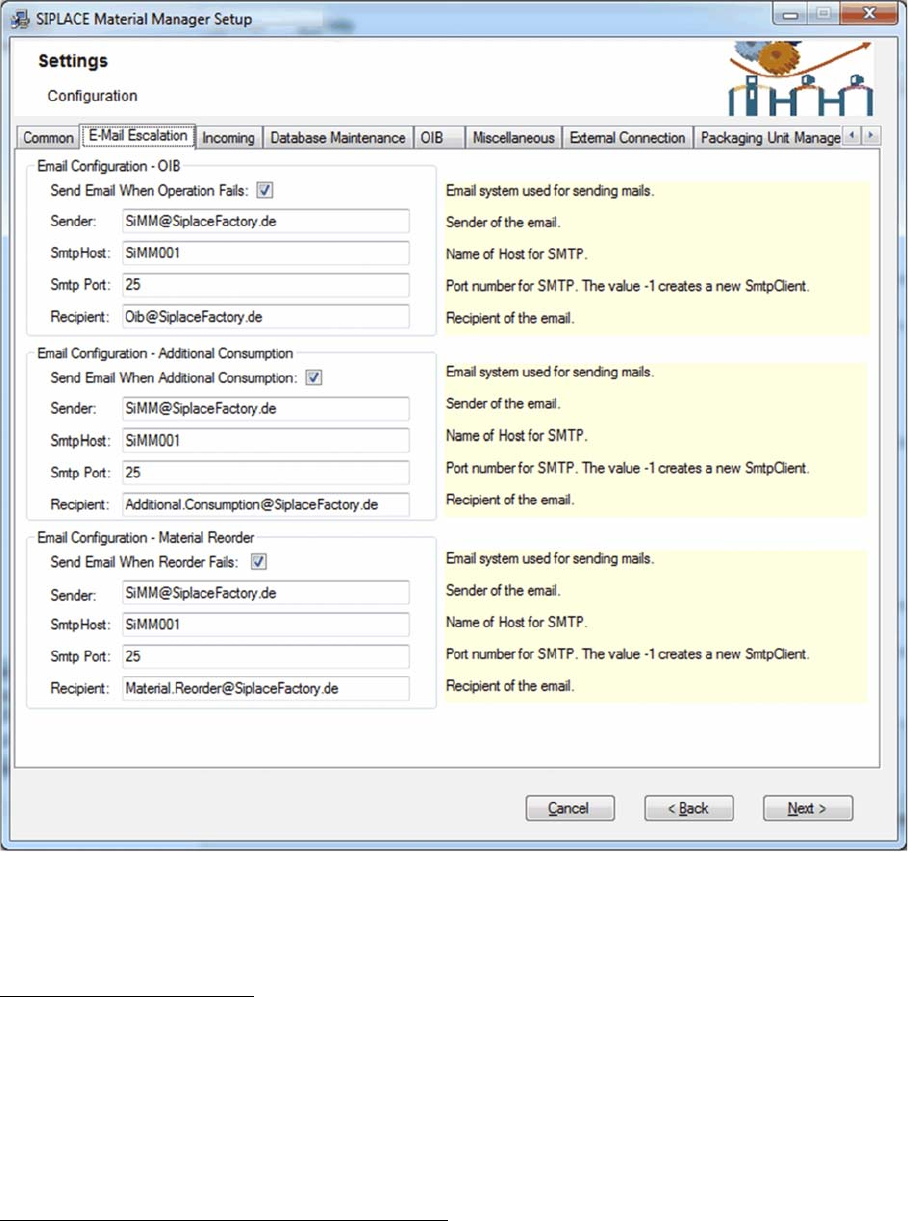
Configuring Material Manager – E-Mail Escalation tab
In this tab you set the e-mail addresses of the recipients to whom the automatically triggered escalation
e-mails will be sent.
Email Configuration – OIB
Settings for escalation e-mails concerning the OIB configuration
Send email when operation fails
If this option is enabled, an escalation e-mail will be sent if the communication with a SIPLACE system
over OIB failed. This may happen, e.g. if messages from the Material Manager to Setup Center cannot
be sent or messages from Setup Center cannot be processed.
The description of the other options can be found below.
Email Configuration – Additional Consumption
Settings for escalation e-mails concerning the additional consumption.
Send email when additional consumption
If this option is enabled, an escalation e-mail will be sent if the additional consumption of a material ex
-
ceeds a certain percentage. The default threshold value is 10%.
The description of the other options can be found below.

Installing the MaterialManager
20 Installation Manual SIPLACE Material ManagerV2.1
Email Configuration – Material Reorder
Settings for escalation e-mails concerning the reorder of material.
Send email when reorder fails
If this option is enabled, an escalation e-mail will be sent if the material reorder failed. This may happen,
e.g. if an automatically triggered material reorder could not be transmitted or if a supply system reports
that it cannot deliver the requested material.
The description of the other options can be found below.
Further Options
The following data can be set for all types of escalation e-mails:
Sender
E-mail address of the sender.
SmtpHost
Name of the SMTP host.
SmtpPort
Port number of the SMTP host.
Recipient
E-mail address of the recipient
Installing the MaterialManager
Installation Manual SIPLACE Material ManagerV2.1 21
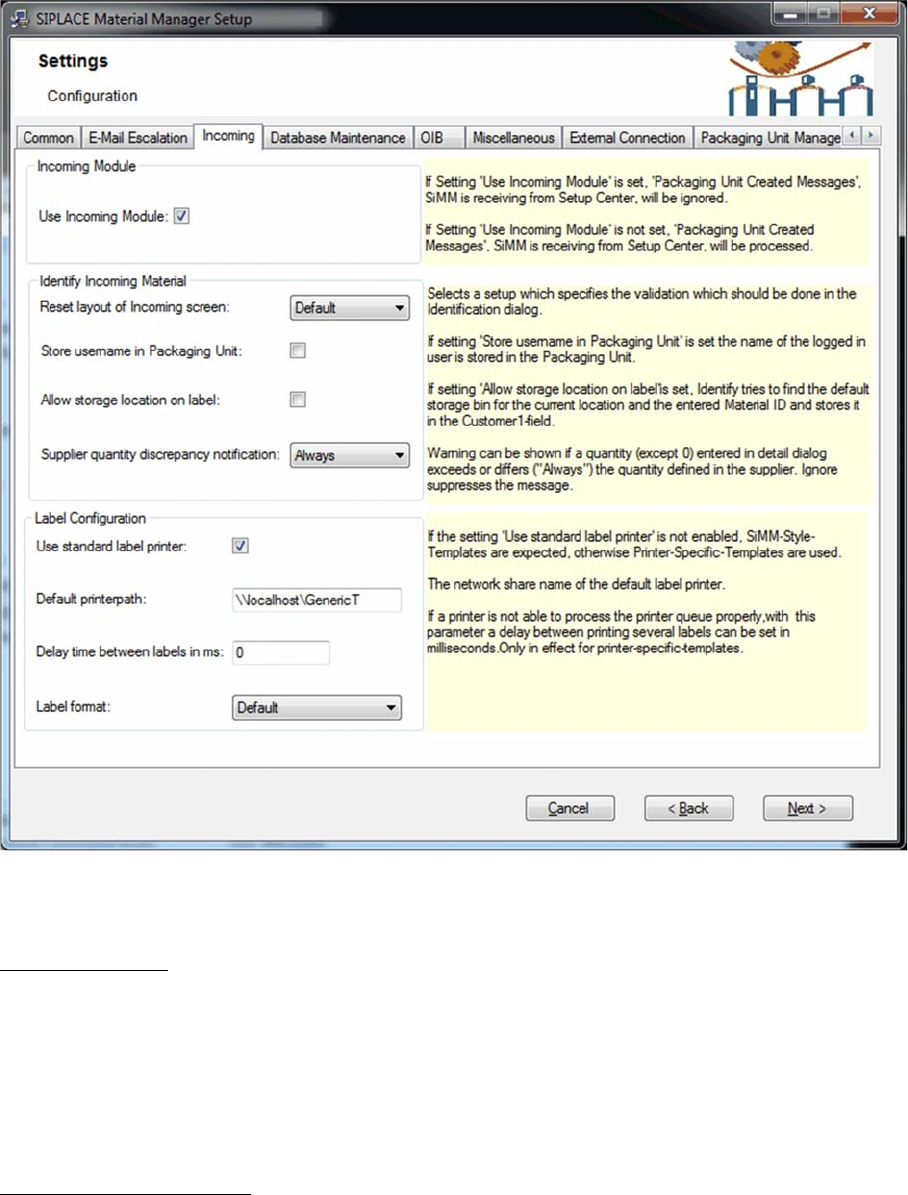
Configuring Material Manager – Incoming tab
In this tab you configure the incoming material process of the Material Manager.
Incoming Module
All packaging unit data that has been created in Setup Center can be transferred to the Material Manag
-
er; if master data is required, it will also be automatically created.
Use Incoming Module
If you enable this option, Setup Center messages for created packaging unit data will be ignored.
If you disable this option, Setup Center messages for created packaging unit data will be processed in
the Material Manager, i.e. packaging unit data and the required master data will be created.
Identify Incoming Material
Layout of Incoming screen
▪ Custom
As default incoming area but may be edited in an XML file.
The XML files that define the incoming area will be stored under:
*\Siplace\SIPLACE Material Manager\WebApplication\ASM\AS\SiMM\config\IdentifyIncomingMate
-
rial.xml
*\Siplace\SIPLACE Material Manager\WebApplication\ASM\AS\SiMM\config\IdentifyIncomingMate
-
rialDetails.xml