00197500-04_IM_Material_Manager_2.1_EN.pdf - 第21页
Installing the MaterialManager Installation Manual SIPLACE Material ManagerV2.1 21 Configuring Material Manager – Incoming tab In this tab you configure the in comi ng material p rocess of the Material Manager. Incoming…

Installing the MaterialManager
20 Installation Manual SIPLACE Material ManagerV2.1
Email Configuration – Material Reorder
Settings for escalation e-mails concerning the reorder of material.
Send email when reorder fails
If this option is enabled, an escalation e-mail will be sent if the material reorder failed. This may happen,
e.g. if an automatically triggered material reorder could not be transmitted or if a supply system reports
that it cannot deliver the requested material.
The description of the other options can be found below.
Further Options
The following data can be set for all types of escalation e-mails:
Sender
E-mail address of the sender.
SmtpHost
Name of the SMTP host.
SmtpPort
Port number of the SMTP host.
Recipient
E-mail address of the recipient
Installing the MaterialManager
Installation Manual SIPLACE Material ManagerV2.1 21
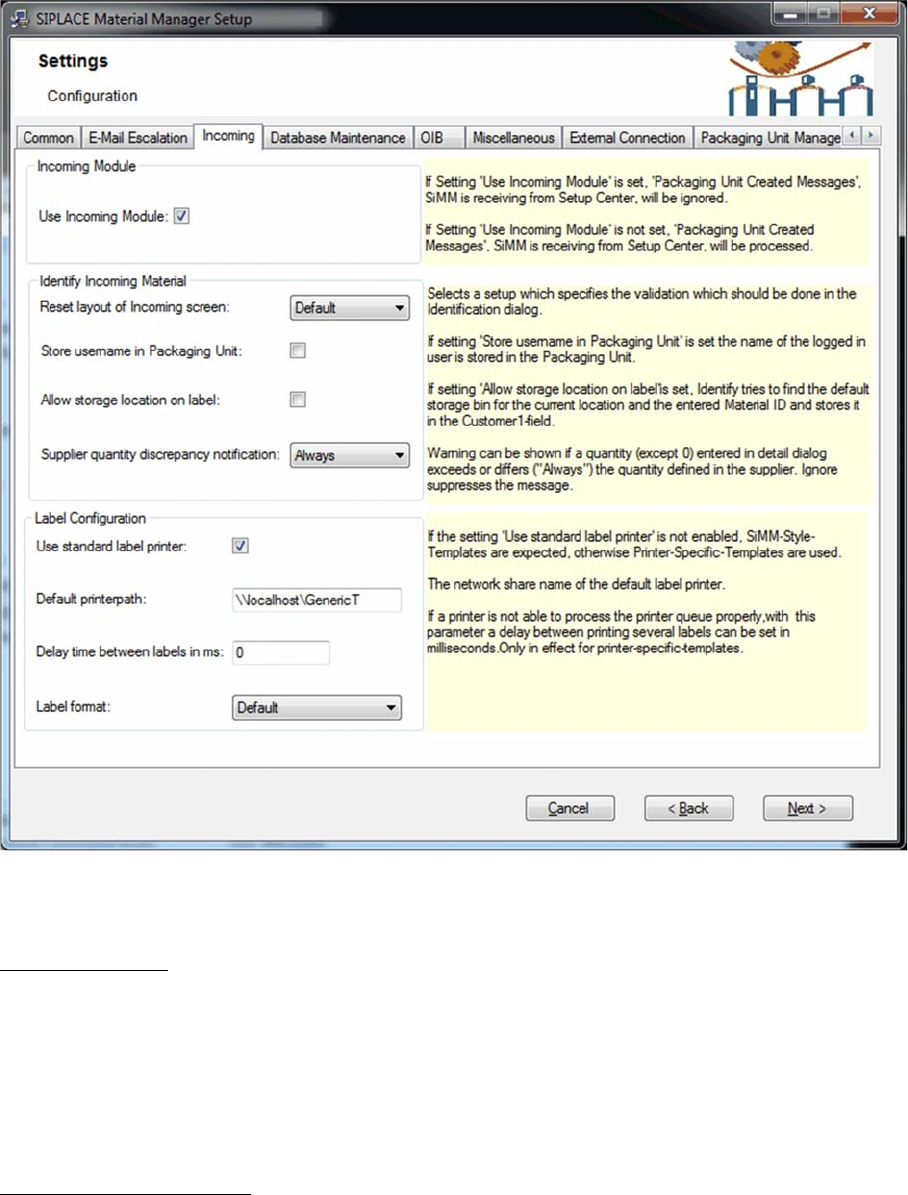
Configuring Material Manager – Incoming tab
In this tab you configure the incoming material process of the Material Manager.
Incoming Module
All packaging unit data that has been created in Setup Center can be transferred to the Material Manag
-
er; if master data is required, it will also be automatically created.
Use Incoming Module
If you enable this option, Setup Center messages for created packaging unit data will be ignored.
If you disable this option, Setup Center messages for created packaging unit data will be processed in
the Material Manager, i.e. packaging unit data and the required master data will be created.
Identify Incoming Material
Layout of Incoming screen
▪ Custom
As default incoming area but may be edited in an XML file.
The XML files that define the incoming area will be stored under:
*\Siplace\SIPLACE Material Manager\WebApplication\ASM\AS\SiMM\config\IdentifyIncomingMate
-
rial.xml
*\Siplace\SIPLACE Material Manager\WebApplication\ASM\AS\SiMM\config\IdentifyIncomingMate
-
rialDetails.xml
Installing the MaterialManager
22 Installation Manual SIPLACE Material ManagerV2.1
▪ Default + Supplier
Default incoming area extended by the supplier data.
▪ Default
Default incoming area as before.
▪ Existing
This option corresponds to the previous configuration.
Store username in Packaging Unit
If this option is enabled, the name of the user that enters a packaging unit into the Material Manager will
be stored together with the packaging unit data.
Allow storage location on label
If this option is enabled, the preferred storage location can be printed on the label.
Supplier quantity discrepancy notification
▪ Always
A message will always be displayed if the quantity of components does not match the planned quan
-
tity.
▪ Exceeding
A message will only be displayed if more components were received as planned.
▪ Ignore
No message.
Label Configuration
Use standard label printer
If this option is enabled, the labels will be sent in Zebra syntax to the printer. This setting should be se
-
lected if the GT-430GK default label printer is used.
Otherwise, the setting for other label printers will be used. In this case, a detailed agreement is required
between ASM Assembly Systems GmbH & Co. KG and the customer.
Default printerpath
Path and network name of the preset label printer.
Delay time between labels in ms
(for printer-specific templates only)
If the printer is not able to process the print jobs correctly one after another, you can set a delay time (in
milliseconds) between the respective print jobs.
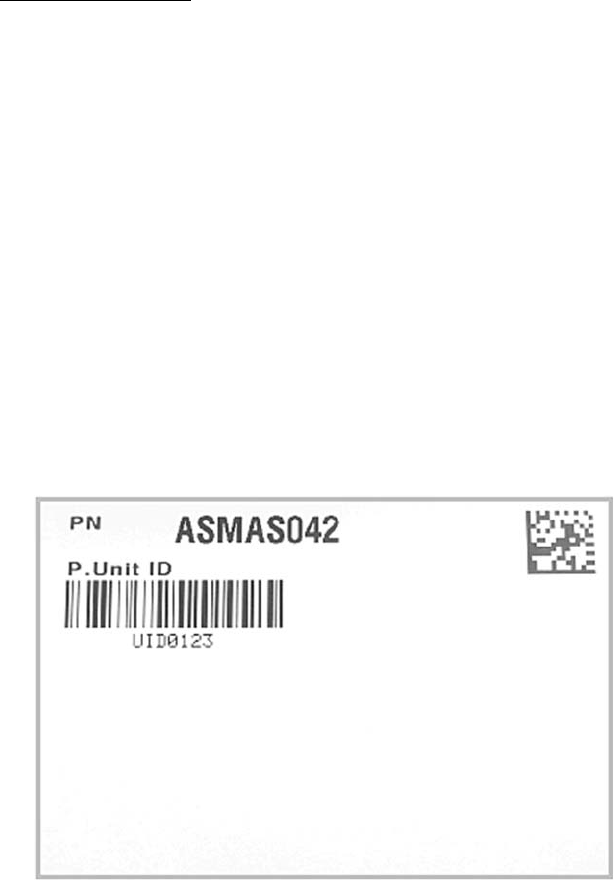
Label format
Here you set the size of the label that will be stuck on the packaging unit.
Available sizes:
▪ Default
Default size
Article number and packaging unit ID