00197500-04_IM_Material_Manager_2.1_EN.pdf - 第14页
Installing the MaterialManager 14 Installation Manual SIPLACE Material ManagerV2.1 Selecting SQL server ► Select the serve r t hat you want to use as ho st f or the Material Man ager databa se from the dro p-down list. …
Installing the MaterialManager
Installation Manual SIPLACE Material ManagerV2.1 13
WebApplication (mandatory)
The WebApplication is the central GUI of the Material Manager. The WebApplication is hosted on the
Microsoft Internet Information Server (IIS) and starts over a compatible Web browser (e.g. Internet Ex
-
plorer). The WebApplication runs as HTML application completely within the browser, so there is no
need to install it on a client computer.
WebServices (optional)
The WebServices form the public interface of the SIPLACE Material Manager. The WebServices obey
the official ISA-95 and B2MML standard. E.g., the material master file or packaging units can be main
-
tained or retrieved via these WebServices. The WebServices are hosted on the Microsoft Internet Infor
-
mation Server (IIS).
WebServicesClient (optional)
Data that has been created outside of the Material Manager (e.g. material or master data) can be im
-
ported into the Material Manager database with the WebServicesClient.
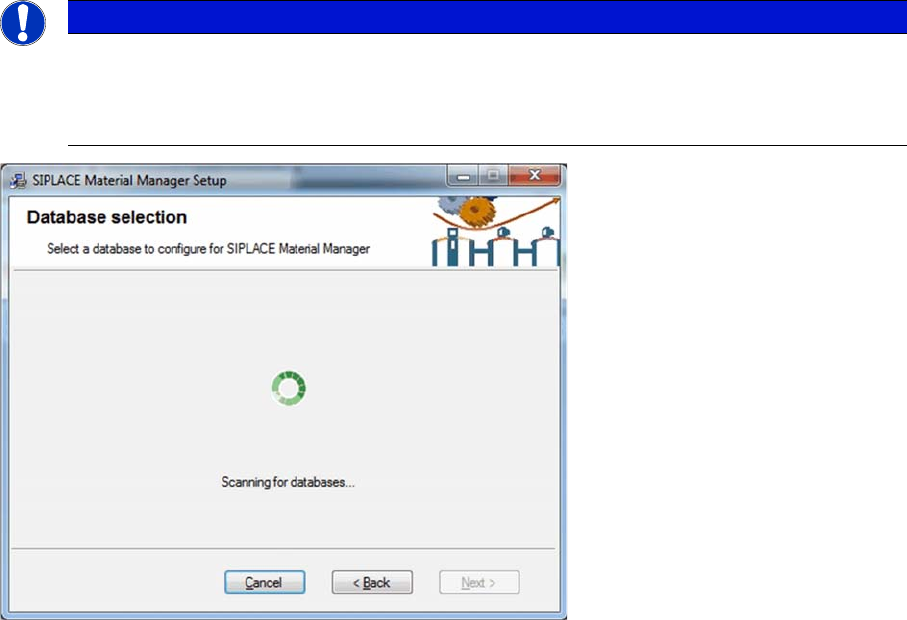
Searching for available SQL servers
The installation program searchs for already existing SQL servers in your network. Each detected SQL
server can be used as host for the Material Manager database later.
The search for SQL servers may take some minutes in a large network.
NOTICE
Optional components
The CustomerWebService, WebServices and WebServicesClient components are only re
-
quired if they have to be integrated in the system landscape of the customer. Registration over
the 3rd party portal is required.
Installing the MaterialManager
14 Installation Manual SIPLACE Material ManagerV2.1
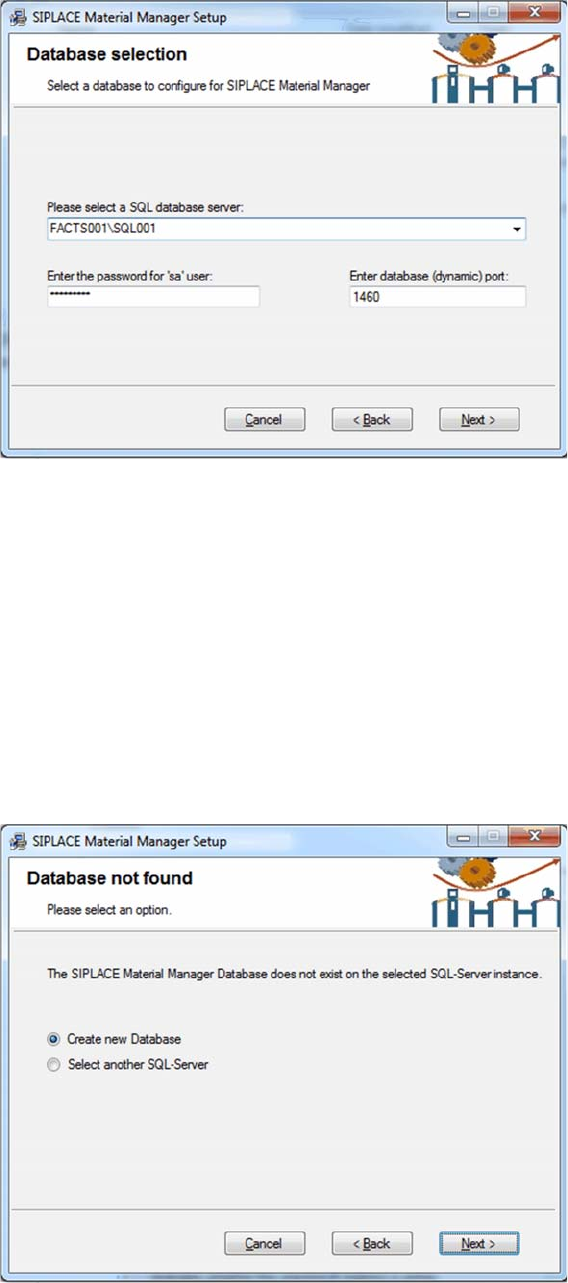
Selecting SQL server
► Select the server that you want to use as host for the Material Manager database from the drop-down
list.
► Enter the password for the SA user (administrator).
► Enter the port number for the database. Either you receive the port number from your system admin
-
istrator or you will find it in the Configuration Manager of the SQL server.
► Click on Next.
The installation program tries to establish a connection to the defined SQL server.
If a connection has been successfully established, the installation program checks if a Material Manager
database already exists on this SQL server. In this case, the database will be updated to the current state
(if necessary).
If no Material Manager database is available on the defined SQL server, a new one will be created.
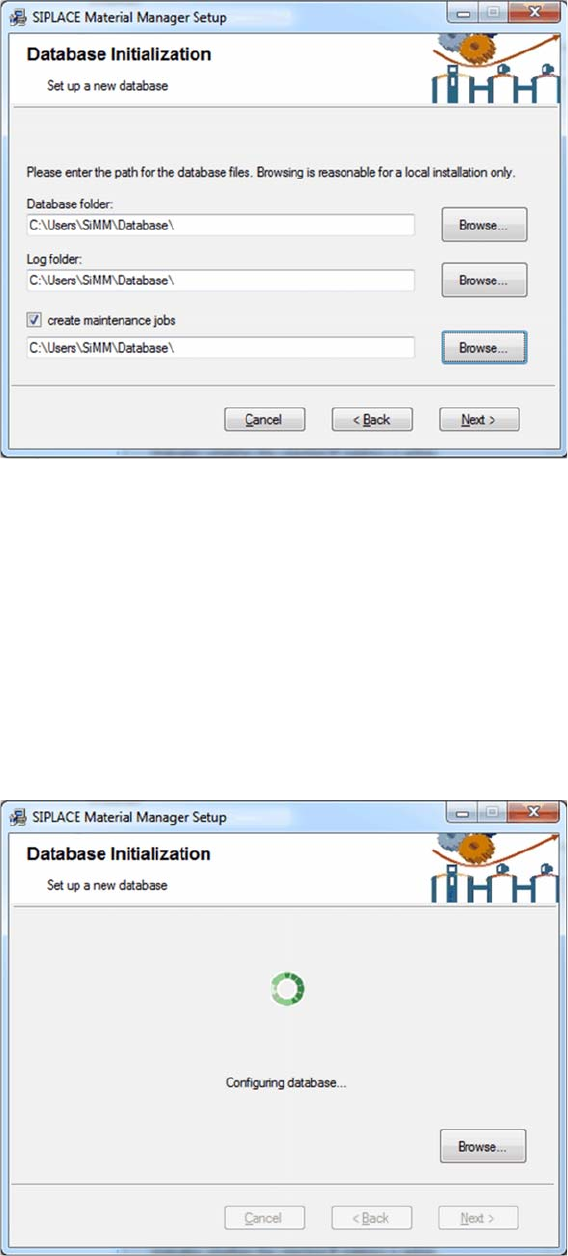
Creating a new database
► Select the Create new Database option.
► Click on Next.
Installing the MaterialManager
Installation Manual SIPLACE Material ManagerV2.1 15
Initializing database
► Enter the folder in which the Material Manager database shall be installed under Database folder.
► Specify the folder in which the log files shall be stored under Log folder.
Routines are available in the Material Manager to help you maintaining the Material Manager database.
▪ CleanUp Consumed Lots
deletes the data of a used packaging unit after the set time.
▪ CleanUp Lot Log
deletes the history of a used packaging unit after the set time.
► Enable the Create maintenance jobs option if you want to use these routines and, in the entry field
below, specify the folder in which the log files created by the routines shall be stored.
► Click on Next.
Configuring database
The Material Manager database will be installed according to your specifications.