AN353423548483en-000201.pdf - 第13页
1. 2. 3. 4. 5. 6. 1. 2. 3. 4.5.2.1 Adding a User 1 2 3 5 6 e77ha808.10 4 Procedure Connect to the web server and click Administration. Click Create new user . Enter the new username and password. Click Create an account …
•
•
•
-
-
MCD 600
e77ha812.10
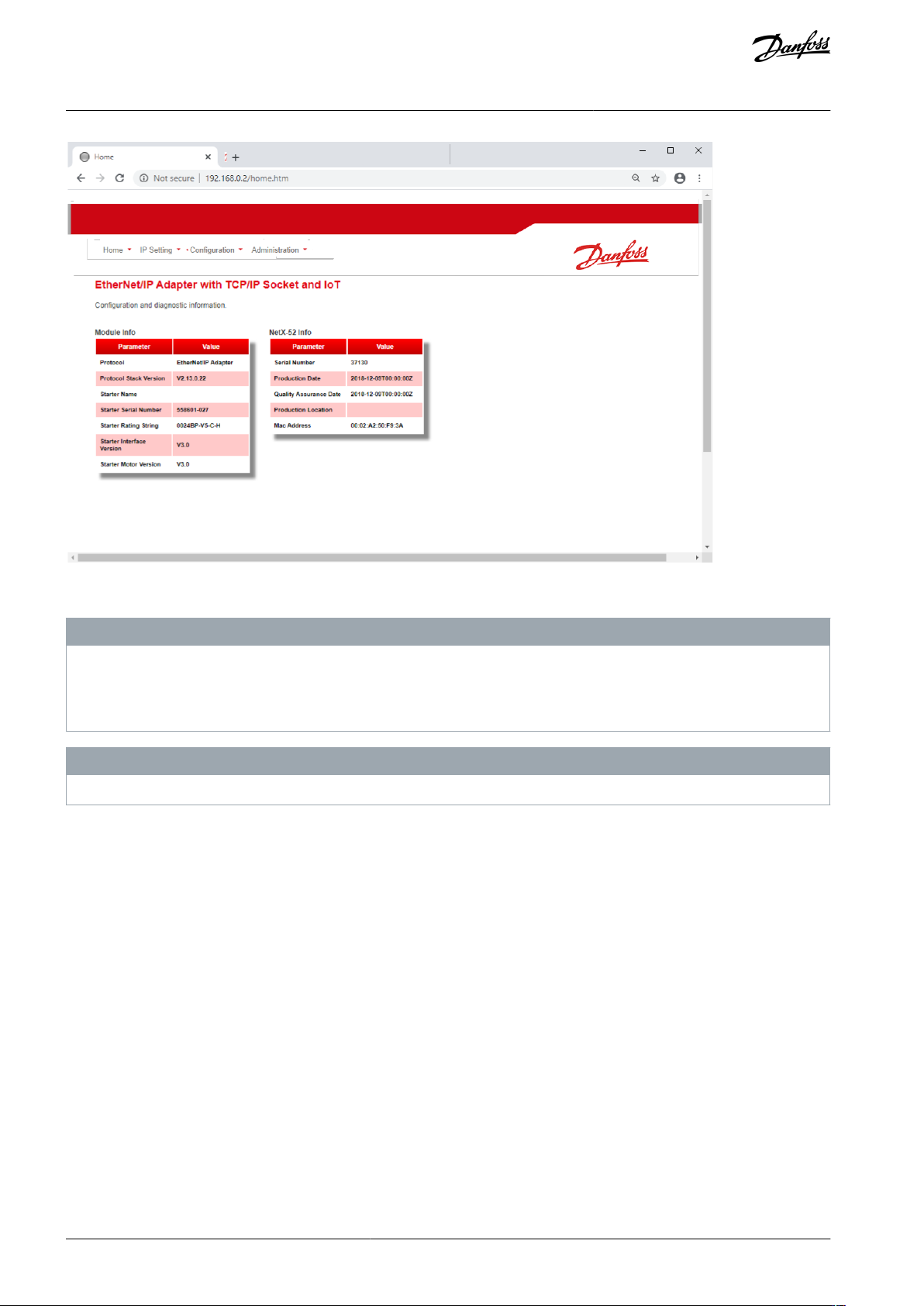
4.5.2 Manage Users and Passwords
N O T I C E
For security reasons, define a custom administrator ID and password. The default username and password are:
Username: danfoss_admin
Password: danfoss_admin
N O T I C E
Version 1.x of the EtherNet/IP Card does not support custom users.
The EtherNet/IP Card supports multiple users and levels of privilege.
Users can view the home screen and IP settings.
Supervisors can view the home screen and IP settings, and they can change configuration settings.
Administrators can view the home screen, change configuration settings, and add or delete users.
AN353423548483en-000201 / 130R094512 | Danfoss A/S © 2022.10
Device Configuration
EtherNet/IP Card
Installation Guide
1.
2.
3.
4.
5.
6.
1.
2.
3.
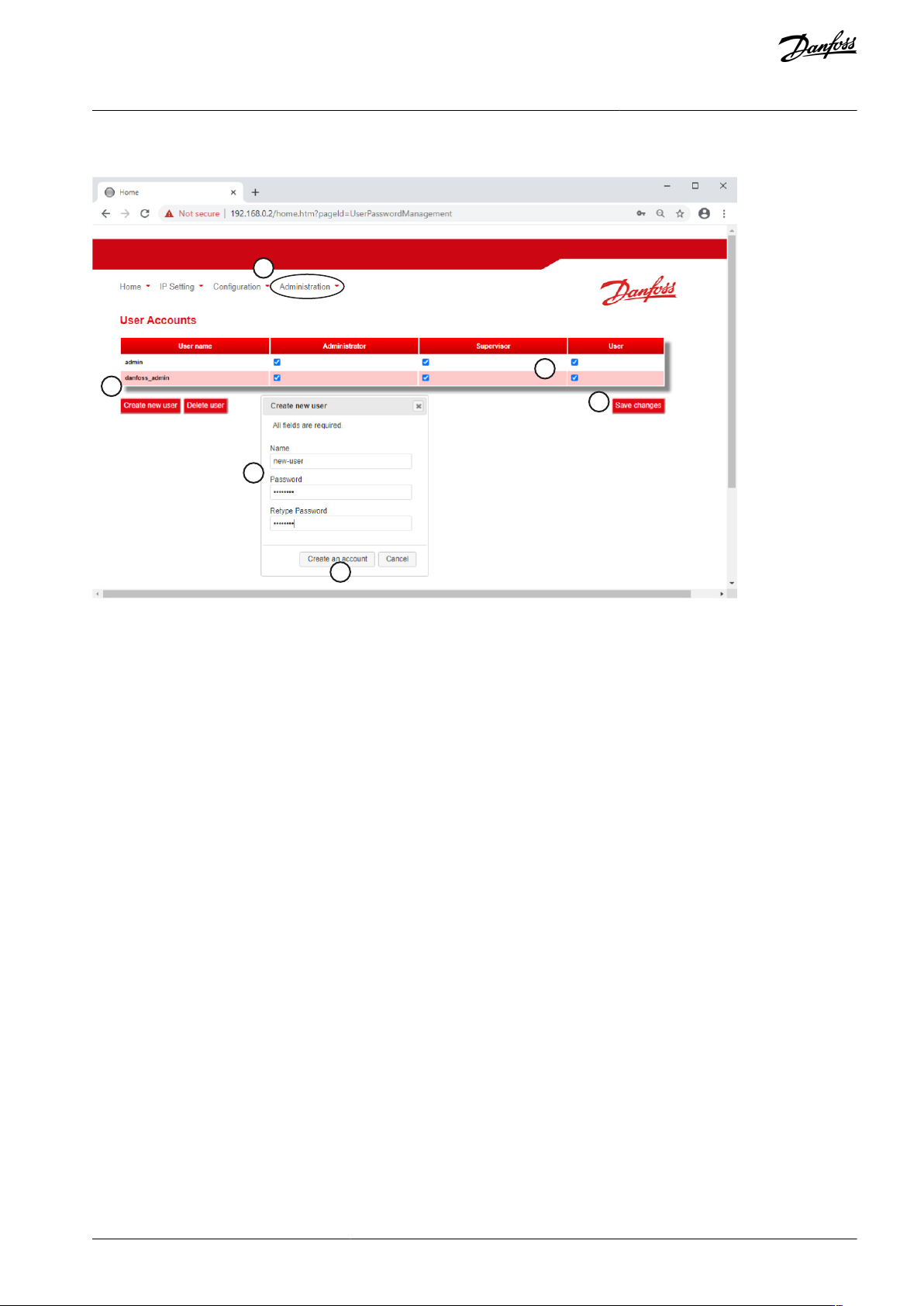
4.5.2.1 Adding a User
1
2
3
5
6
e77ha808.10
4
Procedure
Connect to the web server and click Administration.
Click Create new user.
Enter the new username and password.
Click Create an account.
Set privileges (user, supervisor, administrator) as appropriate.
Click Save changes.
4.5.2.2 Deleting a User
Procedure
Connect to the web server and click Administration.
Select the required entry in the user list and click Delete.
Click Delete again to confirm the action.
AN353423548483en-000201 / 130R0945 | 13Danfoss A/S © 2022.10
Device Configuration
EtherNet/IP Card
Installation Guide
1.
2.
3.
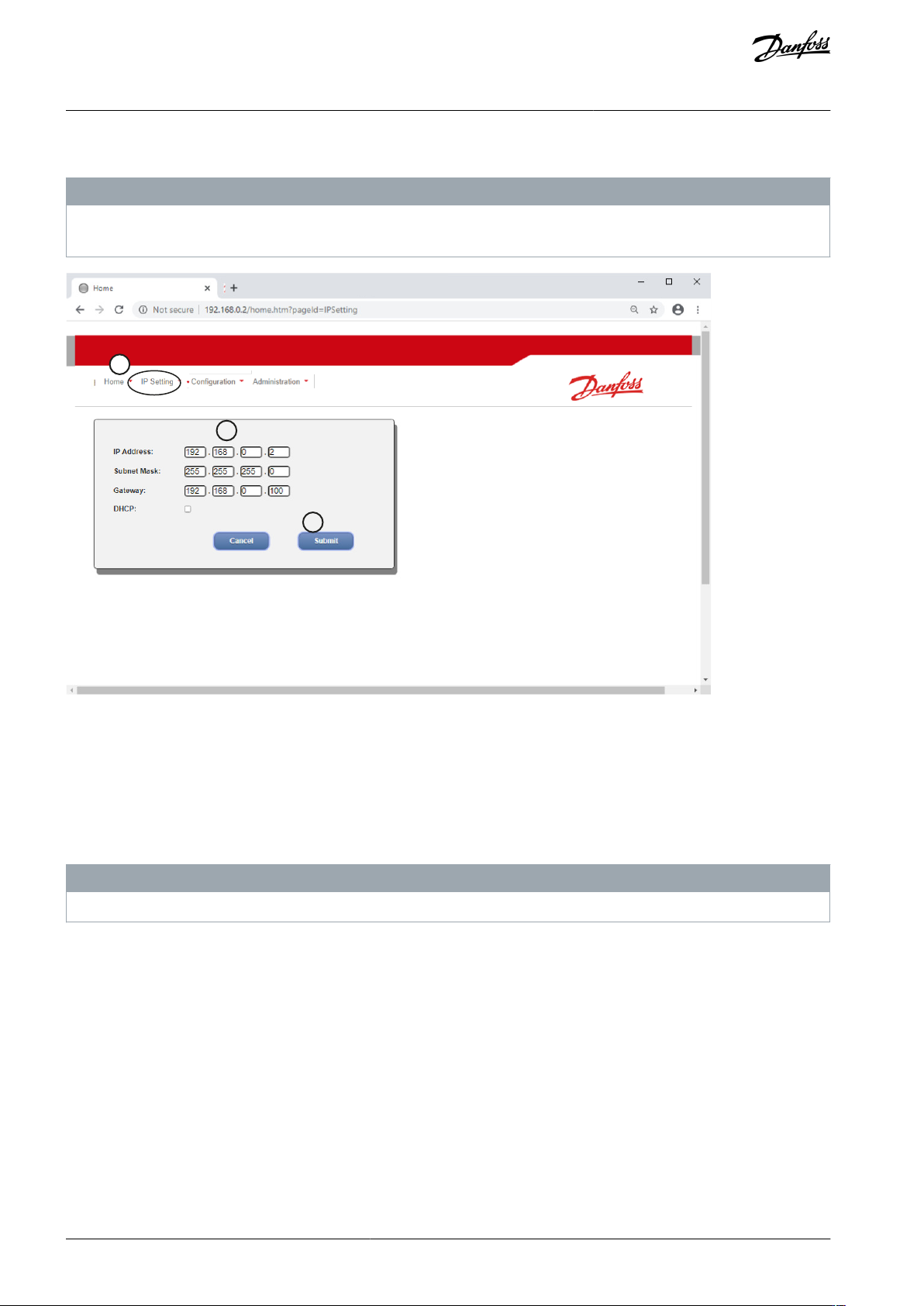
4.5.3 Configuring the IP Address
N O T I C E
For version 1.x of the EtherNet/IP Card, changes made via the web server are not stored in the soft starter and will be lost when
control power is cycled.
1
2
3
e77ha806.10
Procedure
Connect to the web server and click IP Setting.
Edit settings as required. To enable DHCP addressing, tick the DHCP checkbox.
Click Submit to send the new settings to the device.
4.5.4 Configure IoT Settings
The EtherNet/IP Card supports soft starter status monitoring via IoT. The card cannot control or program the soft starter.
N O T I C E
Version 1.x of the EtherNet/IP Card does not support IoT operation.
AN353423548483en-000201 / 130R094514 | Danfoss A/S © 2022.10
Device Configuration
EtherNet/IP Card
Installation Guide