AN353423548483en-000201.pdf - 第17页
1. 2. 3. 4.6.1 Identifying the Device with Ethernet Device Configuration Tool Procedure Start the Ethernet Device Configuration Tool. Click Search Devices . e77ha641.10 The software searches for connected devices. Use …
1.
2.
3.
4.
5.
6.
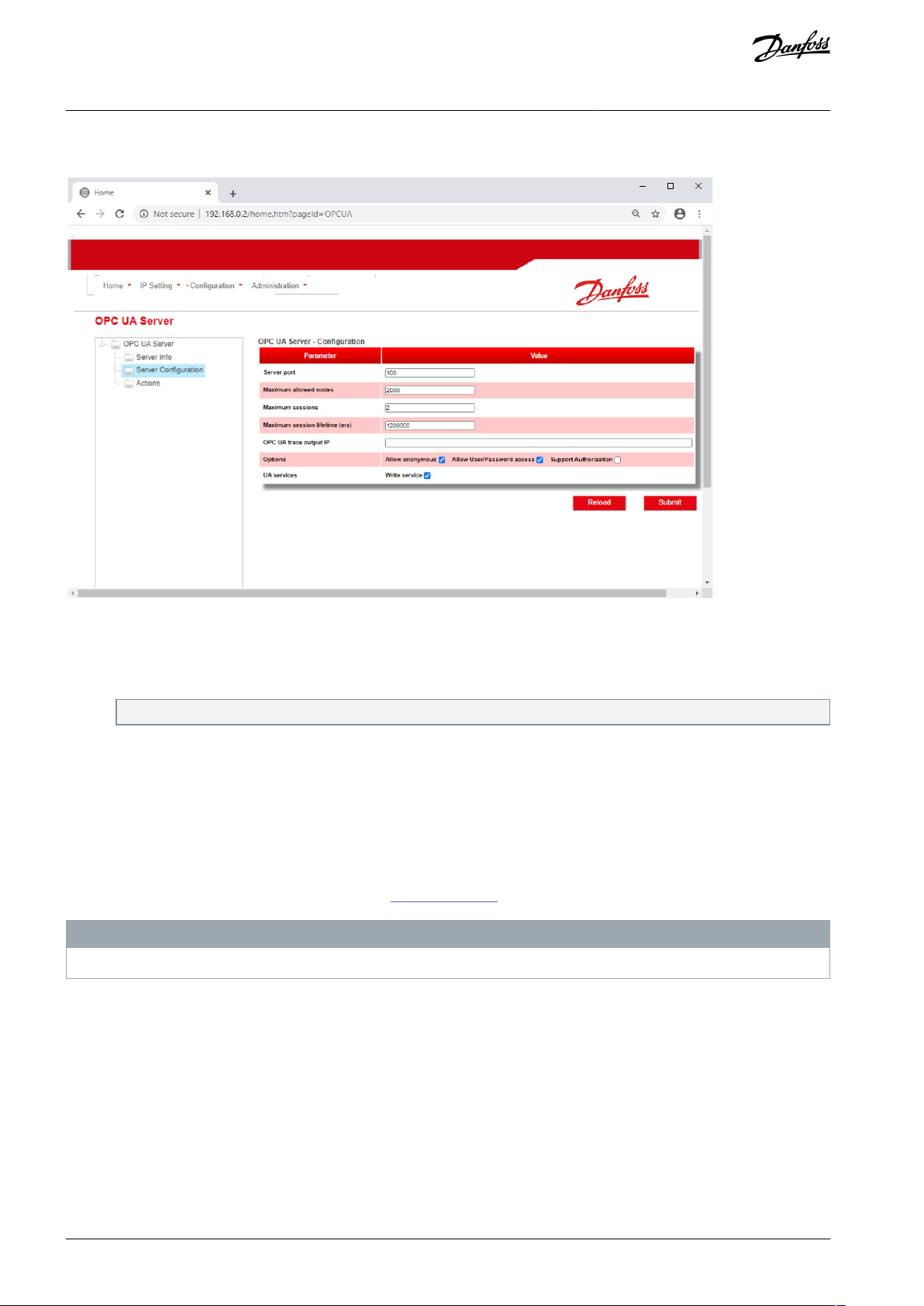
4.5.4.2 Configuring OPC UA Settings
e77ha813.10
Procedure
Connect to the web server and click Configuration.
Select OPC UA Server.
Tick the Enable checkbox to enable OPC UA client operation.
The OPC UA client is enabled by default.
Click Server Configuration and configure the settings as required.
Select Actions to select the actions for different object instances.
Click Submit to save all settings in the card.
4.6 Scanning the Network
If there is no connection to the web server and the soft starter cannot be accessed physically, use the Ethernet Device Configuration
Tool to scan the network and identify the device. Changes made via the Ethernet Device Configuration Tool cannot be stored per-
manently in the device and will be lost when the control power is cycled.
Download the Ethernet Device Configuration Tool from
www.danfoss.com under the sections Service and Support/Downloads.
N O T I C E
If the PC has a firewall enabled, add the tool to the list of authorized programs.
AN353423548483en-000201 / 130R094516 | Danfoss A/S © 2022.10
Device Configuration
EtherNet/IP Card
Installation Guide
1.
2.
3.
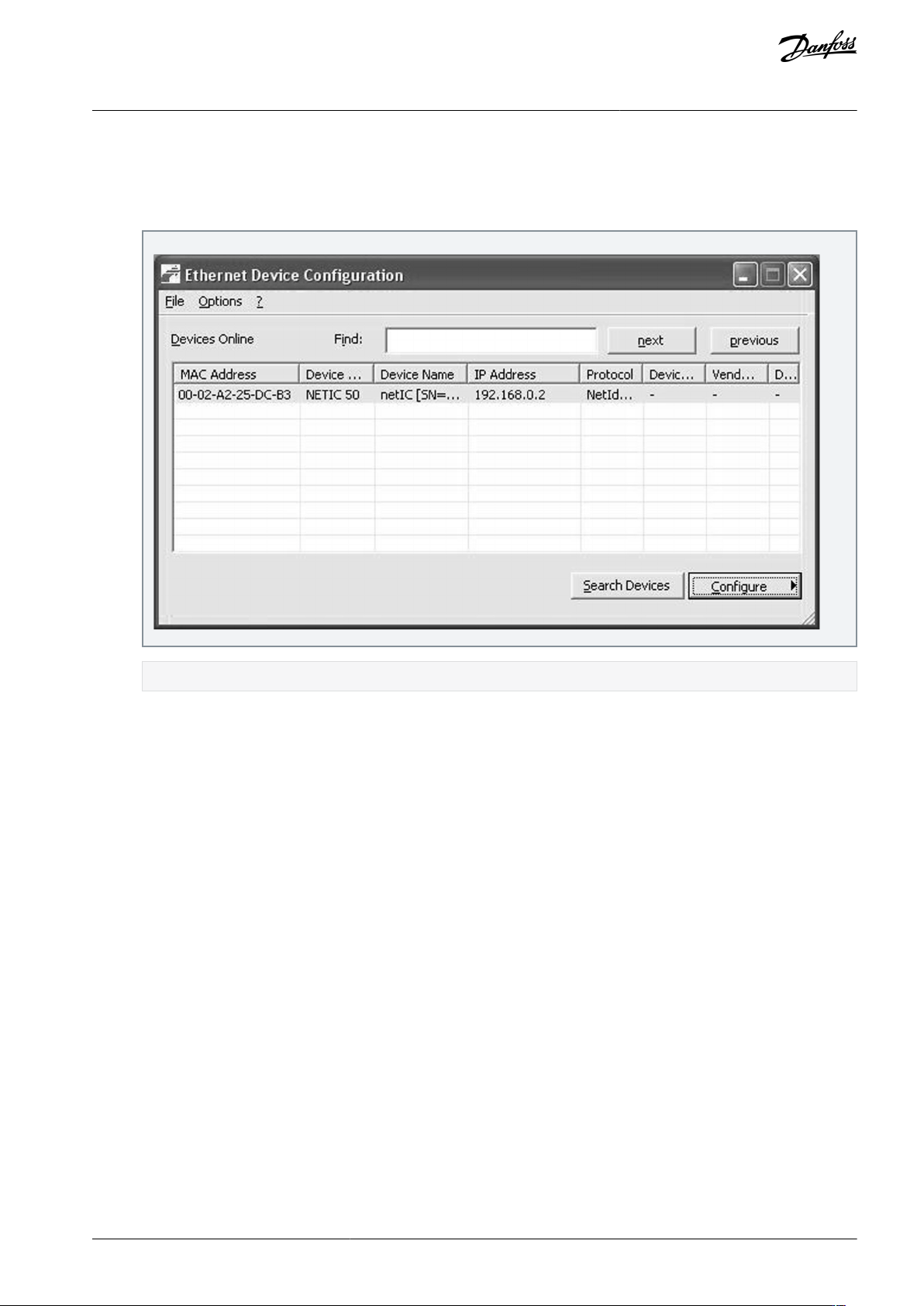
4.6.1 Identifying the Device with Ethernet Device Configuration Tool
Procedure
Start the Ethernet Device Configuration Tool.
Click Search Devices.
e77ha641.10
The software searches for connected devices.
Use the IP address to connect to the device via the web server.
AN353423548483en-000201 / 130R0945 | 17Danfoss A/S © 2022.10
Device Configuration
EtherNet/IP Card
Installation Guide
5 Scanner Configuration
5.1 EDS File
An EDS file containing all required attributes of the device is available from the supplier.
Once the EDS file has been located, the individual device must be defined.
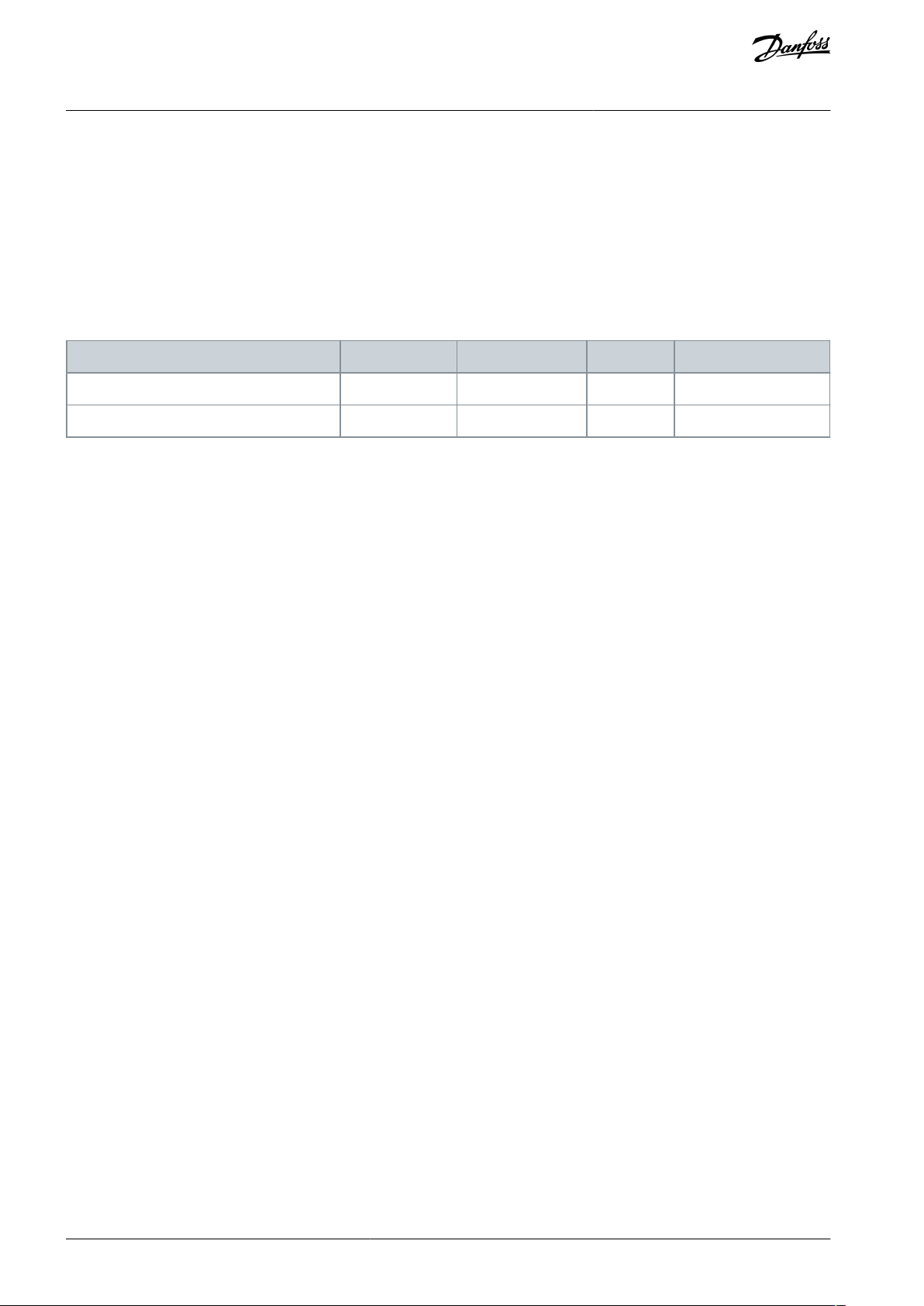
The device supports 2 assembly objects.
5.2 Assembly Objects
Table 2: Supported Assembly Objects
Description
Class
Instance
Type
Maximum size
Output (Originator⇒Target)
04d (0x04)
104d (0x68)
Integer
2 (4 bytes)
Input (Target⇒Originator)
04d (0x04)
154d (0x9A)
Integer
6 (12 bytes)
AN353423548483en-000201 / 130R094518 | Danfoss A/S © 2022.10
Scanner Configuration
EtherNet/IP Card
Installation Guide