OM-1352-003_w.pdf - 第41页
4-2 Tg1357-ID-SO 0703-003
4-1
Tg1357-ID-SO
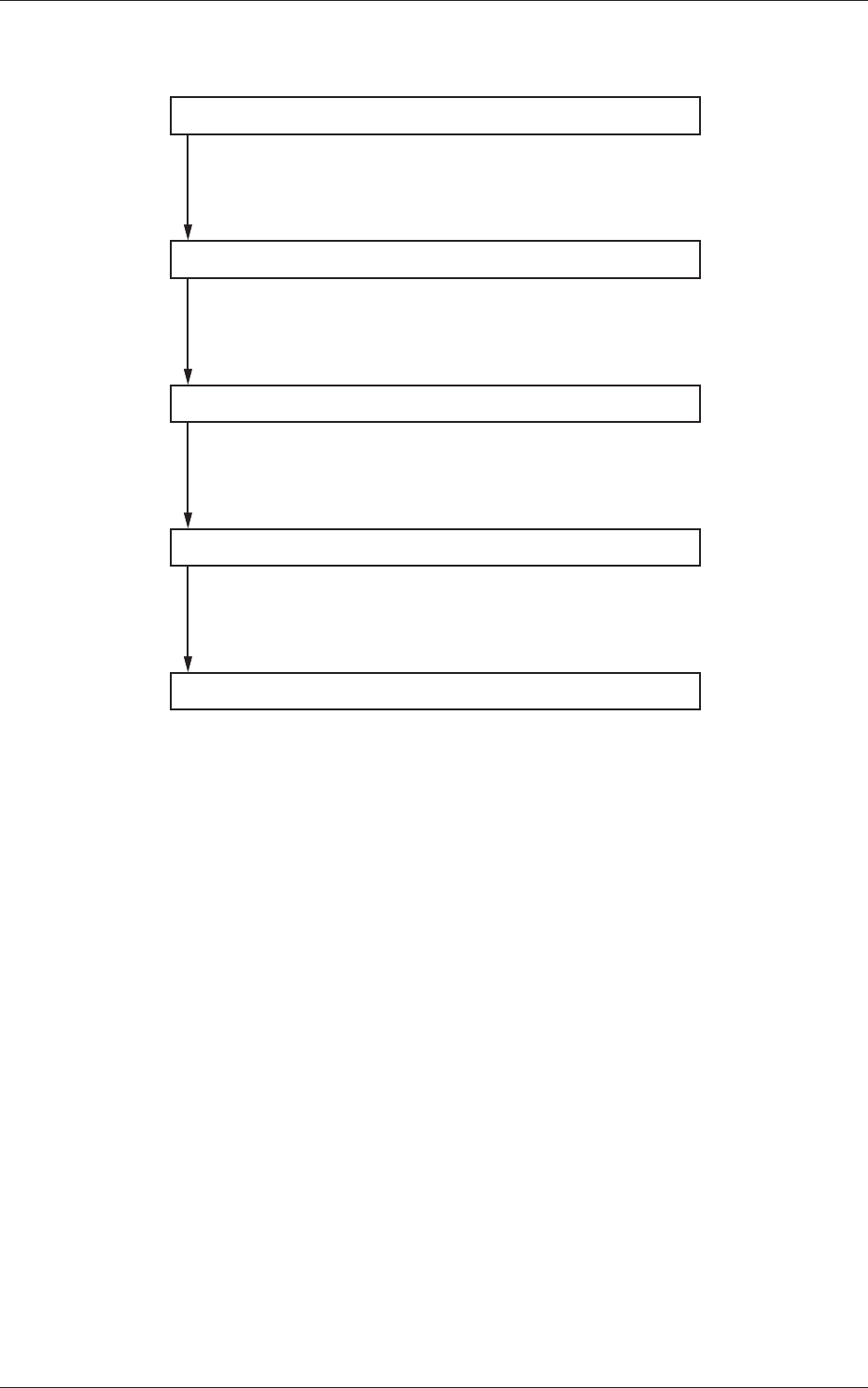
4. Flux Dispensing Unit Setup Procedure
Component Library Setting
Pattern Program Setting
Flux Applied Component Recognition Text
Automatic Operation
Operation Mode Setting
Set the component library.
Refer to "6.2 Component Library" for details.
Set the pattern program.
Refer to "6.1 Pattern Program" for details.
Confirm with the flux applied component recognition text.
Refer to "5.2 Flux Applied Component Recognition Test"
for details.
Set the operation mode.
Refer to "5.1 "Operation Mode" Menu" for details.
0703-003
4. Flux Dispensing Unit Setup Procedure

4-2
Tg1357-ID-SO
0703-003
5-1
Tg1357-ID-SO
0703-003
5. Operation
5. Operation
5.1 "Operation" Menu
5.1.1 Selection of Operation Mode
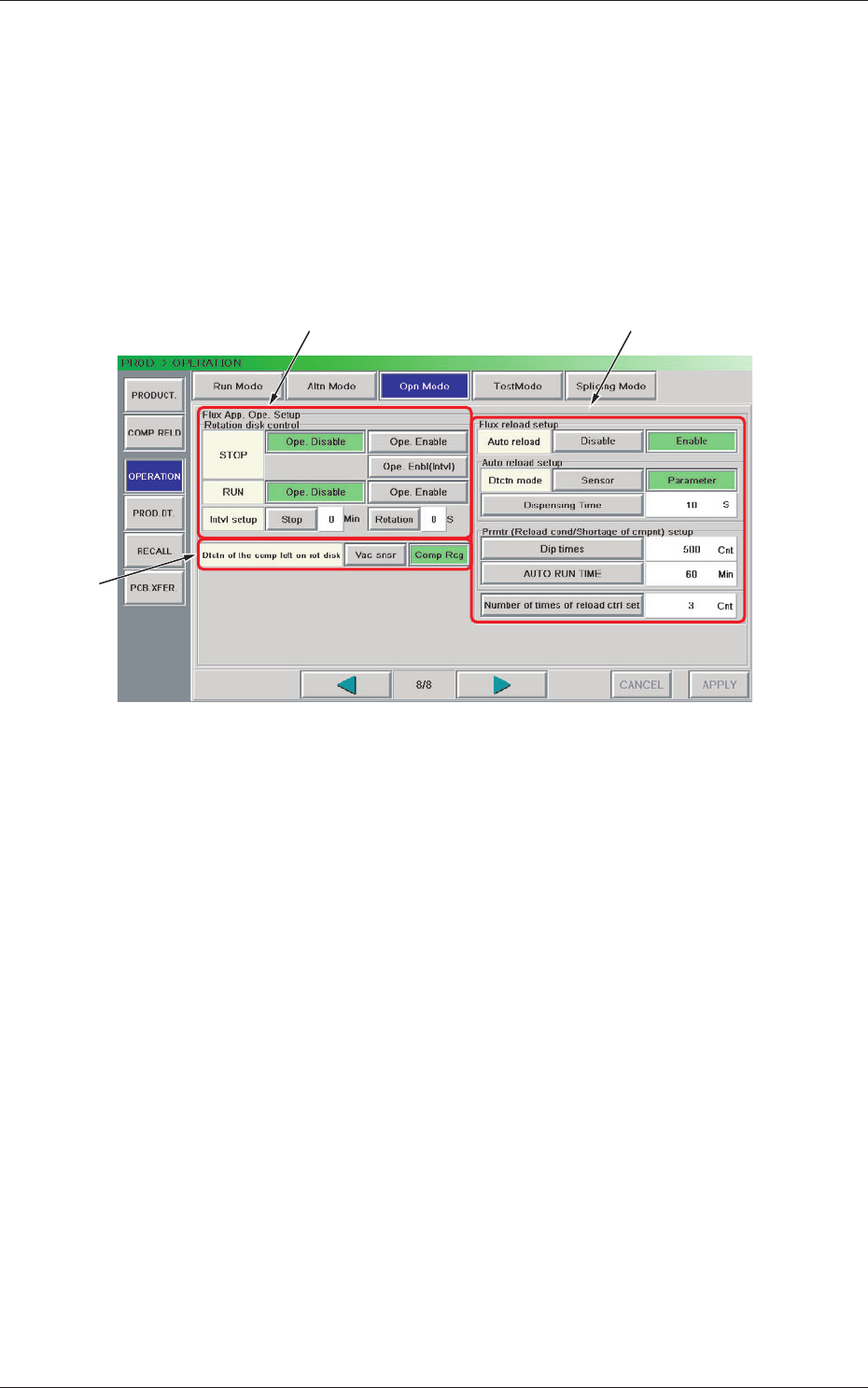
The operation mode can be set up for the flux dispensing unit.
The "Flux App. Ope. Setup" group box is displayed in the "Opn. Mode"
window (eighth page).
[1]
[2]
[3]
Fig. 14 "Opn. Mode" Window (Eighth Page)
[1] "Flux App. Ope. Setup" Group Box
Rotation disk coutrol
It can be determined if loss of flux due to excessive rotations of the
drum should be reduced or not.
STOP
Select one of the following options to determine if the drum rotation
should be controlled or not when the unit is in the "STOP" mode.
Ope. Disable :
The drum rotation is not controlled.
Ope. Enable : The drum rotation is controlled.
Ope. Enbl (Intvl) :
The control action set in the "Intvl Setup" is performed.
RUN
Select one of the following options to determine if the drum rotation
should be controlled when the unit is running.
Ope. Disable :
The drum rotation is not controlled.
Ope. Enable : The drum rotation is controlled.