OM-1352-003_w.pdf - 第56页
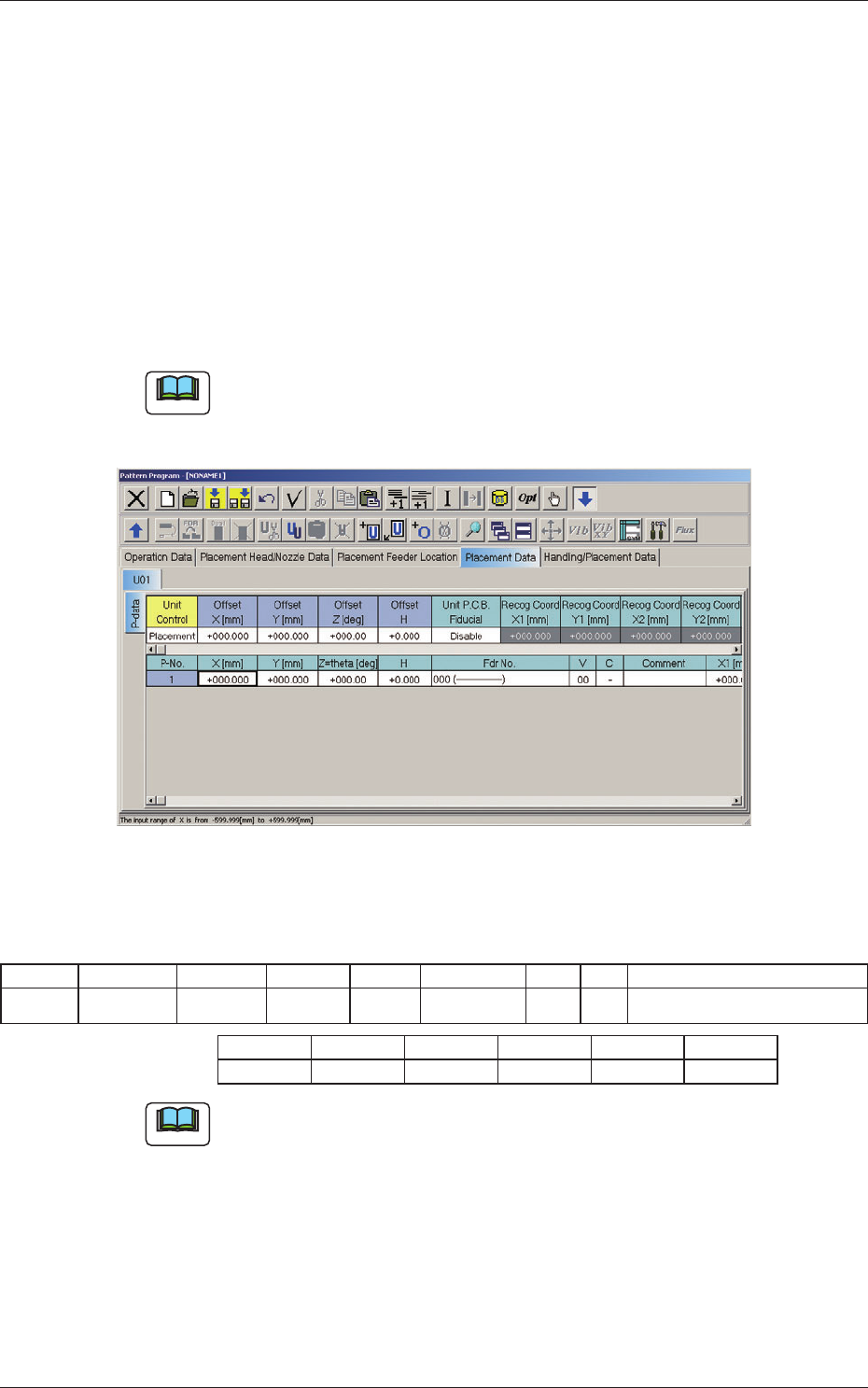
6-7 Tg1357-ID-SO • For PEC recognition mark data, set the Mark T ype to "Round". Fig.23 "For PEC recognition mark data" T ab Sheet T able 3 Mark No Mark T ype D1 [mm] D2 [mm] D3 [mm] Angel [deg] Windo…
6-6
Tg1357-ID-SO
6.1.2 Setup for the Component Library "Control Data" for Top
Components
The mark coordinates are set to recognize the land for the bottom
components.
•
Set the pattern program as follows:
Set "Individual Recognition" to "Enable" and "V Data" to "11".
(X1 to X2 and FM2 are invalid data items).
11: Individual Recognition (2-point recognition) is performed.
Note
The "V Data" for using this machine should be set to "11".
Fig.22 "Placement Data" Tab Sheet
Table
2
P-No X [mm] Y[mm] Z[°] H Fdr No. V C Comment
2 +020.000 +025.000 +045.00 +1.200 703(TOP) 11 - Placement of top component
X1 [mm] Y1 [mm] X2 [mm] Y2 [mm] FM1 FM2
+000.000 +000.000 +000.000 +000.000 02 02
Note
The focus range for the PEC recognition camera is limited, so when the V
Data is set to "11" and "H < -1.5 mm", or in the case of "+ 1.5 mm < H" (H
is not within the range of +/- 1.5 mm), an error message is received.
0703-003
6.1 Pattern Program
6-7
Tg1357-ID-SO
•
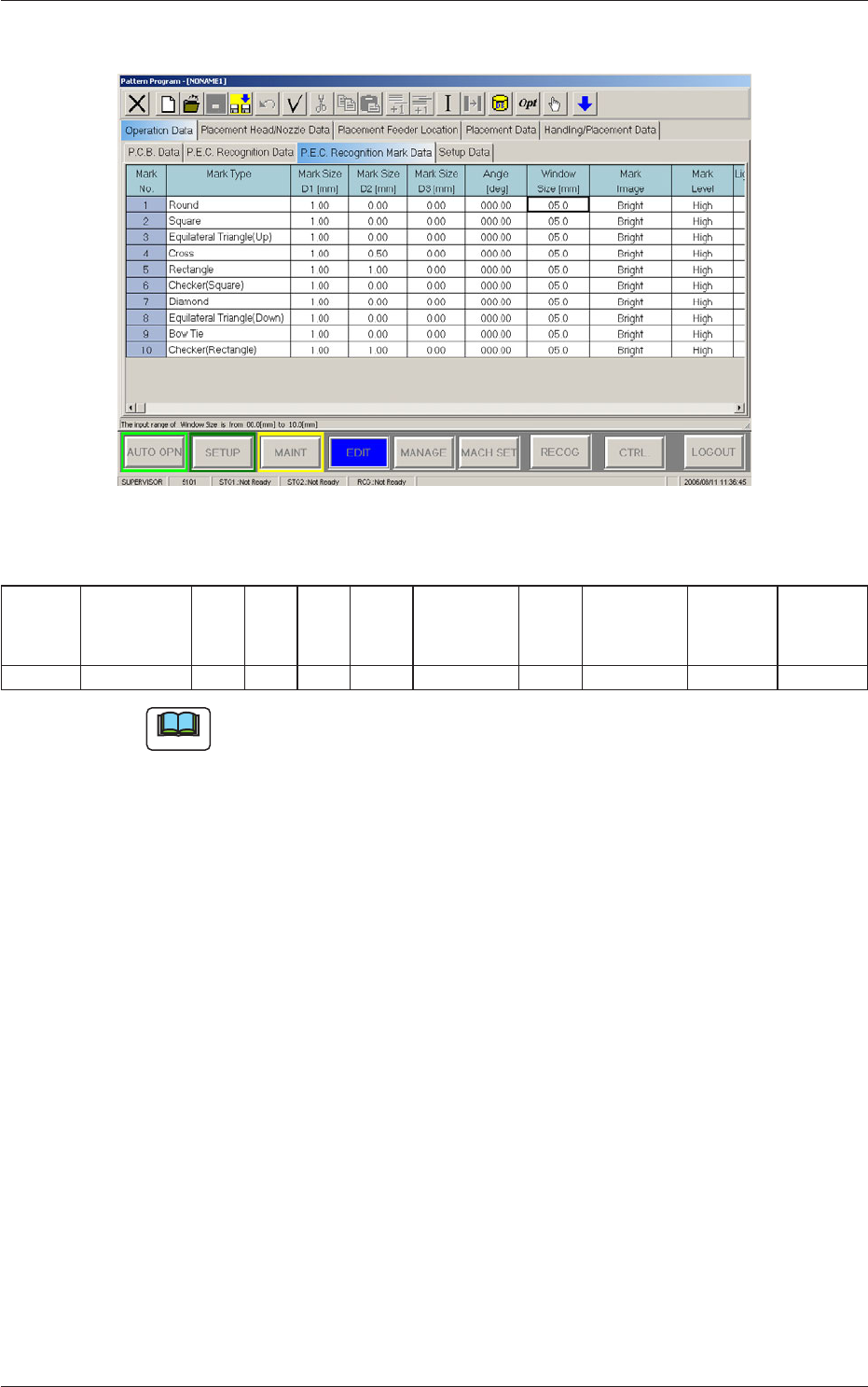
For PEC recognition mark data, set the Mark Type to
"Round".
Fig.23 "For PEC recognition mark data" Tab Sheet
Table
3
Mark No Mark Type D1
[mm]
D2
[mm]
D3
[mm]
Angel
[deg]
Window
Size [mm]
Mark
Image
Mark Level Lighting
Level
Coax
Lighting
Level
Ring
2 Round 0.20 0.00 0.00 000.00 05.0 Bright High Standard Standard
Note
(a) When "Round" is selected, the value for D1 is to be 0.13 mm or more.
(b) When "Round" is selected for normal PEC recognition (global,
divided, or individual), or when other than "Round" is selected while
"Individual Recognition" is set to "Enable" and "V Data" is set to
"11", an error message is received.
(c) When "Round" is selected, the "Window Size" data is invalid because
the inspection range is set automatically in the machine so that the
other lands on the bottom components are not recognized by mistakes.
0703-003
6.1 Pattern Program
6-8
Tg1357-ID-SO
6.2 Component Library
The component library data must be edited for the components that can be
handled by the flux dispensing unit.
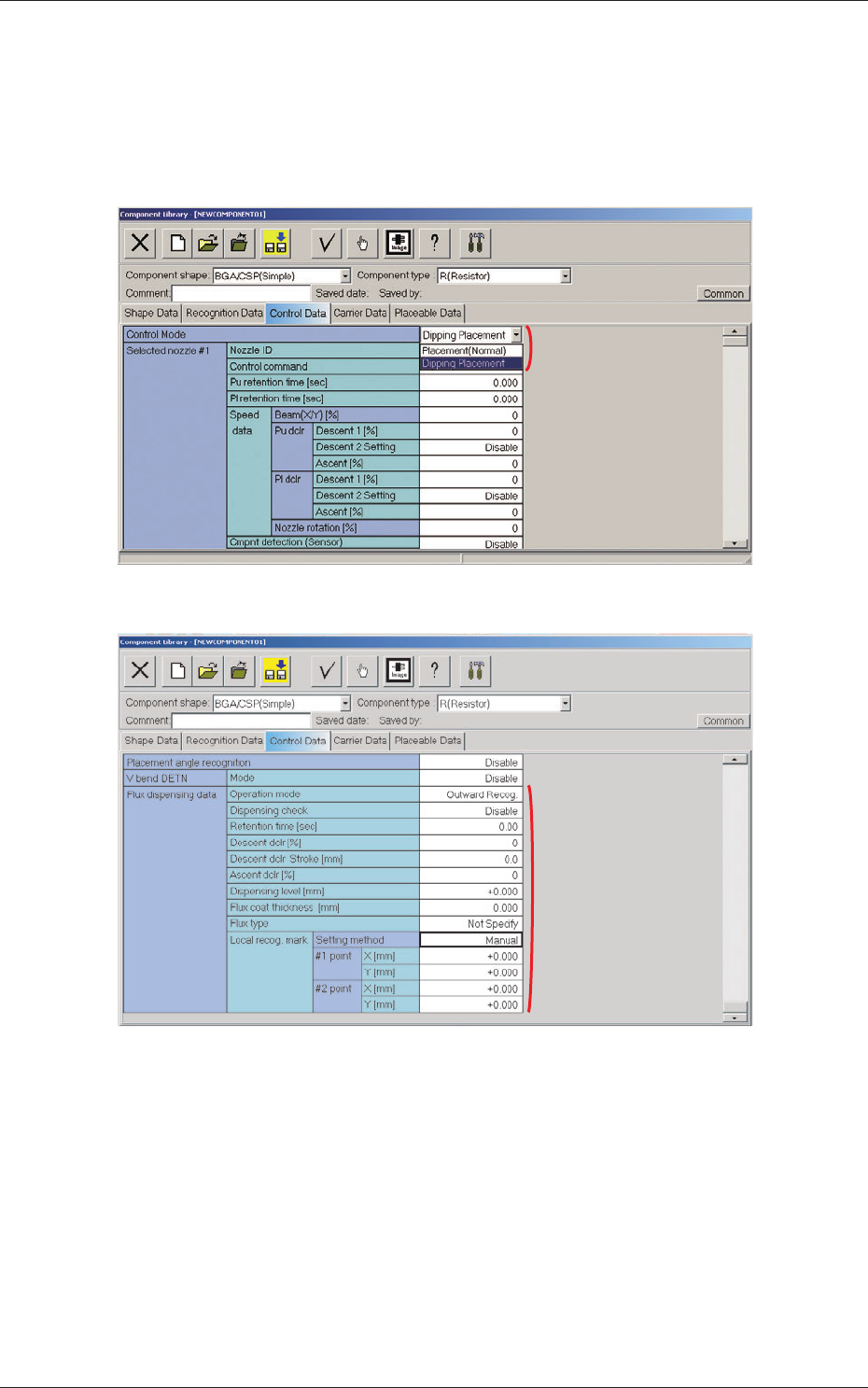
When the "Control Data" tab is pressed in the "Component Library" edit
window, the corresponding tab sheet appears inside the window.
Fig. 24
[2]
Fig. 25
[1] Control Mode
"Placement (Normal)" or "Dipping Placement" can be selected from the
"Control Mode" combo box.
Placement (Normal) :
When this option is selected, the machine
performs normal processing of component
placement.
Dipping Placement :
When this option is selected, the components
are dipped in flux.
0703-003
6.2 Component Library
[1]