OM-1352-003_w.pdf - 第58页
6-9 Tg1357-ID-SO [2] Flux dispensing data Operation mode Operation mode settings. Outward Recog. : Ball + Outline → Flux application → Outline Bump Recog. : Ball → Flux application → Ball • Outward Recog. mode In the cas…
6-8
Tg1357-ID-SO
6.2 Component Library
The component library data must be edited for the components that can be
handled by the flux dispensing unit.
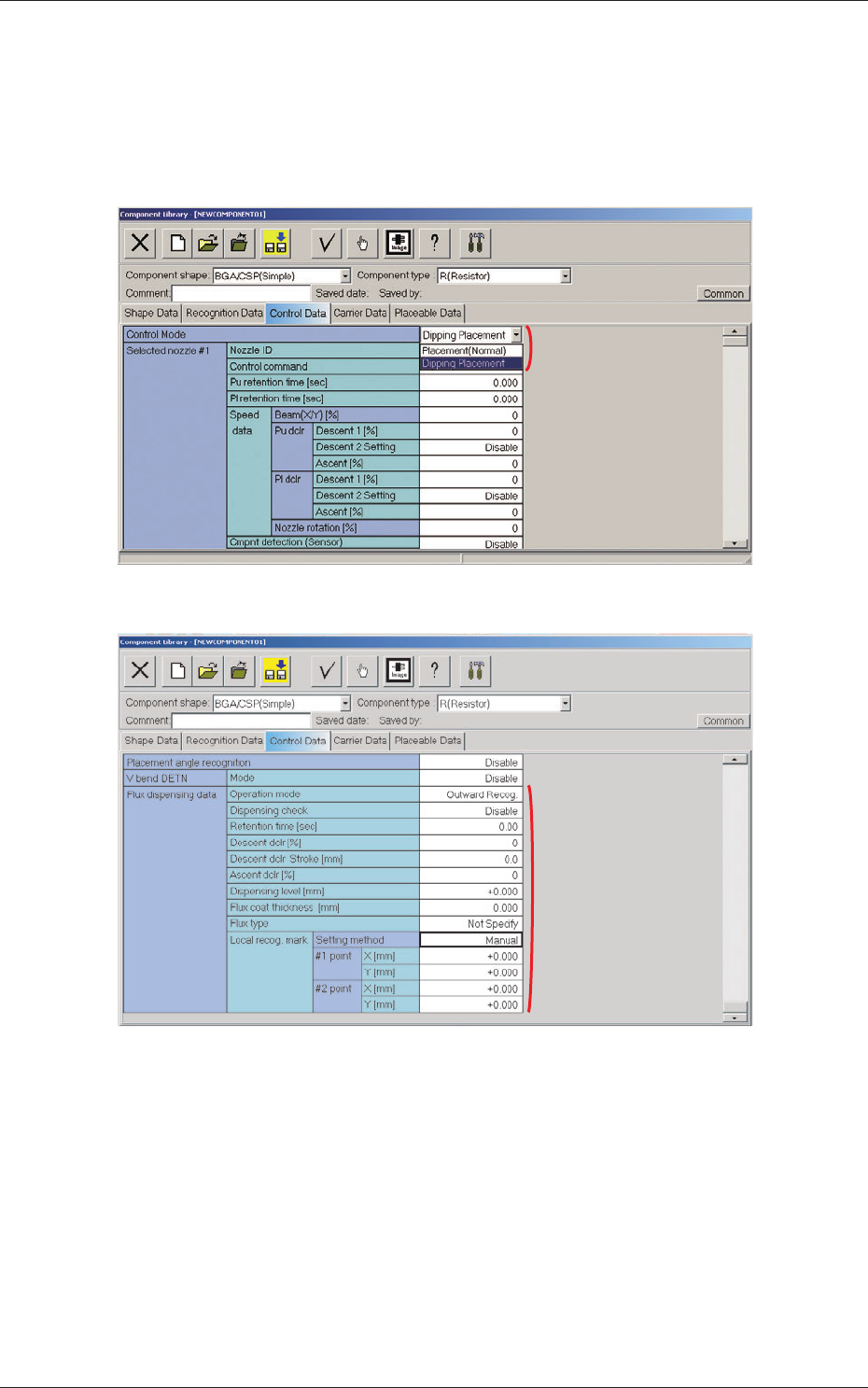
When the "Control Data" tab is pressed in the "Component Library" edit
window, the corresponding tab sheet appears inside the window.
Fig. 24
[2]
Fig. 25
[1] Control Mode
"Placement (Normal)" or "Dipping Placement" can be selected from the
"Control Mode" combo box.
Placement (Normal) :
When this option is selected, the machine
performs normal processing of component
placement.
Dipping Placement :
When this option is selected, the components
are dipped in flux.
0703-003
6.2 Component Library
[1]
6-9
Tg1357-ID-SO
[2] Flux dispensing data
Operation mode
Operation mode settings.
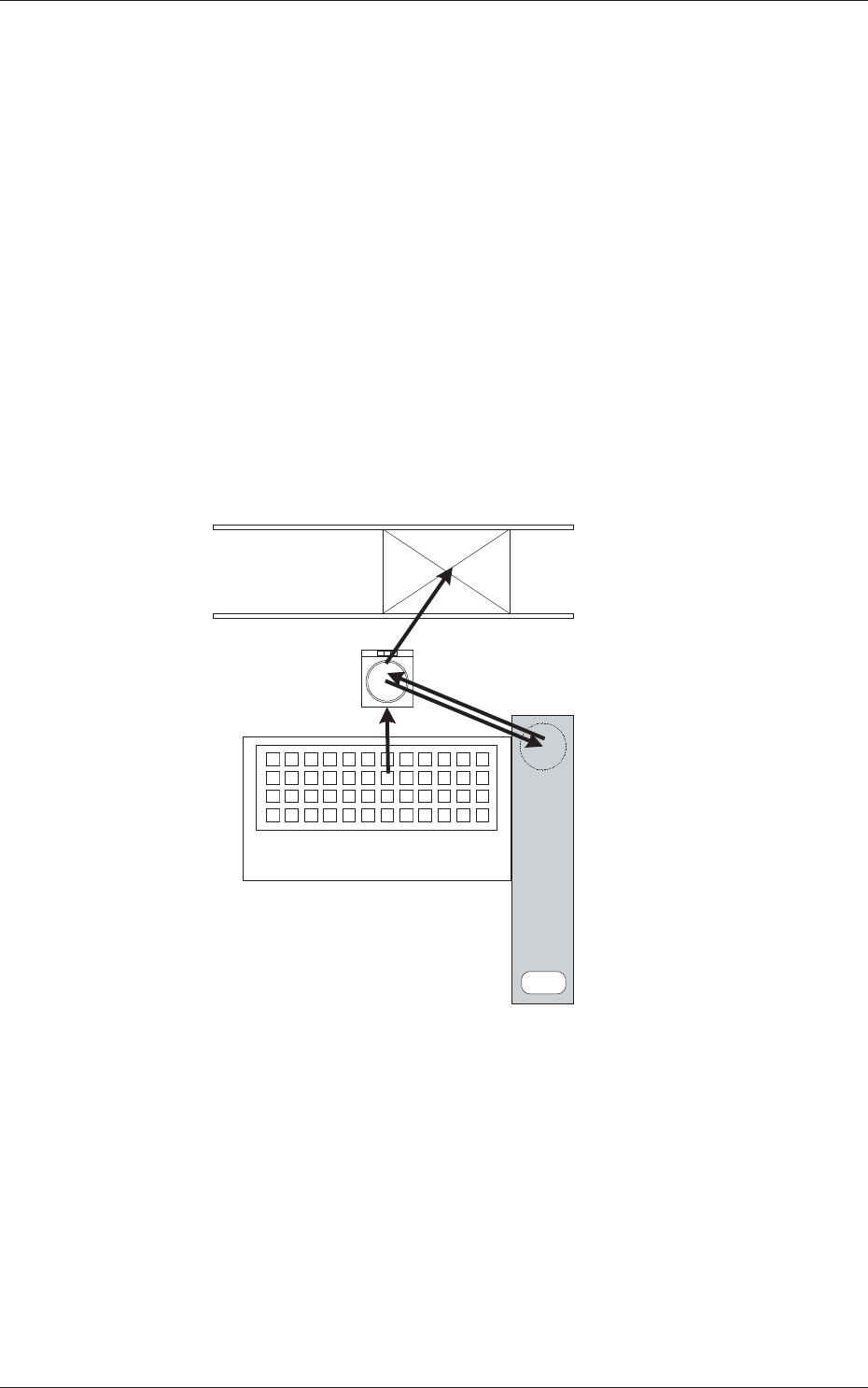
Outward Recog. : Ball + Outline → Flux application → Outline
Bump Recog. : Ball → Flux application → Ball
•
Outward Recog. mode
In the case that the bump can not be recognized after the flux
application, then this mode is used.
Perform the bump recognition and outline recognition before the flux
application, and again perform the outline recognition after the flux
application.
Based on the position relationship resultant from the outline recognition
before and after the flux application, calculate the bump position and
perform placement.
5. Placement
2. Component Recognition
(Bump, Outline)
4. Component Recognition (Outline)
1. Component Pick up
Multi-Layer Tray Feeder
3. Flux Application
Flux Dispensing Unit
Fig.26
•
Bump Recognition mode
In the case that the bump can be recognized even after the flux
application, then this mode is used.
Perform the bump recognition in each of "2. Component Recognition
(Bump, Outline)" and "4. Component Recognition (Outline)" steps.
0703-003
6.2 Component Library
6-10
Tg1357-ID-SO
Dispensing check
Disable, Enable (100 %), Enable (80 %), Enable (60 %)
Select whether the dispensing check function is enabled or not.
Retention time [sec]
Set the retention time at the bottom arrival point of the applied flux in
this text box.
•
Unit:
seconds
•
Data Input Range:
0.00 to 1.00 [second]
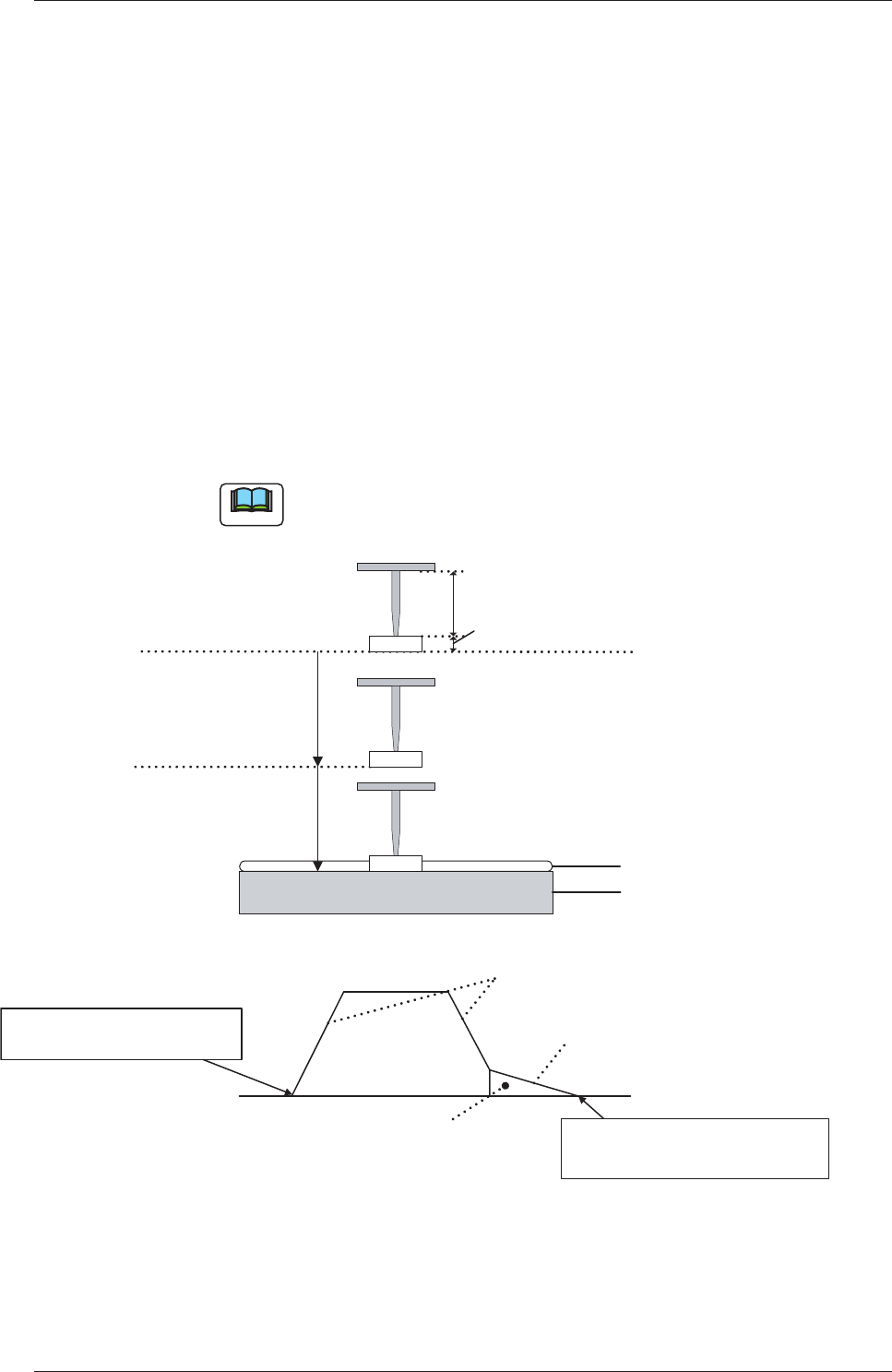
Descent dclr [%]
Enter a deceleration rate for the second L-axis descending stroke.
The figure below shows the L-axis control system related to the drum
surface on which flux is dispensed.
Note
"Placement Descent 1 [%]" is applied as a deceleration rate of the
first L-axis descending movement.
Nozzle Length
Component Thickness (t)
Placement Descent 1 [%]
Flux
Transfer Data
Descent Deceleration [%]
Starting Point of
L-Axis Descent Movement
Placement Decelerated Descent 1
Flux
Transfer Data
Descent Deceleration
Flux
Transfer Data
Descending Stroke Shift
Upper or Lower
Pass Line
Drum (Rotational disk)
L-Axis Positioning Completed
Drum Surface (Rotational disk)
Flux (Coating Pressure : 10
�m)
Fig. 27
0703-003
6.1 Pattern Program