DeltaTherm_IR_REV_C.pdf - 第17页
DeltaTherm IR Cure Module Revision C / Sept ember 2022 Page 17 of 41 Cycle Stop 205B204B204B 9B9B9B Figure 10 : Cycle Stop 206B205B205B Options in Cycl e Stop are: Auto C ycle, Manual, a nd Setup. Select “ F1 ” or the au…
DeltaTherm IR Cure Module
Revision C / September 2022
Page 16 of 41
Machine Safety Check
201B200B200BWhen the machine is started, it must initialize. After it has initialized successfully, the
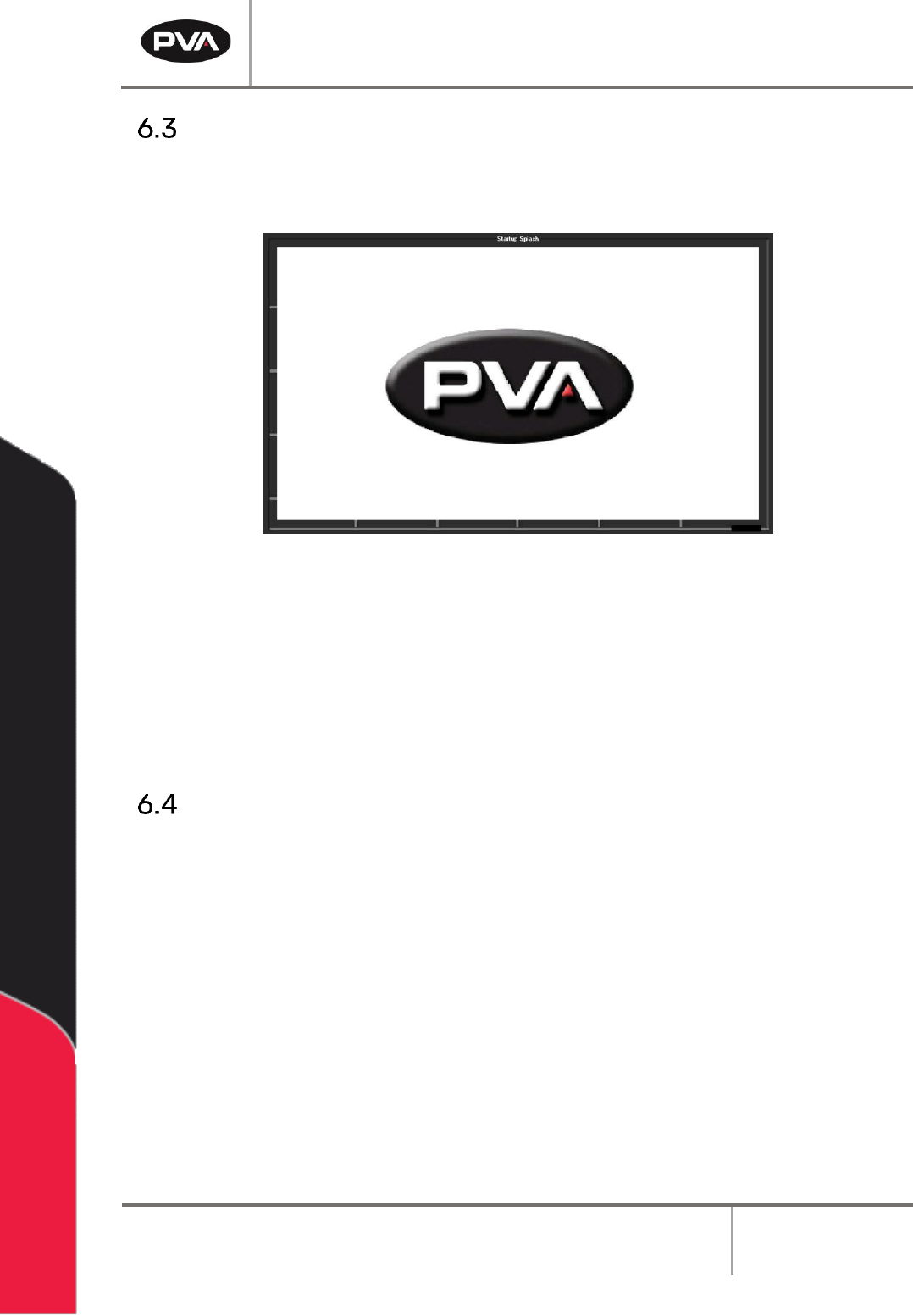
operator interface shows the following screen:
202B201B201B
8B8B8BFigure 9: PVA Screen
203B202B202BThe machine safety check ensures that the DeltaTherm IR Cure Module safety devices
(emergency stop, door interlocks, etc.) operate correctly. For the startup procedure, the
operator must start and complete the safety check successfully. After you start the safety
check, you must activate and deactivate the safety devices. Some safety checks are timed
and will cause a failure if the action is not done in the set time.
Shutdown Procedure
204B203B203BDo the following procedure to shut down the cure module.
1. 45B44B44BWait for all boards to clear the cure module.
2. 46B45B45BPress Auto Stop on the OIT. Wait for the PVA screen to appear.
3. 47B46B46BWait one minute for the module to cool. The exhaust fan will be on.
4. 48B47B47BTurn the main power switch to OFF.
5. 49B48B48BMake sure you remove all parts before you shut down the cure module.
273B272B272BCAUTION: If you plan to perform maintenance during the shutdown, be sure to lock
out and tag the machine.
DeltaTherm IR Cure Module
Revision C / September 2022
Page 17 of 41
Cycle Stop
205B204B204B
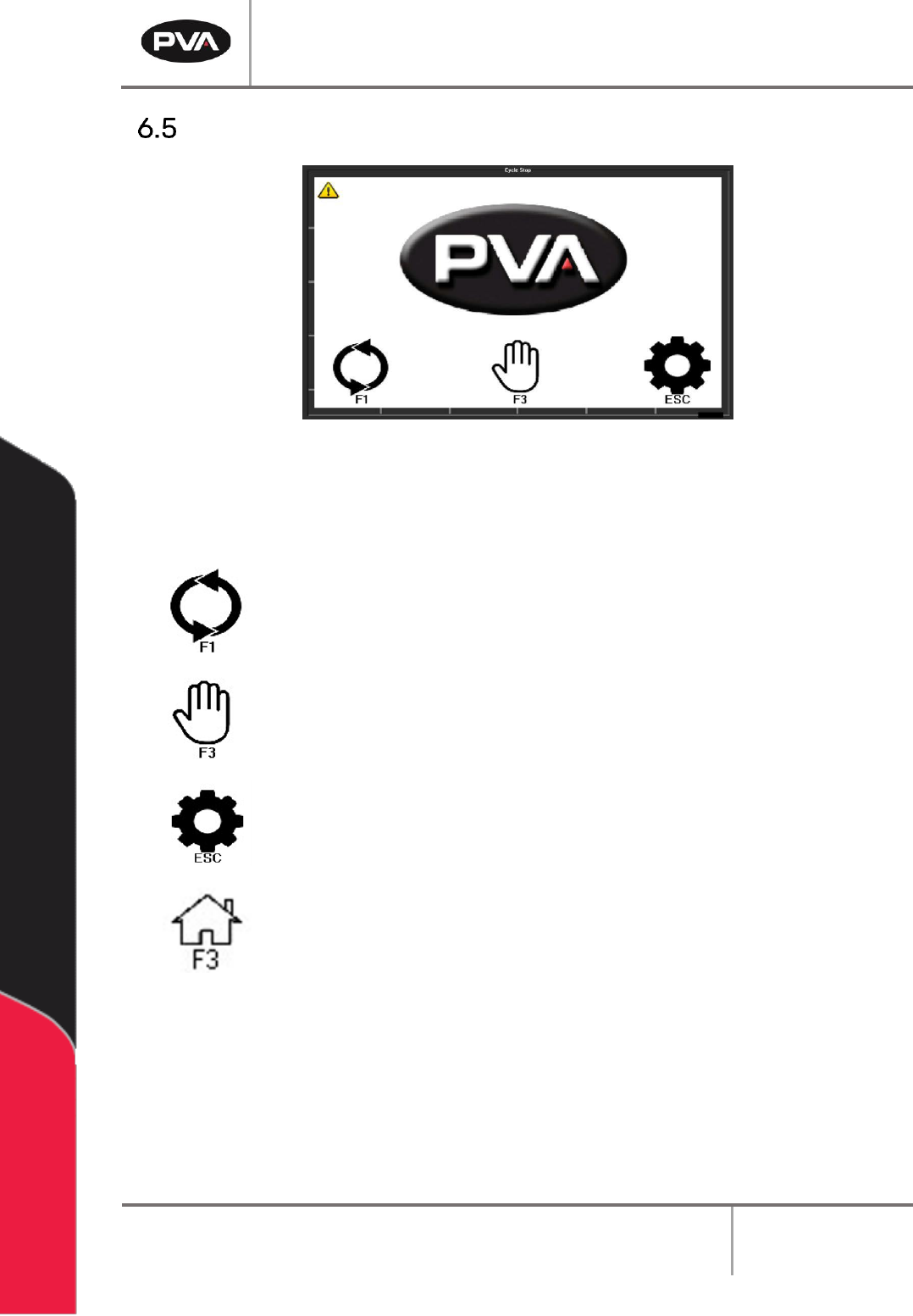
9B9B9BFigure 10: Cycle Stop
206B205B205BOptions in Cycle Stop are: Auto Cycle, Manual, and Setup.
Select “F1” or the auto cycle icon to operate the module in Auto Cycle.
Select “F3” or the manual icon to operate the module in Manual mode.
Select “ESC” or the settings icon to go to Setup mode and view or
change the operating parameters of the module.
Select the Home icon or “F3” from any mode to return to Cycle Stop.
DeltaTherm IR Cure Module
Revision C / September 2022
Page 18 of 41
Auto Cycle
207B206B206BAuto Cycle is the normal operating mode for the DeltaTherm IR Cure Module. In Auto Cycle,
the cure module can operate as part of a production line. All communication with adjacent
machines is done without operator input. In Auto Cycle, the machine uses the parameters in
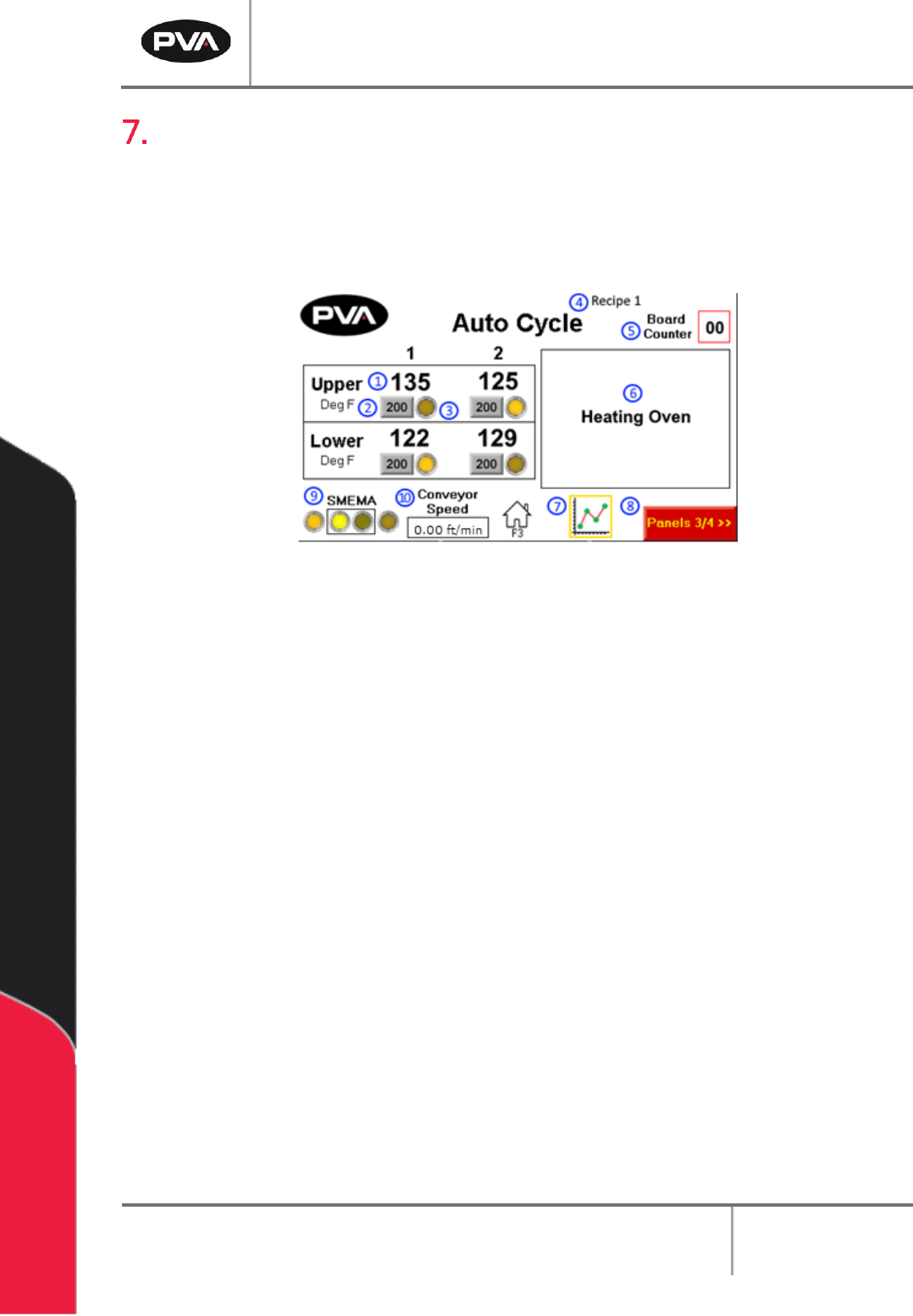
setup mode. The screen below shows Auto Cycle with four zones top and bottom.
208B207B207B
10B10B10BFigure 11: Auto Cycle
1. 50B49B49BThe Panel Temperature shows the current temperature of the heater panel.
2. 51B50B50BThe Panel Temperature Setpoint shows the current recipe’s temperature setpoint
of the heater panel.
3. 52B51B51BThe At Temperature indicator will light up when the panel temperature is within
the allowable setpoint deviation value.
4. 53B52B52BThe Current Recipe Name will display at the top of the screen.
5. 54B53B53BThe Board Counter displays the number of boards in the oven. In the event of an
incorrect value (PIP flashing), press and hold for 5 seconds to reset this to zero
6. 55B54B54BThe Autocycle Messages section displays the current Auto Cycle state and status
messages.
7. 56B55B55BPress to the Heater Panel Trend icon to view a graph of panel temperature values
over time.
8. 57B56B56BTo view the next set of panels and zones, press the Next Zone button.
9. 58B57B57BThe SMEMA Status shows the current status of SMEMA inputs and outputs.
10. 59B58B58BThe current Conveyor Speed will display at the bottom of the screen.