DeltaTherm_IR_REV_C.pdf - 第21页
DeltaTherm IR Cure Module Revision C / Sept ember 2022 Page 21 of 41 Conveyor Speed 211B210B210B The Conveyor S peed can be set in Manual mode. 1. 76B75B75B Select the Speed box to manually enter conve yor speed. The met…
DeltaTherm IR Cure Module
Revision C / September 2022
Page 20 of 41
Manual Mode
IR Panels
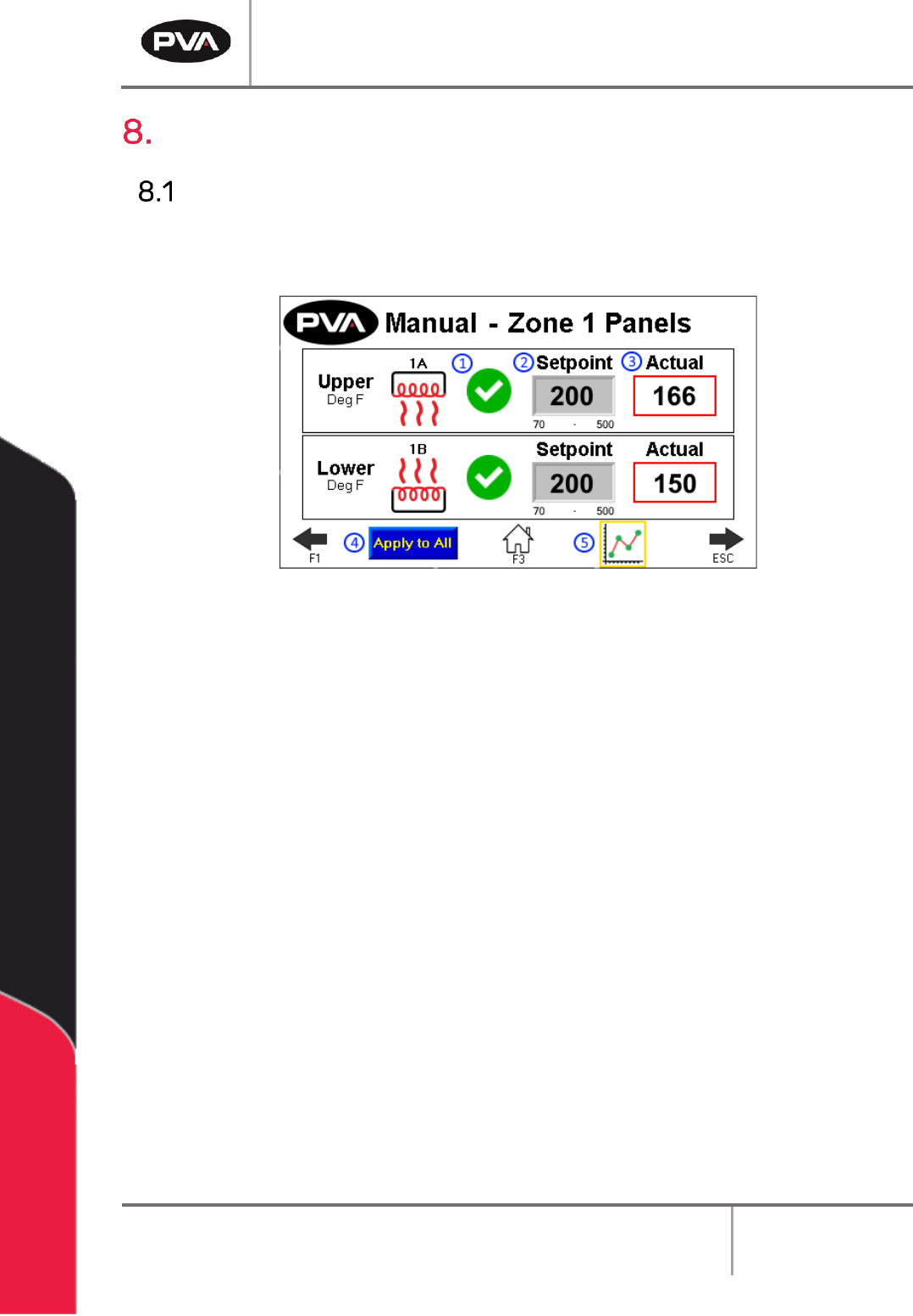
209B208B208BThe panel temperature is shown for each zone. A zone is an area in the oven that is
controlled and monitored independent of other areas. Usually an oven has four zones.
210B209B209B
11B11B11BFigure 12: Manual IR Panels
1. 67B66B66BSelect the Heater Panel switch to turn the desired panel on or off. The indicator to
the left of the switch will show the heat output. The heater panel will heat up to the
current setpoint.
2. 68B67B67BThe Setpoint boxes are the target set points for each zone and heater panel. To
change the target Setpoint, press the designated box. A new screen will be shown.
• 69B68B68BThe left side box in the Zone Control area is the target temperature (display
temperature is filtered) for each zone and the deviation point for that zone.
• 70B69B69BTouch the screen and a keypad will be shown.
• 71B70B70BEnter the necessary value.
• 72B71B71BPush ENT, and the zone screen will be shown again.
3. 73B72B72BThe Actual boxes show the actual temperatures (display temperature is filtered) for
each zone.
4. 74B73B73BSelect Apply to All to copy the setpoints of the Zone 1 upper and lower heater panel
to every zone and panel.
5. 75B74B74BSelect the View Trend icon to view each panel’s temperature history on a graph.
DeltaTherm IR Cure Module
Revision C / September 2022
Page 21 of 41
Conveyor Speed
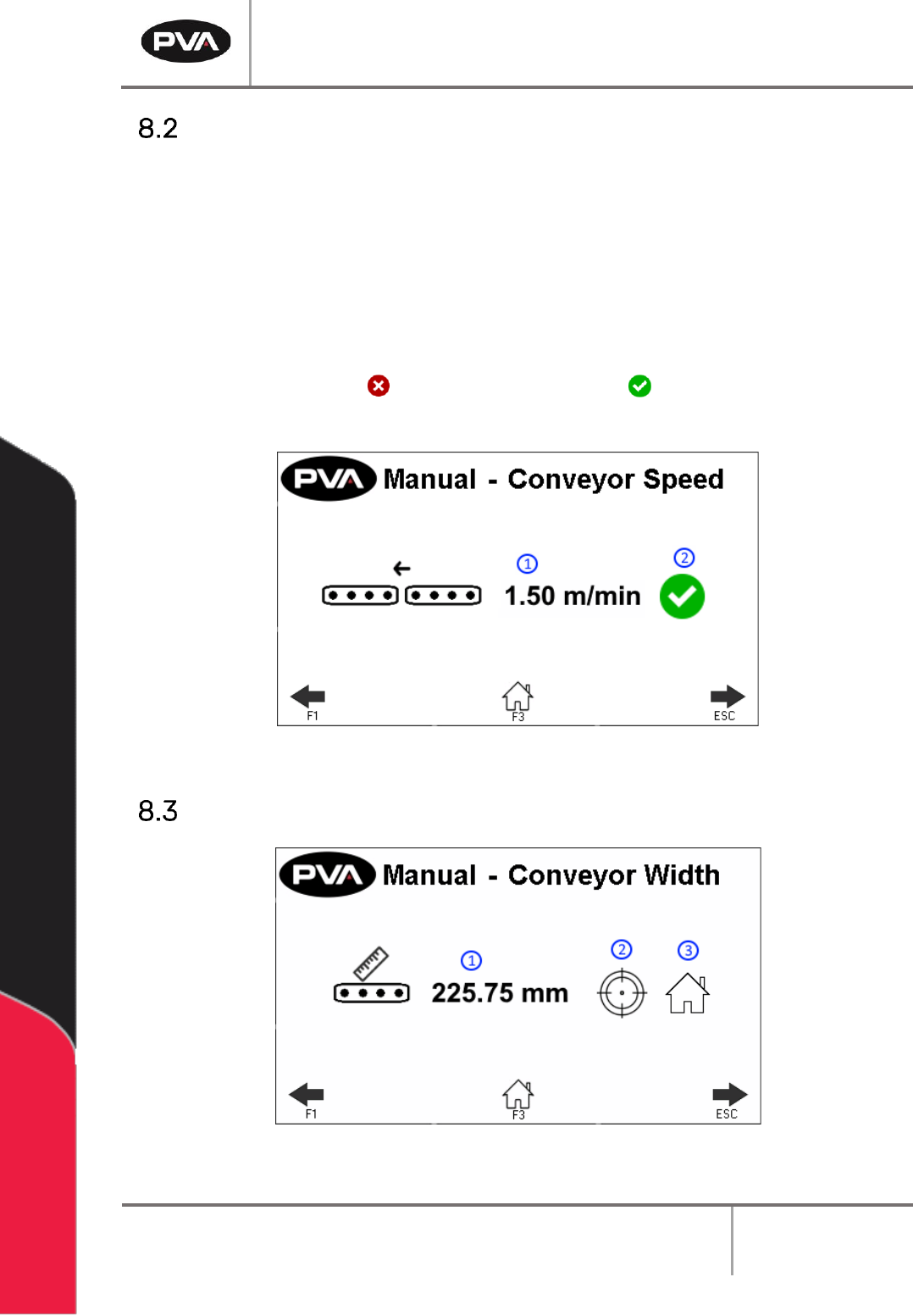
211B210B210BThe Conveyor Speed can be set in Manual mode.
1. 76B75B75BSelect the Speed box to manually enter conveyor speed. The metric/standard u nit
range is .03 – 15.3m/min (.1 - 50.2ft/min).
• 77B76B76BThe keypad will be shown, enter the necessary value.
• 78B77B77BSelect ‘ENT’ to save.
2. 79B78B78BPress the red X icon or green checkmark icon to toggle the conveyor
between on and off.
212B211B211B
12B12B12BFigure 13: Conveyor Control in Manual Mode
Conveyor Width
213B212B212B
13B13B13BFigure 14: Conveyor Width in Manual Mode
DeltaTherm IR Cure Module
Revision C / September 2022
Page 22 of 41
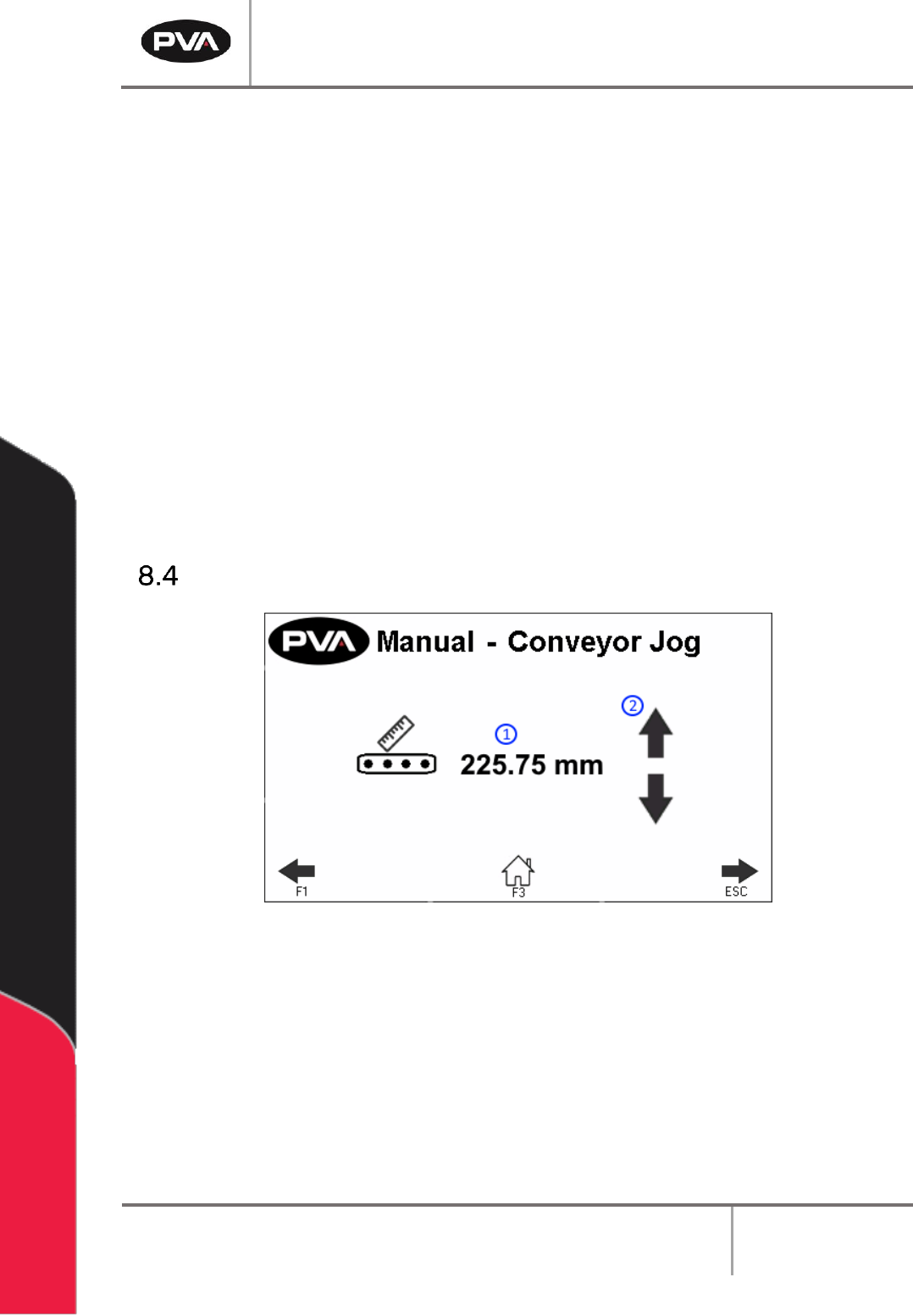
214B213B213BThe Conveyor Width can be set in Manual mode.
1. 80B79B79BPress to manually enter the target conveyor width setpoint.
• 81B80B80BTouch the screen and a keypad will be shown.
• 82B81B81BEnter the necessary value.
• 83B82B82BPush ‘ENT’, and the zone screen will be shown again.
2. 84B83B83BPress to move the current target conveyor width setpoint.
276B275B275BNote: Prior to the move, the machine will check for any boards.
3. 85B84B84BPress to rehome the conveyor width.
277B276B276BNote: Prior to the move, the machine will check for any boards.
Conveyor Jog
215B214B214B
14B14B14BFigure 15: Conveyor Jog in Manual Mode
1. 86B85B85BThis screen displays the current conveyor width.
2. 87B86B86BPress to adjust the conveyor width. This will jog the conveyor width in a positive or
negative direction.
278B277B277BNote: The clearboard sequence will not run prior to the jog.