DeltaTherm_IR_REV_C.pdf - 第26页
DeltaTherm IR Cure Module Revision C / Sept ember 2022 Page 26 of 41 Conveyor Speed 221B220B220B 18B18B18B Figure 19 : Conveyor Options 1. 103B102B102B To change th e conveyor speed while in Auto Cycle, select t he Speed…
DeltaTherm IR Cure Module
Revision C / September 2022
Page 25 of 41
3. 95B94B94BThe Actual Temperature displays the current actual temperature of the heater
panel.
• 96B95B95BOn double-sided ovens, the upper and lower panels for each section are
controlled as one zone. The display temperature is the average temperature
(display temperature is filtered) of the upper and lower panel.
281B280B280BNote: With two-sided IR ovens, the upper panels may indicate temperatures higher
than the setpoint due to absorption of energy from the lower panels. This is normal.
4. 97B96B96BThe Max Deviation is the max allowable deviation from the target setpoint for the
specified zone and heater panel. Each enabled zone’s panels must reach and
maintain a temperature within the set deviations to run the product in Auto Cycle.
• 98B97B97BTouch the Max Deviation box and a keypad will be shown.
• 99B98B98BEnter the desired value.
• 100B99B99BPress “ENT” to save the value and close the keyboard.
5. 101B100B100BThe Apply to All button will copy the setpoints and deviations of the Zone 1 upper
and lower panels to all over zones.
282B281B281BNote: Zone enable/disable options will not be copied over.
6. 102B101B101BThe name of the current Recipe will display. Any changes made to the recipe field
values will automatically be saved to the current recipe. Recipes are configured in
OEM mode.
DeltaTherm IR Cure Module
Revision C / September 2022
Page 26 of 41
Conveyor Speed
221B220B220B
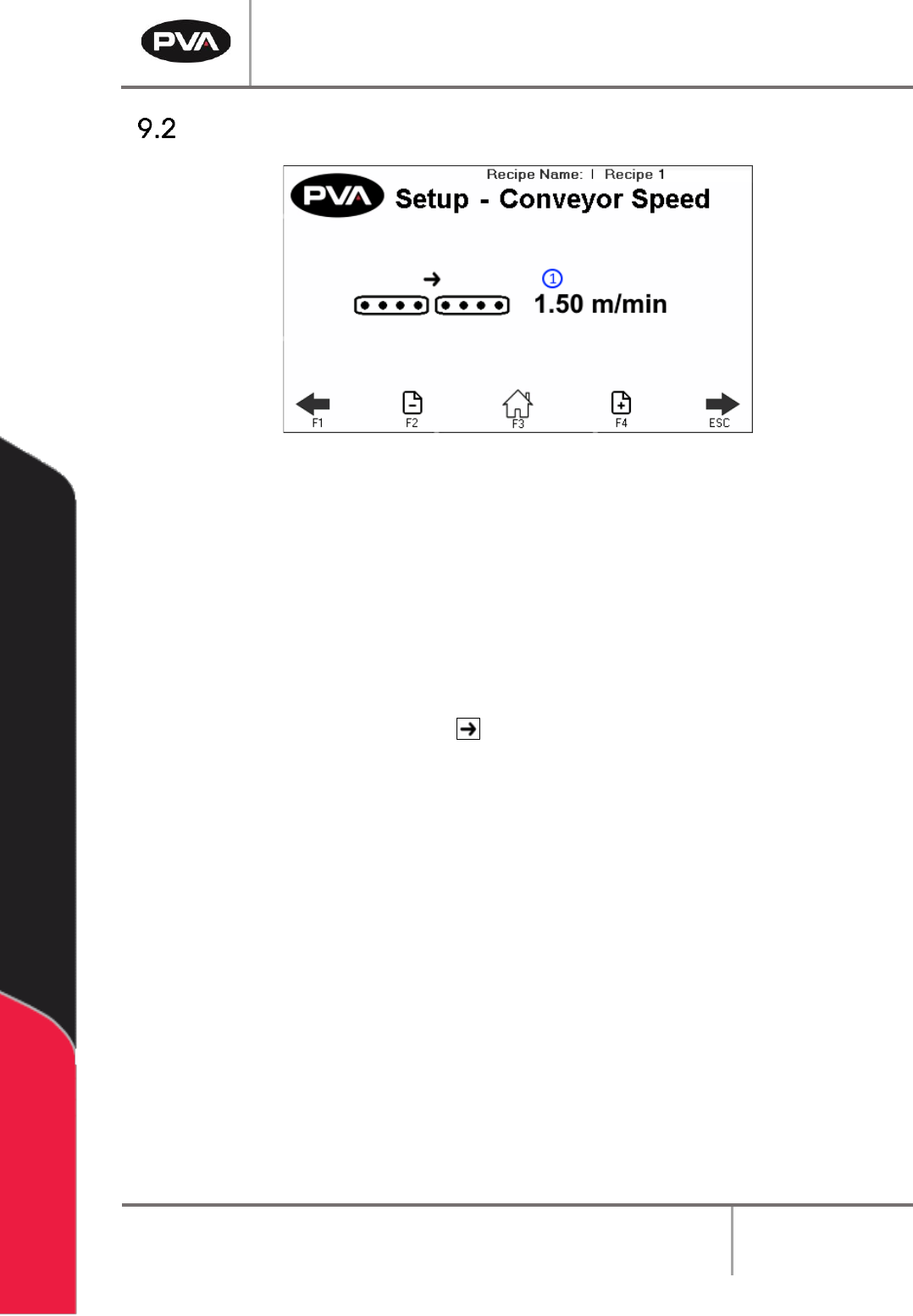
18B18B18BFigure 19: Conveyor Options
1. 103B102B102BTo change the conveyor speed while in Auto Cycle, select the Speed box. The
keypad will be shown.
• 104B103B103BEnter the necessary value. The minimum speed is 0 feet per minute or 0
meters per minute, the maximum speed is 60 feet per minute or 19 meters
per minute.
• 105B104B104BPress “ENT” to save the value and close the keypad.
• 106B105B105BSelect the arrow button to toggle the oven between left to right or right
to left conveyor direction.
DeltaTherm IR Cure Module
Revision C / September 2022
Page 27 of 41
Conveyor Width
222B221B221BThis is an optional setting. Not all modules will have this option.
• 107B106B106BUse the arrows on the screen or the “F1” and “ESC” button to scroll to the Setup-
Conveyor Adjust screen.
• 108B107B107BSelect the indicator to toggle this feature on and off.
• 109B108B108BPlace the board on the conveyor.
223B222B222B
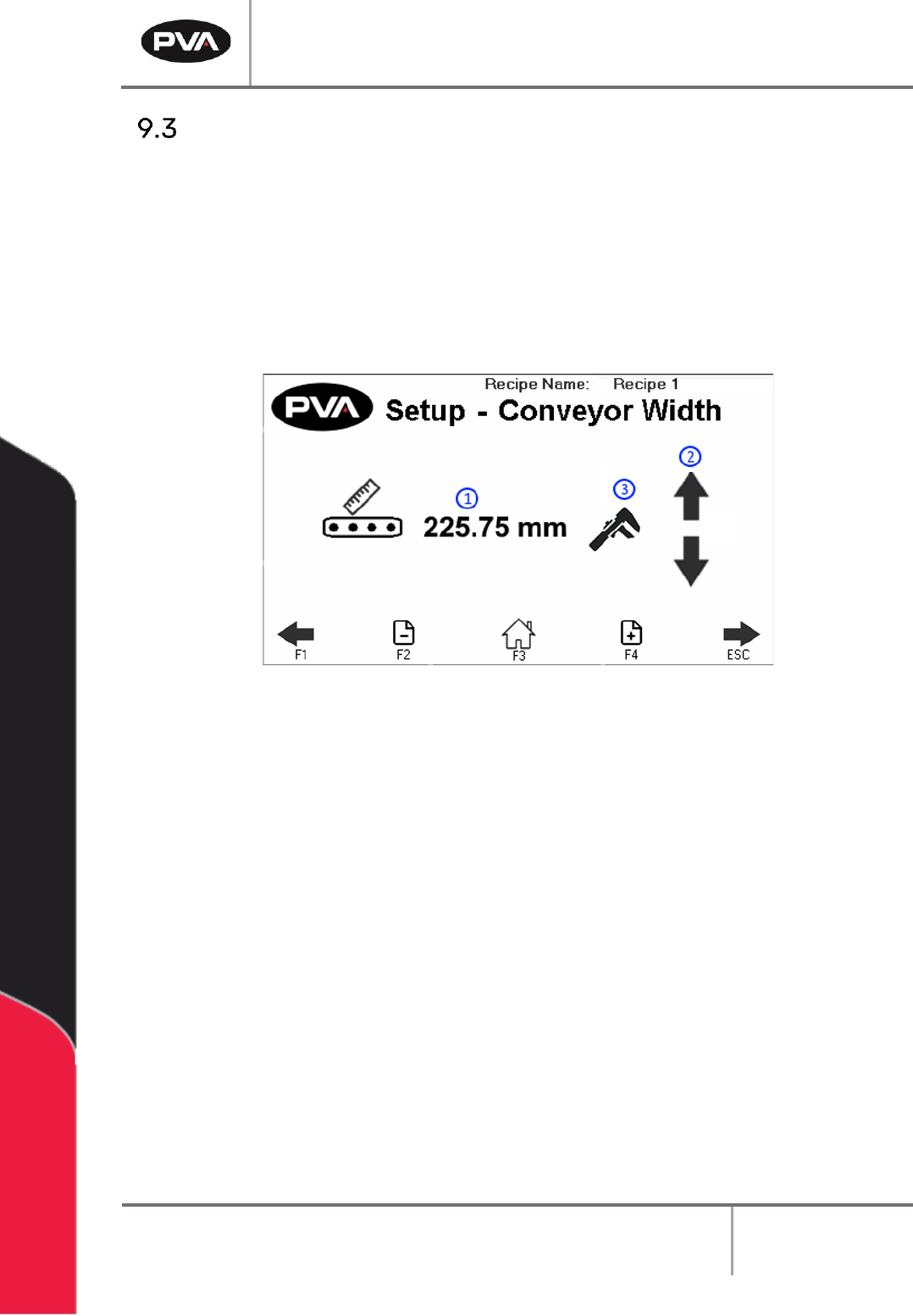
19B19B19BFigure 20: Conveyor Adjust
1. 110B109B109BThe screen displays the Target Recipe Width. If the width value is known, press the
value to manually enter the width setpoint. A keypad will be shown.
• 111B110B110BEnter the necessary value. The metric unit range is from 50–500 mm (1.97-
19.69 in).
• 112B111B111BSelect “Save” to keep and use the new value.
2. 113B112B112BIf the width value is unknown, press the arrows to use the Auto Adjust Conveyor
Width. This will jog the conveyor in a negative or positive direction.
3. 114B113B113BOnce the target recipe width is correct, press the wrench icon to set the target
recipe width to the Current Conveyor Width.
283B282B282BNote: The clear board sequence will not run prior to jog.
284B283B283BNote: The conveyor width setpoint will not update during manual jog.