CP643规格书.pdf - 第18页
8.2 Signal T ower Specifications Note : A blue light can be specified instead of green. Specify the desired signal tower configuration when the machine is ordered. By changing the relevant machine settings, it is possibl…

8. Machine Control System
8.1 Machine Control Specifications
Coordinate input method Absolute
Acceleration control (XY-table) In 5 levels: UHi, Hi, Mid, Low, ULow
Controllable axes A total of 9 axes: Cam, X, Y, Z, D1, D2,
Fθ, FRθ and nozzle change
CPU 32 bit
Maximum number of input sequences 5000 sequences/PCB (when two PCBs
are clamped, this is the total number of
sequences for both PCBs)
Program storage capacity 10 (at 1500 sequences/program)
Memory backup method Battery backup (lithium battery)
Data input method F4G system or FujiCam system
Data input units X-, Y- and Z-axes: 0.01 mm
θ-axis: 0.01˚
Communication RS-232C
Control panel Numeric keypad and function keys
Optical correction For PCB positioning and part pick-up
displacement
Notes: Data input and data transmission to and from the CP-643E/643ME is conducted by
means of the F4G system or FujiCam. Use of the F4G system requires the following
hardware and software.
• PC on which the software can be installed (to be provided by the customer).
• C/C (communication center software).
• Software modules such as F4GO, F4GP, F4GM, depending on customer’s
requirements.
Use of the FujiCam system requires the following hardware and software.
• PC on which the software can be installed (to be provided by the customer).
• FujiCam software.
A computer on which the F4G system or FujiCam can be installed should be prepared by
the user before the machine is delivered.
– 14 –
CP-643E/643ME Specifications
Edition 3.0
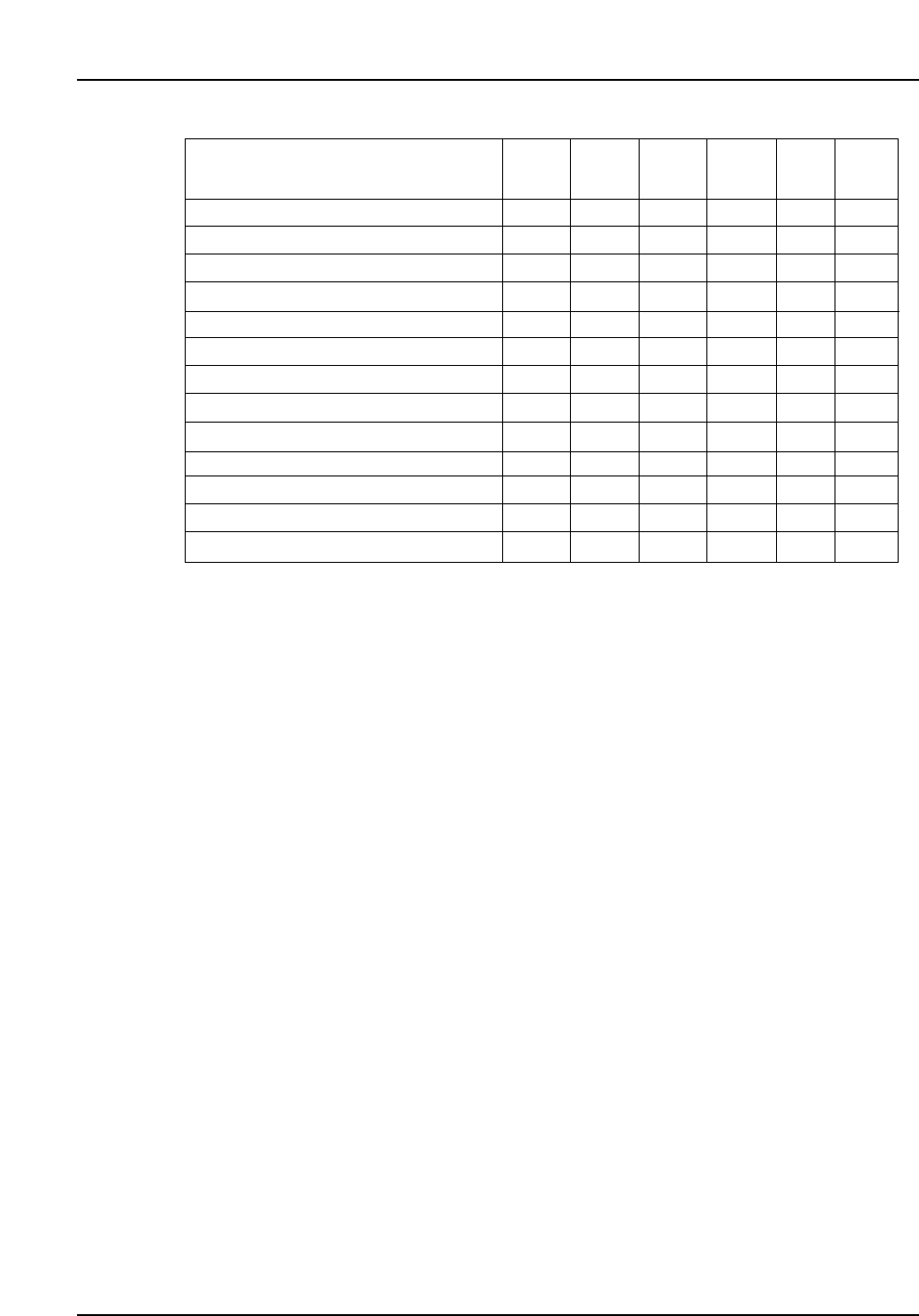
8.2 Signal Tower Specifications
Note : A blue light can be specified instead of green. Specify the desired signal tower
configuration when the machine is ordered.
By changing the relevant machine settings, it is possible to change the signal tower
display for the various conditions. For example, the “Machine waiting” status signal
can be changed from ‘green flash’ to ‘yellow on’.
Machine status
Automatic operation
PCB loading
Waiting for PCB
Waiting for PCB request from the next machine
Parts out warning
Machine stopped due to parts out
Machine stopped due to error
Statistical warning
Changeover operator call
Vision processing error
Machine waiting
Changeover
Production run complete
Green
On
✓
✓
Green
Flash
✓
✓
✓
✓
Yellow
On
✓
✓
Yellow
Flash
✓
✓
✓
Red
On
✓
Red
Flash
✓
– 15 –
CP-643E/643ME Specifications
Edition 3.0
– 16 –
CP-643E/643ME Specifications
Edition 3.0
9. Options
9.1 Classification by Installation Status
The optional features are classified into three categories depending on when they are
installed:
A : Options which are ordered along with the machine.
B : Options which can be installed on-site.
C : Options which can be purchased.
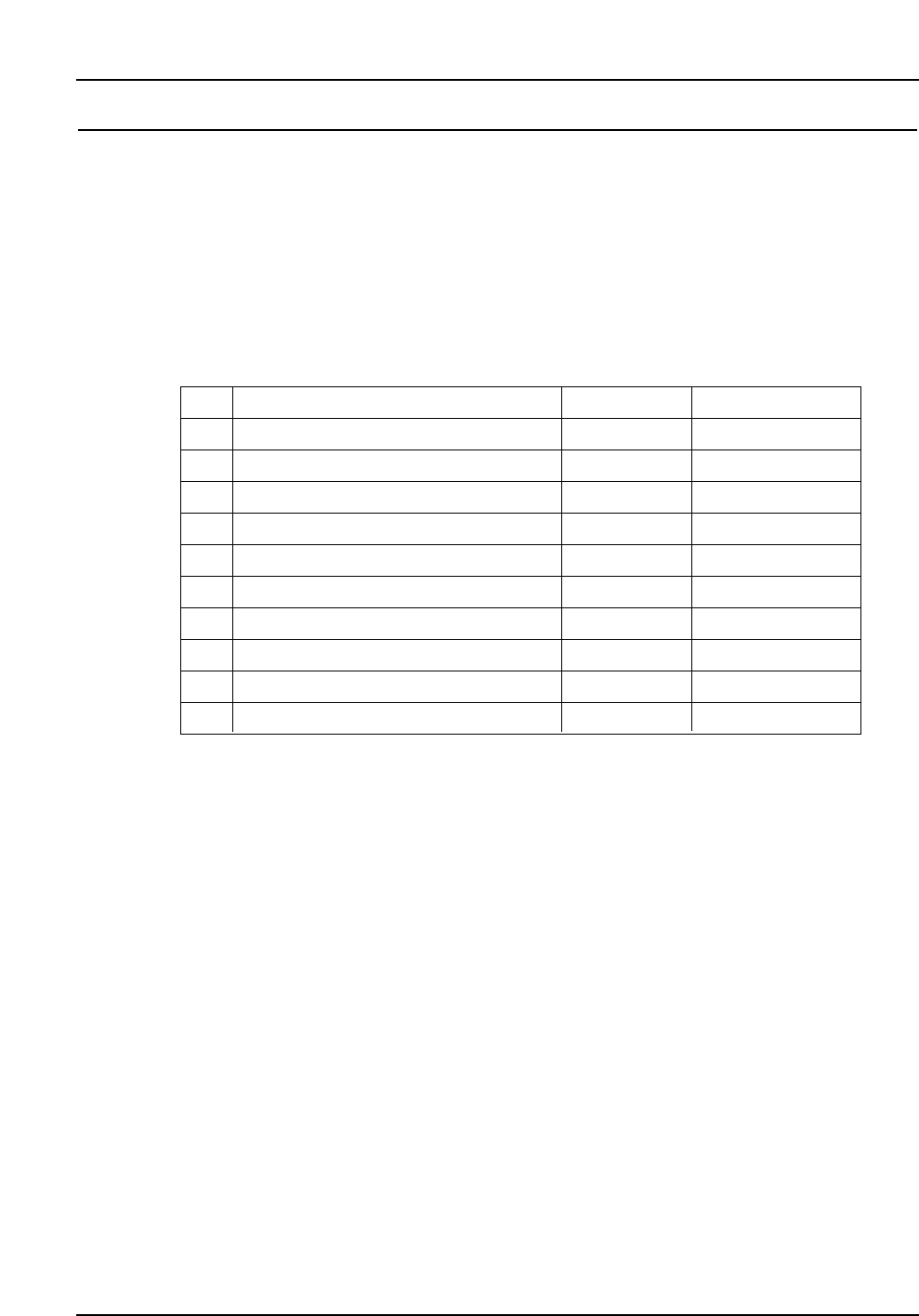
Item
Reference pin unit
PCB support
Nozzles (spare)
Support for thin PCBs
Tape feeders and bulk feeders
Feeder stand
Handy Terminal
Roller conveyor
HELPS
Other
No.
1
2
3
4
5
6
7
8
9
10
Category
B
B or C
C
A
C
C
C
A
A
Note
Under development
Under development