卧式standard头部.pdf - 第42页
Page 40 T50090901 Rev . F V/S Standard Insertion Head Assembly This Document Supports Assembly 50090901 Rev. D Centering Finger Height Adjustment Purpose: This procedure adjusts the height of the centering fingers so the…
Page 39
V/S Standard Insertion Head Assembly T50090901 Rev. F
This Document Supports Assembly 50090901 Rev. D
Adjustment Procedure:
1. Push the STOP push button.
2. Palm the machine down as detailed in the Operation Reference
Manual.
3. With the 1/4 inch allen wrench between the tooling housings, manually
close the head span axis until the allen wrench is held in place.
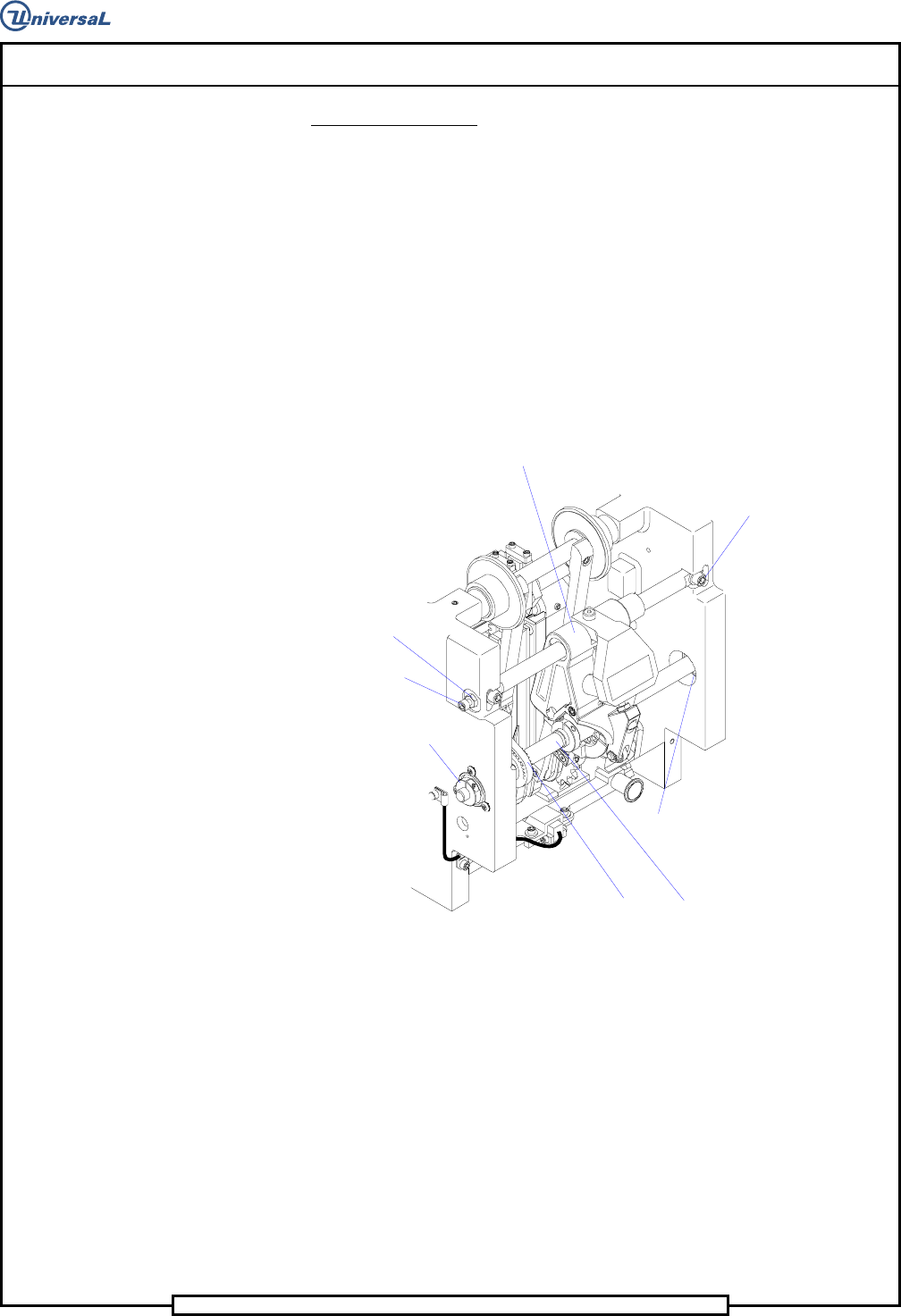
4. Loosen the hex nut at each end of the centering housing shaft then ad-
just the jacking screws so the centering fingers are centered in relation
to the tooling housings. Use the 1/4 inch allen wrench, held between
the tooling housings, as a visual guide when centering the centering
housing assembly.
Centering Cam Assembly
Centering Drive Belt
Collar Clamp
Ball Bearing
Centering Housing Assembly
Socket Head
Cap Screws
Jacking Screw
Hex Nut
5. With the centering housing assembly centered, adjust the jacking
screws against each end of the centering housing shaft. Loosen one of
the jacking screws 1/4 turn to provide a gap, .005 - .010 inch (0,1mm -
025mm), to provide easy removal and installation of the centering
housing assembly while maintaining the centering adjustment.
6. Tighten the two hex nuts to secure the jacking screws in position.
7. Manually open the tooling housings and remove the allen wrench.
End of procedure.
Page 40
T50090901 Rev. F V/S Standard Insertion Head Assembly
This Document Supports Assembly 50090901 Rev. D
Centering Finger Height Adjustment
Purpose:
This procedure adjusts the height of the centering fingers so the fingers prop-
erly engage a component at the centering position of the head chains.
Special Tools:
Gauge Pin (.039 inch diameter - 40968505)
Adjustment Procedure:
1. Push the STOP push button.
2. Palm the machine down as detailed in the Operation Reference
Manual.
3. Activate the IM Diagnostics as follows. Refer to the IM-UPS and IM
Diagnostics documentation for specific details relating to the operation
of the machine terminal.
Select the IM Diagnostics icon.
WARNING
When the machine is in the IM Diagnostics function power is provided to
the machine. Exercise caution when performing the following
procedures to avoid Injury to personnel and equipment.
4. Palm the machine up and push the INTLK RESET push button.
5. After the IM Diagnostics has completed its initialization, select the fol-
lowing. Machine Set Up>Critical Axis Positions
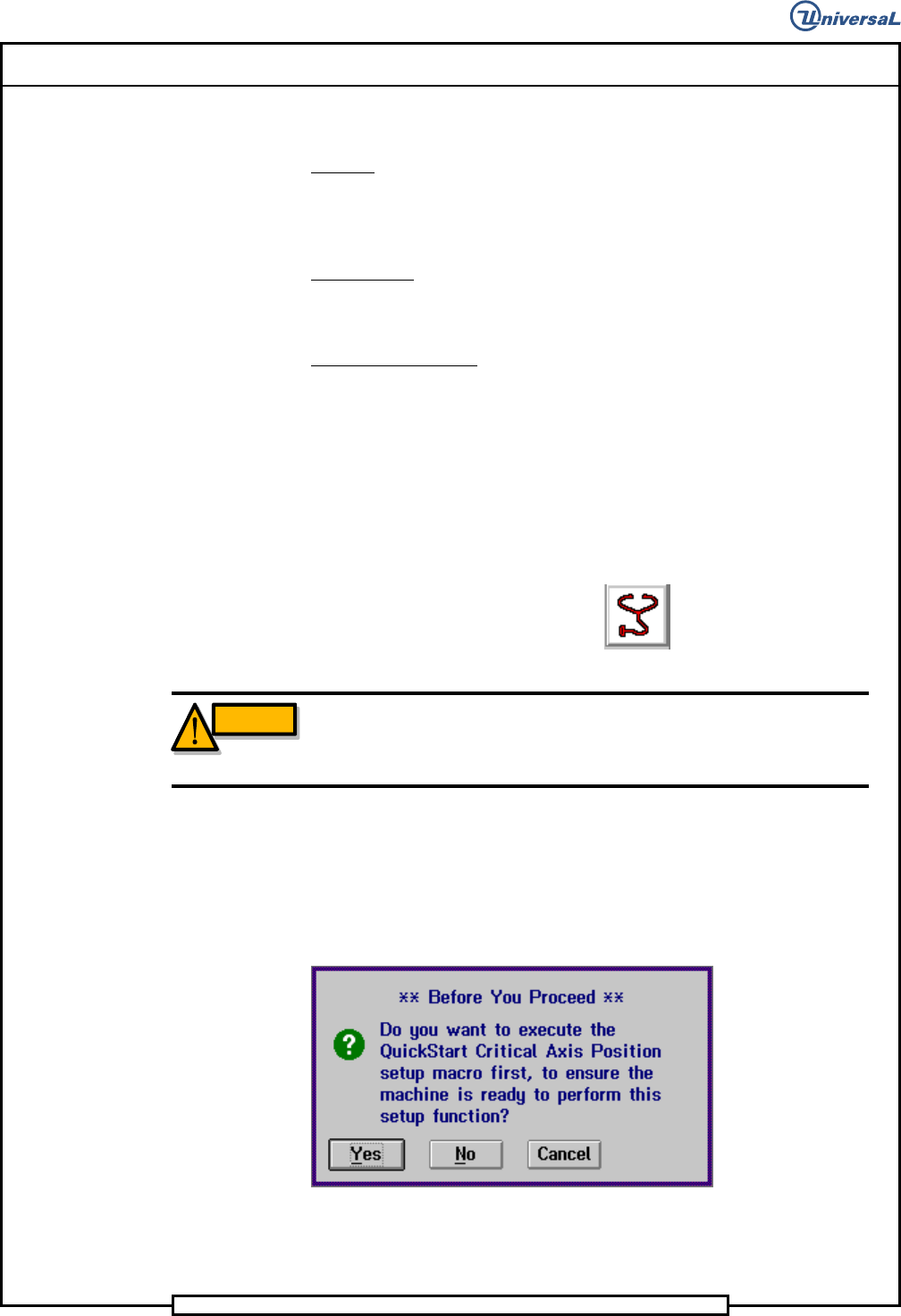
The following message is displayed.
6. Click on Yes. This zeros all axes.
Page 41
V/S Standard Insertion Head Assembly T50090901 Rev. F
This Document Supports Assembly 50090901 Rev. D
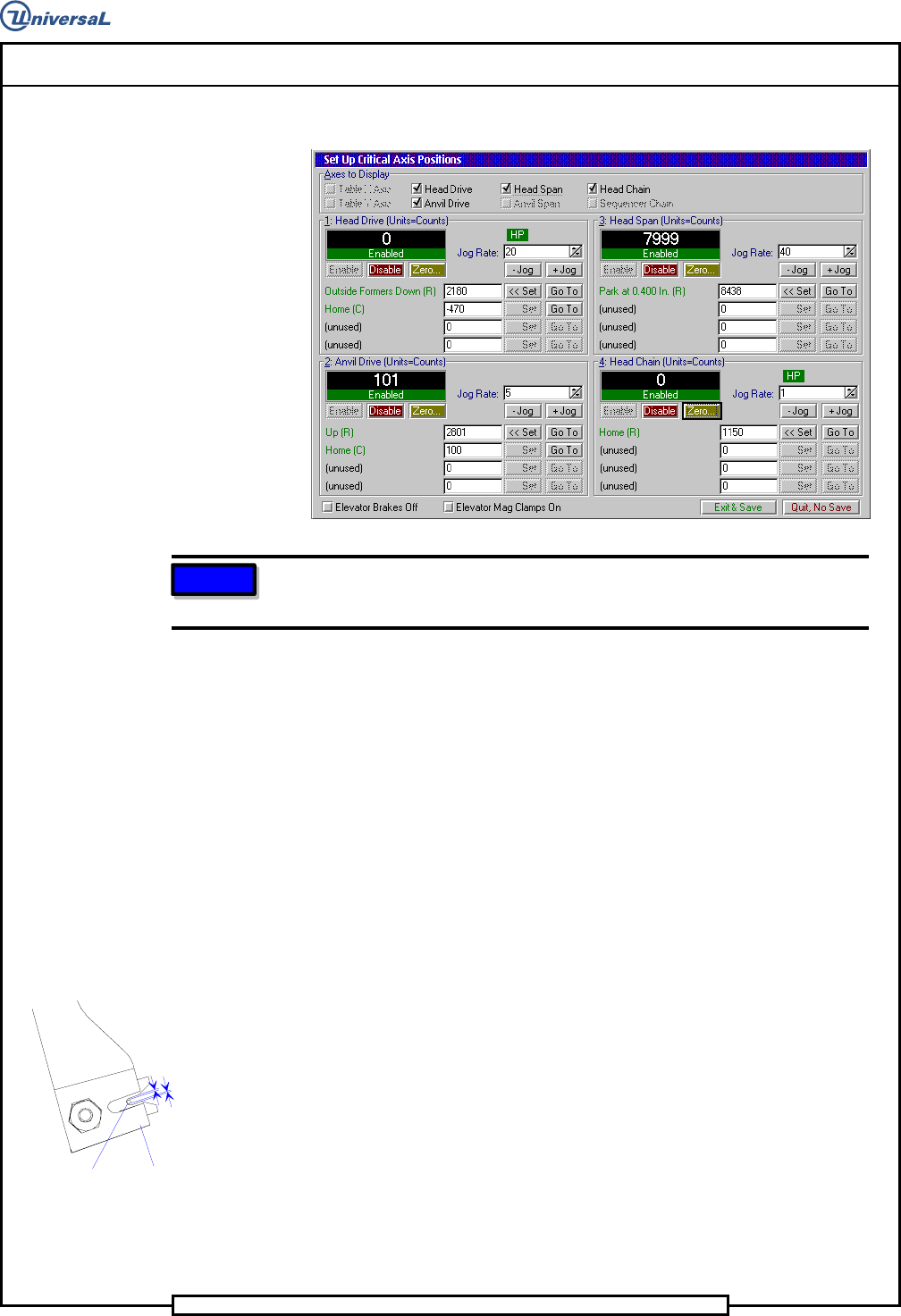
The following screen is displayed
NOTE
If the unit of measurement is not in counts, right click on the rate field
and select Axis Position in Counts.
7. In the Set Up Critical Axis Positions screen, click on the Head Chain
and Head Drive.
8. Select Zero to zero the head drive.
9. Select Go To on chain drive to home position so chain is under V’s.
10. Set the rate to 1000 counts then select +Jog and move the chain 2000
counts (1 chain index).
11. Insert the gauge pin the head chains at the repair position (one clip
back from the insertion position).
12. Select -Jog to move the chain 2000 counts to position the gauge pin
at the centering position.
13. Select Head Drive and +Jog to move the head drive until the center-
ing fingers just start to close.
14. If the centering inserts on the fingers equally engage the gauge pin, no
adjustment is required. If the fingers do not equally engage the gauge
pin, proceed as follows.
Equal Spacing
Equal Spacing
Centering
Insert
G
auge Pin
15. Loosen the shoulder screw that secures the eccentric to the pivot shaft.
16. Turn the eccentric until equal engagement of the finger clips on the
gauge pin is attained.
17. Tighten the shoulder screw to secure the eccentric to the pivot shaft.