00194574-01.pdf - 第21页
Installation manual SIPLACE Pro 4 Installati on of SIPLACE Pro and possible Setup Types Version 3.0 Edition 03/2005 US 21 Ste p 2 In the "Setup Features" dialog box, sele ct the features you wa nt to install. 4…
4 Installation of SIPLACE Pro and possible Setup Types Installation manual SIPLACE Pro
Edition 03/2005 US Version 3.0
20
4.2 Individual setup types and next steps
4.2.1 Setup Type – Custom
This setup type allows the experienced user to select any possible combination of SIPLACE Pro
components. However, you should use one of the specified setup types if you are installing stan-
dard components, since this means the necessary components are always installed and you do
not have to pay attention to the details. 4
Step 1
Æ Run through the steps in ”Starting installation – first steps” from page 15.
Æ Select the Custom setup type
Æ Click Next.
Installation manual SIPLACE Pro 4 Installation of SIPLACE Pro and possible Setup Types
Version 3.0 Edition 03/2005 US
21
Step 2
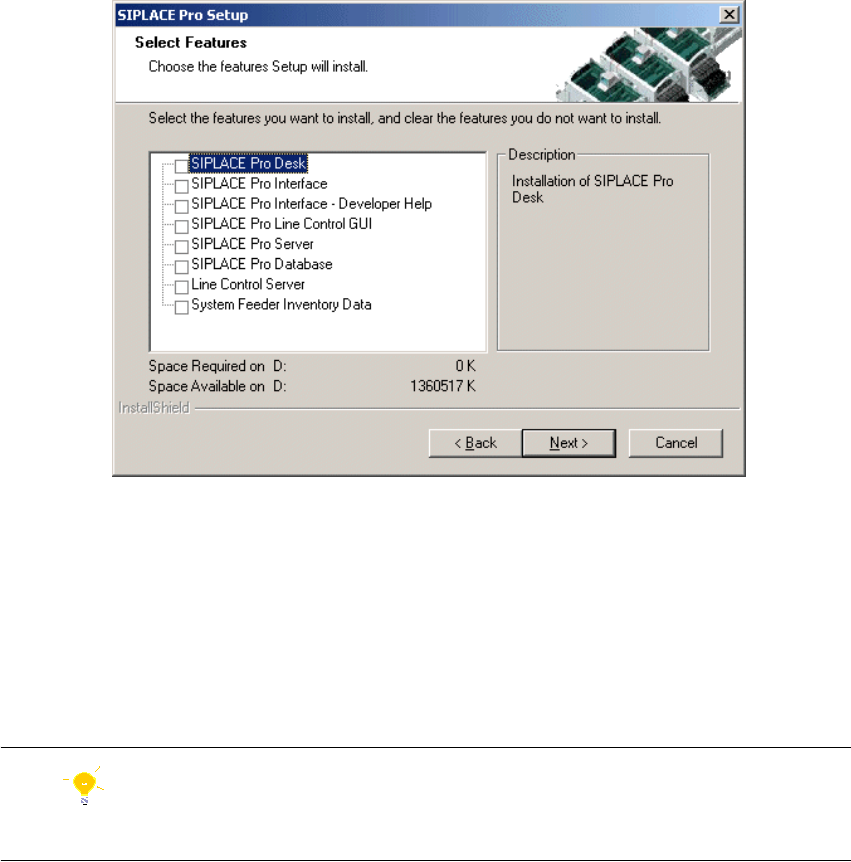
In the "Setup Features" dialog box, select the features you want to install. 4
Fig. 4 - 7 "Select Features" dialog box
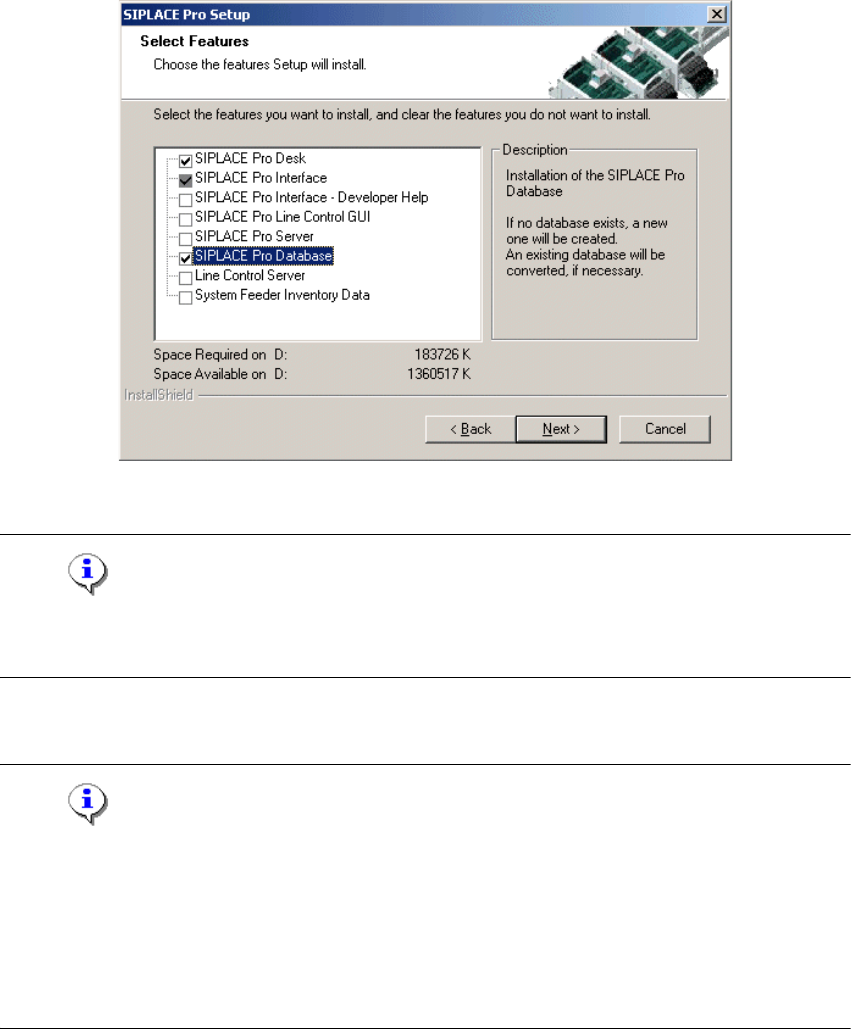
– The disk space required by all selected components is shown. The size information for
SIPLACE Pro Database is misleading, since it only takes into account the size of the SQL
scripts copied by InstallShield and installed for these components. The size of the database
itself needs to be considered in addition. The initial value is defined in a later dialog when
creating a new database and the database size is dynamic anyway.
Æ Select the features you want to install.
Hint
You need to install SIPLACE Pro Interface as minimum requirement for external applications. 4
4 Installation of SIPLACE Pro and possible Setup Types Installation manual SIPLACE Pro
Edition 03/2005 US Version 3.0
22
I 4
Fig. 4 - 8 "Select Features" dialog box
Note
After choosing the feature "SIPLACE Pro Database" it is immediately checked if SQL server or
MSDE (Microsoft Data Desktop Engine) is installed on the computer. 4
Æ Click Next.
Note
From this point onwards, the dialog boxes displayed depend on which features have been
selected (either implicit via the other Setup Type selection or explicit in the Custom Setup Type).
The sequence varies according to which features and options have been selected, so there are
many possible combinations. It is not feasible to describe all the combinations for Custom instal-
lation here. However, you will see the individual dialog boxes occurring in the course of the follow-
ing setup types. 4