00194574-01.pdf - 第44页
6 Troubleshooting Installation manual SIPLACE Pro Edition 03/2005 US Version 3.0 44 you can set a specific registry entry . The log file can be used to diagnose the cause of failur e or unexpected behavior in an installa…

Installation manual SIPLACE Pro 6 Troubleshooting
Version 3.0 Edition 03/2005 US
43
6 Troubleshooting
6.1 During installation
If it is not possible to solve a problem during installation of SIPLACE Pro, please send the file
SIPLACEProSetupLog.html and all similarly named files to SIEMENS Service (see 6.1.1). 6
6.1.1 Relevant files to analyze setup problems
Error description: 6
Whenever problems arise during setup, please inspect the file SIPLACEProSetupLog.html, which
is written anew by each installation. 6
Cause: 6
Setup problems. 6
Solution: 6
The log file is found either in C:\ (prior to the "move data phase") or in the selected program folder,
e.g. C:\Program Files\Siemen SIPLACE\SIPLACE Pro. 6
Old versions of the log file can be found in the program folder, too. They have a timestamp added
to the filename. 6
Hint
If you need Siemens support regarding installation problems, please provide all installation log
files. If you already have a SIPLACE Pro 3.0 installation on your computer, the SIPLACE Pro Error
Reporting Tool is available and can be used from the start menu (Start/Programs/
Siplace Pro/Error Reporting Tool). 6
6.1.2 How to run setup with verbose logging?
Error description:
Whenever an installation runs into problems, it is useful to have as much information at hand as
possible in order to analyze the problem. 6
Solution:
Create a log file that records the progress of a InstallScript MSI (formerly Standard) based instal-
lation, you can either execute the setup.exe at the command line using the /Verbose switch, or
6 Troubleshooting Installation manual SIPLACE Pro
Edition 03/2005 US Version 3.0
44
you can set a specific registry entry. The log file can be used to diagnose the cause of failure or
unexpected behavior in an installation. 6
6
There is one command script prepared to log an InstallScript MSI project
(as SIPLACE Pro setup is). 6
Log a setup 6
Æ On the CD, double-click on Verbose_Setup.cmd. This will invoke verbose logging. The file cre-
ated with this command will be collected by SIPLACE Pro Error Reporting Tool.
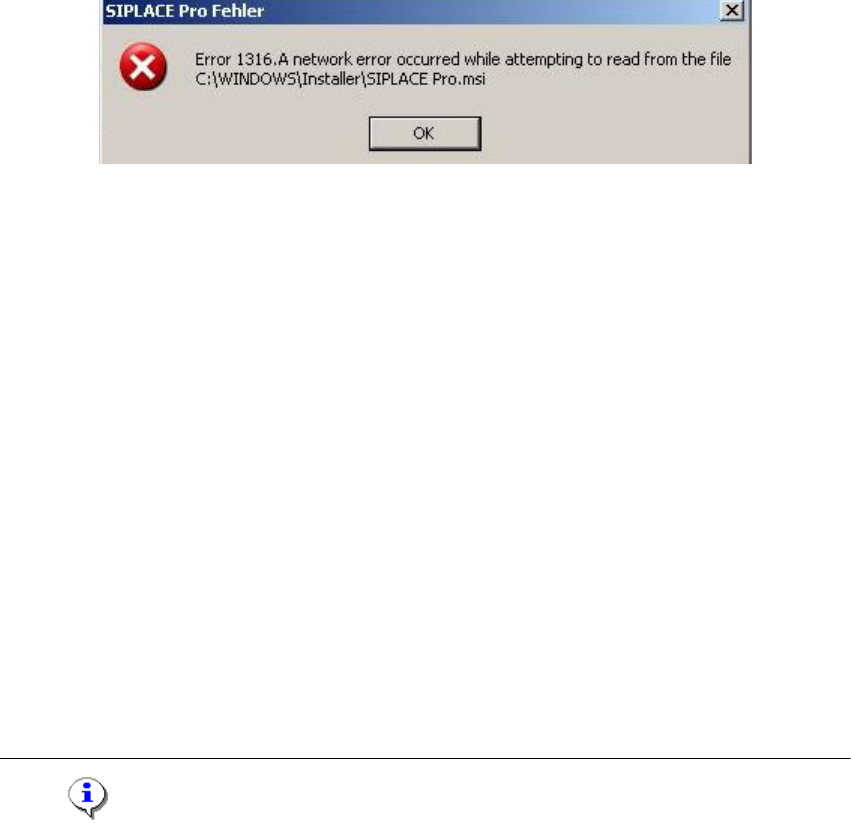
6.1.3 Error code 1316 and 1603
6
Fig. 6 - 1 "Error " dialog box
Error description:
The error messages 1316 and 1603 from the Microsoft Installer Service could occur under differ-
ent conditions. 6
Cause:
See InstallShield knowledgebase articles Q107390 and Q107182. 6
Workaround:
Æ Copy the files "SIPLACE Pro.msi" and "Data1.cab" from the setup CD in the directory men-
tioned in the error message e.g. c:/Windows/Installer/SIPLACE Pro.msi.
Æ Retry the setup:
a) The error message offers to cancel the setup or
b) confirm the error message with OK. The setup is cancelled. Then restart the setup.
Æ After a successful setup, remove the copied files.
If the copied files are not removed, the installer could access these outdated files during the
next setup which might cause further problems.
Note
It has not been proven if this workaround helps in all possible situations. In case of any further
Installation manual SIPLACE Pro 6 Troubleshooting
Version 3.0 Edition 03/2005 US
45
problems please contact your SIPLACE service technician. 6
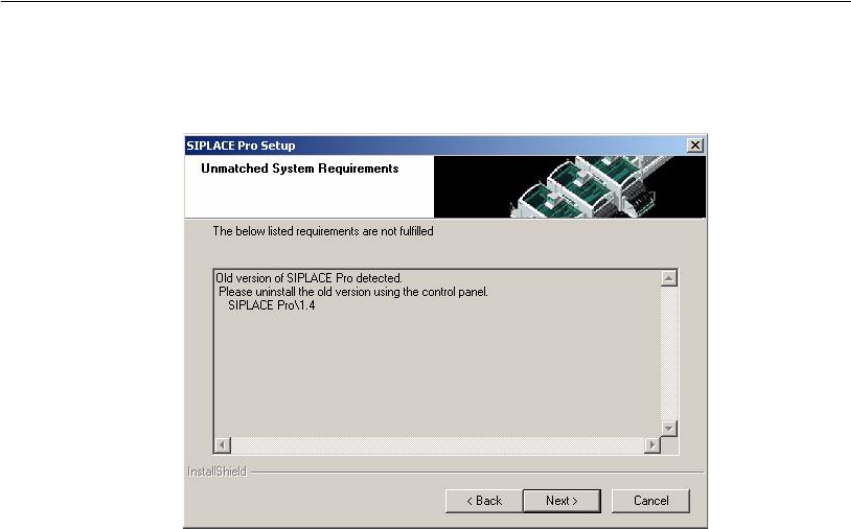
6.1.4 Conflicting old SIPLACE Pro installations
Error Description: 6
Fig. 6 - 2 Unmatched System Requirements - dialog box
Cause: 6
The new SIPLACE Pro installation conflicts with old SIPLACE Pro installations. 6
Solution: 6
The SIPLACE Pro setup may not be installed in parallel with SIPLACE Pro V1.4 or earlier ver-
sions. This check is performed by looking in the registry. 6
If SIPLACE Pro setup detects old installations and if you are absolutely sure you have uninstalled
the old version of SIPLACE Pro and SIPLACE C Pro, please proceed as follow: 6
Æ Make sure that you have manually removed any remnants of this old installation from the pro-
gram folder "except for the database"!
Æ Delete the registry entries under HKEY_LOCAL_MACHINE\SOFTWARE\Siemens
SIPLACE which relate to the error message of the current setup (like that shown above).
6.1.5 Remote installation with Windows XP clients
Error description: 6
If you are logged on to the server via remote desktop connection and start the installation following
message will be shown. 6
1607: Installation of Install Shield Scripting not possible 6